
Microsoft 365 Business Standard is the plan most Portuguese SMEs should buy in 2026, but the right pick depends on how many desktop apps, mailboxes and compliance controls your team actually needs. Best overall: Microsoft 365 Business Standard. Best for compliance-heavy teams: Business Premium. Best budget entry: Business Basic. Best for desktop-only power users: Apps for Business.
- Microsoft 365 Business Standard wins for most SMEs in 2026 — desktop Office apps, hosted email and Teams in one license.
- Business Premium adds device management and Defender for firms handling client data under GDPR.
- Business Basic is the cheapest entry point but drops desktop app installs — browser-only.
- Apps for Business fits teams that already run email and chat elsewhere and just need Word, Excel and PowerPoint.
- All four plans cap out at 300 users, so growth-stage SMEs eventually outgrow the SMB tier entirely.
Why this matters
Most Portuguese SMEs buying Microsoft 365 in 2026 default to whatever a reseller pushes, then discover mid-year that the plan doesn't cover the desktop app or the mailbox size they need. That mismatch costs an upgrade cycle and, sometimes, a data migration.
The four SMB-tier plans — Business Basic, Business Standard, Business Premium and Apps for Business — solve different problems. Ranking them by "best" only works when you separate what each plan is actually for, not just what it costs.
If you're comparing this against a wider shortlist first, the best Microsoft 365 plan for small businesses breakdown covers how these four sit against Microsoft 365 Copilot add-ons and legacy on-premise Office licenses too.
What makes the best Microsoft 365 business plan
- Desktop app installs — can staff install Word, Excel, Outlook and PowerPoint locally, or is it browser-only
- Mailbox and storage size — Exchange Online mailbox capacity and OneDrive allowance per user
- Teams and collaboration — hosted video calls, chat and SharePoint sites included or not
- Security and device management — Intune device enrollment, Defender for Business, conditional access
- User cap — every SMB-tier plan is capped at 300 users; past that you move to enterprise licensing
- Fit with existing tools — whether you already run email or chat elsewhere and don't need the overlap
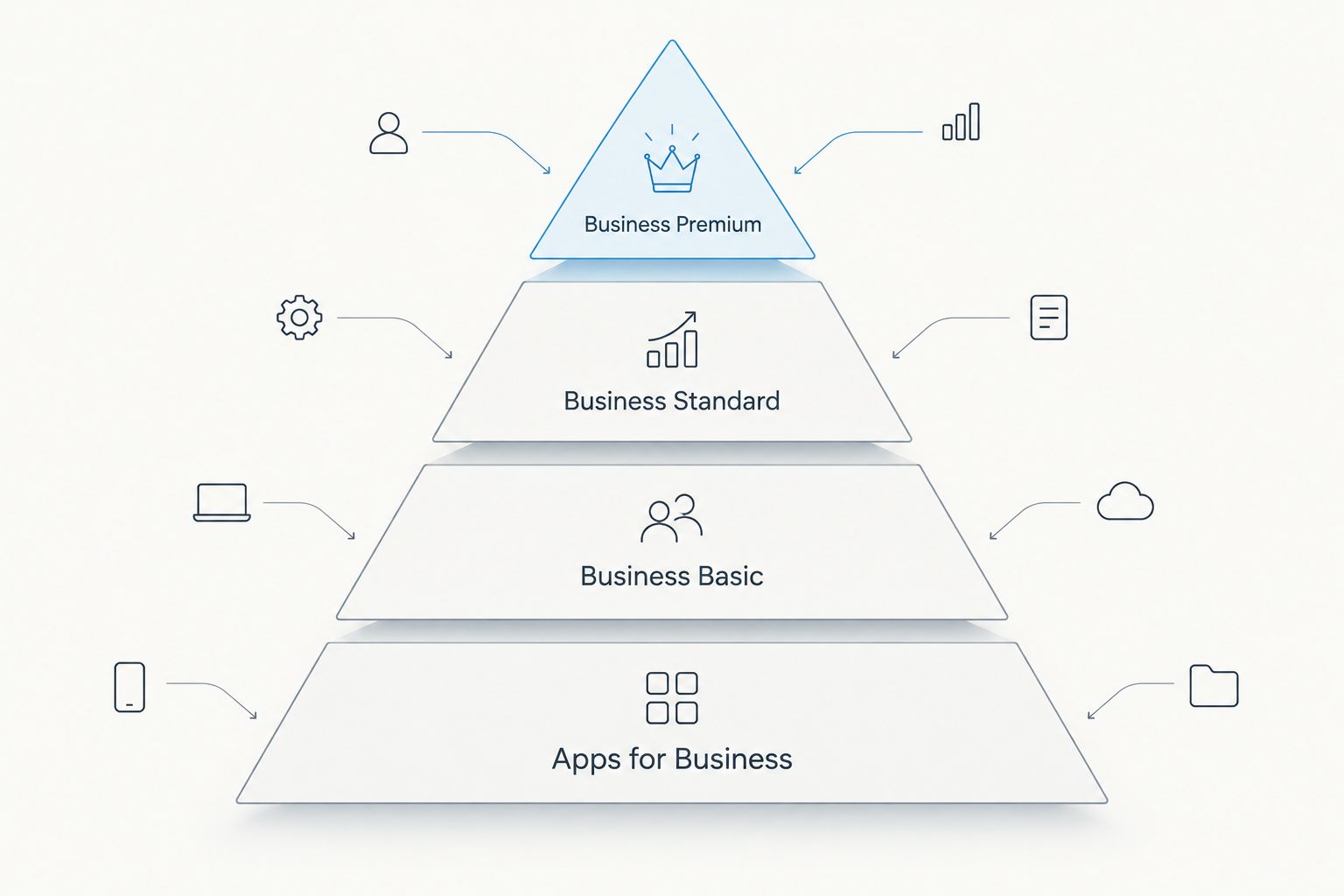
Microsoft 365 business plans at a glance
| Plan | Best for | Standout feature | Key limitation |
|---|---|---|---|
| Business Standard | Offices needing desktop apps, email and Teams together | Full desktop Office install + hosted mailbox + Teams | No device management or advanced threat protection |
| Business Premium | Firms handling client or financial data | Intune device management + Defender for Business | Overkill for a two-person shop with no compliance need |
| Business Basic | Browser-only teams on tight budgets | Hosted email and Teams without desktop installs | No local Word, Excel or PowerPoint install |
| Apps for Business | Teams that already have email and chat elsewhere | Desktop Office apps with no hosted mailbox | No Exchange Online mailbox or Teams included |
1. Microsoft 365 Business Standard: best for offices running desktop Office, email and Teams together
Microsoft 365 Business Standard is the plan that covers the full daily workflow most Portuguese SMEs run: a hosted business mailbox, desktop installs of Word, Excel, PowerPoint and Outlook, and Teams for internal calls and file sharing. It's the plan that plugs cleanly into a Wintouch or Primavera-based back office without forcing anyone into a browser-only workaround.
Microsoft 365 Business Standard pros:
- Full desktop Office app installs on up to 5 devices per user
- Hosted Exchange Online mailbox with a 50 GB mailbox and 1 TB of OneDrive storage per user
- Teams included for calls, chat and internal file sharing
- Works as the baseline license before layering Copilot or Premium security later
Microsoft 365 Business Standard cons:
- No built-in device management (Intune) or Defender for Business
- Advanced compliance tools (DLP, sensitivity labels) are missing versus Premium
- Storage add-ons on top of the included allowance require a separate SharePoint plan
Best for: SMEs that need the full Office suite and hosted email in one license without paying for security layers they won't configure. Verdict: Buy.
2. Microsoft 365 Business Premium: best for teams handling client or financial data
Microsoft 365 Business Premium carries everything in Business Standard plus device enrollment through Intune and threat protection through Defender for Business. It's the plan that matters once a firm is legally on the hook for how it handles client records — accounting firms, insurance brokers, healthcare practices, law firms.
If your team is already running an is Microsoft 365 Copilot worth it for small businesses evaluation, Premium is the license Copilot for Microsoft 365 layers on top of most cleanly, since the compliance and device controls are already in place.
Microsoft 365 Business Premium pros:
- Everything in Business Standard, plus Intune device management
- Defender for Business blocks phishing and malware at the mailbox and device level
- Conditional access and data loss prevention for regulated data handling
- Remote wipe on lost or stolen company devices
Microsoft 365 Business Premium cons:
- The security layer takes setup time — it's not switched on by default
- Small teams with no compliance obligation are paying for controls they'll never touch
- Still capped at 300 users like every other SMB-tier plan
Best for: firms with a regulatory or contractual reason to lock down devices and mailboxes. Verdict: Buy for regulated SMEs, Hold for everyone else until the compliance need is real.
3. Microsoft 365 Business Basic: best budget entry for browser-only teams
Microsoft 365 Business Basic strips out the desktop app installs and keeps the hosted mailbox, Teams and web versions of Office. It fits front-desk staff, retail floor teams and anyone who only needs email and a browser-based document editor, not a full desktop suite.
Many SMEs start here and outgrow it within a year. The move is straightforward — see how to upgrade from Microsoft 365 Business Basic to Standard for the exact steps without losing mailbox history.
Microsoft 365 Business Basic pros:
- Hosted business email and Teams from day one
- Lowest entry point in the SMB-tier lineup
- Web versions of Word, Excel and PowerPoint included
Microsoft 365 Business Basic cons:
- No desktop app installs — a real friction point for anyone editing documents daily
- Frontline staff hit the ceiling fast if their role grows beyond email and scheduling
- Upgrading later means a license swap, not a simple toggle
Best for: frontline and browser-first roles where nobody edits large documents offline. Verdict: Buy for frontline seats, Skip for anyone doing daily document work.
4. Microsoft 365 Apps for Business: best for teams that already run email and chat elsewhere
Microsoft 365 Apps for Business is the odd one out — no hosted mailbox, no Teams, just the desktop Office apps. It exists for businesses already committed to Google Workspace, Slack or Zoom for email and chat, and only need Word, Excel and PowerPoint on the desktop.
If that's your setup, Microsoft 365 without Teams if you already use Slack or Zoom walks through what you keep and what you give up going this route instead of Business Standard.
Microsoft 365 Apps for Business pros:
- Full desktop Office install without paying for a mailbox you won't use
- Cleanest fit for teams standardized on another email and chat stack
- Same per-user license cap and admin console as the other SMB plans
Microsoft 365 Apps for Business cons:
- No Exchange Online mailbox, so it can't replace Business Standard for email-first teams
- No Teams — a real gap if internal calls or file sharing matter
- Easy to mismatch with a company that later needs hosted email anyway
Best for: businesses with email and chat already solved elsewhere. Verdict: Buy only if that condition is true, Skip otherwise.
How we ranked these plans
The ranking above weighs desktop app access, mailbox and storage size, Teams inclusion, and security controls against actual SME use cases — not sticker appeal. Business Standard tops the list because it's the only plan that covers the full daily workflow without forcing a browser-only compromise or paying for security controls that go unconfigured.
Which Microsoft 365 plan should you choose in 2026?
If you're unsure, default to Microsoft 365 Business Standard. It covers desktop Office, hosted email and Teams without the setup overhead of Premium's security stack. Move up to Business Premium the moment client data, financial records or a compliance obligation enters the picture. Drop to Business Basic only for frontline seats that never touch a full document. Choose Apps for Business only when email and chat are already solved outside Microsoft's stack.
Move your team to Microsoft 365 in 2026
Voll handles the license setup and mailbox migration for Portuguese SMEs.
FAQ
What's the best Microsoft 365 plan for a small business in 2026?
Microsoft 365 Business Standard is the best fit for most small businesses in 2026 because it bundles desktop Office apps, hosted email and Teams in one license. Businesses with compliance obligations should move up to Business Premium instead.
Is Microsoft 365 Business Standard better than Business Basic?
Yes, for any team that edits documents regularly. Business Standard includes desktop app installs that Business Basic drops in favor of browser-only Office.
Does Microsoft 365 Business Premium include Business Standard's features?
Yes. Business Premium includes everything in Business Standard plus Intune device management and Defender for Business threat protection.
How many users can a Microsoft 365 SMB plan support?
Every SMB-tier plan — Basic, Standard, Premium and Apps for Business — is capped at 300 users. Businesses past that threshold need an enterprise-tier license.
Can I use Microsoft 365 Apps for Business without Teams?
Yes, Apps for Business doesn't include Teams or a hosted mailbox at all. It only covers desktop installs of Word, Excel and PowerPoint, which fits businesses already running email and chat elsewhere.
Do I need Business Premium if I just handle client invoices?
Not necessarily. Business Premium's device management and Defender for Business matter most for firms with a regulatory obligation around client or financial data, not every business that issues invoices.
Can I switch from Business Basic to Business Standard later?
Yes, upgrading from Business Basic to Business Standard is a standard license swap that keeps mailbox history intact when done correctly.
Does Microsoft 365 Business Standard include SharePoint storage?
Business Standard includes 1 TB of OneDrive storage per user, and additional SharePoint storage can be added on top through a separate add-on.
One last thing
Annual commitments paid monthly typically cost less per seat over 2026 than pure month-to-month billing on the same Microsoft 365 plan — the catch most SMEs miss is that switching billing cycles mid-term isn't always free, so lock the commitment type in before rollout, not after.


