Wi-Fi access point prices by Wi-Fi standard follow one rule in 2026: every newer generation sits in a higher price tier, and the premium only pays back where the extra capacity actually gets used. Below are the five standards side by side, what each price tier buys you, and which one a Portuguese business should order.
- Wi-Fi access point prices by Wi-Fi standard rise by generation: Wi-Fi 4, 5, 6, 6E, then Wi-Fi 7.
- Wi-Fi 6 is the default buy for most offices, shops and warehouses in 2026.
- Wi-Fi 6E costs more than Wi-Fi 6 for the 6 GHz band, not for extra speed.
- In Europe, 6 GHz Wi-Fi gets 480 MHz of spectrum, which limits the payoff of 6E and Wi-Fi 7.
- Voll quotes business hardware ex-VAT, so compare competing offers on the same basis.
Why this matters
An access point is never a one-off purchase. A business rollout in 2026 means several units, PoE switch ports, cabling, mounting and usually a controller. The standard you choose sets the price tier for every one of those units, so a wrong call multiplies across the whole site.
Pick too low and you replace hardware in two or three years. Pick too high and you pay for radio capability that your laptops, scanners and POS terminals cannot use. If you are scoping a full site, the guide to best Wi-Fi access points for offices and warehouses covers model selection; this page settles the standard first.
Wi-Fi standards compared: specs and price tier
The standard sets the price tier more than any other spec. Cheapest to most expensive per unit, the order is Wi-Fi 4, Wi-Fi 5, Wi-Fi 6, Wi-Fi 6E, Wi-Fi 7. The table shows what each tier carries.
| Standard | IEEE name | Introduced | Bands | Max channel width | Top modulation | Theoretical max rate | Price tier |
|---|---|---|---|---|---|---|---|
| Wi-Fi 4 | 802.11n | 2009 | 2.4 / 5 GHz | 40 MHz | 64-QAM | 600 Mbps | Lowest |
| Wi-Fi 5 | 802.11ac | 2013 | 5 GHz | 160 MHz | 256-QAM | 6.9 Gbps | Low |
| Wi-Fi 6 | 802.11ax | 2019 | 2.4 / 5 GHz | 160 MHz | 1024-QAM | 9.6 Gbps | Middle |
| Wi-Fi 6E | 802.11ax | 2021 | 2.4 / 5 / 6 GHz | 160 MHz | 1024-QAM | 9.6 Gbps | Upper |
| Wi-Fi 7 | 802.11be | 2024 | 2.4 / 5 / 6 GHz | 320 MHz | 4096-QAM | 46 Gbps | Highest |
The price tier column is a relative ranking, not a euro figure. Maximum rates are ceilings for the standard across all spatial streams; a single client in a real office gets a fraction of them.
Winners, losers and the gap that matters
Wi-Fi 7 leads on theoretical throughput at 46 Gbps and sits at the top of the price ladder. Wi-Fi 4 trails at 600 Mbps and sits at the bottom. The interesting result is in the middle: Wi-Fi 6 and Wi-Fi 6E share the same 9.6 Gbps ceiling and the same 1024-QAM modulation.
Wi-Fi 6E costs more than Wi-Fi 6 for spectrum, not for speed. That is the single most useful sentence on this page when you compare two quotes.
The second gap worth knowing is regional. In the EU, including Portugal, the 6 GHz band opened for Wi-Fi in 2021 covers 5945 to 6425 MHz, which is 480 MHz of spectrum. That room fits only one 320 MHz channel, so the widest-channel feature that drives the Wi-Fi 7 headline number has far less space to work with in Europe than the spec sheet suggests.
What the price premium buys at each step
| Step up | What you gain | When it pays off |
|---|---|---|
| Wi-Fi 4 to Wi-Fi 5 | Wider 5 GHz channels, 256-QAM, MU-MIMO on later hardware | Any site still running legacy units |
| Wi-Fi 5 to Wi-Fi 6 | OFDMA, 1024-QAM, better handling of many clients at once | Offices, shops and warehouses with mixed devices |
| Wi-Fi 6 to Wi-Fi 6E | Access to the 6 GHz band | Saturated 5 GHz plus clients that support 6 GHz |
| Wi-Fi 6E to Wi-Fi 7 | 320 MHz channels, 4096-QAM, Multi-Link Operation | New builds planning a long hardware life |
The Wi-Fi 5 to Wi-Fi 6 step changes daily experience the most for a typical business, because OFDMA targets exactly the busy, many-device conditions of a shop floor or open office. The later steps add headroom that depends on client support.
What each tier is for
Wi-Fi 4 (802.11n): Skip
Best for: nothing new. Only for keeping an existing install running until replacement.
- Pro: the lowest unit price of any tier.
- Con: a 600 Mbps ceiling, 40 MHz channels and weak behavior when many clients connect at once.
Verdict: Skip for any new business deployment in 2026.
Wi-Fi 5 (802.11ac): Hold
Best for: small offices with a handful of users and a tight budget.
- Pro: low price and mature, well-understood hardware.
- Con: no OFDMA, and its 802.11ac features run on 5 GHz only.
Verdict: Hold if budget is the hard constraint and the site is small. Otherwise step up to Wi-Fi 6.
Wi-Fi 6 (802.11ax): Buy
Best for: offices, retail stores, clinics and warehouses running laptops, phones, barcode scanners and POS terminals on one network.
- Pro: built for many concurrent clients, and it runs on both 2.4 and 5 GHz, so older devices still connect.
- Con: no 6 GHz band, so a congested 5 GHz environment has no clean spectrum to move to.
Verdict: Buy. For most business sites in 2026, Wi-Fi 6 is where cost and capability balance. For sizing a small site, see the guide to office Wi-Fi networks for small businesses.
Wi-Fi 6E (802.11ax): Hold
Best for: dense sites where 5 GHz is saturated and most clients already support 6 GHz.
- Pro: the 6 GHz band gives clean, uncongested spectrum.
- Con: you pay for a band only 6 GHz-capable devices can use. Older laptops, handhelds and scanners stay on 2.4 and 5 GHz.
Verdict: Hold until your device fleet can actually use 6 GHz.
Wi-Fi 7 (802.11be): Wait
Best for: new builds expecting a long hardware life and heavy, latency-sensitive traffic.
- Pro: the highest ceiling at 46 Gbps and Multi-Link Operation across bands.
- Con: the highest unit price, limited 6 GHz room in Europe, and few business clients that use its full feature set today.
Verdict: Wait unless you are cabling a new site in 2026 and want to skip a refresh cycle.
Methodology and limits
The standards tables draw on the published IEEE 802.11 amendments, Wi-Fi Alliance generation names and the EU decision opening the lower 6 GHz band. They describe the standards themselves, not any retailer price list.
The named limitation: street prices move with brand, antenna count, port speed, PoE requirements and management licensing, so two access points of the same standard can sit far apart in price. The tiers tell you the ordering, not what a given model costs on a given day. Check the current price on the product page before you commit.
How to use these benchmarks
Treat the standard as the last decision, not the first. The order below keeps you from paying for capacity the site cannot use.
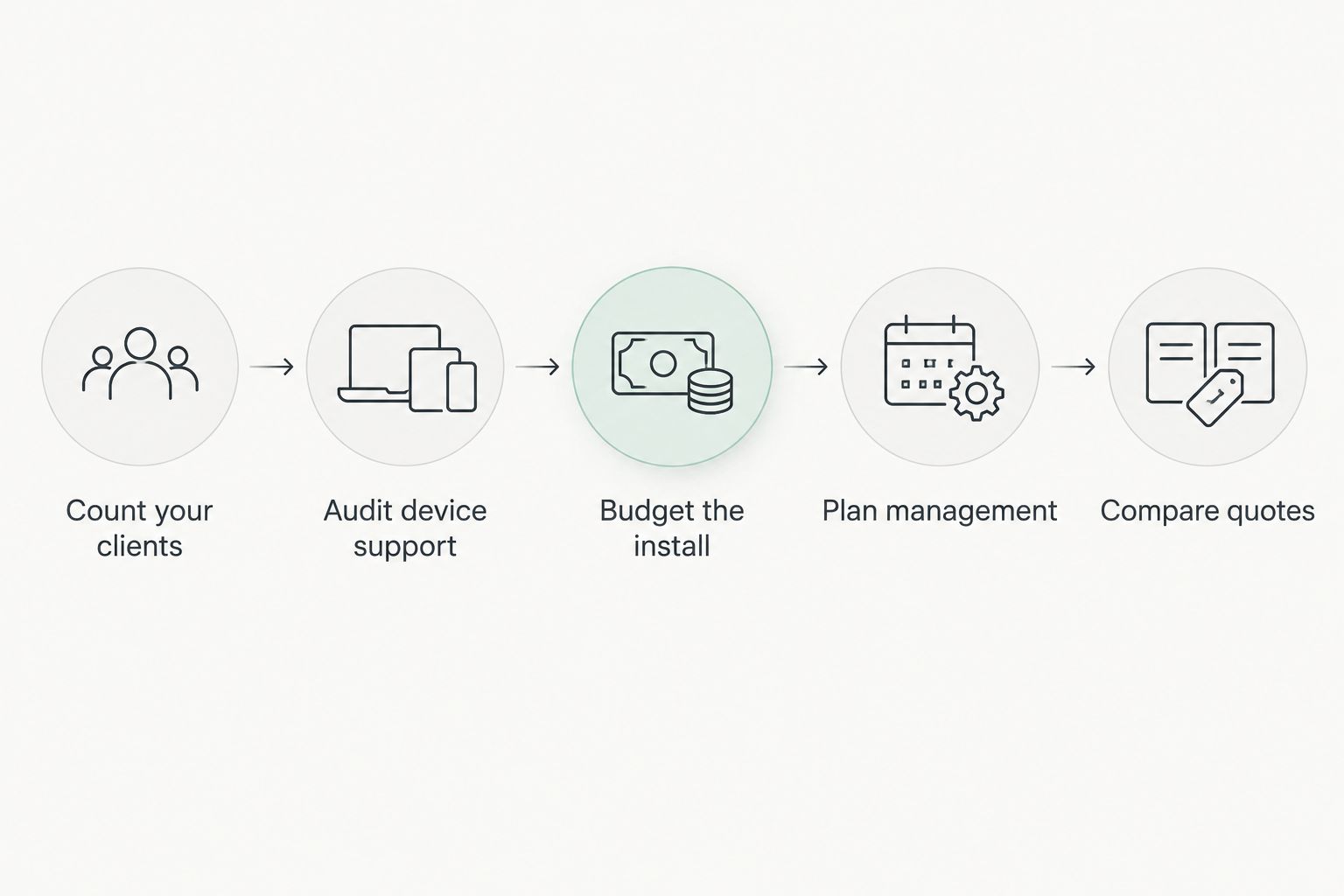
- Count your clients first. A small office with few devices runs fine on Wi-Fi 5 or Wi-Fi 6. Dense sites push you to Wi-Fi 6 at minimum.
- Audit device support before paying for 6 GHz. If most scanners, handhelds and laptops cannot use 6 GHz, Wi-Fi 6E and Wi-Fi 7 buy you nothing today.
- Budget the whole install, not just the access point. Every unit needs a PoE port; the guide to best 8-port PoE switches for small business networks covers powering them.
- Plan management early. Many units or several locations justify a controller, which affects total cost as much as the radio standard does.
- Compare quotes ex-VAT. Voll lists business prices without VAT, so line up competing offers on the same basis.
Get a quote for your site
Business prices ex-VAT, with quote request or direct online purchase.
Warehouses and large facilities
Large floors change the math. Coverage area and roaming between units matter more than the headline standard, and in a warehouse you often get better results from more units of a mid tier than from fewer premium ones.
Metal racking and stock also absorb signal, which favors careful placement over raw throughput. Voll carries Reyee professional network equipment for these sites, with installation and local support in Portugal.
FAQ
What is the cheapest Wi-Fi standard for a business access point in 2026?
Wi-Fi 4 is the cheapest, but it is legacy hardware with a 600 Mbps ceiling. Wi-Fi 5 is the practical budget floor for a small office in 2026.
Is Wi-Fi 6 worth the extra cost over Wi-Fi 5?
Yes for most business sites. Wi-Fi 6 adds OFDMA, which handles many devices at once, the normal situation in offices, shops and warehouses.
Why does Wi-Fi 6E cost more than Wi-Fi 6?
Wi-Fi 6E adds the 6 GHz band. Both standards share a 9.6 Gbps theoretical ceiling, so the premium buys spectrum, not speed.
Is Wi-Fi 7 worth buying in 2026?
Only for new builds with a long hardware horizon and heavy traffic. In Europe the 6 GHz band offers 480 MHz, which limits its widest channels.
How much 6 GHz spectrum is available in Portugal?
Portugal follows the EU allocation of 5945 to 6425 MHz, which is 480 MHz. That fits one 320 MHz Wi-Fi 7 channel.
Do access point prices include VAT at Voll?
No. Voll quotes business prices without VAT. Check the current price on the product page before comparing offers.
How many access points does an office need?
It depends on floor area, walls and client count, not on the standard. Size the site first, then choose the standard.
One last thing
The easiest way to overspend on Wi-Fi in 2026 is buying 6 GHz hardware for a fleet of devices that cannot connect to 6 GHz. Check what your clients support before you check the price list.