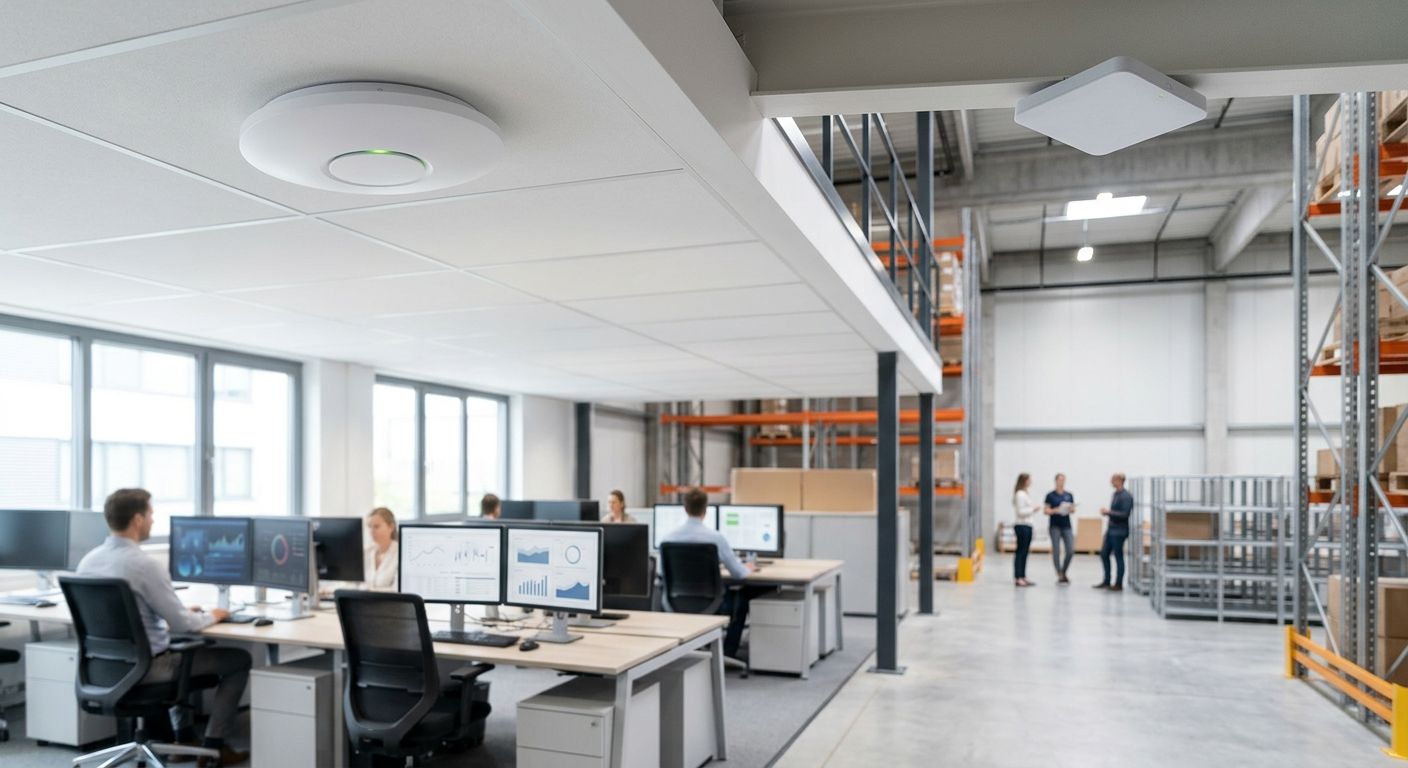
Picking the right wifi access point in 2026 comes down to one question: how big is the space and how many devices need to stay connected at once? Best overall: Reyee Access Points for warehouses and large facilities. Best for multi-site businesses: cloud-managed Wi-Fi controllers. Best for multi-floor offices: mesh Wi-Fi systems. Best for small branches: business-grade routers with AP mode. Best for hospitality: guest Wi-Fi setups.
- Reyee access points are the strongest wifi access point pick for warehouses and large facilities in 2026.
- Cloud-managed Wi-Fi controllers win for retail chains and businesses running 3+ locations.
- Mesh Wi-Fi systems suit multi-floor offices without existing structured cabling.
- Business-grade routers with built-in AP mode cover small branch offices under 20 users but do not scale past one floor.
Why this matters
A badly placed wifi access point turns a warehouse scanner fleet into a dead-zone problem, and a badly segmented one turns a hotel guest network into a security hole next to the POS system. In 2026, the difference between a decent office network and a frustrating one usually isn't the brand on the box — it's whether the access point model matches the building.
Offices and warehouses have almost nothing in common as radio environments. Metal racking, high ceilings, and forklift interference in a warehouse call for a completely different wifi access point strategy than an open-plan office with drywall and glass partitions. This guide ranks five access point approaches by the use case they actually solve, not by which one sounds most impressive on a spec sheet.
What makes the best wifi access point
- Coverage per unit — how much floor area one access point reliably covers before signal drops
- PoE support — power and data over one cable, which cuts installation cost in ceiling-mounted deployments
- Management model — standalone, on-site controller, or cloud dashboard across multiple sites
- Band and throughput — Wi-Fi 6 or 6E support for device-dense environments
- Segmentation — separate VLANs or SSIDs for guest, staff, and POS traffic
- Interference resistance — how the access point performs near metal shelving, machinery, or thick walls
Wifi access points at a glance
| Solution | Best for | Standout feature | Key limitation |
|---|---|---|---|
| Reyee Access Points | Warehouses & large facilities | Wide per-unit coverage, PoE-powered | Needs a site survey near metal racking |
| Cloud-managed Wi-Fi controllers | Multi-site businesses | Single dashboard across branches | Relies on stable internet at each site |
| Mesh Wi-Fi systems | Multi-floor offices | Fast deployment, no full re-cabling | Wireless backhaul can cap throughput |
| Business-grade routers (AP mode) | Small branch offices | Router + Wi-Fi + VPN in one box | Single point of failure, weak past one room |
| Guest Wi-Fi setups | Hotels & restaurants | Isolates guest traffic from POS | Captive portal adds setup work |
1. Reyee Access Points: best wifi access point for warehouses and large facilities
Reyee access points are ceiling or wall-mounted units built for open, high-ceiling spaces where a home-grade router would leave half the floor unreachable. Each unit runs on PoE, so cabling is simpler than running separate power to every mount point, and coverage per access point is wide enough to cut down the total unit count on a warehouse floor.
Reyee access point pros:
- Wide per-unit coverage reduces how many access points a large facility needs
- Centralized management through a cloud app or controller
- PoE power delivery simplifies cabling runs
- Handles interference from racking and machinery better than consumer-grade hardware
Reyee access point cons:
- Metal-heavy warehouses still need a proper site survey before install
- Requires PoE switch infrastructure to power the units
- Very large sites need mesh backhaul planning, not just more access points
Best for: warehouses, distribution centers, and large industrial floors. Verdict: Buy — this is the default pick for any facility over a few thousand square meters.
2. Cloud-managed Wi-Fi controllers: best for multi-site businesses
Cloud-managed Wi-Fi controllers put every access point across every location on one dashboard instead of forcing IT to log into hardware at each site. That matters the moment a business runs more than two locations — a retail chain, a clinic group, a franchise with branch offices.
Cloud-managed Wi-Fi controller pros:
- One dashboard for configuration, monitoring, and firmware across all sites
- Push policy or password changes remotely without a site visit
- Scales cleanly as new locations open
- Reduces the number of on-site IT trips per year
Cloud-managed Wi-Fi controller cons:
- Management sync depends on each site having stable internet
- Licensing and subscription terms need checking before rollout
- Initial per-site network planning still takes time even with cloud management
Best for: retail chains, franchises, and any business running three or more locations. Verdict: Buy for multi-site operations; Skip if you run a single office — it's overhead you don't need yet.
3. Mesh Wi-Fi systems: best for large office buildings
Mesh Wi-Fi systems use multiple nodes that talk to each other, spreading coverage across a multi-floor office without running an access point cable to every room. That's the appeal in older office buildings where structured cabling is expensive or impossible without renovation.
Mesh Wi-Fi pros:
- Deploys fast in buildings without pre-existing network cabling
- Automatic roaming keeps video calls connected between rooms and floors
- Works well in open-plan layouts with meeting rooms and corridors
Mesh Wi-Fi cons:
- Wireless backhaul between nodes can cut throughput compared to wired uplinks
- Not the right fit for very high device density — 100+ concurrent connections per floor stress a mesh setup
- A partial wired backbone still improves reliability even in a mesh design
Best for: multi-floor offices without existing cabling. Verdict: Buy for renovated or older buildings; consider wired access points instead for a new office build in 2026.
4. Business-grade routers with AP mode: best for branch office connectivity
A business-grade router that doubles as an access point combines routing, firewall, and Wi-Fi into one box, which keeps small branch sites simple. This is the right call for a satellite office with under 20 users and no dedicated IT on-site.
Business-grade router pros:
- Fewer boxes to manage at a small branch
- Built-in VPN back to head office
- Simple enough to set up without a network specialist on-site
Business-grade router cons:
- One box handling routing and Wi-Fi means one point of failure for both
- Coverage beyond one or two rooms is weaker than a dedicated access point
- Growing past 20 users usually forces a swap to separate router and access point hardware
Best for: small branch offices and satellite locations. Verdict: Buy for a small branch; Skip for anything spanning more than one floor.
5. Guest Wi-Fi setups: best for hotels and restaurants
A guest Wi-Fi setup separates public traffic from staff and POS systems using distinct SSIDs and VLANs, with a captive portal handling logins. Hospitality venues need this split — a guest streaming video should never share the same network segment as the payment terminal at the front desk.
Guest Wi-Fi pros:
- Keeps guest traffic isolated from POS and back-office systems
- Supports branded login portals for hotels and restaurants
- Bandwidth throttling per guest keeps staff systems responsive during busy hours
Guest Wi-Fi cons:
- VLAN segmentation has to be configured correctly or the isolation is meaningless
- Captive portals add a layer of setup and maintenance
- Peak season or event traffic needs capacity planning ahead of time
Best for: hotels, restaurants, and any venue offering public Wi-Fi. Verdict: Buy for guest-facing hospitality; Skip if the site is pure back-office with no public network need.
How we ranked
Each pick above maps to one criterion from the list: Reyee access points win on coverage-per-unit and PoE for open industrial space; cloud-managed controllers win on management model for scattered sites; mesh systems win on deployment speed where cabling isn't an option; business-grade routers win on simplicity for tiny branches; guest Wi-Fi setups win on segmentation for public-facing venues. No single wifi access point wins every category — that's the point of ranking by use case instead of by spec sheet.
“A perfect access point in the wrong spot still leaves dead zones — the site survey matters more than the model number.”
Which wifi access point should you choose?
For most offices and warehouses evaluating options in 2026, Reyee Access Points are the default starting point — wide coverage per unit, PoE simplicity, and enough resilience for industrial interference. Running more than one site pushes the decision toward cloud-managed Wi-Fi controllers instead, since the management overhead of separate dashboards per location adds up fast. Everyone else should match the pick above to their actual floor plan, not the other way around.
Plan your Wi-Fi rollout for 2026
Get a site-specific access point recommendation before you order hardware.
FAQ
What's the best wifi access point for a warehouse in 2026?
Reyee Access Points are the best wifi access point for warehouses in 2026 because they cover wide open floor areas per unit and run on PoE. Metal racking and high ceilings still call for a site survey before final placement.
Is mesh Wi-Fi better than access points for offices?
Mesh Wi-Fi is better for offices without existing network cabling, since nodes self-organize without running a cable to every room. Dedicated wired access points still outperform mesh in throughput for high-density floors.
How many wifi access points does a warehouse need?
The count depends on ceiling height, racking density, and how much interference the building has, but coverage per enterprise access point drops sharply near metal shelving. A site survey settles this faster than guessing from square footage alone.
What's the difference between an access point and a router?
A router handles internet connectivity and traffic routing; an access point extends Wi-Fi coverage from an existing network. Many small offices combine both in one box, but larger spaces need dedicated access points fed by a separate router.
Do I need PoE switches for professional access points?
Most enterprise access points, including Reyee models, run on Power over Ethernet, which means a PoE-capable switch is required to power them. Without PoE, each access point needs a separate power cable, which complicates ceiling installs.
Is cloud-managed Wi-Fi worth it for a single office?
Cloud-managed Wi-Fi controllers pay off once a business runs three or more locations that need centralized policy and monitoring. A single office usually doesn't need the extra management layer in 2026.
What's the best Wi-Fi setup for guest networks in hotels?
A guest Wi-Fi setup with a separate SSID and VLAN from staff and POS traffic is the standard approach for hotels and restaurants. A captive portal adds branded login without exposing internal systems.
Can one access point cover an entire warehouse?
One access point rarely covers an entire warehouse — coverage drops fast around metal racking and machinery, and most facilities need multiple units placed after a site survey. Trying to rely on a single unit usually creates dead zones near the far walls.
One last thing
The most common mistake in 2026 office and warehouse Wi-Fi projects isn't picking the wrong access point — it's skipping the site survey and buying based on a spec sheet number that assumes an empty room with no metal shelving in it.


