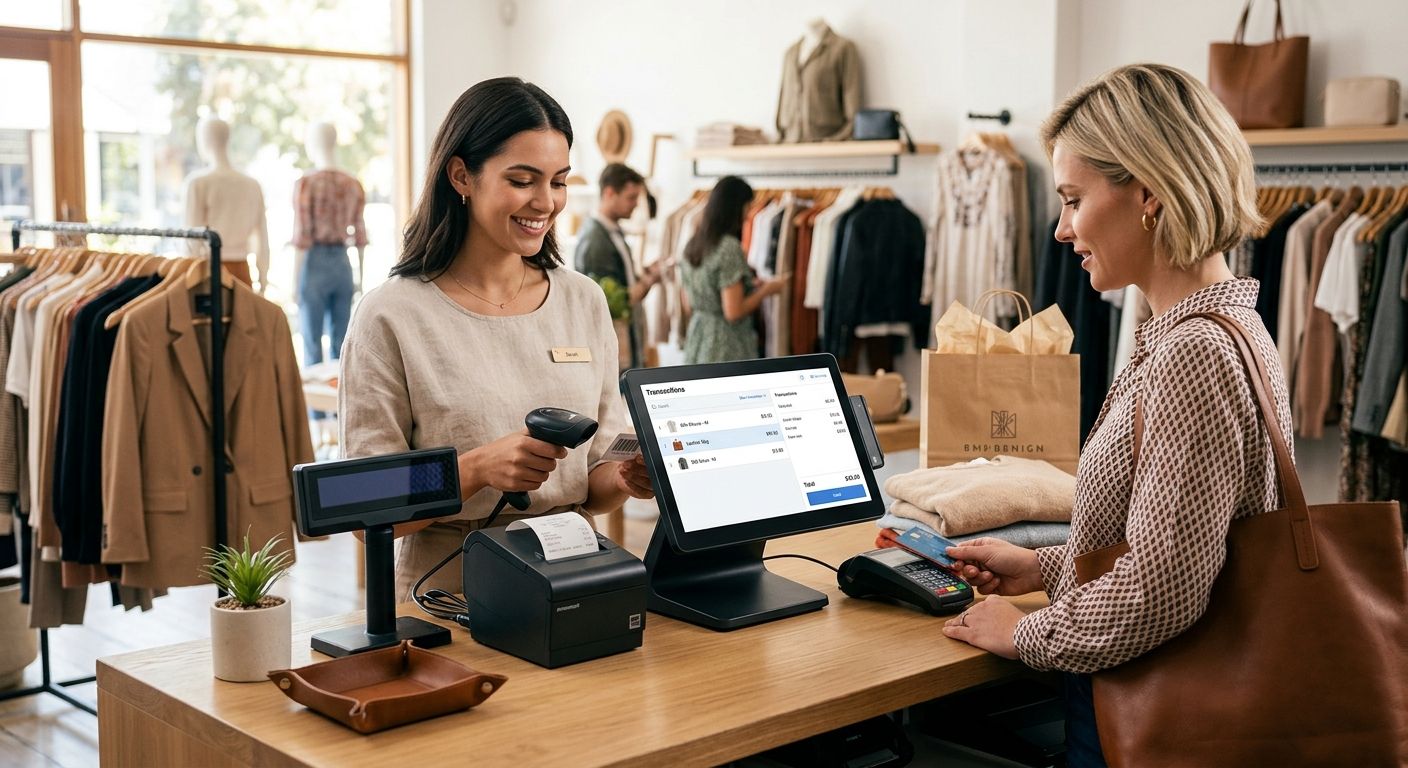
Clothing and fashion boutiques need a complete POS terminal that tracks size and color variants at checkout, prints barcode labels for every rack, and syncs stock between the till and the stockroom without manual recounts. Apparel retail turns one shirt style into 8-12 SKUs once you split by size and color, and a generic checkout app that flattens all of that into one line item will drift from your real stock within weeks.
- WINTOUCH POS is the strongest complete pos terminal for boutiques handling size and color variant tracking with barcode printing.
- Pair WINTOUCH with a SUNMI terminal, barcode scanner and thermal receipt printer for a full checkout station.
- SAF-T compliant invoicing is required for Portuguese retailers in 2026, so confirm the POS exports it natively.
- Boutiques running two or more locations should move to WINTOUCH Cloud instead of a single on-premise license.
Why POS setup matters for clothing and fashion boutiques
A boutique lives or dies on stock accuracy during sale weeks, when a single rack can turn over three times in a day. WINTOUCH POS software is built around variant fields (size, color, batch) instead of treating every item as a flat SKU, which is the difference between a stock count that matches the shop floor and one that doesn't.
Boutique owners searching for a complete pos terminal for boutiques are usually replacing a spreadsheet-and-calculator setup or a generic tablet app that never accounted for apparel variants. The fix in 2026 is not a cheaper tablet stand — it's a checkout stack built for clothing from the start.
Choose POS software matched to apparel retail
Generic retail POS apps handle a single barcode per product. Apparel needs more structure than that.
- Confirm the software supports size and color as separate variant fields, not free-text notes
- Check that stock counts update per variant, not per parent product
- Verify markdown and end-of-season discount rules can apply to a size run, not item by item
- Ask whether the license supports offline sales during a connectivity drop, syncing once the connection returns
WINTOUCH POS handles all four out of the box, which is why it sits ahead of flat-SKU apps for any boutique carrying more than one size run per style.
Add checkout hardware that keeps queues moving
Software alone doesn't ring a sale. The physical station needs hardware chosen for garment checkout speed, not general retail.
- A barcode scanner built for retail checkout reads tags sewn or clipped onto fabric, including curved or folded labels
- A cash drawer that opens automatically on cash sales, not a manual-release model
- A thermal receipt printer that doesn't jam on double-sided or logo receipts
- A card payment terminal that clears in the same flow as the sale, without a second app
A single-tablet setup with no dedicated scanner works for a pop-up stand with under 50 SKUs. Past that, manual lookup slows every queue during a Saturday rush.
Print barcode and price tags in-house
Boutiques that reorder pre-printed tags from a third party lose a week every time a new collection lands. Printing tags on-site removes that delay.
- Print size and color-specific barcodes the day stock arrives, not after a supplier delay
- Reprint faded or torn tags on the shop floor without a reorder
- Batch-print a full new collection drop in one run instead of scanning items in one at a time
- Match tag size to garment type — a small fold-over tag for knitwear, a swing tag for outerwear
Track stock across the rack and the stockroom
A rack that looks full doesn't mean the size you need is actually there. Real-time sync closes that gap.
- Deduct stock per variant at the moment of sale, not at end-of-day reconciliation
- Flag low stock on a specific size before the rack goes empty, not after
- Run a stocktake by scanning instead of counting hangers by hand
- Separate stockroom quantity from shop-floor display quantity so staff know what to pull
Comply with Portuguese invoicing rules
Every retailer issuing invoices in Portugal in 2026 needs a system that produces the required tax file without a manual export step.
- Confirm the POS generates SAF-T compliant invoicing automatically, not through a plugin
- Check that credit notes and returns feed back into the same tax file
- Verify the system keeps a full audit trail per till, per day
- Ask whether multi-till setups consolidate into one SAF-T export or produce separate files
A POS that gets this wrong is a compliance problem waiting for an AT audit, not a hardware detail to sort out later.
Back up sales data and protect against power loss
A boutique on a busy street corner loses power more often than an office does. A dropped connection mid-sale shouldn't mean a lost end-of-day close.
- Run automatic cloud backup of sales data, not a manual end-of-week export
- Add a small UPS unit under the counter so an outage doesn't kill an open till session
- Keep a local copy of the day's transactions in case the connection drops mid-sync
- Test the recovery process once, before the day it actually matters
Scale to a second or third boutique location
A single-store license works until the second location opens. Trying to bolt on a second till after the fact usually means starting the setup over.
- Move to a cloud-based license before opening location two, not after
- Centralize stock visibility across locations so one store can check another's rack before turning a customer away
- Consolidate reporting per location and combined, not per till
- Keep staff logins and permissions separate per store from day one
Comparing POS options for boutiques
| Option | Best for | Key limitation | Verdict |
|---|---|---|---|
| Generic tablet POS app | A single pop-up rack under 50 SKUs | No true size/color variant fields | Wait |
| Standalone SUNMI terminal, no back office | A single counter with no stockroom to sync | Limited multi-store reporting | Hold |
| WINTOUCH POS + SUNMI hardware bundle | Boutiques with variant-heavy stock and growth plans | Needs a proper onboarding pass to map variants | Buy |
| Full ERP-integrated setup with Primavera or Cegid | Multi-location fashion chains with accounting teams | Overkill for a single small shop | Buy for chains, Skip for one shop |
The verdict for most boutiques in 2026: WINTOUCH POS paired with SUNMI checkout hardware is the complete pos terminal for boutiques that won't need replacing at the second location.
Common mistakes boutiques make
- Treating sizes as manual notes instead of variant fields — stockroom counts drift from till counts within a few weeks of a new collection
- Skipping in-house barcode printing to save on a printer, then losing a week every time a supplier tag order runs late
- Choosing a POS with no native SAF-T export, discovering the gap only when an invoice audit comes up
- Buying a single-location license and hitting a wall the moment a second store signs a lease
- No power backup under the counter, losing an open till session to a mid-afternoon outage during peak hours
FAQ
What's the best complete POS terminal for boutiques in 2026?
WINTOUCH POS paired with SUNMI checkout hardware is the strongest complete pos terminal for boutiques in 2026 because it tracks size and color variants natively instead of flattening them into one SKU.
Do I need a dedicated barcode scanner for a fashion boutique?
Yes, once stock passes roughly 50 SKUs a dedicated scanner reads sewn or folded fabric tags faster than manual lookup, which keeps queues moving during a sale.
Can WINTOUCH POS handle sizes and colors as separate variants?
Yes, WINTOUCH POS treats size and color as distinct variant fields under one parent style, so stock counts stay accurate per size run instead of per product.
Is SAF-T invoicing mandatory for boutiques in Portugal?
Yes, Portuguese retailers must produce SAF-T compliant tax files, and the POS should generate this automatically rather than through a manual export step.
How much does a complete POS terminal for boutiques cost?
Cost depends on the hardware mix and license tier chosen, so check current pricing directly rather than relying on a fixed figure that changes by configuration.
How fast can a boutique get WINTOUCH POS running?
Setup speed depends on how many SKUs and variants need mapping at onboarding, but hardware itself ships nationwide within 24-48h once ordered.
Does WINTOUCH POS integrate with Primavera or Cegid ERP?
Yes, WINTOUCH POS connects to Primavera and Cegid ERP systems, which matters once a boutique needs combined accounting across sales channels.
Can one POS license cover multiple boutique locations?
A single-store license does not scale cleanly to a second location — move to a cloud-based license before opening location two to avoid rebuilding the setup.
One last thing
The part boutiques underestimate most isn't the till, it's the barcode label. A shop that skips in-house tag printing in 2026 loses a full week every time a new collection lands and the supplier's pre-printed tags run late — that's the delay that actually costs a sale season, not the checkout hardware itself.


