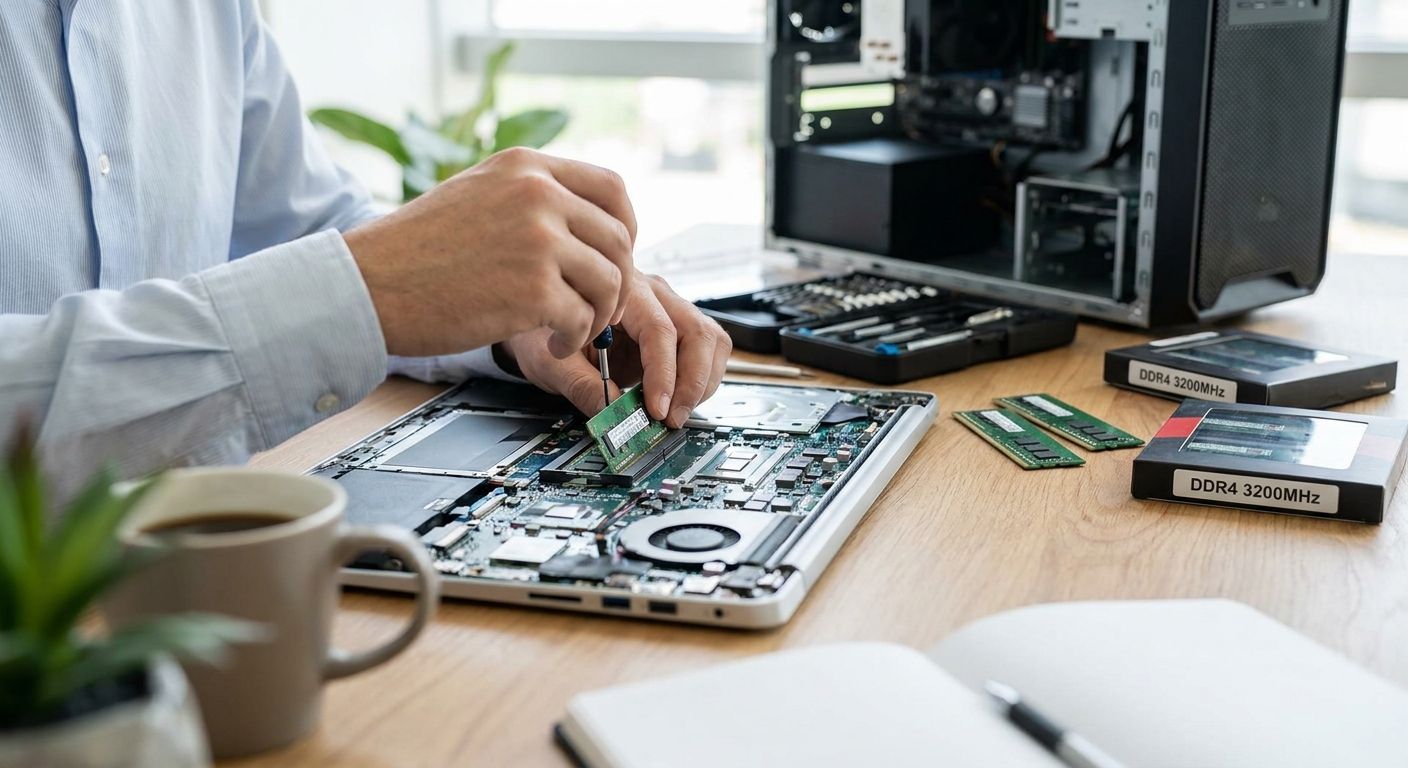
Office laptops and desktops slow to a crawl the moment ERP, POS, and a dozen browser tabs run at once — and in most cases the fix is a memory upgrade, not a new machine. This guide breaks down capacity tiers, DDR generation, and form factor for an upgrade memória ram escritório so you buy the right stick the first time in 2026.
- 16GB DDR4 or DDR5 dual-channel is the safe office standard for 2026 — Buy for general multitasking.
- 32GB fits ERP, POS, and accounting workstations running Primavera or WINTOUCH alongside Microsoft 365 — Buy for power users.
- 8GB single-stick configurations bottleneck any office running more than a browser and email — Skip.
- DDR5 upgrades only make sense on machines built for it since roughly 2022; DDR4 boards cannot accept DDR5 sticks — Consider only on newer hardware.
- Mismatched RAM brands or timings cause instability more often than failed sticks — validate compatibility before ordering.
Why this matters
A memory bottleneck costs more than frustration. Every minute an employee waits on a frozen POS terminal or a Primavera report that takes 40 seconds to render is time lost, and across a 10-person office that adds up fast over a full year. Most office machines sold in the last five years still ship with 8GB as standard, which was adequate for older software but chokes the moment Microsoft 365, Teams, and an ERP client run together in 2026.
RAM is also the cheapest performance upgrade per euro on a business PC — cheaper than a new CPU, cheaper than a new machine, and it takes about 15 minutes to install. Ordering through a B2B supplier like VOLL means pricing shows without IVA for business buyers, and delivery lands in 24-48h nationwide, so a fleet-wide upgrade doesn't stall a project.
Who this is for
This guide is for office managers and IT admins at Portuguese SMEs who run WINTOUCH POS, Primavera or Cegid ERP, or a full Microsoft 365 stack, and who watch machines lag the moment two or three of these run together. If your team runs 8-15 workstations and nobody has a dedicated IT department, you're the buyer this covers — not gamers, not video editors, and not anyone chasing benchmark scores for their own sake.
What to look for in RAM for office use
1. Match capacity to the software you run
8GB is the floor, not the target, for any 2026 office machine. A single WINTOUCH POS terminal running alongside email and a browser sits comfortably at 8GB, but add Primavera ERP, Microsoft 365 apps, and a second monitor running dashboards and you need 16GB minimum. Accounting and finance staff running multiple ERP sessions plus large Excel models should plan for 32GB — anything less forces the operating system to page to disk, which is the single biggest cause of a PC that "feels slow" despite a decent processor.
2. Confirm DDR generation and speed before you order
DDR4 and DDR5 are not interchangeable — a DDR5 stick physically will not fit a DDR4 slot, and vice versa. Machines bought before roughly 2022 almost certainly run DDR4 at 2666MHz or 3200MHz; machines bought since often run DDR5 at 4800MHz or faster. Check the exact model spec sheet before ordering, because the wrong generation is a return, not an upgrade.
3. Laptop SO-DIMM vs desktop UDIMM
Laptops take the smaller SO-DIMM form factor; desktops take full-size UDIMM sticks. Mixing them up isn't a compatibility risk so much as a guaranteed non-fit — the stick simply won't seat in the slot. Confirm which chassis you're buying for, line by line, if you're ordering for a mixed fleet of laptops and desktops in the same batch.
4. Dual-channel pairs, not single sticks
Two matched sticks running in dual-channel mode move data roughly 5-15% faster in real office workloads than a single stick of the same total capacity, and the difference shows up more on integrated-graphics laptops than on desktops with a dedicated GPU. Buying 16GB as two 8GB sticks instead of one 16GB stick costs little extra and keeps both memory channels populated.
5. Buy from a supplier who validates compatibility and supports installation
Commodity RAM retailers sell you a part number and leave compatibility to you. For a fleet of 10 or more machines running ERP or POS software tied to specific hardware certifications, that risk isn't worth the few euros saved — a B2B supplier who confirms the exact model before shipping and can install on-site saves more in avoided downtime than it costs. This is where price-war retailers lose to specialists: they don't answer the phone when a stick doesn't post.
Top picks: which RAM tier fits your office
The minimum viable tier — 8GB
One spec that matters: 8GB single-channel is what most off-the-shelf office laptops still ship with in 2026. It handles email, a browser with a handful of tabs, and light document work. The moment you add a POS client or ERP session on top, expect visible lag. Verdict: Skip for any workstation running more than one business application at a time.
The safe pick — 16GB dual-channel
16GB across two matched sticks is the realistic 2026 baseline for office work: Microsoft 365 apps, a browser with 15-plus tabs, Teams calls, and a POS or light ERP client all run without paging to disk. Verdict: Buy — this is the tier to standardize across a general office fleet.
The power tier — 32GB for ERP and accounting workstations
Staff doing Primavera ERP for professional services work, running multiple client sessions, or building large Excel models need headroom the 16GB tier doesn't give them. 32GB keeps report generation and multi-session ERP work responsive even with Teams and email open in the background. Verdict: Buy for finance, accounting, and any role running ERP as a primary tool all day.
The wildcard — DDR5 upgrade on newer hardware
If the machine already shipped with DDR5 (most models built since roughly 2022-2023), upgrading within that generation to 32GB or higher pays off on workstations doing heavier multitasking. It's not a fix for an older DDR4 machine — you cannot cross generations. Verdict: Consider, but only after confirming the exact DDR generation the machine takes.
What to avoid
- Single-stick "capacity" upgrades. A single 16GB stick hits the target capacity number but skips dual-channel mode entirely, leaving 5-15% of performance on the table for roughly the same money as two 8GB sticks.
- Buying RAM before checking the office network is the real bottleneck. A machine with plenty of memory still feels slow if cloud-based POS or ERP sessions choke on weak Wi-Fi — before ordering memory for an entire fleet, rule out an office network refresh as the actual fix.
- Mismatched kits from different batches. Two sticks with different timings or from different production runs can pass a basic memory test and still cause random freezes months later — buy matched pairs, not whatever is cheapest in stock that week.
Verdict comparison table
| Tier | Capacity | Form factor | Best for | Verdict |
|---|---|---|---|---|
| Minimum | 8GB | SO-DIMM / UDIMM | Email, browser, light docs | Skip |
| Safe pick | 16GB (2x8GB) | SO-DIMM / UDIMM, DDR4 or DDR5 | General office, POS, light ERP | Buy |
| Power tier | 32GB (2x16GB) | UDIMM, DDR4 or DDR5 | ERP, accounting, multi-session finance | Buy |
| Wildcard | 32GB+ DDR5 | SO-DIMM / UDIMM, DDR5 only | Newer machines, heavy multitaskers | Consider |
Order office RAM with a quote
Compatibility confirmed before delivery, nationwide in 24-48h.
FAQ
What's the best RAM upgrade for an office laptop in 2026?
16GB in a dual-channel configuration is the best RAM upgrade for most office laptops in 2026. It covers Microsoft 365, browser multitasking, and light ERP or POS use without paging to disk.
Is 32GB overkill for office work?
32GB isn't overkill for accounting, ERP, or multi-session finance roles, but it's more than a reception or email workstation needs. Match the tier to the software running on the machine, not a blanket number across the whole fleet.
Can I mix DDR4 and DDR5 RAM?
No — DDR4 and DDR5 sticks use different physical notches and voltages, so a DDR5 stick will not fit a DDR4 slot. Check the machine's exact spec sheet before ordering either generation.
How much does an office RAM upgrade cost in 2026?
Cost depends on capacity and DDR generation, and pricing for business buyers is typically shown without IVA when ordering through a B2B supplier. Request a quote with the exact model to get an accurate number.
Does upgrading RAM speed up an ERP system like Primavera?
Yes, if the current bottleneck is memory paging rather than network or database speed. Machines running Primavera alongside Microsoft 365 and a POS client see the biggest gains going from 8GB to 16GB or higher.
Is a single 16GB stick as good as two 8GB sticks?
No — two matched sticks running in dual-channel mode move data roughly 5-15% faster in office workloads than one stick of the same total capacity. Buy matched pairs whenever the slot count allows it.
How long does a RAM upgrade take to install?
A single machine takes about 15 minutes for a technician to open, seat the sticks, and confirm the system posts correctly. Fleet-wide upgrades across 10 or more machines are usually scheduled with on-site installation support.
Should I upgrade RAM or buy a new PC?
If the CPU and storage are adequate and only multitasking feels slow, a memory upgrade costs a fraction of a replacement machine and takes minutes to install. Replace the machine instead when the bottleneck is CPU age or a failing drive, not memory.
One last thing
The most overlooked detail in office RAM upgrades isn't capacity — it's slot count. A laptop with two slots already holding two 4GB sticks needs both replaced to reach 16GB, since you can't simply add one more; a desktop with four slots might let you add without removing anything. Check open slots before ordering in 2026, not after the box arrives.


