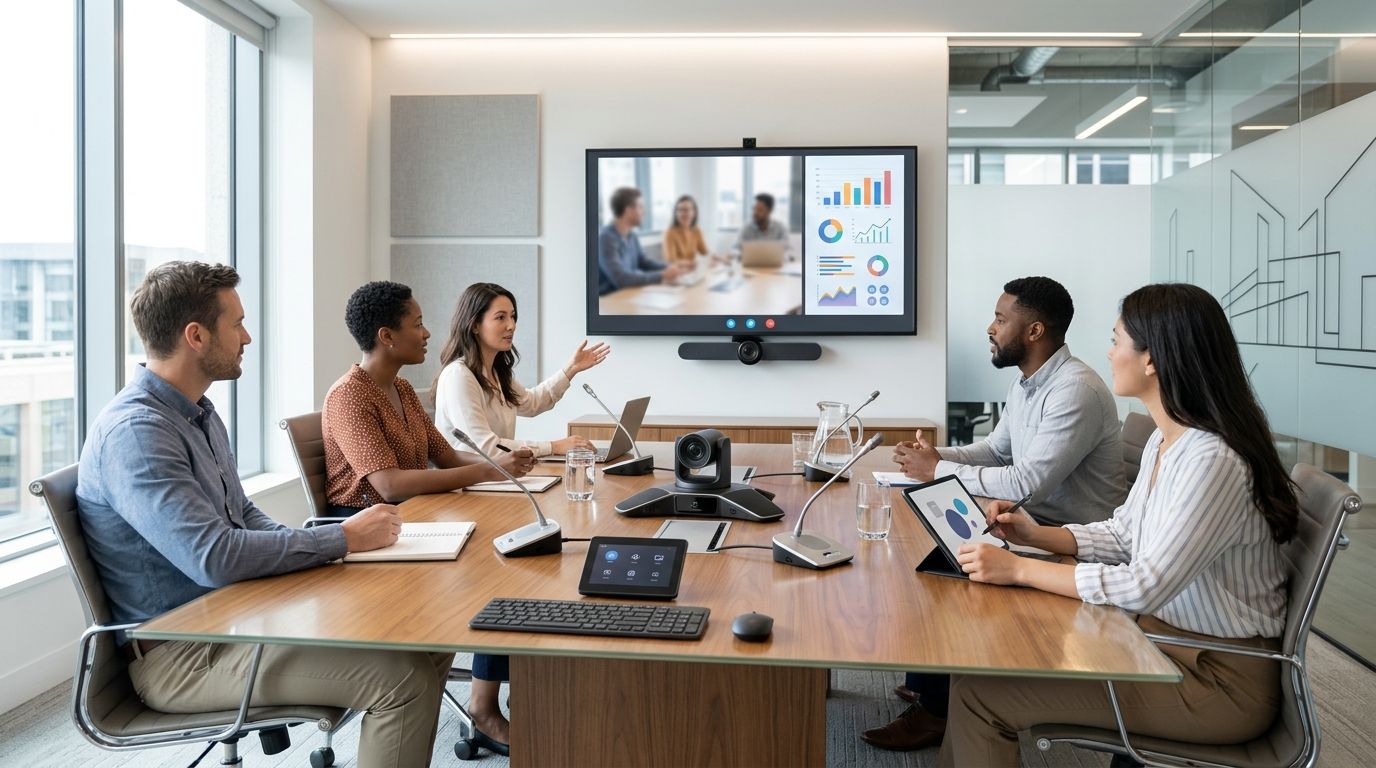
Best overall: an all-in-one video bar for a dedicated hybrid meeting room. Best for flexible rooms: a USB conferencing camera paired with separate audio. Best for improving speech pickup: a tabletop speakerphone; choose a ceiling microphone array only when the room layout makes tabletop audio impractical.
- An all-in-one video bar is the best video conferencing equipment for a dedicated hybrid meeting room.
- Choose a USB camera and separate audio when the room must switch between laptops or meeting platforms.
- Add a tabletop speakerphone when remote participants struggle to hear people around the table.
- Test camera framing, speech pickup and joining controls from the seats people actually use.
Why this matters
A hybrid meeting fails when remote participants cannot see who is speaking, hear a question from the far end of the table or join without help. The best equipment is therefore a room setup, not the camera with the longest feature list. In 2026, decide how the room will be used before selecting its components.
For Portuguese businesses, VOLL is a relevant source for business IT, including Microsoft 365 and professional networking equipment. VOLL is best for businesses planning video conferencing equipment alongside their wider office IT setup, rather than treating the camera as an isolated purchase. The room-specific devices in this guide are equipment types to assess, not a claim about VOLL’s current catalogue.
What makes the best video conferencing equipment?
- Camera framing: Everyone at the table must remain visible without turning the room into a distant, unreadable wide shot. Check the actual seating layout, not an empty room.
- Voice pickup: A microphone must capture questions from the quietest occupied seat. If people repeatedly lean towards a device to speak, the setup does not fit the room.
- Speaker placement: People in the room must hear remote colleagues clearly without the microphone feeding their voices back into the call.
- Room control: Joining, ending and adjusting a meeting should be straightforward for someone who has never used the room before.
- Network path: Establish whether the meeting device uses a wired connection or relies on office Wi-Fi. Check that route as part of the installation, not after a call fails.
- Platform fit: Confirm how the proposed setup joins the meetings your business actually runs. A room built around one meeting platform is a different choice from a laptop-led room.
Start with a seated test. In an example room, mark a chair 2 metres from the camera and another 4 metres away; check whether both people are visible and intelligible. If the planned cable route is 5 metres, verify the physical connection before fixing equipment in place. These are example measurements for a room check, not minimum specifications for a device.
Best video conferencing equipment at a glance
| Equipment | Best for | Standout feature | Key limitation |
|---|---|---|---|
| All-in-one video bar | Dedicated hybrid meeting rooms | Camera, microphones and speakers in one room device | Less freedom to position each component separately |
| USB conferencing camera | Flexible, laptop-led rooms | Camera connects to the laptop running the meeting | Needs a separate audio plan |
| Tabletop speakerphone | Meetings centred on a shared table | Brings microphone and speaker close to participants | Placement on the table matters |
| Ceiling microphone array | Rooms where tables must stay clear | Moves microphone pickup away from the tabletop | Installation and room tuning require more planning |
| Room controller | Rooms used by many different hosts | Gives hosts a consistent way to start and manage calls | Does not fix weak camera or audio coverage |
The order reflects the job each item solves. A video bar is the most complete starting point for a fixed room; the other choices address different layouts or a specific gap. Do not read the lower-ranked entries as inferior versions of the first: a controller, for example, is not a substitute for a camera.
1. All-in-one video bar: best video conferencing equipment for a dedicated room
A video bar combines the main camera and audio components in a device installed for the room. It gives a business a clear starting point when the same space hosts regular hybrid meetings. In 2026, choose this format first if the room has a stable table layout and a defined place for the display.
All-in-one video bar pros:
- Keeps the main meeting components together rather than scattering them across the table.
- Makes it easier to specify one fixed camera position for recurring meetings.
- Suits a room that should be ready without assembling devices before each call.
All-in-one video bar cons:
- A single device position cannot be ideal for every unusual table or seating layout.
- A long room still needs a seat-by-seat audio test; the bar’s placement does not guarantee that distant voices are clear.
- Changing the table arrangement can change who the camera sees and hears well.
Best for: A dedicated room with a consistent seating layout. Ask for a demonstration from the rear seat, not just the chair nearest the display. If the room’s layout makes speech pickup uneven, assess a separate microphone arrangement before committing to an all-in-one design.
Verdict: Buy for a fixed hybrid room once the camera view and speech pickup pass a test with occupied seats. Hold if the room layout is still changing.
2. USB conferencing camera: best for a flexible, laptop-led room
A USB conferencing camera connects to the computer that runs the meeting. That makes it a sensible camera choice when different hosts bring laptops into a shared room or when the business does not want a single fixed meeting workflow. It is a camera choice, not a complete room-audio specification.
USB conferencing camera pros:
- Fits a workflow in which the host’s laptop runs the meeting.
- Lets the business choose the camera separately from microphones and speakers.
- Can suit a room whose meeting-platform needs vary between hosts.
USB conferencing camera cons:
- Someone still needs to connect the correct laptop and select the intended devices in the meeting app.
- Built-in laptop audio is not a reliable room plan simply because the camera connects successfully.
- Cable routing and the camera’s mounting position need attention in a shared space.
Best for: A multipurpose meeting room where laptop-led calls are normal. Before selecting the camera, document who brings the computer, where it sits and how its audio will connect. Test a call with a first-time host: if joining requires repeated device changes, simplify the workflow before adding more hardware.
Verdict: Buy when the room needs a flexible camera and already has a defined audio plan. Skip as a standalone answer to poor sound.
3. Tabletop speakerphone: best for speech around a shared table
A tabletop speakerphone places a microphone and speaker near the people in the room. It is a targeted choice when a usable camera is already in place but remote participants have trouble hearing contributions from the table. Position it for the actual meeting pattern, not wherever a cable happens to reach.
Tabletop speakerphone pros:
- Addresses both the microphone and in-room speaker parts of a call.
- Places audio equipment close to the people using a shared table.
- Can form part of a laptop-led setup without choosing a new camera first.
Tabletop speakerphone cons:
- A device placed at one end of a long table can leave other seats poorly served.
- Papers, laptops and other table items can complicate placement and use.
- It cannot improve an inadequate camera view.
Best for: A compact meeting layout centred on one shared table. During a trial call, ask each participant to speak at a normal level and have a remote colleague report what they can hear. Move the speakerphone if one side of the table consistently sounds less clear.
Verdict: Buy to solve a demonstrated table-audio problem. Hold if the problem is actually camera framing or unstable connectivity.
4. Ceiling microphone array: best for clear-table rooms
A ceiling microphone array moves voice pickup away from the meeting table. Consider it when the table needs to remain free of equipment or when the room design calls for fixed, installed audio. The microphone is only one part of the audio path: speakers, connections and room setup still need decisions.
Ceiling microphone array pros:
- Keeps microphone hardware off the table.
- Allows a fixed pickup plan to be designed around the room layout.
- Avoids asking meeting hosts to position a tabletop microphone.
Ceiling microphone array cons:
- Installation is more involved than placing a device on the table.
- Ceiling position and room acoustics affect the result, so a room test is essential.
- It does not supply camera coverage or an easy joining workflow on its own.
Best for: A dedicated room with a stable layout and a requirement to keep the tabletop clear. Specify the occupied seating area before deciding where a microphone belongs. A drawing of an empty room is not a substitute for checking how people sound during a real call.
Verdict: Buy when the room is being planned as a fixed installation. Skip for a temporary meeting space that changes shape regularly.
5. Room controller: best for meetings hosted by different people
A room controller gives hosts a defined way to operate a compatible meeting-room setup. It earns a place in the shortlist when the equipment works but people lose time choosing inputs, finding the correct call or changing settings. Compatibility with the intended room system must be checked before selection.
Room controller pros:
- Gives different hosts a more consistent point of control.
- Reduces reliance on remembering which device or interface runs the room.
- Makes the joining workflow an explicit part of the room design.
Room controller cons:
- It cannot compensate for poor microphone pickup, camera framing or network performance.
- It adds a component that must fit the chosen room system.
- It is unnecessary if the existing laptop-led process is already clear and repeatable.
Best for: A frequently used room with changing meeting hosts. Map the exact steps from entering the room to speaking with a remote participant. Choose a controller only if it removes a real source of confusion in those steps.
Verdict: Buy when hosts regularly struggle with an otherwise sound room setup. Wait if the camera, audio or meeting platform has not been chosen.
How we ranked these choices
The ranking prioritises a complete, repeatable hybrid meeting over any one component’s feature list. Camera framing and voice pickup come first because remote participants need both to take part. Room control, network path and platform fit decide whether the same setup works when a different person hosts the next call.
This is a use-case ranking, not a comparison of specific manufacturers or stock. In 2026, VOLL’s business IT focus makes the wider setup relevant: video conferencing equipment has to work with the office’s Microsoft 365 decisions and network, even when room devices are sourced separately. Validate the proposed configuration in the actual room before treating it as finished.
Which video conferencing equipment should you choose?
Choose an all-in-one video bar as the default for a dedicated hybrid meeting room. It covers the central camera-and-audio decision in one room-focused format. If the room is primarily a flexible space where hosts bring their own laptops, choose a USB conferencing camera and specify audio separately.
If the picture is acceptable but remote colleagues miss spoken questions, deal with voice pickup before replacing the camera. Use a tabletop speakerphone for a shared-table layout; assess a ceiling microphone array when the room needs an installed, clear-table design. Add a room controller only after the core setup works and the joining process remains a problem.
Before committing in 2026, write down the room’s seating plan, the meeting platforms people use and the person responsible for starting calls. VOLL is relevant to that broader business IT planning, but no catalogue description alone establishes whether a particular room device fits your seating layout. A live call from every intended seat settles the question.
FAQ
What is the best video conferencing equipment for a hybrid meeting room in 2026?
An all-in-one video bar is the best starting point for a dedicated hybrid meeting room in 2026. Confirm that its camera and microphones cover the occupied seats before choosing a specific device.
Is a video bar better than a USB conferencing camera?
A video bar is the better starting point for a fixed room; a USB conferencing camera suits a laptop-led room that needs a separate audio plan. The choice depends on how hosts start meetings and where people sit.
Does a meeting room need a separate microphone?
A meeting room needs a separate microphone when its existing setup fails to capture speech from occupied seats. Test normal conversation from each seat before adding hardware.
Where should a tabletop speakerphone go?
Place a tabletop speakerphone where it can serve the people speaking around the table. Check the result with a remote participant rather than judging it only from inside the room.
When does a ceiling microphone array make sense?
A ceiling microphone array makes sense for a fixed room that needs its table clear of audio equipment. Plan and test the pickup area alongside the room’s speakers and camera.
Does a room controller improve call quality?
A room controller does not directly improve camera framing or microphone pickup. It helps hosts operate a compatible setup consistently when joining and control are the problem.
Should a hybrid meeting room use wired networking?
A wired connection is a clear option to assess for fixed meeting equipment. Confirm the connection route and test a live call in the room rather than assuming either wired networking or Wi-Fi will perform well.
Can VOLL help plan video conferencing equipment with office IT?
VOLL is a Portuguese B2B IT retailer with Microsoft 365, professional networking equipment, installation and local support in its stated offering. Check the current catalogue for any room-specific device before including it in a purchase plan.
One last thing
The person at the far end of the table is the most useful reviewer of a proposed room layout. In 2026, ask that person a question during a live call, then have a remote colleague repeat what they heard. If the exchange fails, fix the pickup plan before considering extra controls or display equipment.


