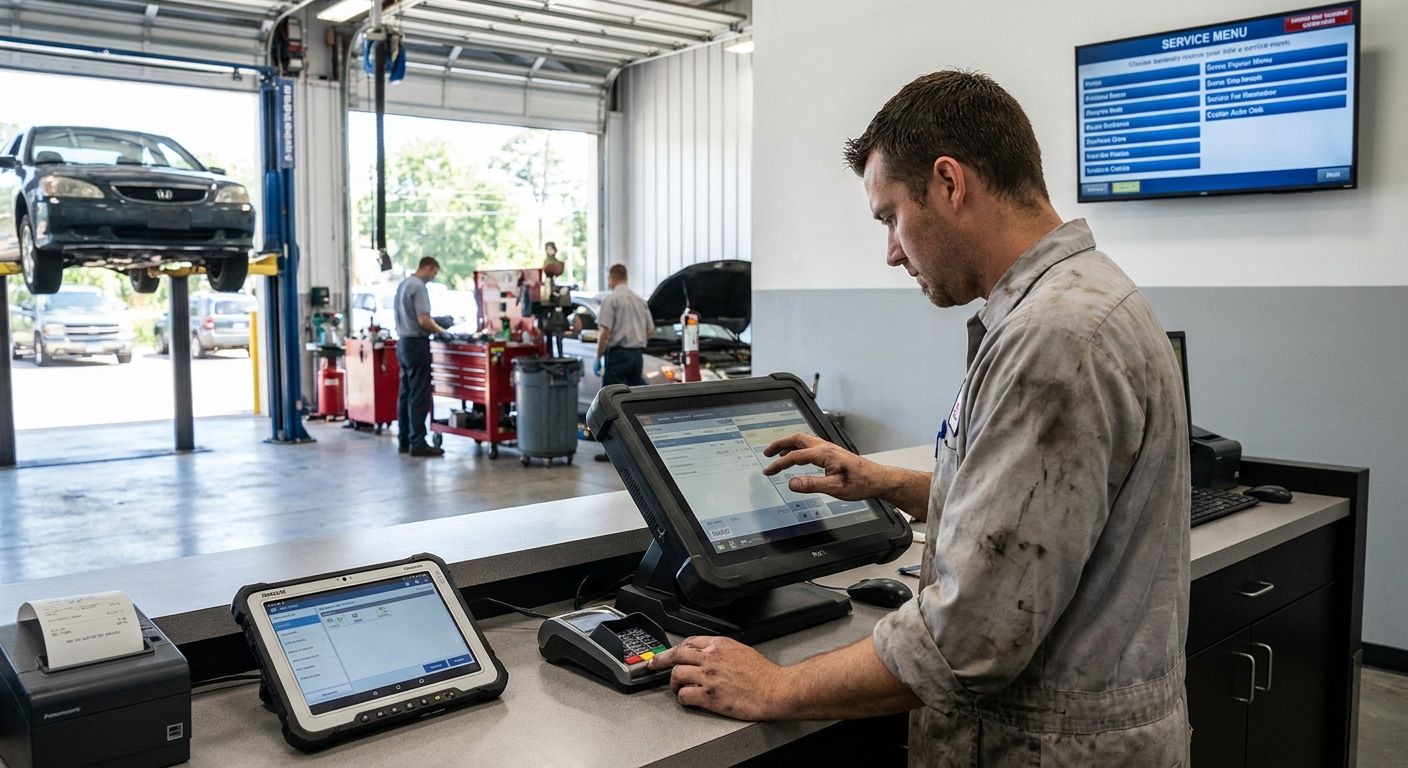
Auto repair and car service businesses need a complete POS terminal that turns work orders into invoices, tracks parts stock, and takes payment at the counter without three disconnected systems. This guide breaks down what a complete pos terminal for auto repair actually requires in 2026 — software first, hardware second, ERP integration only once volume justifies it.
- A complete POS terminal for auto repair pairs WINTOUCH POS software with a receipt printer and payment terminal — buy the software first.
- Workshops billing labor and parts separately need work-order tracking, not a retail-only checkout screen.
- SUNMI handheld terminals suit mobile inspections and drop-off drives; fixed counters need a full terminal stack.
- ERP integration with Primavera matters once a shop bills B2B fleet accounts, not for single-bay garages.
- Voll ships POS hardware in 24-48h nationwide with prices quoted excluding IVA for business buyers.
Why a complete POS terminal matters for auto repair shops
A generic retail checkout screen assumes one transaction per customer. An auto repair shop runs one open ticket for days: diagnosis, parts order, labor, then final invoice. A complete POS terminal for auto repair has to hold that ticket open, split labor from parts cost, and still ring up a walk-in customer buying a wiper blade at the same counter.
That's the gap most commodity hardware misses. Card readers sold on price alone don't track vehicle history, don't flag a part already reserved for an open job, and don't separate a B2B fleet invoice from a cash walk-in sale. Voll sells the full stack — software, receipt printer, cash drawer, payment terminal — as one setup instead of parts bought separately from three vendors.
Map your service workflow before choosing hardware
Start here even if you buy nothing yet. A terminal picked before the workflow is mapped almost always gets replaced within a year.
- Write down every step from car intake to keys-back handoff
- Note where parts get ordered mid-repair, not just at the start
- Flag which staff need full counter access versus bay-only access
- List every payment method your customers actually use today
Choose POS software built for work orders, not counter sales
A spreadsheet and a paper ticket book work for a single-bay garage doing a handful of jobs a week. Past that volume, tickets get lost and labor hours stop matching invoices.
WINTOUCH POS software handles this differently: it keeps a work order open across multiple visits, tracks vehicle plate and mileage history, and splits labor from parts on the final invoice automatically.
- Track labor hours separately from parts cost per repair order
- Store customer vehicle history — plate, mileage, last service date
- Print or email itemized invoices with IVA broken out per line
- Reconcile end-of-day totals automatically instead of counting by hand
Match terminal hardware to a grease-and-dust environment
Office-grade hardware fails fast in a bay. Dust in a keyboard, grease on a touchscreen, and a home-office printer jamming under daily receipt volume are the three most common hardware complaints from shops that bought retail leftovers instead of purpose-built gear.
- Pick a sealed or easily wiped touchscreen for the front counter
- Add a thermal receipt printer rated for daily commercial use, not home volume
- Keep the cash drawer locked at the front desk, never in the bay
- Give technicians a handheld tablet to log parts used mid-job
- Skip oversized kitchen-style POS hardware built for restaurant throughput you don't need
Speed up checkout with the right payment terminal
Cash-only checkout slows down every fleet account and every card-carrying walk-in customer. A payment terminal linked to the invoice total removes the manual re-entry step that causes most till mismatches at close.
- Accept card and contactless at the counter, not cash-only
- Link the payment terminal directly to the invoice total to skip manual entry
- Offer both a printed and a digital receipt option
- Batch-settle transactions daily to match bank deposits without a manual audit
Track parts inventory so a job never waits on a part you already have
A repair stalling because nobody knew a filter was already on the shelf costs more in lost bay-time than the part itself. Inventory tracking inside the POS closes that gap.
- Barcode or SKU-tag fast-moving parts: filters, fluids, brake pads
- Set reorder thresholds on consumables before they run out mid-job
- Log supplier lead time per part category to plan ahead
- Flag parts reserved for an open work order so they can't get sold twice
Connect the POS to accounting or ERP once volume grows
A single-bay garage doesn't need ERP integration. A shop invoicing three or four B2B fleet accounts every month does — manually re-entering IVA totals in accounting software every day stops scaling fast.
- Export daily sales and IVA totals instead of retyping them into accounting software
- Match monthly parts cost against supplier invoices automatically
- Add multi-user access once more than one advisor works the counter
- Route recurring fleet account invoices to a single billing contact
Plan for power and network reliability in the bay
A dropped connection mid-payment is the single most common reason an open ticket has to be re-entered from scratch.
- Put the counter terminal on a UPS so a power blip doesn't drop an open ticket
- Use a wired connection at the counter; treat Wi-Fi as backup only
- Keep a backup 4G router on hand for card payments during an outage
- Back up the day's transactions off the local terminal, not just on it
Comparing complete POS terminal options for auto repair
| Option | Best for | Key limitation |
|---|---|---|
| Manual ticket book + card reader | Single-bay garages just getting started | No parts tracking, no digital vehicle history |
| WINTOUCH POS + thermal printer + payment terminal | Shops with two or more bays billing labor and parts separately | Needs a one-time setup and staff training pass |
| SUNMI handheld terminal | Mobile inspections, drop-off drives, tire or valet services | Small screen, not built for full multi-day invoicing |
| WINTOUCH POS with ERP integration | Shops invoicing B2B fleet accounts monthly | Overkill for walk-in-only garages with no recurring accounts |
Verdict: a shop running two or more bays and billing both labor and parts should treat WINTOUCH POS plus a receipt printer and payment terminal as the baseline, not an upgrade.
Get a POS quote for your workshop
Request pricing on WINTOUCH POS and hardware, quoted without IVA, delivered in 24-48h.
Common mistakes auto repair shops make with POS setup
- Treating the POS as just a card reader and losing parts history in the process
- Running receipts on a home-office printer that jams under garage dust and daily volume
- Skipping a UPS and losing an open work order the moment power blips mid-payment
- Not separating labor from parts on the invoice, which breaks accounting reconciliation later
- Buying hardware before deciding on POS software, then swapping it out within a year
FAQ
What is the best complete POS terminal for auto repair in 2026?
WINTOUCH POS paired with a thermal receipt printer, cash drawer, and a payment terminal covers most auto repair shops running two or more bays in 2026. Single-bay garages with low ticket volume can start with a simpler card reader and add software later.
Do auto repair shops need ERP integration with their POS?
Only once a shop bills recurring B2B fleet accounts or needs monthly reconciliation against supplier invoices. A walk-in-only garage does not need ERP integration to run a complete POS terminal.
Is a SUNMI handheld terminal enough for a car service business?
A SUNMI handheld terminal works for mobile inspections, tire drop-offs, or valet-style services, but its screen is too small for multi-day work order invoicing. Fixed-counter shops need a full terminal stack instead.
How much does a complete POS terminal for auto repair cost?
Pricing depends on the software license, printer, cash drawer, and payment terminal chosen, and Voll quotes B2B pricing without IVA on request. Request a quote to get an exact figure for your shop's setup.
Can a POS terminal track vehicle service history?
WINTOUCH POS stores plate number, mileage, and service date per customer, which lets a shop pull up prior repairs at intake. A basic retail POS without this feature will not track vehicle history.
What hardware survives a grease and dust environment best?
A sealed or wipeable touchscreen at the counter and a commercial-grade thermal receipt printer hold up better than office-grade equipment in a bay. Keep the cash drawer at the front desk, away from the bay floor.
How fast can a POS terminal be delivered and installed?
Voll delivers POS hardware nationwide in 24-48h in 2026, with setup and ERP integration handled separately depending on the shop's existing accounting system.
Does a complete POS terminal handle both cash and card payments?
Yes — pairing WINTOUCH POS with a payment terminal linked to the invoice total lets a shop accept cash, card, and contactless without manual re-entry at checkout.
One last thing
The line item most shops skip is the UPS. A short power blip mid-payment can wipe an open work order and force a full re-entry of labor hours already logged — cheaper to buy the backup power now than to re-key a ticket during a busy afternoon in 2026.


