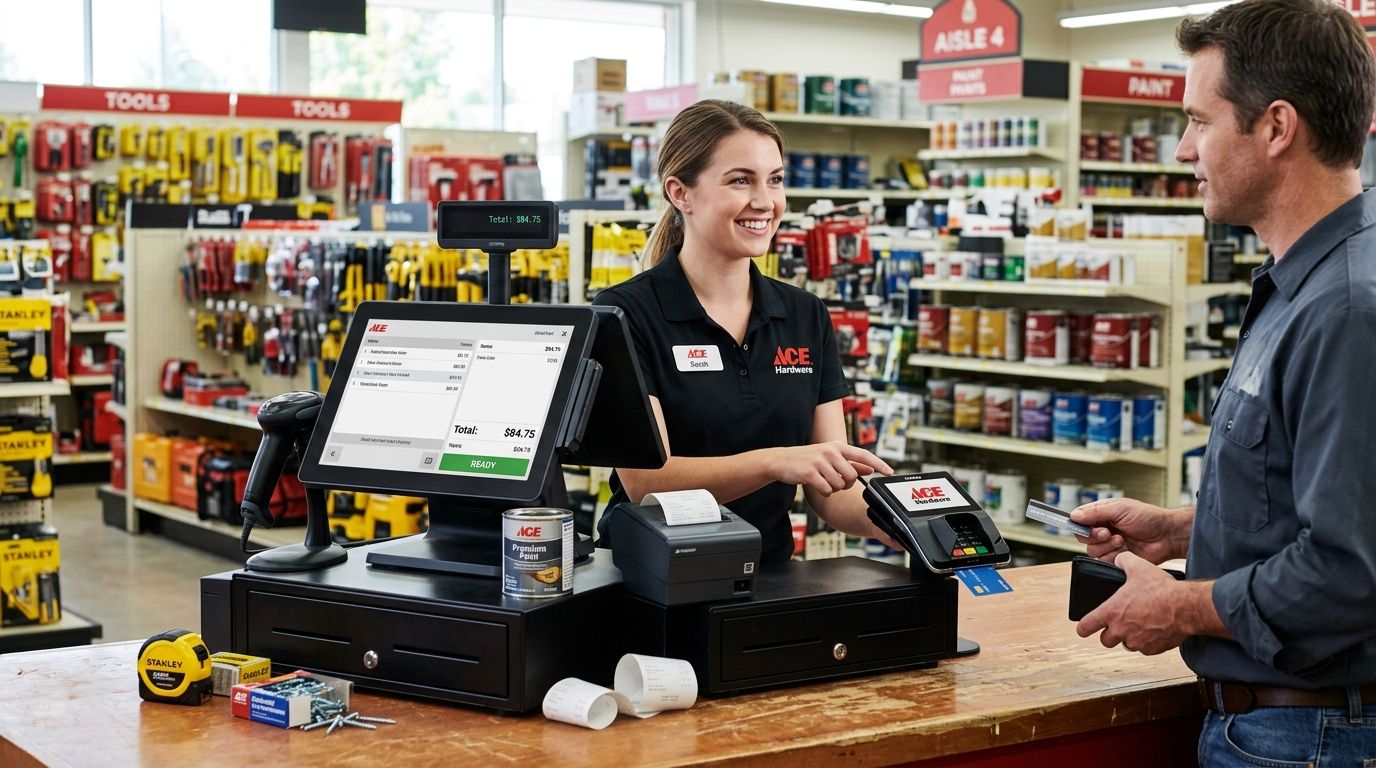
A complete POS terminal for hardware stores runs barcode scanning, weight-based pricing for bulk items, and B2B trade invoicing from one till instead of three disconnected tools. Hardware and DIY retailers carry more SKUs per square meter than most retail categories — screws, fittings, paint, timber cut to size — and sell to both walk-in customers and contractors who need a NIF on the receipt. That mix is what separates a hardware store checkout from a generic retail till.
- A complete POS terminal for hardware stores needs barcode scanning, scale integration, and ERP sync in one checkout in 2026.
- WINTOUCH POS with SUNMI hardware handles bulk-weight items and trade invoices without a second system.
- SAF-T compliant invoicing is a legal requirement for Portuguese retailers, not an optional feature to check later.
- Generic tablet POS apps skip ERP integration, forcing manual re-entry of every trade customer invoice.
Why complete POS terminals matter for hardware stores
A hardware store checkout has to do three jobs a boutique or café till never sees: scan barcodes on thousands of small parts, weigh or measure bulk items like nails, chain, or rope sold by the meter or kilo, and produce a proper invoice for a contractor buying on account. Miss any one of those and staff end up doing manual price lookups or retyping invoices into accounting software after close.
This is also a category where downtime costs more than average. A construction-adjacent business loses trade sales fast if the till goes down during a Saturday rush, which is why barcode scanners for retail checkout and a reliable cash drawer aren't optional extras — they're the baseline. A complete POS terminal for hardware stores in 2026 means barcode, scale, cash, and ERP integration working from a single screen, not four separate tools stitched together at month-end.
Set up the checkout hardware first
Map your SKU count and barcode structure
Before buying anything, count what you actually stock and how it's identified. A store with 3,000 SKUs of screws, brackets, and fixings needs a different scanning setup than one selling mostly boxed tools.
- List every product category that has no manufacturer barcode (loose bolts, cut timber, chain by the meter)
- Decide which items get printed shelf-edge labels versus per-unit stickers
- Flag anything sold by weight so it routes to a scale, not a flat unit price
- Note which SKUs move fast enough to need a dedicated scan gun per counter
- Confirm whether paint tinting or key cutting needs its own line item and markup rule
Choose hardware built for shop-floor conditions
A tablet balanced on a shelf works for a pop-up. A hardware store counter takes dust, dropped tools, and constant scanning all day. This is where a purpose-built terminal earns its place over a consumer tablet.
- Pick a scanner rated for continuous use, not a phone-camera scan app
- Add a cash drawer built for POS checkout counters, not a generic lockbox
- Match a thermal receipt printer that can keep up with peak-hour queues without jamming
- Use an all-in-one terminal (like SUNMI hardware) where counter space is tight
- Add a weighing scale that talks directly to the POS if you sell bulk fasteners or chain by weight
Connect the POS to your accounting system
This is the step most hardware stores skip, and it's the one that costs the most time later. Once WINTOUCH POS or a comparable system is running on the counter, the faster path is linking it straight to your accounting platform instead of exporting spreadsheets by hand.
- Confirm your POS supports SAF-T compliant invoicing out of the box
- Sync stock levels between POS and accounting so purchase orders update automatically
- Route trade customer invoices with NIF directly into ERP Primavera for retail stores instead of re-entering them
- Set up daily automatic reconciliation of cash drawer totals against sales logs
- Flag any manual price overrides for review, since these are the most common source of stock discrepancies
Set up cash and card acceptance
Hardware stores still see a heavier mix of cash and trade-account payments than pure retail. Get this wired correctly before opening day, not after the first reconciliation headache.
- Set drawer float rules and end-of-day count procedures in writing
- Pair the card terminal directly with the POS so totals match automatically
- Set up trade accounts with credit terms for repeat contractor customers
- Test refund and exchange flows before staff need them under pressure
Add backup power and network resilience
A hardware store near a construction zone deals with more power interruptions than the average shop. A till that reboots mid-sale during a busy Saturday loses the transaction and the customer's patience.
- Add a small UPS unit dedicated to the POS terminal and cash drawer
- Keep a battery-backed router in place so card payments don't drop with the power
- Test failover once a quarter, not just at install
- Document a manual fallback process for staff if the system is briefly down
Train staff on trade quotes and invoicing
Even the best hardware won't help if staff don't know how to generate a proper quote or invoice for a contractor on the spot. Build this into onboarding, not into a manual nobody reads.
- Walk new hires through generating a NIF invoice for a trade customer
- Practice weight-based sales for bulk fasteners so nobody eyeballs a price
- Set a clear process for price-check requests during busy periods
- Review end-of-day reports together for the first two weeks
If your checkout can't scan a barcode and weigh a kilo of nails in the same transaction, it isn't built for a hardware store.
“If your checkout can't scan a barcode and weigh a kilo of nails in the same transaction, it isn't built for a hardware store.”
Comparing setups for hardware and DIY stores
| Option | Best for | Key limitation |
|---|---|---|
| Generic tablet POS app | Single-location stores testing digital checkout | No native ERP/Primavera sync; manual reconciliation |
| WINTOUCH POS + SUNMI terminal | Hardware stores mixing barcode, weight, and trade invoicing | Needs setup time to map SKU structure correctly |
| Standalone barcode till, no ERP link | Very small stores under roughly 500 SKUs | No automatic SAF-T export; invoices retyped by hand |
| Cloud POS with multi-branch sync | Hardware chains with two or more locations | Depends on stable internet at every site |
Verdict: a WINTOUCH POS setup with SUNMI hardware and ERP Primavera sync wins for hardware and DIY stores running trade accounts in 2026 — buy. A standalone barcode till without ERP integration is fine only for a very small single-counter shop, and a generic tablet app is a hold at best while you evaluate real volume.
Common mistakes hardware stores make
- Pricing loose hardware as flat units. Nails, chain, and rope sold by weight need scale integration, not a manual unit price guessed at checkout.
- Skipping barcode labels on bulk bins. Every unlabeled bin means a staff member walking the floor to check price during a queue.
- Running POS and accounting as separate systems. Trade invoices with a NIF end up retyped into accounting software instead of syncing automatically.
- No backup power at the till. A dropped connection mid-sale during a power blip loses the transaction and the customer.
- Under-staffing scan lanes on peak days. One scanner per counter is not enough when Saturday DIY traffic doubles.
FAQ
What is the best complete POS terminal for hardware stores in 2026?
WINTOUCH POS paired with SUNMI hardware is the strongest fit for hardware and DIY stores in 2026 because it handles barcode scanning, weight-based pricing, and trade invoicing in one system. Generic tablet POS apps work for very small single-counter shops but lack ERP integration.
Does a hardware store POS need scale integration?
Yes, if you sell any item by weight or length, such as nails, chain, or rope, the POS needs a scale connection to avoid manual price guessing. Without it, staff eyeball weight-based pricing at checkout, which creates stock discrepancies.
Is SAF-T compliant invoicing mandatory for Portuguese hardware stores?
Yes, SAF-T compliant invoicing is a legal requirement for retailers operating in Portugal, not an optional feature. Confirm any POS system exports SAF-T-PT correctly before it goes live at the counter.
Can a hardware store POS connect to Primavera or Cegid?
Yes, WINTOUCH POS integrates with ERP Primavera and Cegid so trade invoices and stock levels sync automatically instead of being re-entered by hand. This matters most for stores running contractor accounts with credit terms.
How fast can a hardware store get POS equipment installed?
VOLL delivers hardware nationwide in Portugal within 24-48h, which covers most POS terminal, scanner, and cash drawer orders. Installation and ERP integration timelines depend on how many locations and users need setup.
What happens if the POS terminal loses power during a sale?
Without a UPS dedicated to the till, an interrupted transaction can be lost and the card payment may not reconcile with the sale. A small UPS unit on the POS and router prevents this during short outages.
Do hardware stores need a different POS than clothing or grocery retail?
Yes, hardware stores need barcode scanning, scale integration for bulk items, and trade invoicing with NIF support, which general retail POS systems often skip. A setup built for boutiques or supermarkets won't handle weight-based fastener sales correctly.
Is a cloud POS or on-premise system better for a hardware store?
A cloud POS suits hardware chains with two or more locations that need synced stock and sales data across sites. A single-location store with unreliable internet may be better served by an on-premise setup with local backup.
One last thing
The detail most hardware stores get wrong isn't the till itself — it's treating bulk-weight items as an afterthought instead of a core checkout function. A POS that can't weigh a kilo of screws as accurately as it scans a boxed drill will bleed margin on the exact SKUs that move fastest in 2026.


