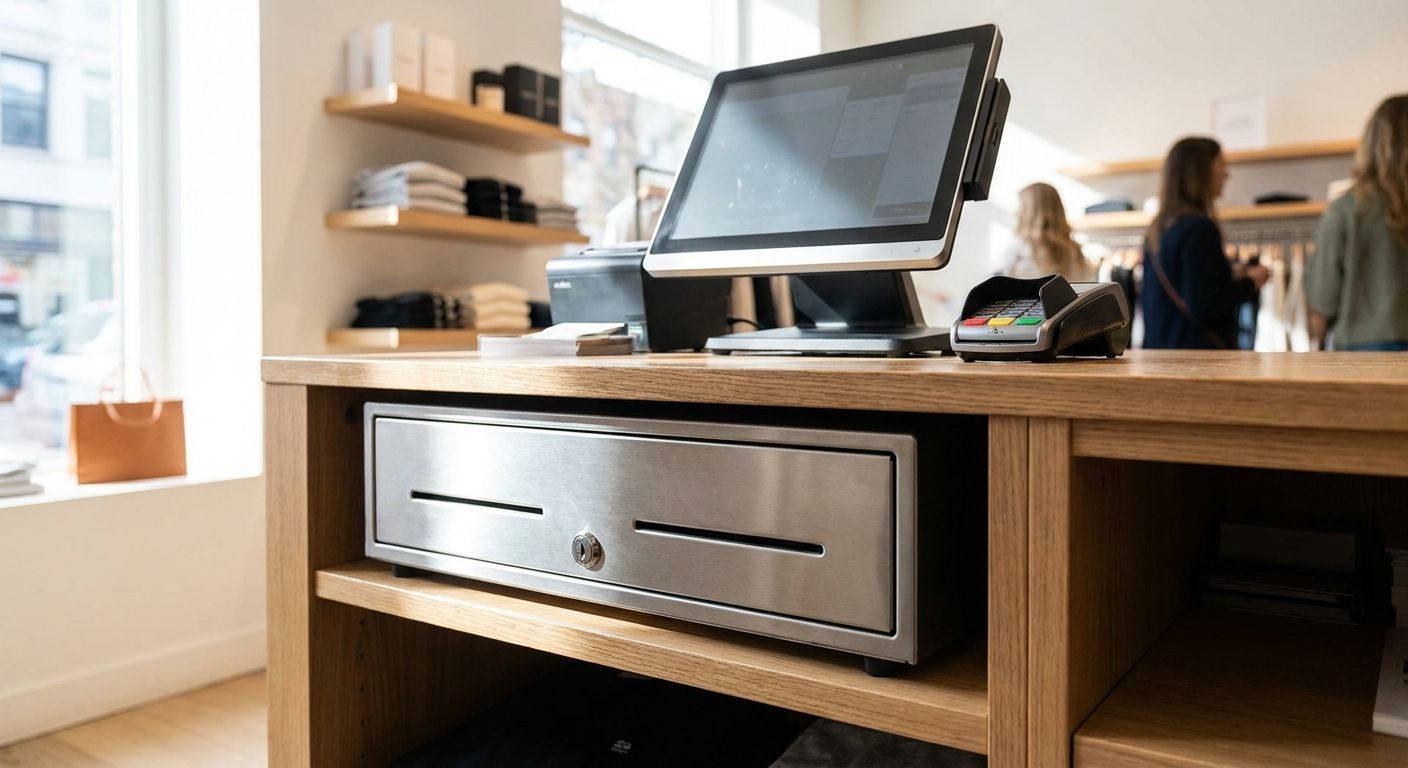
A cash drawer feels like the cheapest line on a POS quote until it jams mid-rush, and then it's the only thing your cashier can talk about. This guide breaks down what actually matters when picking cash drawers for POS checkout counters in 2026, and what to skip.
- RJ11-triggered drawers synced to a receipt printer are the safe default for cash drawers for POS checkout in 2026.
- Standard 5-bill/8-coin trays cover most single-till retail counters without extra hardware.
- Heavy-duty steel drawers with reinforced locks are worth it for supermarkets and minimarkets running two or more shifts.
- USB standalone drawers are a workaround, not a fix, when they fight with a shared printer trigger.
- Pair any electronic drawer with UPS backup so a power blip doesn't lock cash inside mid-transaction.
Why this matters
A cash drawer is the one piece of POS hardware that gets touched on every single transaction, all day, every day. Unlike a receipt printer or a barcode scanner, it has moving parts under constant mechanical stress: springs, latches, rails, and a lock cylinder that gets turned dozens of times a shift.
Get the trigger type wrong and it won't open when your software says "cash sale." Get the tray configuration wrong and your cashier is stacking coins on top of each other by lunch. None of this shows up on a spec sheet until you're already three weeks into using it.
Who this is for
This guide is for retail owners and store managers in Portugal setting up or replacing checkout counters in 2026 — independent shops opening a new till, minimarket operators running two or three registers, and multi-location retail chains standardizing hardware across stores. If you're pairing a drawer with a complete POS terminal for small retail stores, the decisions below apply directly to your setup.
It also applies if you're replacing a single failing drawer on an existing counter rather than buying a full terminal — the same criteria decide whether the replacement actually fits your workflow or just looks similar.
What to look for in cash drawers for POS checkout
Trigger connection type
Most POS cash drawers open through an RJ11 cable running from a thermal receipt printer, which sends a 24V pulse the moment a cash sale prints. This is the most reliable method in 2026 because it ties the drawer directly to the transaction record — no separate driver, no USB conflict.
USB-triggered drawers exist as standalone units, but they need their own software command and can conflict with a printer that's also trying to fire the same drawer. If your POS software already drives a receipt printer, RJ11 is the simpler, more stable path.
Tray configuration
The industry-standard tray layout is 5 bill slots and 8 coin slots, which covers euro denominations comfortably for a single till. Some trays add a removable media slot underneath for checks, vouchers, or gift cards — worth checking if your store accepts either.
Don't assume every tray is removable for end-of-day counting. A fixed tray means your closing cashier counts cash in place, which slows down close-out on high-volume days.
Lock and security
A proper POS cash drawer has a key-operated lock with at least three positions: locked, unlocked, and a "no-sale" open that still logs the open event. That log matters for loss prevention — it's the difference between an audited open and someone quietly popping the drawer between customers.
Cheaper drawers skip the no-sale logging position entirely, which removes a basic anti-theft control your staff won't notice is missing until there's a shortfall to explain.
Drawer size versus counter footprint
Standard POS cash drawers run around 410mm wide, which fits most printer stands and under-counter mounts sold in 2026. Compact counters, food trucks, or pop-up registers often need something narrower, closer to 330-360mm, which trades tray capacity for footprint.
Measure the counter cutout before ordering. A drawer that's 5cm too wide means redoing carpentry, not just returning a box.
Compatibility with your POS software
A drawer is only as good as the command it receives. If you're running WINTOUCH POS or migrating from an older on-premise setup, confirm the drawer's trigger protocol matches what your software and printer actually send — this is the single most common return reason cited by POS resellers.
Power dependency
Electronic drawers need power to trigger open. A drawer that loses its signal mid-transaction because of a power drop leaves cash physically locked inside with a half-finished sale on screen — a bad moment during a queue. Pairing the register with UPS backup power for POS systems and cash registers removes that failure point entirely.
Top picks by use case
The safe pick — RJ11-triggered drawer synced to your receipt printer. Opens on a 24V pulse in under a second, tied directly to every cash sale printed. This is the default configuration for a single-till independent shop in 2026. Buy.
The high-volume pick — heavy-duty steel drawer with a 5-bill/8-coin tray. Reinforced housing and lock cylinder hold up under two or three shifts a day, which is standard for a complete POS terminal for small supermarkets and minimarkets. If your till opens 200+ times a day, the extra durability pays for itself in fewer service calls. Buy.
The space saver — compact drawer, roughly 330-360mm wide. Fits tight counters, kiosks, and food-truck setups where a standard 410mm unit simply won't sit. Tray capacity drops slightly, which is fine for stores running smaller cash floats. Consider.
The wildcard — standalone USB-triggered drawer. Useful when there's no printer in the loop to fire the trigger, but it introduces a second driver dependency your printer doesn't need. Fine for a secondary till or backup register; risky as your only checkout drawer. Consider.
The mobile pick — lockable cash box without electronic trigger. No wiring, no dependency on power or software, opens with a key only. Right for pop-up stalls, markets, and mobile vendors where a wired drawer isn't practical, wrong for a fixed checkout counter running dozens of transactions an hour. Consider for mobile, Skip for a fixed register.
What to avoid
- A drawer with no media slot if your store takes checks or gift vouchers — you'll end up stuffing paper loose into the coin tray within a week.
- A fixed, non-removable tray on any till doing more than light volume — end-of-day counting turns into a bottleneck.
- A USB drawer bolted onto a system that already drives a printer trigger — you're managing two open commands for one drawer, and the one that fires second usually wins the conflict.
Get a POS hardware quote
Match the right cash drawer to your checkout counter and POS setup.
Verdict comparison
| Type | Trigger | Best for | Verdict |
|---|---|---|---|
| RJ11-triggered, standard tray | Printer pulse (24V) | Single-till independent shops | Buy |
| Heavy-duty steel, 5-bill/8-coin | Printer pulse (24V) | Supermarkets, minimarkets, multi-shift tills | Buy |
| Compact (330-360mm) | Printer pulse or USB | Tight counters, kiosks | Consider |
| Standalone USB | USB command | Secondary or backup till | Consider |
| Lockable cash box, no trigger | Key only | Mobile vendors, pop-ups | Consider for mobile / Skip for fixed |
FAQ
What's the best cash drawer for a small retail store?
An RJ11-triggered drawer with a standard 5-bill/8-coin tray covers most single-till retail counters in 2026. It syncs directly to your receipt printer, so it opens the instant a cash sale prints.
Is a USB cash drawer better than an RJ11 one?
No, not for a primary till. USB drawers work standalone but can conflict with a receipt printer already sending its own open command, so RJ11 stays the more stable choice for a main checkout drawer.
How much cash tray capacity do I need?
The standard 5-bill, 8-coin tray configuration handles euro denominations for a typical single-till store. Higher-volume counters with two or three shifts benefit from a heavy-duty tray of the same layout, not a bigger one.
Do cash drawers need a UPS?
Electronic cash drawers need power to trigger open, so a power drop mid-transaction can leave the drawer locked with an unfinished sale on screen. UPS backup power for the POS system and cash register removes that failure point.
What size is a standard POS cash drawer?
Most standard POS cash drawers measure around 410mm wide, matching common printer stands and under-counter mounts. Compact counters or mobile setups typically use 330-360mm units instead.
Can I use one cash drawer with two POS terminals?
Only if both terminals share the same printer and trigger line, since a drawer physically opens from one signal source at a time. Running two separate tills usually means two separate drawers.
What's a no-sale open on a cash drawer?
It's a lock position that opens the drawer without a transaction while still logging the event. It matters for loss prevention because it flags drawer opens that aren't tied to a sale.
Is a lockable cash box a substitute for an electronic drawer?
Only for mobile or pop-up setups without wiring to a printer. For a fixed checkout counter doing regular volume, an electronic RJ11-triggered drawer holds up better under daily use.
One last thing
The detail that trips up most first-time buyers isn't the drawer at all — it's the printer's pinout. Two RJ11-compatible printers can send trigger pulses that aren't actually compatible with each other's drawer cable wiring, and the drawer that worked fine on your old counter won't necessarily open with a new printer model in 2026. Confirm the printer and drawer are specified together, not bought as two separate line items and hoped into working.


