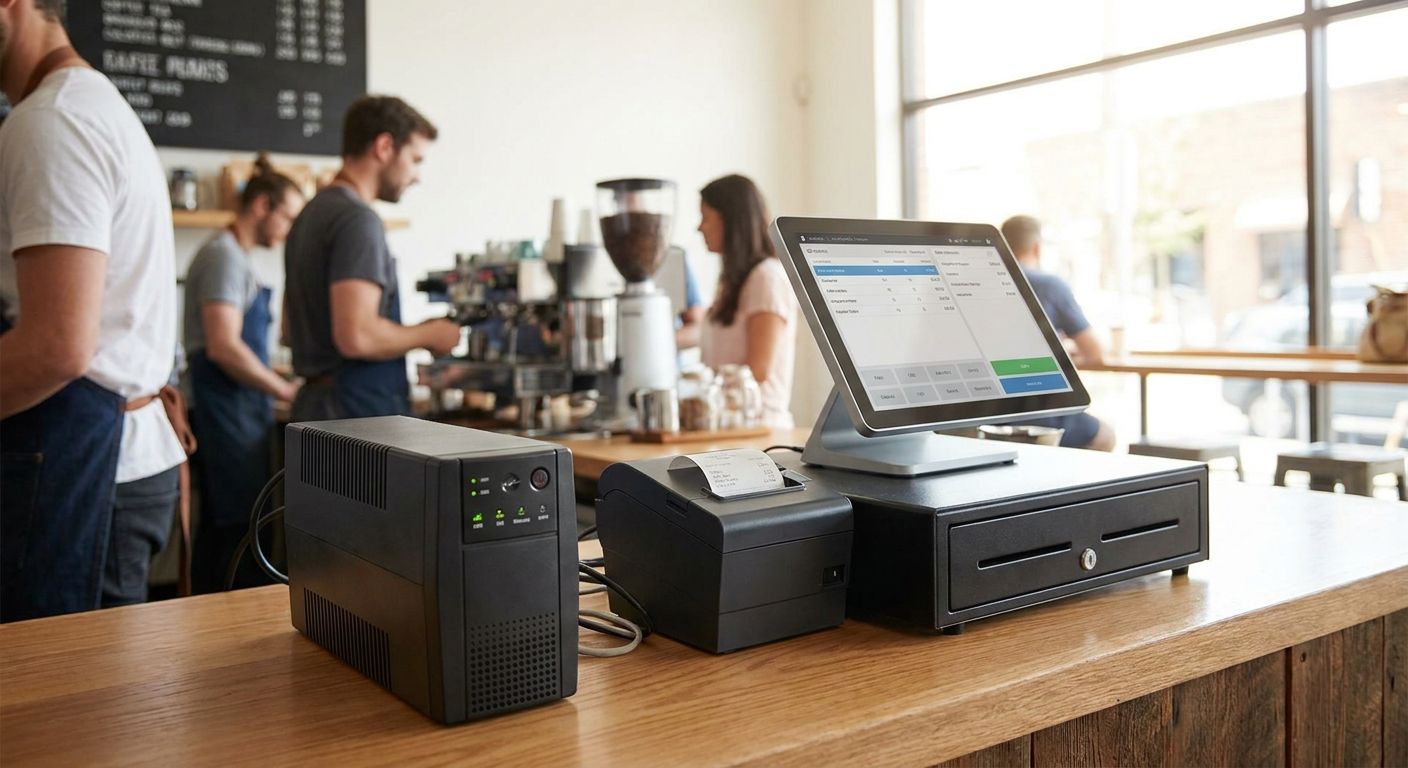
A power cut that stops a cash register mid-sale costs more than that one transaction — it costs the queue behind it, the trust of the customer standing there, and sometimes the WINTOUCH POS session itself. This guide breaks down what size and type of UPS actually protects a POS terminal, cash drawer, or multi-till setup in 2026, and which specs are just marketing noise.
- A 600-800VA line-interactive UPS covers one POS terminal and printer for 8-12 minutes — enough to close the sale and shut down clean.
- Multi-till restaurants and franchise groups need 1500VA+ per cluster, not one shared unit for the whole floor.
- Skip units without AVR (automatic voltage regulation) if the terminal shares a circuit with fridges or kitchen equipment.
- Food trucks and mobile vendors need a 12V battery pack, not a UPS built for a wall outlet.
- Ups para sistemas pos buyers in Portugal should size for voltage sags, not blackouts — sags are the more common failure in 2026.
Why this matters
A cash drawer that locks mid-transaction is a refund, a walked-out customer, or a WINTOUCH POS software session that needs a manual sync afterward. Retail stores, pharmacies, and restaurant groups treat power the same way they treat internet — invisible until it fails, and expensive the moment it does.
Portugal's grid rarely goes fully dark for long, but short sags and brownouts happen often enough that an unprotected POS terminal restarts several times a month in a busy location. A restart mid-transaction means the sale is gone and the till has to be recounted by hand at closing. In 2026, most POS power failures traced back to electricity aren't blackouts at all — they're a 10-15% voltage dip when a compressor, AC unit or kitchen appliance nearby cycles on.
The fix isn't complicated, but sizing is where most buyers get it wrong: too small and the UPS dies before the terminal can close out the sale, too big and the business pays for battery capacity it never uses. Voll supplies the WINTOUCH POS terminals and SUNMI hardware behind many of these setups, and the sizing logic below applies whether the terminal runs on-premise or on WINTOUCH Cloud.
Who this is for
This guide is for anyone running a physical checkout in 2026 — a single-till boutique, a pharmacy counter, a café, or a multi-location retail chain — where a dropped POS session means a lost sale, not just an inconvenience. If the terminal runs WINTOUCH POS, SUNMI hardware, or anything tied to Primavera or Cegid ERP in real time, a bad power event doesn't just interrupt the cashier — it can desync the sale from the backend and leave two systems disagreeing about what actually sold.
It's also for anyone who bought a terminal through a Voll POS catalog and assumed the power side was someone else's problem. It usually isn't, until the first brownout during a Saturday rush.
What to look for in a UPS for POS systems
VA/W rating matched to actual load
A single POS terminal with a receipt printer draws roughly 60-90W under normal load, not the 300W a generic UPS ad implies. Size the unit at two to three times that draw — a 600-800VA UPS — so the battery isn't working at its ceiling on every sag. Undersizing is the single most common mistake: the unit trips or overheats within months instead of lasting the 3-4 years a properly sized battery should.
Line-interactive vs online double-conversion
A line-interactive UPS switches to battery in 4-8 milliseconds, fast enough that a POS terminal never notices the gap. Online double-conversion units run the load off the inverter constantly, with zero transfer time, but cost more and run hotter and louder at the counter. For one or two tills, line-interactive is the right call; a server closet running the ERP backend for a multi-location chain is where double-conversion earns its price.
Automatic voltage regulation (AVR)
Most POS power problems in Portugal aren't blackouts — they're the voltage sags of 10-15% that happen when heavy equipment nearby cycles on. AVR corrects that sag on the fly without switching to battery, which means the battery lasts years longer because it isn't cycling every time a fridge compressor kicks in. Skip any unit without AVR if the terminal shares a circuit with kitchen or refrigeration equipment.
Runtime for a clean shutdown, not for riding out the outage
A UPS on a POS terminal isn't there to keep the store open through a two-hour blackout — it's there to close the current sale and shut the system down cleanly. Eight to twelve minutes of runtime covers that for a single terminal; anything longer just adds battery cost the business rarely uses. If outages regularly run past 15 minutes, the fix is a generator or a mobile data failover, not a bigger UPS.
USB or network shutdown signaling
A UPS that can't talk to the terminal is a battery with a plug, not a safeguard. USB or network signaling lets the terminal detect the power event and trigger an automatic, clean shutdown of the POS session before the battery runs out — this matters most on an unattended terminal or a kiosk running overnight.
Battery lifespan and replacement cost
Sealed lead-acid batteries in a standard UPS last 3-4 years under normal use, less in a hot back-office or storage room. Budget for a full battery swap on that cycle instead of replacing the whole unit — most units accept a drop-in replacement battery for a fraction of the original purchase price.
Top picks for POS backup power
The single-till retail store — the safe pick
A boutique or small shop running one terminal and a card reader needs a 600VA line-interactive UPS with AVR, nothing more. That covers roughly 8-10 minutes of runtime at a typical 70W draw — enough to finish the transaction and close the drawer without a manual recount at closing. Pair it with the best complete POS terminal for small retail stores setup and the counter survives a brownout without the cashier noticing anything changed. Buy.
The pharmacy counter — the specialist pick
Pharmacies run POS, prescription lookups and card payment on the same terminal, often against strict opening-hours expectations, so a dropped session mid-sale costs more than in most retail. An 800VA unit with AVR and USB shutdown signaling gives roughly 10-12 minutes of runtime — enough margin for the terminal to finish syncing the sale before it powers down. The POS terminal for pharmacies configuration Voll ships benefits most from AVR specifically, since pharmacy fridges and back-office equipment often share circuits with the counter. Buy.
The multi-till restaurant or hospitality group — the scale pick
A restaurant running four or five tills on WINTOUCH Cloud across a kitchen and bar needs either a 1500VA+ rack unit feeding the router and card terminals, or a smaller UPS per till rather than one shared unit for the whole floor. One central UPS covering everything sounds efficient until it fails and takes every till down at once — the opposite of what backup power is supposed to do. Consider, but size per till or per POS cluster, never per building.
The food truck or mobile vendor — the skip
A food truck or mobile POS setup usually runs off a 12V battery bank or the vehicle's own power system, not mains electricity, so a standard UPS built for a wall outlet doesn't fit the use case at all. What actually protects the sale here is a 12V-compatible battery pack sized to the terminal's draw, not a UPS chassis designed for AC power. Skip the UPS category entirely for this scenario and budget for the battery pack instead.
What to avoid
- A UPS bought purely on price per VA. Cheap units skip AVR entirely, which means every voltage sag drains the battery instead of correcting on the fly — the battery dies in under a year instead of the expected 3-4.
- Oversizing "just in case." A 3000VA unit under a single till wastes money on capacity nobody uses and eats counter space nobody has to spare in 2026's smaller retail footprints.
- Treating a UPS as the fix for a flaky on-premise setup. If a terminal desyncs from the ERP backend on every restart regardless of power protection, the actual problem is architecture, not electricity — read migrating from on-premise POS to WINTOUCH Cloud before buying more hardware.
Match the right setup to your checkout
Get a WINTOUCH POS terminal configuration built for your store, from Voll.
Verdict comparison
The table below lines up the four scenarios against the criteria that actually change the buying decision — not every spec sheet number matters equally for a POS counter.
| Scenario | Recommended size | Runtime target | Topology | Verdict |
|---|---|---|---|---|
| Single-till retail store | 600-800VA | 8-10 min | Line-interactive + AVR | Buy |
| Pharmacy counter | 800VA | 10-12 min | Line-interactive + AVR + USB shutdown | Buy |
| Multi-till restaurant/hospitality | 1500VA+ per cluster | 10-15 min | Line-interactive or double-conversion | Consider |
| Food truck/mobile vendor | N/A | N/A | 12V battery pack, not UPS | Skip |
FAQ
What size UPS do I need for a POS terminal?
A single POS terminal with a printer needs a 600-800VA line-interactive UPS in 2026, sized at two to three times its actual 60-90W draw. Going bigger adds cost without adding useful protection for a checkout that only needs a clean shutdown, not hours of runtime.
Is a line-interactive UPS enough for a cash register?
Yes, for a single till or a small counter, a line-interactive UPS with AVR is enough. Its 4-8 millisecond switchover is fast enough that the POS terminal never registers the gap, and double-conversion's extra cost only pays off on server-grade loads.
How long should a UPS keep a POS system running during an outage?
Eight to twelve minutes covers a single-terminal shutdown, and that's the target to size for, not longer. A UPS is there to close the current sale cleanly, not to keep the store trading through an extended blackout.
Do I need a UPS for a cloud-based POS like WINTOUCH Cloud?
Yes — a cloud POS still needs local power for the terminal, router and card reader even though the data lives off-site. Without a UPS, a brownout kills the local session the same way it would on an on-premise setup.
How often should UPS batteries be replaced?
Every 3-4 years under normal use, sooner in a hot back-office or storage room. Most units take a drop-in replacement battery, so the full unit rarely needs replacing on the same schedule.
Can a UPS protect against Portugal's voltage drops?
Yes, provided the unit has automatic voltage regulation (AVR). Portugal's grid sags of 10-15% are more common than full blackouts, and AVR corrects those without draining the battery every time.
Is an online double-conversion UPS worth it for a restaurant?
Only for the server or ERP backend running behind multiple tills, not for the tills themselves. A restaurant's front-of-house terminals do fine on line-interactive units sized per cluster.
Does a UPS work with SUNMI POS hardware?
Yes, SUNMI terminals draw power the same way any AC-powered POS device does, so standard sizing rules apply — 600-800VA per terminal with AVR covers most single-unit setups.
One last thing
The spec buyers ignore most often isn't the battery, it's the alarm threshold. A unit that beeps the instant it switches to battery power is a liability at a customer-facing counter — the cashier either silences it mid-sale or the customer hears the shop's power just failed. Look for a unit with a silent or delayed alarm mode for front-of-house placement in 2026, and reserve the loud alarm setting for back-office units where staff actually need the warning.


