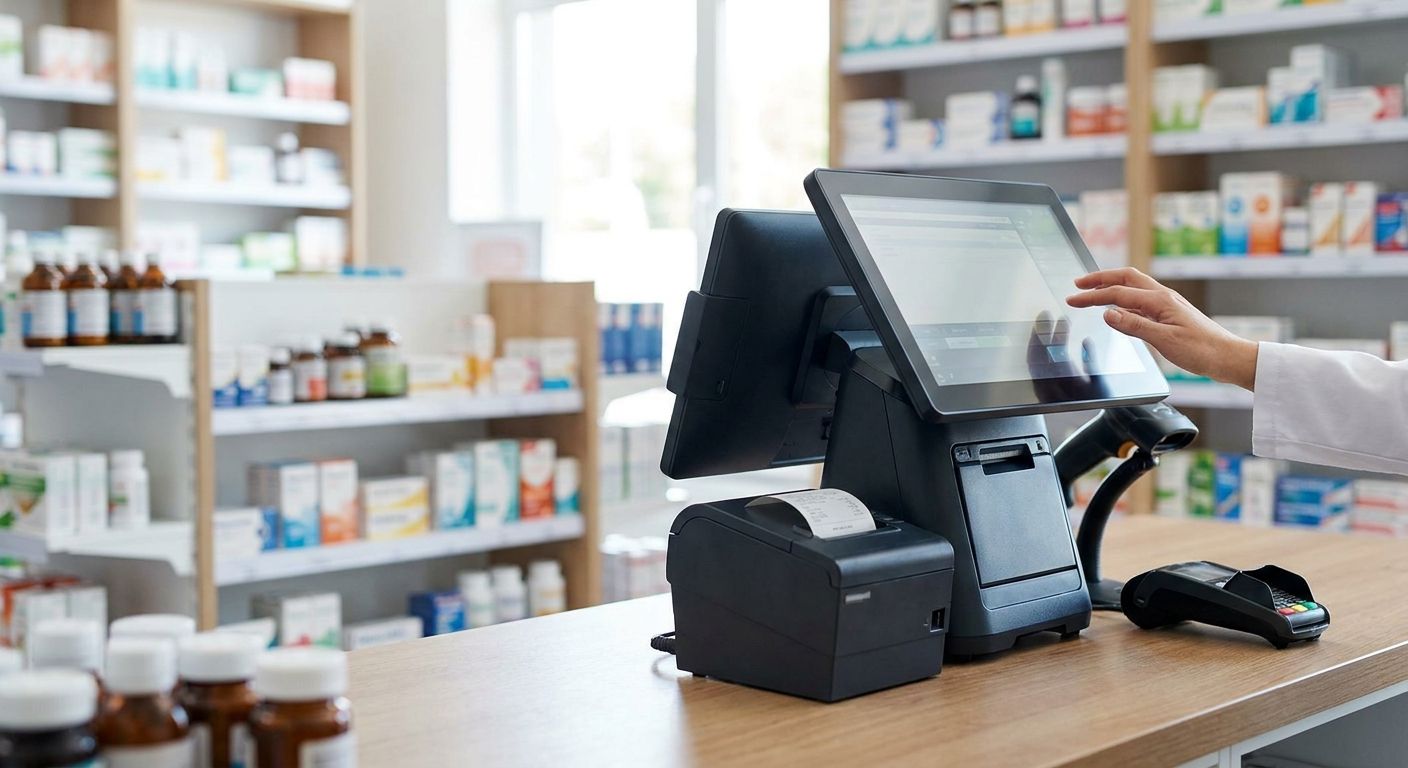
A complete POS terminal for pharmacies in 2026 has to do more than take a card payment — it needs to print certified receipts, scan prescriptions fast, and sync stock with an ERP the moment a sale closes. This guide breaks down the criteria that matter at a pharmacy counter and compares four setups worth putting on a purchase order, from a single-till shop to a multi-branch group.
- WINTOUCH POS with a SUNMI terminal is the safe terminal pos completo para farmácias pick in 2026 — Buy.
- Skip POS software with no ERP integration — pharmacies lose stock accuracy within days, not weeks.
- WINTOUCH Cloud fits pharmacy groups running three or more branches in 2026 — Consider, not for single counters.
- Voll delivers POS hardware and WINTOUCH licenses in 24-48h nationwide across Portugal.
- Primavera API integration keeps batch numbers and expiry dates synced automatically instead of on nightly exports.
Why this matters
Pharmacies run tighter margins on over-the-counter items than most retail shops, and a POS terminal that can't talk to an ERP costs more than its price tag suggests. Staff re-keying stock counts by hand every night adds up to real hours lost per week, and that cost compounds every month a mismatched setup stays in place. In 2026, a pharmacy counter is judged on how fast it clears a queue and how clean its stock data stays, not just on whether the card reader works.
Voll's POS and ERP catalog pairs WINTOUCH POS and ERP licenses with SUNMI terminal hardware and business-grade network gear, and it ships across Portugal in 24-48h. The catalog carries more than 200 WINTOUCH POS and ERP license variants, which matters once you start comparing a single-counter pharmacy against a three-branch group with different licensing needs at each location.
Who this is for
This guide is for the owner of an independent pharmacy, or the operations lead at a small pharmacy group in Portugal, replacing a POS setup that's either too old to get support on or was never built to talk to Primavera or Cegid in the first place. If you're weighing a standalone card terminal against a full POS-plus-ERP setup, read the criteria section before you sign anything, because the cheaper option on paper is rarely cheaper once you factor in the manual stock work it creates.
What to look for in a complete POS terminal for pharmacies
Certified invoicing and digital receipts
Pharmacy sales in Portugal run through certified invoicing software, not a receipt printer bolted onto a tablet. A terminal that takes several seconds to issue a compliant receipt slows every transaction at peak hours, and a setup that skips certification entirely creates a compliance gap that's expensive to fix retroactively. Ask for proof the software is certified before you look at anything else on the spec sheet.
Prescription and barcode scan speed
Pharmacy baskets carry more SKUs per transaction than a typical retail counter — multiple boxes, different batch numbers, sometimes prescription codes read off a script. A scanner-and-POS combo that lags on multi-item baskets adds real minutes to a queue during the busiest hours of the day, and that delay is what drives customers to the pharmacy down the street. Test scan speed with a full basket, not a single item, before you commit.
ERP integration for stock and expiry tracking
Medication carries expiry dates and batch numbers that generic retail POS software doesn't track. Without a live connection to an ERP like Primavera or Cegid, stock counts drift within days, and expired stock sits on shelves longer than a compliant pharmacy can afford. This is the single criterion that separates a POS terminal built for pharmacies from one built for a corner shop.
Network resilience for card payments
A pharmacy counter that drops card payments during a network hiccup either loses the sale or forces a manual workaround at the till. Business-grade routers and access points — the kind stocked from Reyee and Teltonika — matter more at a pharmacy counter than in a shop where a five-minute outage is just an inconvenience. A dual-WAN setup with automatic failover is the difference between a five-second delay and a lost customer.
Multi-location visibility
Running more than one branch means stock and pricing need to stay consistent without someone reconciling spreadsheets by hand at the end of the week. A cloud-based POS layer earns its cost back here, while a single-till setup doesn't need the extra complexity at all. Check whether the software shows live stock across branches or just end-of-day exports before you assume it covers this.
Local installation and support
A terminal that ships without local installation help becomes a terminal you troubleshoot yourself on a Saturday afternoon. Support that understands the hardware and the ERP integration together cuts downtime from days to hours, which matters more at a pharmacy counter than almost anywhere else in retail, since a dead till means a closed pharmacy for the customers standing in line.
Get a pharmacy POS quote
Pricing on WINTOUCH POS, SUNMI hardware and ERP integration, quoted without IVA.
Top picks for a complete pharmacy POS terminal
The core setup — WINTOUCH POS for retail counters. Built for retail transaction volume rather than adapted from a restaurant till, WINTOUCH POS software handles barcode-heavy baskets and certified receipts out of the box. Pair it with a SUNMI terminal and the counter is ready on day one, no add-on modules required to issue a compliant receipt. This is the starting point for any single-location pharmacy replacing an outdated till in 2026. Buy.
The integrated pick — Primavera ERP connected via API. A POS terminal without an ERP link is a till, not a system. Connecting WINTOUCH POS to Primavera via API keeps stock, batch numbers, and pricing synced automatically instead of on a nightly export someone has to remember to run. Pharmacies tracking expiry dates across hundreds of SKUs get the most value from this pick, and it pairs directly with the core setup above. Buy.
The multi-branch pick — WINTOUCH Cloud for chains. Running three or more pharmacy locations in 2026 means stock counts and pricing drift fast without a shared system behind every till. WINTOUCH Cloud for multi-location retail chains centralizes both across branches instead of treating each till as its own island. It's more setup and licensing cost than a single-counter shop needs, so weigh it against your branch count first. Consider — skip it if you're running one location.
The connectivity pick — business-grade network gear at the counter. A dual-WAN router with automatic failover keeps card payments running when the primary connection drops, and that's the difference between a lost sale and a five-second delay. It's worth the cost at a busy corner pharmacy processing a steady stream of card transactions all day. Consider for a high-traffic location, Skip it if your counter already runs on one reliable line with no history of outages.
“If the POS terminal can't print a certified receipt in under a few seconds, the checkout line backs up by lunchtime.”
What to avoid
- Bare Android tablets sold as "POS terminals." These handle card payments but skip certified invoicing and ERP sync entirely — you end up bolting on software later at a higher total cost than buying the complete setup once, and the migration work falls on your staff mid-shift.
- POS software with no ERP connector. Looks cheaper on the invoice, costs you nightly manual stock reconciliation for as long as you keep running it, and the gap between what the till says and what's on the shelf grows every week you delay fixing it.
- Consumer-grade routers behind the counter. They're not built for continuous card-payment traffic and tend to be the first thing that fails during a busy Friday afternoon, right when a dropped connection costs you the most sales.
From quote to live counter
A complete pharmacy POS setup in 2026 usually moves through the same three stages regardless of which configuration you pick. First, hardware and licenses ship — Voll's delivery window runs 24-48h nationwide, so a single-counter setup can be unboxed within two business days of the order. Second, the POS software gets configured with certified invoicing and connected to Primavera or Cegid via API if you're taking the integrated pick. Third, staff run a short test shift on live transactions before the old till gets switched off, which is the point where scan speed and network resilience either hold up or don't.
Skipping the test shift is the most common reason a pharmacy ends up troubleshooting a new terminal during real customer hours instead of before opening.
Verdict comparison
| Configuration | ERP integration | Best for | Verdict |
|---|---|---|---|
| WINTOUCH POS + SUNMI terminal | Add-on via API | Single-counter pharmacy | Buy |
| WINTOUCH POS + Primavera API | Native, real-time | Any pharmacy tracking batches or expiry | Buy |
| WINTOUCH Cloud multi-location | Native, cross-branch | Pharmacy groups with 3+ locations | Consider |
| Bare card-reader tablet | None | Nobody running compliant pharmacy sales | Skip |
FAQ
What's the best complete POS terminal for pharmacies in 2026?
WINTOUCH POS paired with a SUNMI terminal and Primavera or Cegid integration via API is the strongest 2026 setup for most pharmacies. It covers certified invoicing, barcode-heavy baskets, and live stock sync in one purchase instead of three.
Is WINTOUCH POS better than a generic Android POS app for pharmacies?
Yes, for pharmacy counters specifically, because generic Android POS apps rarely include certified invoicing or ERP sync out of the box. WINTOUCH POS is built for retail transaction volume and connects to Primavera and Cegid directly.
How much does a complete pharmacy POS setup cost in Portugal?
Cost depends on hardware count, license scope, and whether you add ERP integration, so pricing varies by pharmacy. Request a quote with your branch count and current software to get exact B2B pricing without IVA.
Does a pharmacy POS terminal need to connect to Primavera or Cegid?
It needs to if you're tracking batch numbers, expiry dates, or multi-branch stock, which most pharmacies are. Without that connection, stock counts drift within days and someone ends up reconciling manually.
Can one POS terminal setup serve multiple pharmacy locations?
Yes, with a cloud-based layer like WINTOUCH Cloud, which centralizes stock and pricing across branches. A single-till setup without that layer works fine for one location but doesn't scale cleanly to a second.
How fast can a pharmacy get a POS terminal installed in Portugal?
Hardware and licenses typically ship in 24-48h nationwide, with configuration and ERP connection happening after delivery. Total time to a live counter depends on whether you're adding an API integration or running standalone POS software.
What happens if a pharmacy POS terminal loses network connection?
Without a dual-WAN setup, card payments fail and the sale either gets lost or handled manually. Business-grade routers with automatic failover are the standard fix for counters that process payments continuously through the day.
Do pharmacies need certified invoicing software on their POS terminal?
Yes, pharmacy sales in Portugal need certified invoicing behind the till, not a generic receipt printer. Confirm certification before comparing any other feature on a POS terminal.
One last thing
The single biggest mistake pharmacy buyers make in 2026 isn't picking the wrong hardware — it's buying the POS terminal and the ERP license as two separate projects, months apart. Get the integration priced at the same time as the terminal, and the API connection ships configured instead of becoming a second purchase order and a second install visit down the line.


