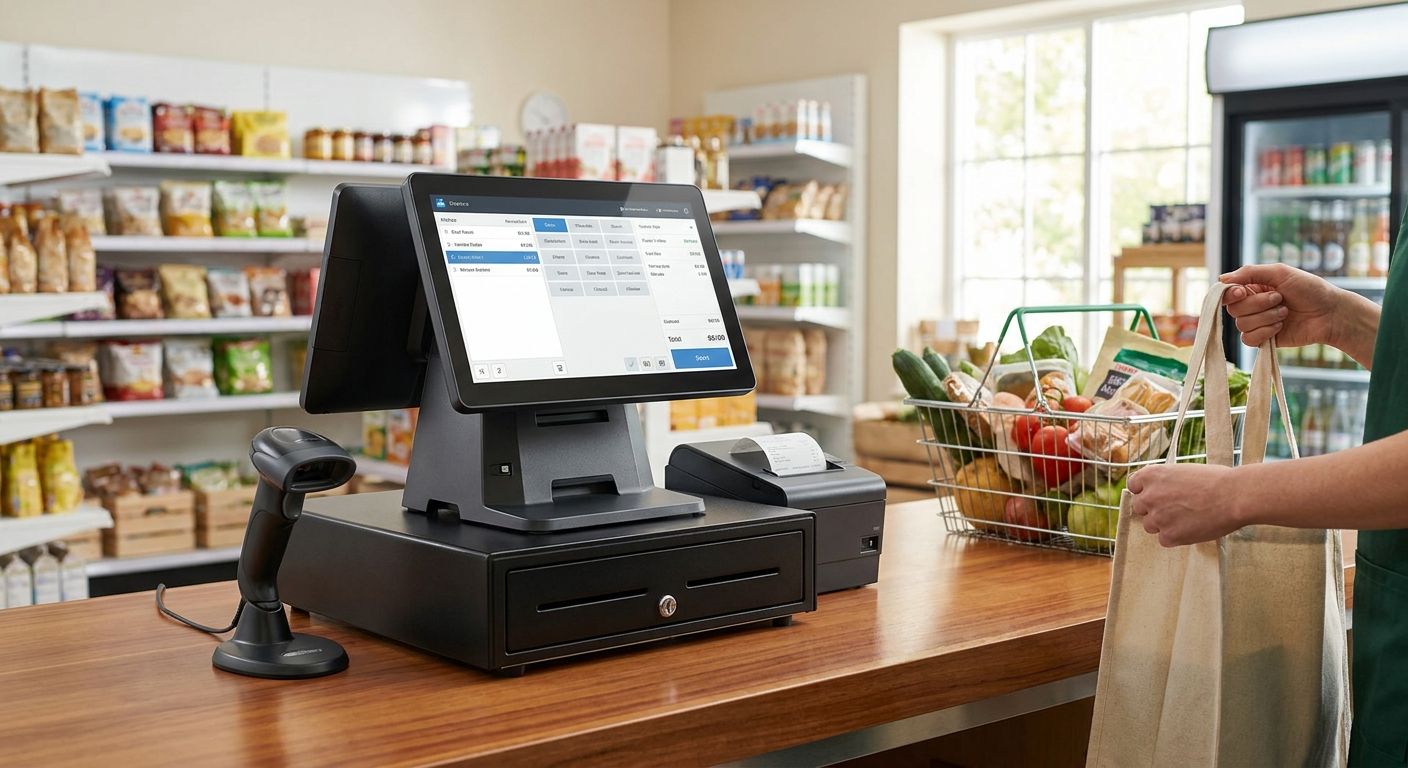
A complete POS terminal for a small supermarket or minimarket needs to do three things at once: scan fast, talk to your ERP without manual re-entry, and keep the till open when the connection drops. This guide covers what actually matters when you're buying a terminal pos completo para minimercados in 2026, and which Voll setup fits which type of store.
- Wintouch POS wired into ERP Primavera is the safe buy for a single-store minimarket in 2026 - Buy.
- Wintouch Cloud is built for chains with more than one location - Consider it only once you open store two.
- A terminal pos completo para minimercados needs API-level Primavera integration, not manual stock exports.
- Over 200 Wintouch POS/ERP license variants exist - pick by store count and till number, not by sticker price.
- SUNMI hardware and Reyee/Teltonika networking gear cover scanning speed and till uptime; generic tablets don't.
Why this matters
A minimarket running a standalone cash register has no live link between what the till sells and what the ERP thinks is in stock. That gap shows up as phantom stockouts, wrong reorder points, and end-of-month reconciliation that takes hours instead of minutes.
Wintouch POS/ERP closes that gap by design, not as an add-on. Voll's catalog runs over 200 license variants of it precisely because a single till in one minimarket and a five-store chain need different licensing, not different software philosophy.
In 2026, the decision isn't "do I need a POS terminal" - every minimarket already has one, even if it's a cash drawer and a calculator. The decision is whether that terminal talks to your ERP in real time or forces someone to re-key numbers every night.
Who this is for
This guide is for the owner or operator of an independent minimarket or small supermarket running one to a handful of checkout lanes, likely already on or migrating to Primavera or Cegid, who wants a direct online purchase or a quote request rather than a price war on commodity hardware. If that's not you - if you're comparing bare barcode scanners with no ERP requirement at all - most of the criteria below won't apply.
What to look for in a terminal pos completo para minimercados
ERP integration depth
A POS terminal that exports a CSV file at closing time is not integrated - it's a workaround. What matters is whether stock, price changes, and sales post to Primavera or Cegid the moment a scan happens, so the shelf and the ledger never disagree.
Hardware built for grocery scanning volume
A minimarket till scans dozens of SKUs per transaction across a full shift, and generic Android tablets weren't built for that pace or for grocery-floor conditions. SUNMI terminals are built specifically for point-of-sale scanning volume and daily handling, which is why they sit in Voll's hardware catalog alongside the software.
Network reliability for card payments and multi-till setups
A card payment that times out mid-transaction costs more than the sale - it costs the customer's trust in the till. Professional networking gear from Reyee, Teltonika, and Equip is built to keep multiple tills and a card terminal online at the same time, which consumer-grade routers aren't designed to guarantee.
A license model that scales without re-purchasing
Buying a single-store Wintouch license and outgrowing it in eight months means paying twice for the same category of software. With 200+ license variants, the right move is picking the tier that matches where the business will be in 12-18 months, not just where it is today.
Local installation and support
Hardware that arrives in 24-48h is only useful if someone configures it correctly on day one. Local installation and ERP integration support is the reason to buy from a specialist rather than the cheapest commodity hardware listing.
Get a quote for your minimarket setup
Business pricing excludes VAT, with delivery in 24-48h nationwide.
Top picks for small supermarkets and minimarkets
The safe pick: Wintouch POS for single-store retail
One spec that matters: it runs standalone at the till and connects to your ERP the same day it's installed. For a minimarket with one to three checkout lanes and no immediate expansion plans, Wintouch POS software for restaurants and retail covers scanning, pricing, and daily closing without extra licensing complexity. Verdict: Buy.
The integration pick: ERP Primavera for retail stores
One spec that matters: real-time posting of sales and stock movements into Primavera, not batch exports. If the store already runs Primavera for accounting and just needs the till side wired in properly, ERP Primavera for retail stores is built for exactly that gap. Verdict: Buy if Primavera is already the accounting system of record.
The scale pick: Wintouch Cloud for multi-location chains
One spec that matters: centralized stock and pricing visible across every store from one login. This only pays off once there's a second location to manage - a single-store minimarket buying Wintouch Cloud for multi-location retail chains is paying for a feature it can't use yet. Verdict: Consider only when store two is on the calendar; Skip for a single location.
The technical pick: API connection between Wintouch POS and Primavera
One spec that matters: a documented API path instead of a manual nightly export. Stores with an in-house IT contact or an integrator who wants to control exactly how data flows should look at how to connect Wintouch POS to Primavera ERP via API before assuming the standard install covers it. Verdict: Buy for technically supported operations; Consider getting installation help otherwise.
What to avoid
- Generic Android POS tablets sold as "complete" terminals. They handle a card reader and a receipt printer, but they're not built for sustained grocery-floor scanning volume the way SUNMI hardware is.
- Any POS software that syncs to your ERP via manual file export. It looks like integration on a spec sheet, but it means someone re-keys numbers every night, and errors compound weekly.
- Multi-location licensing bought before you have a second location. Wintouch Cloud is the right tool for chains, not insurance for a single store that might expand someday.
Verdict comparison
| Setup | Best for | ERP integration | Verdict |
|---|---|---|---|
| Wintouch POS (single-store) | 1-3 till minimarkets | Standalone or connected | Buy |
| ERP Primavera for retail stores | Stores already on Primavera | Real-time posting | Buy |
| Wintouch Cloud | Multi-location chains | Centralized across stores | Consider (2+ stores only) |
| Wintouch-Primavera API link | IT-supported operations | Direct API | Buy / Consider install help |
FAQ
What is a complete POS terminal for a minimarket in 2026?
A complete POS terminal in 2026 pairs grocery-grade scanning hardware, such as SUNMI terminals, with POS software like Wintouch that posts sales and stock to your ERP in real time. A bare cash register or tablet without ERP integration is not a complete terminal.
Is Wintouch POS better than a generic Android POS app for a minimarket?
Wintouch POS is built specifically for retail and hospitality scanning volume and ERP integration, while generic Android POS apps typically rely on manual exports to sync stock. For a minimarket handling daily scanning volume, that gap shows up in stock accuracy within weeks.
Do I need ERP Primavera integration for a single-store minimarket?
You need Primavera integration if Primavera or Cegid is already your accounting system of record. Without it, stock counts and accounting figures drift apart and someone has to reconcile them manually every month.
When should a minimarket move to Wintouch Cloud instead of standard Wintouch POS?
Move to Wintouch Cloud once you're operating a second physical location, since its value is centralized stock and pricing visibility across stores. A single-location minimarket gets no benefit from the multi-location tier.
How much do Wintouch POS/ERP licenses cost in 2026?
Pricing depends on which of the 200+ license variants fits your store count and till setup, and Voll lists business pricing excluding VAT with a quote request available for exact configurations.
How fast can a minimarket get POS hardware installed?
Hardware ships nationwide in 24-48h once an order is placed, and local installation support sets up the ERP connection rather than leaving it to the store to configure alone.
Do I need special networking gear for a POS terminal?
Yes, for card payments and multi-till setups you need networking equipment designed for continuous uptime, such as Reyee or Teltonika gear, rather than a consumer router that wasn't built for constant transaction traffic.
Can I connect Wintouch POS to Primavera via API instead of the standard install?
Yes, an API connection between Wintouch POS and Primavera ERP is documented for operations with in-house IT support who want direct control over the data flow instead of the standard managed integration.
One last thing
The detail that trips up most minimarkets buying a POS terminal in 2026 isn't the hardware - it's licensing the wrong tier. A single-store owner who buys the multi-location Wintouch Cloud license "to be safe" pays for centralized visibility across stores that don't exist yet, when the standard Wintouch POS license covers everything a one-till or three-till operation actually needs.
“If your till can't confirm stock in the same session as the sale, you don't have a POS terminal - you have a cash register with extra steps.”


