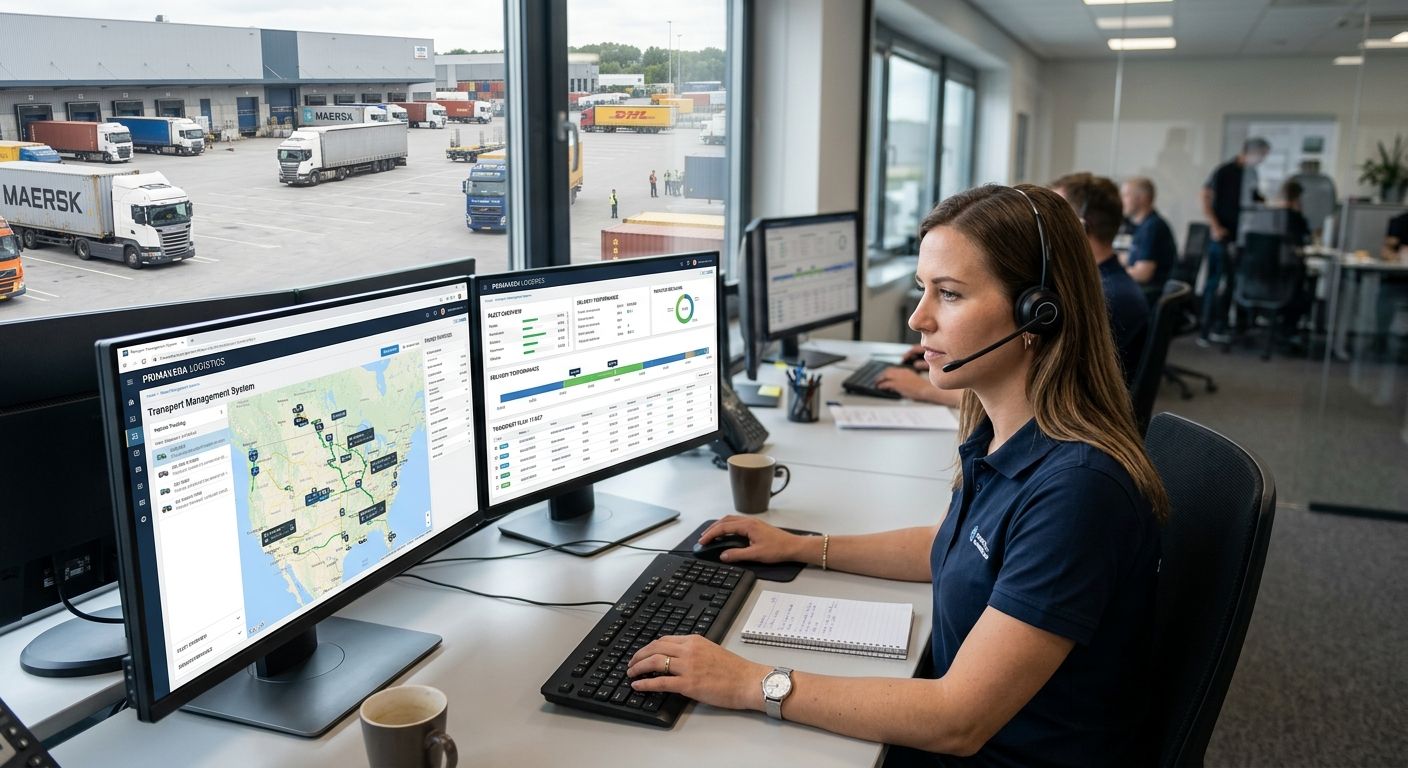
Transport and logistics companies running ERP Primavera get one ledger that ties freight invoicing, fleet costs and warehouse stock together, with the aim of cutting the manual reconciliation that eats a dispatcher's week. A courier fleet with ten vans and three depots needs route-level cost centers, real-time stock in transit, and SAF-T-ready freight documents — a generic accounting package doesn't cover any of that out of the box. ERP Primavera for logistics companies works because it treats every route, vehicle and depot as its own financial unit, not one blended expense line.
- ERP Primavera for logistics companies ties freight invoicing, fleet costs and warehouse stock into one ledger.
- SAF-T reporting works best when freight documents and CMR references trace back to a single invoice record.
- Multi-warehouse and in-transit stock control is the top reason fleets outgrow spreadsheets by year two.
- Voll pairs Primavera licensing with WINTOUCH integration and Teltonika connectivity for fleets running 2026 route operations.
Why ERP Primavera matters for logistics companies
Logistics operations run on volume and thin margins per shipment, which means every reconciliation gap costs more than it would in a low-transaction business. A transport company invoicing 200 deliveries a week can't afford to match delivery notes to invoices by hand every month-end — especially when the full IT and software catalog also covers the POS terminals and connectivity gear a fleet needs alongside the ERP license.
Portugal's SAF-T requirement adds a layer specific to this segment: freight documents, CMR paperwork and customs references all need to trace back to a single invoice record. Voll sells ERP Primavera licenses paired with WINTOUCH integration and route-connectivity hardware specifically because logistics fleets need the financial layer and the on-the-road transaction layer to talk to each other in 2026, not sit in separate systems.
Fleets that skip this step usually discover the cost at audit time, when a missing CMR reference or an unreconciled fuel account turns a routine SAF-T check into a week of manual document hunting.
How to set up ERP Primavera for a transport or logistics fleet
Map your freight and route data to a chart of accounts
Start on paper or in a spreadsheet before you touch the ERP. Get the cost structure right first, then automate it.
- Assign one cost center per vehicle or per fixed route, not one blended "transport" account
- Separate fuel, tolls, maintenance and driver costs into distinct sub-accounts
- Track empty-leg and backhaul revenue apart from full-load runs
- Reconcile odometer logs against fuel purchases at least monthly
Automate freight invoicing and delivery confirmation
This is where ERP Primavera starts doing the work a spreadsheet can't: generating an invoice straight from a delivery confirmation instead of a second manual entry.
- Generate freight invoices directly from delivery confirmation documents
- Link proof-of-delivery signatures to the invoice line before it posts
- Set automatic SAF-T export for every freight document as it's created
- Flag any invoice missing a route reference before it reaches the customer
Connect WINTOUCH POS or route-sales terminals to Primavera
Route-sales fleets — beverage distribution, parcel collection, mobile vending — need the terminal in the driver's hand talking to the ERP in real time, not at end of shift.
- Sync route-sales terminal transactions to Primavera stock in real time
- Push price lists and customer credit limits to handheld terminals daily
- Reconcile driver cash collections against the ERP ledger every day, not weekly
- Follow the WINTOUCH-to-Primavera API integration guide to map endpoints before go-live
Control multi-warehouse and cross-docking stock
Stock that's "somewhere on a truck" is the single most common accounting headache logistics companies bring to an ERP migration.
- Set up a separate stock location for each depot and cross-dock point
- Track in-transit stock as its own location, never folded into "warehouse"
- Run cycle counts by zone instead of one full annual count
- Flag negative stock at the pick step, not at month-end reconciliation
Automate SAF-T and Portuguese tax reporting
- Generate the monthly SAF-T file directly from the freight and stock modules
- Validate NIF and VAT fields on every customs-related invoice before submission
- Archive digital CMR and delivery documents against each invoice record
- Run a pre-submission validation pass before the file goes to the accountant
Set up user and company licensing for multi-branch fleets
- License by company and branch structure, not by headcount alone
- Split dispatch, warehouse and finance staff into separate permission tiers
- Review license usage every quarter as depots consolidate or expand
Give drivers and route teams reliable mobile connectivity
An ERP Primavera setup is only as good as the connection between the vehicle and the server. A dropped signal mid-route stalls the invoice queue for the whole depot.
- Install 4G/5G routers in vehicles for real-time terminal-to-ERP sync
- Use failover routing so one dropped carrier doesn't stall a shift's invoices
- Standardize router configuration fleet-wide to cut IT support calls
- Teltonika routers built for delivery fleets handle this without a dedicated IT visit per vehicle
Comparing your options for logistics ERP setup
| Option | Best for | Key limitation |
|---|---|---|
| Spreadsheets and manual invoicing | Fleets under 5 vehicles | Breaks down once route volume or driver count grows past a handful |
| WINTOUCH POS alone | Single-depot route sales | No native fleet cost-center or multi-warehouse accounting |
| ERP Primavera core | Back-office finance and SAF-T reporting | Needs a POS or route-sales layer for real-time terminal transactions |
| Primavera + WINTOUCH integrated via API | Multi-branch fleets running route sales and warehousing together | Requires upfront integration mapping before go-live |
Primavera integrated with WINTOUCH via API wins for logistics companies running more than one depot — it's the only option in this table that closes both the accounting gap and the route-sales gap at once.
Common mistakes logistics companies make with Primavera
- Blending fuel and toll costs into one general expense line instead of per-vehicle cost centers, which makes route profitability guesswork
- Running SAF-T exports only at month-end instead of validating per shipment, which turns small errors into a week-long cleanup
- Letting route-sales terminals go offline from the ERP for days at a time, so stock and cash figures drift from reality
- Licensing users per person instead of per branch, which overpays as depots consolidate
- Skipping the WINTOUCH-Primavera API integration and reconciling driver terminals by hand every week instead
“Primavera integrated with WINTOUCH via API wins for logistics companies running more than one depot.”
Get your ERP Primavera setup quoted
Voll scopes Primavera licensing and WINTOUCH integration for fleets before you commit.
FAQ
What is ERP Primavera for logistics companies?
ERP Primavera for logistics companies is a management system that ties freight invoicing, fleet cost centers and warehouse stock into one ledger, built to meet Portuguese SAF-T reporting requirements. It's the financial and stock backbone underneath route-planning or dispatch tools, not a replacement for them.
Is ERP Primavera better than a standalone TMS for freight invoicing?
Primavera isn't a route-planning or dispatch tool, so it's not a like-for-like replacement for a TMS. It's stronger on invoicing, SAF-T compliance and multi-warehouse accounting, and works best paired with a dedicated route or dispatch system on top.
Does Primavera integrate with WINTOUCH POS for route sales?
Yes, Primavera connects to WINTOUCH POS through an API integration that syncs route-sales terminal transactions, stock and pricing in real time. The integration needs endpoint mapping before go-live rather than working out of the box.
How does SAF-T reporting work for transport companies in Primavera?
Primavera generates the monthly SAF-T file directly from freight and stock modules once invoices and delivery documents are properly linked. Validating NIF, VAT and CMR references before submission avoids the manual cleanup that hits fleets doing this only at month-end.
Can Primavera handle multi-warehouse stock for logistics fleets?
Yes, Primavera supports separate stock locations per depot and cross-dock point, including a dedicated in-transit location for goods on a vehicle. Fleets that skip the in-transit setting typically see phantom stock discrepancies at every count.
What connectivity do delivery vehicles need to sync with Primavera in real time?
A 4G/5G router with failover routing keeps route-sales terminals syncing to Primavera even when one carrier drops signal. Standardized router configuration across a fleet also cuts recurring IT support calls.
How many users does a mid-size logistics fleet need on a Primavera license?
License counts should follow branch and depot structure, not raw headcount, since dispatch, warehouse and finance staff need separate permission tiers. Reviewing usage quarterly avoids overpaying as depots consolidate.
One last thing
The setting fleets skip most often in a 2026 Primavera rollout isn't the invoicing rule or the SAF-T export — it's the in-transit stock location. Skip it and every warehouse count shows phantom discrepancies, because goods on a truck get logged as either "in warehouse" or nowhere at all. Set up that one location correctly before go-live and most of the stock-reconciliation complaints disappear on their own.


