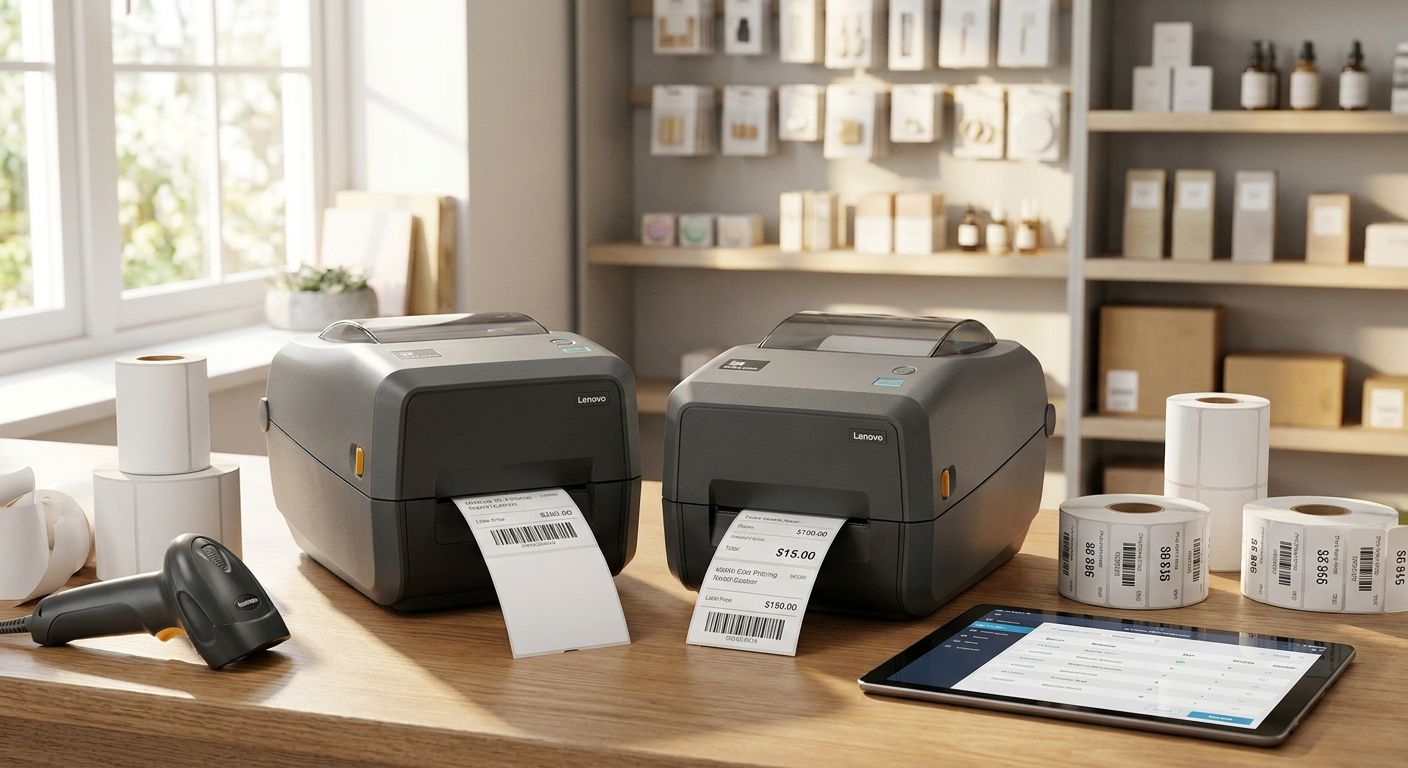
Retail stores print price tags and inventory labels every single day, and the printer behind that habit decides whether a barcode scans clean at checkout or jams the queue on a busy Saturday in 2026.
- Thermal transfer label printers survive handling and moisture better than direct thermal for inventory tags.
- 203 dpi covers standard retail price tags; 300 dpi only matters for barcodes under 1 inch wide.
- A label printer for retail pricing tags needs to talk to WINTOUCH POS or Primavera ERP directly, not through manual re-entry.
- Mobile Bluetooth label printers earn their keep in the warehouse, not at a single checkout till.
Why this matters
A mispriced shelf tag is a compliance problem in Portugal, not just an annoyance — and a barcode that doesn't scan sends a cashier back to the office for a manual override. Stores running WINTOUCH POS software already sync prices from the till in real time; the label printer is the piece that turns that price change into a physical tag on the shelf before a customer notices the gap. Get the hardware wrong and you're printing labels that peel, fade, or refuse to scan within a season.
Who this is for
This guide is for independent retail owners, small supermarket and minimarket managers, and multi-location chains in Portugal that need to print price tags, shelf labels, and inventory tags on a recurring basis — not a one-off holiday craft project. If you're deciding between a desktop unit for the back office and a mobile unit for the stockroom floor, the criteria below apply either way.
What to look for in label printers for retail pricing tags
Print resolution and label clarity
Most retail price tags print fine at 203 dpi — that's the standard resolution for desktop thermal printers and it renders EAN-13 barcodes and price text cleanly at normal shelf-tag sizes. Step up to 300 dpi only when you're printing small barcodes under roughly 1 inch wide, dense product codes, or tags with fine text that needs to stay legible at close range. Buying 300 dpi across the board for standard 2x1 inch price tags is paying for resolution you won't use.
Direct thermal vs thermal transfer
Direct thermal printers heat the label paper directly and need no ribbon, which keeps running costs low for tags that get replaced often — daily price changes, weekly promotions. Thermal transfer printers push heat through a ribbon onto the label, and that ribbon layer is what makes the print resist scuffing, moisture, and UV fading. Inventory tags that sit on a warehouse shelf for months, or price tags near a shop window, need thermal transfer; fast-turnover price tags don't.
Connectivity and POS/ERP integration
A label printer that only accepts manual print jobs from a spreadsheet is a bottleneck the moment your catalog passes a few hundred SKUs. Look for USB and either Bluetooth or Wi-Fi, and confirm the printer's driver or SDK plays with the system generating your price data — whether that's WINTOUCH POS, Primavera, or Cegid. A printer that pulls price and SKU data straight from the till eliminates the retyping step where most pricing errors originate.
Label size range and roll capacity
Check the maximum print width — most desktop label printers top out around 4 inches, which covers standard shelf tags, shipping labels, and most inventory tags. Roll capacity matters more than it looks: a printer that takes a small-diameter roll means more changeovers per week, which adds up in a busy store doing pricing runs every morning.
Barcode symbology and label design support
Retail pricing runs on EAN-13 for point-of-sale scanning; inventory tags often add Code 128 or QR for internal tracking. Confirm the printer's software or driver supports the symbologies your POS actually reads — a printer that only does one barcode format forces a workaround the day you add a new product category.
Top picks
Desktop direct thermal — the safe pick. 203 dpi resolution, handles labels up to 4 inches wide, no ribbon to restock. This is the default for a single-till independent store printing daily price tags off a WINTOUCH POS system. Buy if your tags turn over weekly and never leave the shop floor.
Thermal transfer — the durable pick. Ribbon-based printing survives handling, refrigeration condensation, and window-display sun exposure that fades direct thermal tags within weeks. VOLL's thermal receipt printer lineup uses the same print-head technology as thermal transfer label units, and the durability trade-off is the same: more resistant, slightly higher running cost per label. Buy for chilled goods, outdoor signage, or inventory tags that sit in storage for months; Consider it overkill for a dry-goods store that reprints tags every few days anyway.
Mobile Bluetooth label printer — the wildcard. Battery-powered, pairs with a handheld scanner or business tablet for inventory and field sales so stockroom staff can print and apply tags without walking back to a desktop unit. Consider it for a warehouse or a store doing full stock counts multiple times a year; Skip it for a single-till shop where the desktop printer never leaves the counter anyway.
POS-integrated label station — the all-in-one pick. Sits alongside the checkout counter and prints price-change tags the moment a manager updates a SKU in the system, paired with the rest of a complete POS terminal for small retail stores. Buy if you're opening a new location or replacing an aging till setup in 2026 — bundling the label printer into the same rollout avoids a second procurement round later.
Talk through your retail hardware setup
Get a quote for label printing hardware alongside your POS and ERP stack.
What to avoid
- Consumer craft label printers. Units built for home crafting and gift tags don't support EAN-13 or Code 128 out of the box, and most lack a driver that talks to a POS system at all — you'll be retyping every price by hand.
- Unbranded 203 dpi printers with no ZPL/EPL driver. Cheap hardware without a documented print language means your WINTOUCH or Primavera integration turns into a manual export-and-print routine every time prices change.
- Printers with no local support path. When a print head fails during a peak sales week, waiting on parts shipped from overseas stalls every pricing update in the store until it's fixed.
Verdict comparison
| Type | Resolution | Best for | Verdict |
|---|---|---|---|
| Desktop direct thermal | 203 dpi | Daily price tags, single till | Buy |
| Desktop thermal transfer | 203-300 dpi | Inventory tags, chilled/outdoor labels | Buy |
| Mobile Bluetooth | 203 dpi | Warehouse and stock-count tagging | Consider |
| POS-integrated station | 203-300 dpi | New store rollout, checkout counter | Buy |
| Consumer craft printer | Varies | Home projects only | Skip |
FAQ
What's the difference between a label printer and a receipt printer?
A label printer feeds die-cut or gapped label stock and often supports thermal transfer ribbon for durability, while a receipt printer feeds continuous paper for transaction slips. Both can use similar 203 dpi thermal print heads, but the media handling and software differ.
Do I need 300 dpi for retail price tags?
No, 203 dpi handles standard EAN-13 barcodes and price text on typical shelf tags. Reserve 300 dpi for small barcodes under about 1 inch wide or dense product codes.
Is direct thermal or thermal transfer better for inventory tags?
Thermal transfer is better for inventory tags because the ribbon-based print resists handling, moisture, and light exposure over months of storage. Direct thermal is cheaper to run but fades faster under heat or sunlight.
Can a label printer connect directly to WINTOUCH POS?
Yes, when the printer's driver or SDK supports the print language your POS system generates labels in. Confirm compatibility before buying rather than assuming any USB label printer will sync automatically.
What barcode format should retail price tags use?
EAN-13 is the standard symbology for retail point-of-sale scanning across Europe. Internal inventory tags often add Code 128 or QR codes for warehouse tracking on top of the customer-facing EAN-13.
How much does a label printer cost in 2026?
Pricing varies by resolution, connectivity, and whether it's desktop or mobile, so check current catalog pricing directly rather than relying on a single figure. Business buyers in Portugal typically see prices quoted without IVA.
Can my receipt printer double as a label printer?
Generally no, because receipt printers are built for continuous paper feed and lack the label-gap sensor and peel mechanism label stock needs. A dedicated label printer avoids jams and misaligned prints.
What connectivity do multi-till stores need?
Multi-till and multi-location stores need Wi-Fi or networked USB so any till can send a print job to a shared label station without physically swapping cables. This matters more as store count grows past a single location.
One last thing
Direct thermal labels don't fail from wear — they fail from heat. A tag taped inside a shop window in July can go unreadable by the end of summer even if nobody ever touches it, because the heat-sensitive coating that makes direct thermal printing possible is the same coating that darkens under sustained sun exposure. If any of your price tags live somewhere sunny or warm, that's the deciding factor for thermal transfer, not print speed or resolution.


