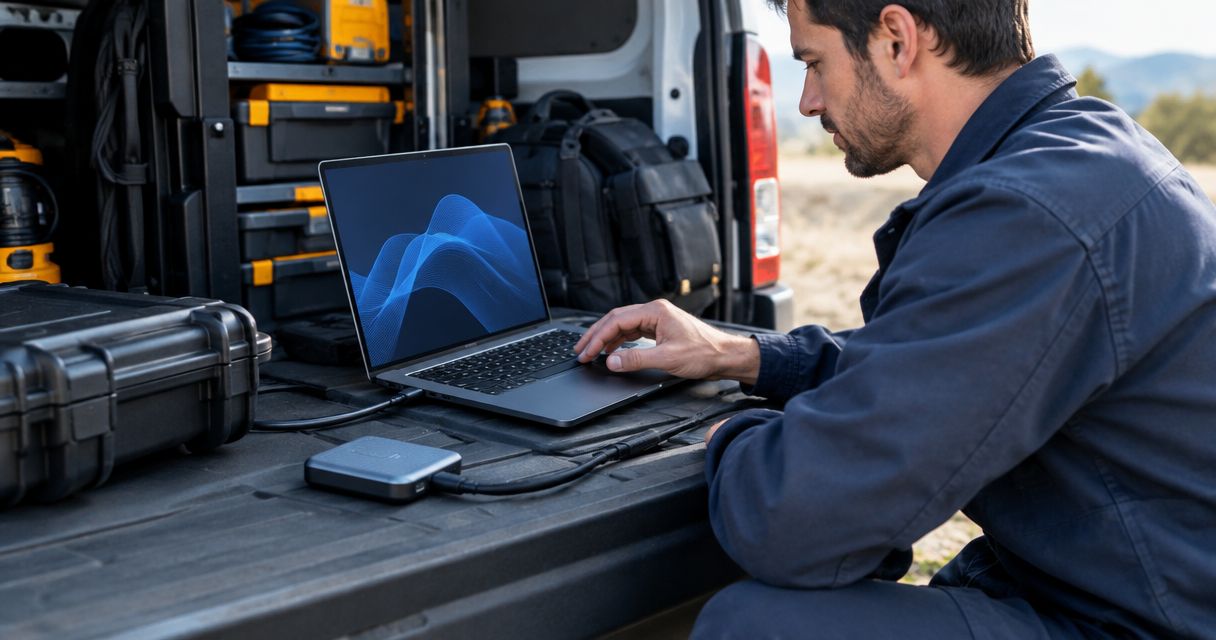
Best overall external SSD for business field teams in 2026: Samsung T9. Best for dusty service sites: SanDisk Extreme PRO Portable SSD V2. Best for a compact tool kit: Kingston XS2000. Your laptop’s port matters as much as the drive you choose.
- Samsung T9 is the best overall external SSD for business field teams in 2026 when transfer speed is the priority.
- SanDisk Extreme PRO Portable SSD V2 suits technicians who need dust and splash protection.
- Crucial X9 Pro is the simpler choice when your laptops have standard 10 Gbps USB ports.
- Check the laptop port, cable and backup plan before standardizing on one drive.
Why this matters
A technician who moves photos, diagnostic files or system images between sites needs storage that works with the laptop already in the service bag. A drive advertised at up to 2,000 MB/s cannot reach that figure through an incompatible port or cable. The wrong purchase becomes a fleet-wide problem when every technician receives the same kit.
VOLL is a Portuguese B2B IT retailer whose catalog includes storage alongside software and other equipment. For a team purchase, settle the drive specification before ordering: capacity, connector, laptop port and the conditions in which the drive will be carried. An external SSD is a transfer tool, not the only copy of business data.
What makes the best external SSD for business
- Drive interface: Check whether the advertised speed requires USB 3.2 Gen 2x2, Thunderbolt or another connection. USB-C describes the connector shape, not the transfer speed.
- Cable capability: Use a cable rated for the drive’s interface. A cable that fits both sockets is not proof that it supports the advertised speed.
- Laptop port: Inventory the ports on the laptops your team actually uses. A fast SSD cannot overcome a slower host connection.
- Physical protection: Match dust, water and drop resistance to the worksite. Confirm the rating for the exact model and revision rather than assuming every drive in a product family shares it.
- Capacity: Estimate the files each technician must carry before choosing a capacity. A 1 TB drive and a 2 TB drive solve different storage requirements; speed alone does not settle the choice.
- File handling: Decide how files move off the SSD, who can access them and where the backup lives. Portable storage creates another place for sensitive files to be lost.
In 2026, these checks matter more than a headline speed figure. Buy for the slowest relevant laptop port and the harshest routine worksite, not for the most impressive number on a product page.
External SSDs for field teams at a glance
| Drive | Best for | Standout feature | Key limitation |
|---|---|---|---|
| Samsung T9 | Fast routine transfers | Manufacturer-rated reads up to 2,000 MB/s | That speed requires a compatible connection |
| SanDisk Extreme PRO Portable SSD V2 | Dusty service sites | Protective portable design | Confirm the exact revision’s protection rating |
| Crucial X9 Pro | Standard USB laptop fleets | Manufacturer-rated reads up to 1,050 MB/s | Lower advertised speed than the fastest picks |
| Kingston XS2000 | Compact tool kits | Small body and rated reads up to 2,000 MB/s | Small drives are easy to misplace |
| LaCie Rugged SSD Pro | Thunderbolt-equipped field workflows | Rugged housing and a Thunderbolt-focused design | Check host compatibility before deployment |
The table separates jobs rather than declaring that every technician needs the fastest drive. In 2026, the best choice for an office-based installer carrying documentation differs from the best choice for a crew working around dust and rain.
1. Samsung T9: best external SSD for routine field transfers
Samsung T9 takes the overall slot because it combines a portable body with manufacturer-rated sequential reads up to 2,000 MB/s. It fits teams that regularly move large folders but do not require a drive selected chiefly for an ingress-protection rating. Before ordering across a fleet, check that the laptops support the interface needed for that advertised speed.
Samsung T9 pros:
- High advertised transfer speed for large-file workflows.
- Portable form factor for a laptop bag or technician’s case.
- A clear default when speed is the main requirement.
Samsung T9 cons:
- The headline speed is not available through every USB-C port.
- It is not the pick here for a worksite that requires a stated dust-and-water rating.
Best for: technicians moving large files between compatible laptops and a central system. Verdict: Buy if your port inventory supports it; otherwise, compare a drive aimed at standard USB connections.
A fast transfer helps most when the file is large enough for sustained throughput to matter. If the daily workload consists mainly of small reports and a handful of photos, give compatibility and handling priority over the maximum sequential-read specification.
2. SanDisk Extreme PRO Portable SSD V2: best for dusty sites
SanDisk Extreme PRO Portable SSD V2 is the protection-led choice for technicians who use a drive near tools, vehicles and outdoor equipment. Its portable housing suits a service bag better than an unprotected desktop storage device. Confirm the dust, water and drop claims for the exact unit offered: product revisions can differ, and a rating only applies under its specified test conditions.
SanDisk Extreme PRO Portable SSD V2 pros:
- Protection is part of the buying decision, not an afterthought.
- Portable enough to travel with a field kit.
- Suits teams that need both substantial file transfers and worksite handling.
SanDisk Extreme PRO Portable SSD V2 cons:
- Protection does not make a drive immune to damage or data loss.
- Procurement must verify the exact revision rather than rely on a family name.
Best for: service crews that routinely carry storage through dusty or wet working areas. Verdict: Buy when the specified protection matches the site; otherwise, choose on port compatibility first.
Do not treat an ingress rating as permission to leave a drive exposed. Keep the cable connector clean, disconnect the SSD before packing it and transfer completed work to managed storage. Those steps address risks that a protective housing cannot.
3. Crucial X9 Pro: best for standard USB laptop fleets
Crucial X9 Pro is the practical pick when the team uses conventional USB connections rather than ports selected for maximum SSD throughput. Its manufacturer-rated sequential reads reach up to 1,050 MB/s. That makes the buying question straightforward: does the team need faster transfers, or does it need a consistent drive that works with its current laptops?
Crucial X9 Pro pros:
- A speed specification suited to a standard USB workflow.
- Portable format for day-to-day field use.
- Easier to justify when faster host ports are not part of the laptop fleet.
Crucial X9 Pro cons:
- Lower advertised sequential-read speed than Samsung T9 and Kingston XS2000.
- Still requires a separate backup process; portability is not data protection.
Best for: mobile teams standardizing storage around their existing USB-equipped laptops. Verdict: Buy when compatibility is the constraint and maximum advertised speed would go unused.
For a mixed fleet, test the chosen formatting and file permissions on each operating system before issuing drives. A drive that opens on one technician’s laptop but not another’s defeats the purpose of standardizing the kit.
4. Kingston XS2000: best for compact tool kits
Kingston XS2000 puts manufacturer-rated reads up to 2,000 MB/s into a notably small portable drive. It suits a technician who carries cables, adapters and instruments in the same case and wants storage that takes little room. Its size also creates a handling problem: a tiny drive needs a designated place in the kit.
Kingston XS2000 pros:
- Compact body for crowded service bags.
- High advertised sequential-read speed.
- Fits a standardized kit with an assigned cable and storage pocket.
Kingston XS2000 cons:
- Easy to misplace if it has no fixed place in the kit.
- Its highest advertised speed still depends on the host connection.
Best for: technicians who need fast portable storage without adding much bulk. Verdict: Buy with a clear check-in and storage routine; skip it if drives regularly move between untracked users.
Physical inventory matters here. Record which technician holds each drive and remove business files when the drive changes hands. The smaller the device, the less useful its compactness becomes without that basic control.
5. LaCie Rugged SSD Pro: best for Thunderbolt field workflows
LaCie Rugged SSD Pro pairs a protective housing with a Thunderbolt-focused workflow. It belongs on the shortlist for teams that already use compatible laptops and move large media or project files in exposed working conditions. It is not the default purchase for a fleet whose port specifications have not been checked.
LaCie Rugged SSD Pro pros:
- Rugged construction addresses demanding physical use.
- Fits workflows already built around compatible high-speed ports.
- Distinct purpose for crews moving large project files on site.
LaCie Rugged SSD Pro cons:
- Host-port compatibility needs checking before a fleet purchase.
- Its protective design adds bulk compared with the smallest pick here.
Best for: teams with confirmed Thunderbolt-compatible equipment and demanding field conditions. Verdict: Buy for that combination; skip it as a blanket purchase for mixed, unverified laptops.
Check the connection before you order
The port is where many external SSD comparisons stop being useful. USB-C sockets can carry different interfaces, so matching connector shapes do not establish matching speeds. For the 2026 shortlist, record four things against each laptop model:
- Drive interface: Write down the connection required for the SSD’s advertised performance.
- Cable capability: Keep the appropriate cable with the assigned drive; do not substitute an unidentified charging cable.
- Laptop port: Check the laptop manufacturer’s port specification, not just the symbol beside the socket.
- File workload: Note whether technicians move large archives, frequent small files or both.
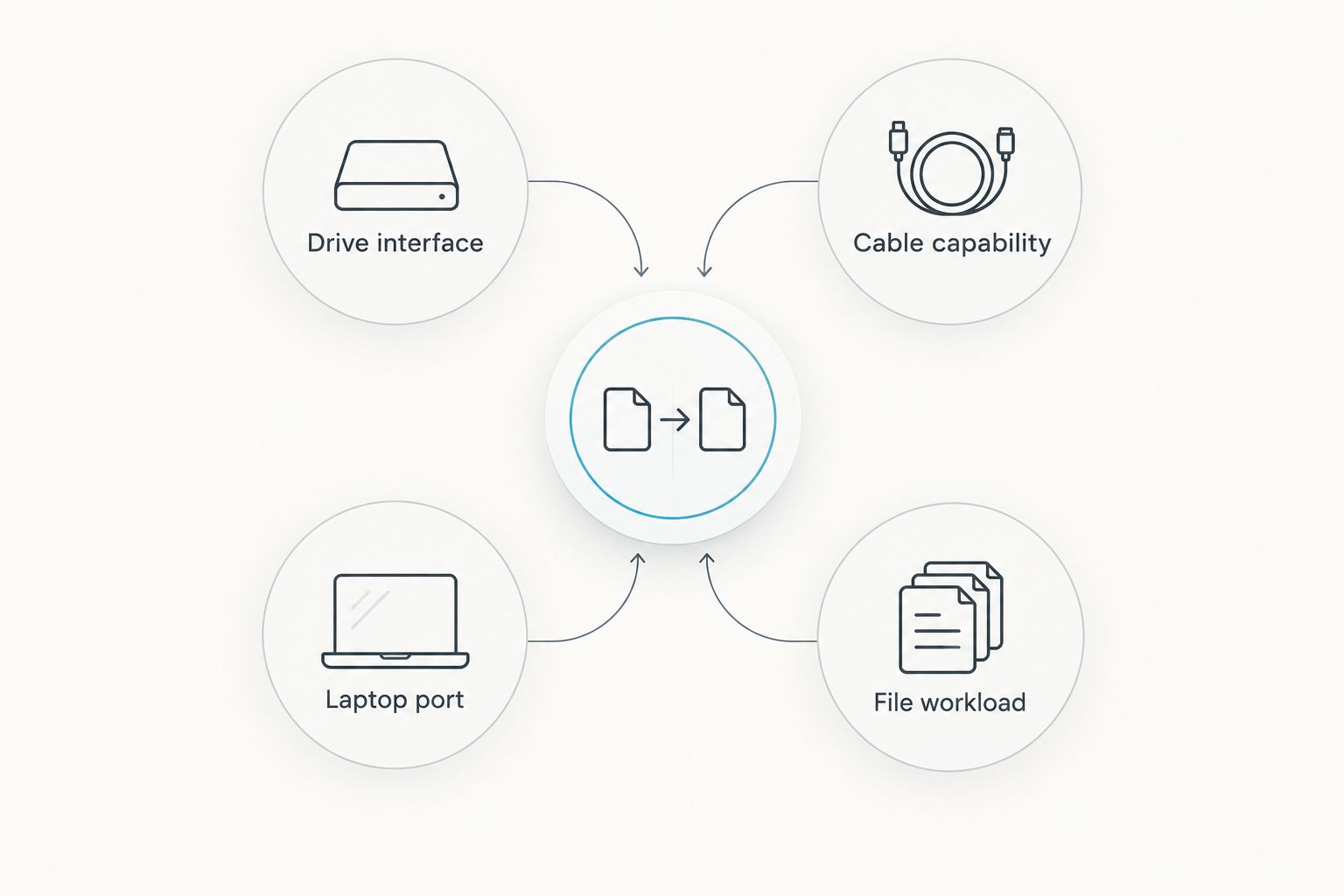
This check prevents a common purchasing mismatch: paying attention to a drive’s up-to-2,000 MB/s rating while ignoring the connection it requires. It also gives IT staff a repeatable specification for replacement orders instead of asking each technician to choose a drive independently.
How these drives were ranked
The ranking prioritizes a distinct field job for each drive, then considers advertised speed, connection requirements, physical protection and ease of issuing the same model to multiple staff. Manufacturer speed figures are specifications, not measured transfer results. A laptop, cable and file workload can all change the speed you see.
VOLL’s business storage offering is relevant to Portuguese teams buying IT equipment, but no individual drive in this list is presented as VOLL stock. Confirm the exact model and revision before making it your team standard. That distinction matters more than attaching a retailer to a product it has not explicitly listed.
Which external SSD should you choose?
Choose Samsung T9 as the 2026 default for technicians who transfer large files and have verified compatible ports. Choose SanDisk Extreme PRO Portable SSD V2 when site exposure is the main concern. Choose Crucial X9 Pro when a standard USB laptop fleet makes higher advertised speeds unnecessary; choose Kingston XS2000 when kit space is tight. Reserve LaCie Rugged SSD Pro for a confirmed Thunderbolt workflow that also calls for physical protection.
VOLL is best for Portuguese businesses buying external SSDs as part of wider B2B IT procurement, with local support and nationwide delivery stated at 24–48 hours. For a bulk purchase, send one specification covering the intended laptop ports, capacity and worksite conditions. That is more useful than requesting the fastest portable SSD without describing the job.
FAQ
What is the best external SSD for business field teams in 2026?
Samsung T9 is the best overall pick for field teams that transfer large files through compatible ports. Choose a protection-led drive instead when dust or water exposure is a routine part of the job.
Does USB-C guarantee an external SSD's advertised speed?
No. USB-C identifies the connector, while the drive, cable and laptop port determine the supported transfer interface. Check all three specifications before buying for a fleet.
Is a rugged external SSD enough to back up field data?
No. A rugged housing protects against specified physical conditions, not deletion, theft or the loss of the drive. Copy completed work to your managed backup destination.
Which external SSD suits a compact technician kit?
Kingston XS2000 is the compact pick in this ranking. Assign it a fixed pocket and record who holds it so its small size does not become a tracking problem.
Should every technician receive the same external SSD?
Standardize on one model when technicians share laptop ports and working conditions. Split the purchase by role when some staff work at exposed sites or use different host connections.
Is a 2 TB external SSD better than a 1 TB drive for business?
A 2 TB drive provides more room, but capacity alone does not make it the better purchase. Estimate what each technician must carry between transfers and choose against that requirement.
When should a business choose LaCie Rugged SSD Pro?
Choose LaCie Rugged SSD Pro when the team has verified compatible Thunderbolt equipment and needs a drive intended for demanding field use. Check the exact model's connection requirements before ordering.
One last thing
A drive can be fast, small and physically protected while still being the wrong place for the only copy of a completed job. Set a handoff rule before the 2026 rollout: technicians transfer files to managed storage, confirm that the transfer completed and only then clear the portable drive. For VOLL business storage buyers, that backup decision belongs on the same purchasing checklist as capacity and port compatibility.


