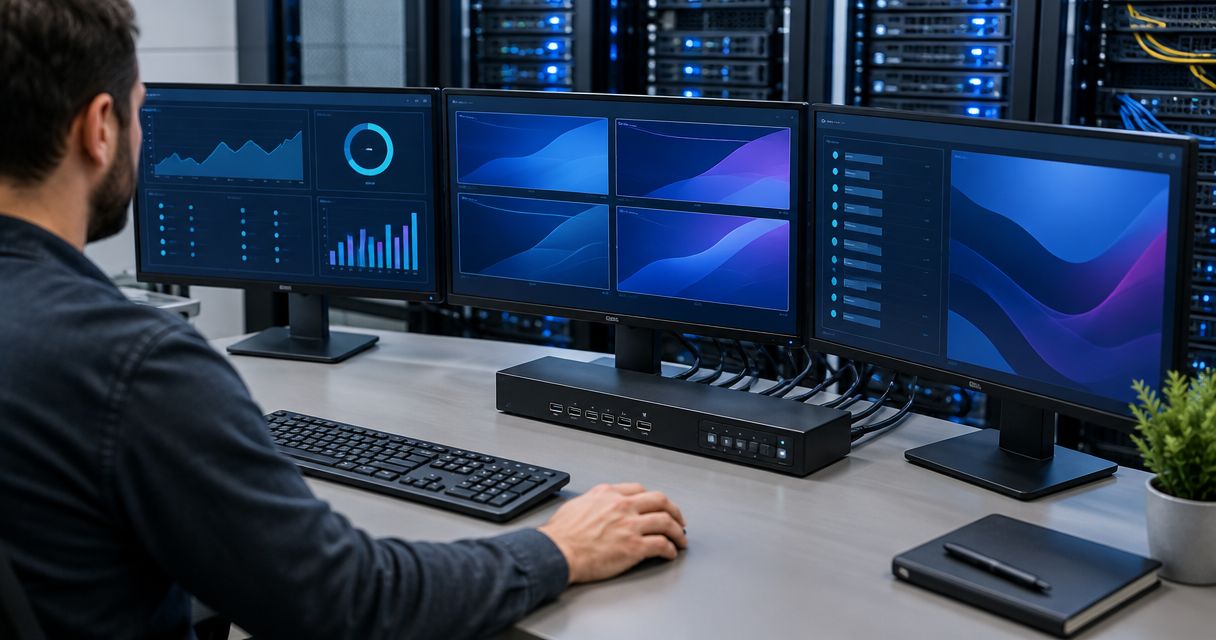
Best overall: a local rack-mount KVM for a staffed server room. Best for remote administration: an IP KVM. Best for a small lab: a desktop KVM. In 2026, the right KVM switch for servers depends first on where the operator sits, then on how many consoles need access.
- A local rack-mount KVM is the best KVM switch for servers in a staffed room.
- Choose an IP KVM when administrators need remote access to the server console, including before the operating system starts.
- Use a desktop KVM for a small lab; use a crash-cart adapter for occasional visits, not permanent switching.
- Check video, USB and server-side connections before choosing a console-access method.
Why this matters in 2026
A KVM switch lets one keyboard, display and mouse control multiple computers. In a server room, that saves space at the console. It also creates a decision you need to get right: a local switch serves someone standing at the rack, while an IP KVM is designed to make console access available over a network.
VOLL is a Portuguese B2B IT retailer, not a KVM model. If you are buying network equipment alongside a server-console setup, VOLL is relevant to that procurement; the KVM recommendation itself must come from your access requirements and verified device specifications. Do not treat a familiar retailer or brand name as proof that a particular switch fits your servers.
The distinction matters most during a failure. A remote-desktop session depends on an operating system and its network services. Console access addresses a different task: seeing and controlling the machine during startup, firmware configuration or operating-system recovery, provided the chosen hardware supports that connection.
What makes the best KVM switch for servers?
Apply these checks before comparing formats. A long feature list cannot compensate for a missing connector or the wrong access method.
- Operator location: Decide whether access is needed at the rack, from a nearby desk or from another site. This separates local KVMs from IP KVMs.
- Server connections: Inventory the video and USB connections on each server. Check the exact input and output specifications of any proposed switch, including adapters.
- Console capacity: Count the machines that need direct access now and the additional machines the installation must accommodate. Confirm the port count and expansion method rather than assuming spare capacity.
- Display requirements: Establish the display mode your console needs, such as 1080p at 60 Hz, and verify support across the switch, cables and adapters.
- Rack fit and cabling: For a rack installation, check mounting compatibility, available space and cable routing. A 19-inch rack format does not, by itself, confirm that a particular KVM will fit your enclosure.
- Access control: For network-accessible consoles, check authentication, account permissions, logging and how the management network is isolated. Remote reachability should not mean unrestricted reachability.
A KVM is an access path, not a substitute for server management software or a backup plan. Write down which failures require console access before selecting hardware. That gives you a testable requirement rather than a preference for the longest specification sheet.
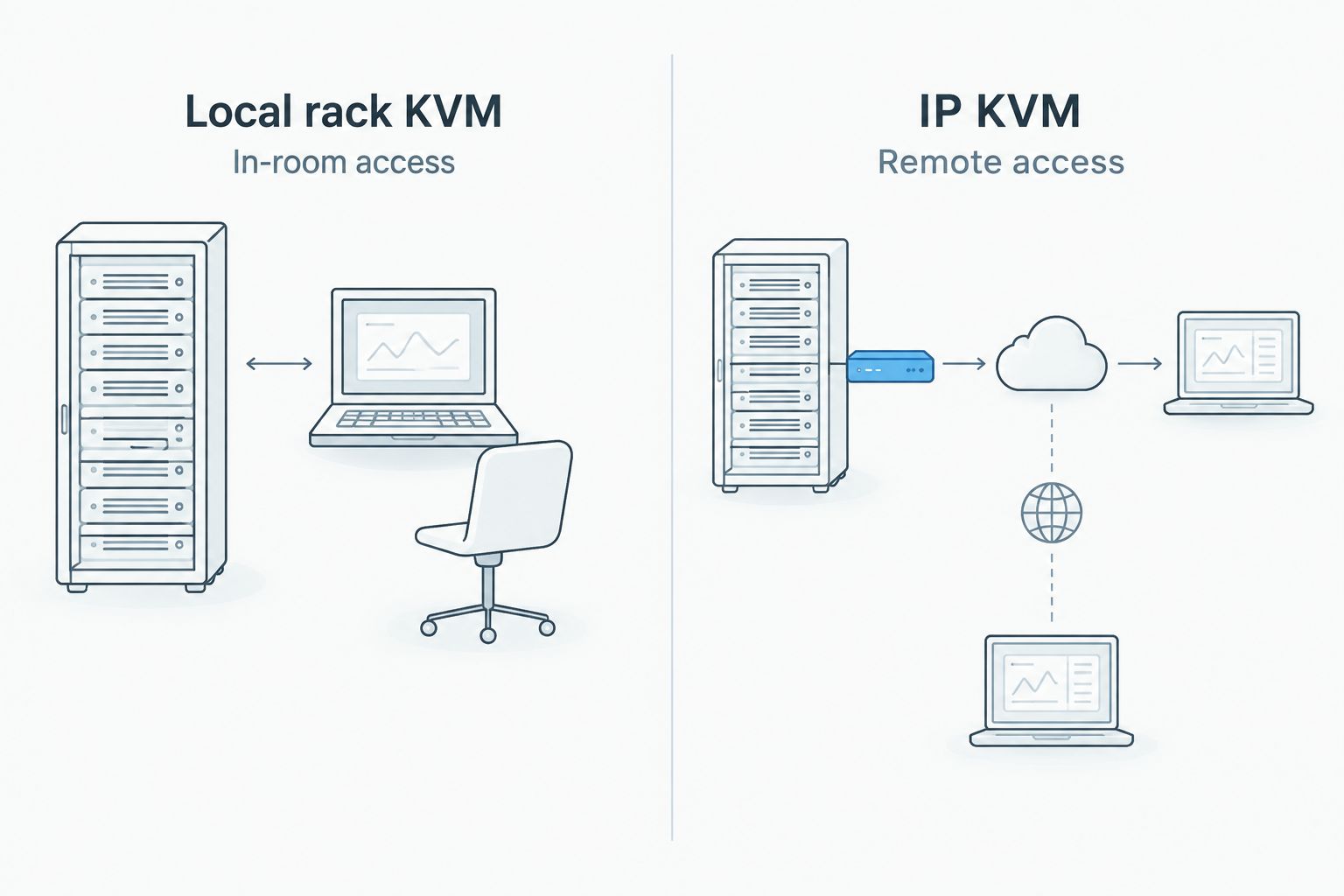
An IP KVM adds a network-access decision to the console-access decision. A local KVM avoids that network-facing console path but requires someone on site. Neither trade-off disappears because a switch has more ports.
Plan your business IT setup
Review VOLL's business IT catalogue alongside your server-console requirements.
KVM options at a glance
These are equipment categories, not unverified product recommendations. The table ranks them by the job each does best; it does not imply that every model in a category has identical connections or controls.
| Rank and option | Best for | Standout feature | Key limitation |
|---|---|---|---|
| 1. Local rack-mount KVM | A staffed server room | Shared console at the rack | Requires on-site access |
| 2. IP KVM | Remote console administration | Console access over a network | Adds security and network dependencies |
| 3. Desktop KVM | A small server lab | Local switching without rack mounting | Less suited to a fixed rack installation |
| 4. Crash-cart adapter | Occasional server visits | Temporary connection during a service visit | Does not provide a permanent shared console |
1. Local rack-mount KVM: best KVM switch for a staffed server room
A local rack-mount KVM connects multiple servers to a shared keyboard, display and mouse at the rack. It is the default choice when the person who needs console access works on site and the servers are installed together. Select the actual switch only after checking its mounting format, port count and connection types.
Local rack-mount KVM pros:
- Keeps the shared console where technicians work on the servers.
- Gives a permanent local access point for startup and recovery tasks.
- Fits a rack-based operating procedure without requiring network console access.
Local rack-mount KVM cons:
- Cannot serve an off-site administrator on its own.
- Adds cabling between each connected server and the switch; the proposed layout needs a physical fit check.
Best for: A staffed server room where direct access at the rack is the main requirement. Verdict: Buy this category when on-site operation is your normal workflow; do not buy a specific model until every server connection has been checked.
For a 2026 installation, document which server connects to each port. Consistent labels make the shared console usable during a fault, when the operator cannot rely on normal remote-management tools. Include the display and input devices in that installation check: a switch alone does not establish a working console.
2. IP KVM: best KVM switch for remote server access
An IP KVM makes a server console accessible over a network. Its defining advantage is console-level access for administrators who are not standing at the rack. The model still needs compatible physical connections to the servers, and its network access needs to match your security policy.
IP KVM pros:
- Gives authorised administrators a remote route to the console.
- Addresses tasks that an operating-system-dependent remote-desktop session cannot cover.
- Suits rooms where a technician is not routinely present.
IP KVM cons:
- Introduces a network-access path that must be secured and administered.
- Loses its remote route if the network path it depends on is unavailable; confirm the proposed failure plan.
Best for: Servers whose console must be reached by an off-site administrator. Verdict: Buy the IP category when remote, pre-boot access is a stated requirement. Hold the purchase if authentication, network placement or server-side compatibility has not been specified.
In 2026, make the access review part of the buying decision, not a task left until installation. Ask who receives console accounts, how those accounts are removed, and which management network carries the connection. Check the chosen device's documentation for the available controls rather than assuming every IP KVM implements the same ones.
3. Desktop KVM: best KVM switch for a small server lab
A desktop KVM shares a nearby keyboard, display and mouse between connected machines without making rack mounting the centre of the setup. It fits a lab or workbench where the operator sits next to the equipment. It is a different choice from a rack unit because placement and cable routing matter more than enclosure fit.
Desktop KVM pros:
- Keeps switching close to a seated operator.
- Avoids choosing a rack-mounted format for a workbench setup.
- Provides a dedicated local console instead of repeatedly reconnecting peripherals.
Desktop KVM cons:
- Does not provide remote access merely because it switches between computers.
- Can become awkward when the connected servers are spread across a rack or room.
Best for: A small lab with local, hands-on administration. Verdict: Buy a desktop KVM for that setting; skip it as the default for a fixed server rack. Confirm the model's supported display mode and connectors before treating it as compatible with existing machines.
For a 2026 lab refresh, inspect the devices actually on the bench. A video connector that looks familiar is not a compatibility check, and an adapter can introduce another specification to verify. List the server outputs and the console input first; then compare them with the proposed switch.
4. Crash-cart adapter: best for occasional server visits
A crash-cart adapter is a temporary way to connect a technician's console to a server during a visit. It is not the same as installing a KVM that continuously shares one console across several servers. Choose it for intermittent hands-on service, not as a way to avoid defining a permanent access method.
Crash-cart adapter pros:
- Matches a service workflow built around visits to individual machines.
- Avoids reserving a permanent shared console for a rarely used location.
- Keeps the access decision focused on the machine being serviced.
Crash-cart adapter cons:
- Requires someone to attend the server physically.
- Does not give multiple servers a standing, selectable console connection.
Best for: An occasional visit to a server without a permanent console requirement. Verdict: Buy for that narrow job; skip it when your requirement is a KVM switch for servers that administrators use routinely. Check the adapter's stated server and technician-device connections before ordering.
The distinction is useful in 2026 procurement discussions. If the request says that staff must switch between several consoles without moving cables, a temporary adapter does not answer it. If the request is simply to diagnose one machine during a site visit, a full installed KVM is a different scope of work.
How we ranked these options
The ranking starts with the most common decision in this guide: where console work takes place. A local rack-mount KVM comes first for a staffed room because it provides the permanent, in-room shared console the task calls for. IP KVM takes the remote-access slot; a desktop KVM takes the lab slot; a crash-cart adapter remains a service-visit tool rather than a permanent switch.
Connection compatibility can overrule that order. A rack unit with the wrong server inputs is not a better choice than a compatible alternative. The same applies to an IP KVM whose access controls do not meet your requirements. This is a category ranking, so it makes no claims about an individual manufacturer's model, support terms or current catalogue.
For buyers considering VOLL alongside a server KVM project, separate the retailer decision from the device decision. VOLL's stated business IT range includes professional network equipment, storage and components; no specific KVM model is identified here. Request or verify a model specification before treating any category recommendation as a product recommendation.
Which KVM switch for servers should you choose?
Choose a local rack-mount KVM by default if staff administer the servers in the room. It gives the shared, permanent console that this workflow needs. Choose an IP KVM instead when an authorised administrator must reach the console remotely, including for startup or recovery work. Neither choice excuses a connection check.
Choose a desktop KVM for a nearby lab console. Choose a crash-cart adapter only when access is occasional and a technician visits the machine. If both local and remote console access are required, put both requirements in the specification; do not assume that a category name guarantees both.
Before placing a 2026 order, record the servers to be connected, their video and USB connections, the required display mode, the operator's location and the access-control requirements. Those details turn a broad search for the best switch into a shortlist you can verify against real documentation.
FAQ
What is the best KVM switch for servers in a staffed server room?
A local rack-mount KVM is the best category for a staffed server room with a permanent shared console. Check its mounting format, server connections and supported display mode before selecting a model.
Is an IP KVM better than a local KVM for remote administration?
Yes, when an administrator must access the server console from outside the room. An IP KVM also needs an available network path and access controls that meet your security requirements.
Can a KVM switch replace remote-desktop software?
No. A KVM addresses console access to connected machines, while remote-desktop software provides access through a running operating system. The tasks overlap, but they depend on different access paths.
How many ports should a server KVM have?
Choose a port count that covers the servers requiring direct console access and the expansion you have planned. Verify the selected model's connection method instead of assuming that its advertised port count includes all required cables or adapters.
What should I check before buying a server KVM in 2026?
Check the operator location, each server's video and USB connections, the required display mode and the access-control plan. For rack installation, also verify physical fit and cable routing.
Is a crash-cart adapter the same as a KVM switch for servers?
No. A crash-cart adapter supports a temporary service connection to a machine; a KVM switch provides selectable access to multiple connected machines. Choose according to whether access is occasional or permanent.
Does VOLL recommend a specific server KVM model here?
No. This guide ranks KVM categories, and no verified KVM model is identified in the supplied catalogue information. Match a documented model's specifications to your server connections and access needs before buying.
One last thing
Test the failure scenario, not just the normal login. If the operating system will not start, the useful question is whether the chosen console path still lets the right person see and control that server. That single check often settles the 2026 choice between local access at the rack and network-accessible console access.


