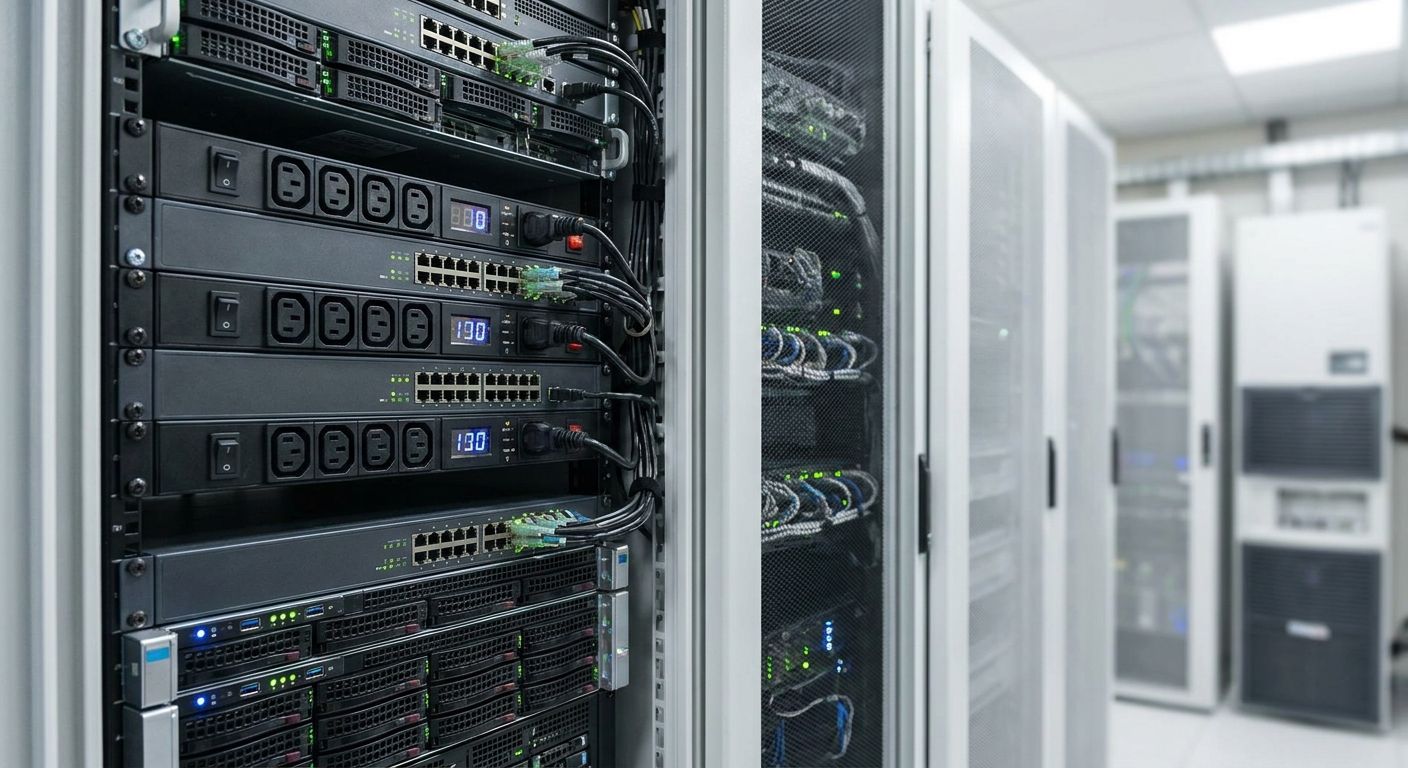
Server room rack mount PDUs are power strips built for 19-inch racks, distributing incoming circuit power to every server, switch, and appliance mounted below with the aim of keeping equipment on clean, monitored power instead of a tangle of daisy-chained extension leads. A server room's power needs differ from a wiring closet's: higher outlet density, tighter amperage math, and monitoring that flags a failing circuit before it takes an entire rack down.
- A rack mount PDU for server room use in 2026 needs metered or switched outlets, not a basic strip, once you're running more than 4-5 devices per rack.
- Size the circuit first: EU standard single-phase circuits run 16A or 32A at 230V — calculate rack load before picking a PDU.
- 0U vertical mounting saves rack units versus 1U horizontal PDUs, which matters in cabinets already tight on space.
- Pair any PDU with UPS backup power rather than treating the PDU itself as a power protection device.
- Switched PDUs cost more but let you remote-cycle a hung device without a site visit — worth it for unattended rooms.
Why rack mount PDUs matter for server rooms
A server room concentrates load that used to sit spread across a building: switches, a small server or two, a NAS, maybe a UPS and a firewall, all pulling current through one or two circuits. Run that off a consumer power strip and you lose the one thing a server room actually needs — visibility into what's drawing what, before a breaker trips at 2am with nobody there to reset it.
The difference between a server room PDU and an office PDU is density and monitoring, not brand. A four-outlet strip under a desk is fine for a printer and a lamp. A rack running eight to twelve devices needs 12-24 outlets, a defined amperage ceiling, and ideally a way to check load remotely. Voll stocks the professional network and rack equipment that server rooms actually run — switches, UPS units, and the supporting gear a PDU has to work alongside — with local installation support rather than a drop-shipped box and a shrug.
Update your load math before you shop
Most server room PDU mistakes trace back to skipped math, not a bad product pick.
Calculate your total rack power load
Add up the nameplate wattage of every device going in the rack, not what they draw at idle — PDUs and circuits get sized for worst case, not average case.
- Sum nameplate watts (or amps) for every device: servers, switches, NAS, UPS charging draw
- Convert combined watts to amps at 230V (watts ÷ 230 = amps)
- Add 20-30% headroom on top of the calculated draw
- Check the building circuit breaker rating the PDU will plug into (commonly 16A or 32A in Portugal)
- Separate continuous load from brief startup spikes — spinning drives and PSUs draw more at power-on
Choose the right PDU form factor and outlet count
Count devices before counting outlets — most rooms undersize this on the first pass.
- Count every device needing a rack outlet, including spares for the next 12-18 months
- Decide between 1U horizontal (mounts in a rack slot) or 0U vertical (mounts along the side rail, saving rack units)
- Check rack depth clearance for cable bend radius behind the PDU
- Plan for at least 20% spare outlets — server rooms grow faster than budgets account for
- Match connector type (C13 vs C19) to the power cords already on your devices
Decide between basic, metered, and switched PDUs
This is the decision that actually changes what the room can do without a site visit.
- Basic PDU: outlets plus surge protection, no display, no remote access — fine for a single low-risk device
- Metered PDU: local or network display of current draw, useful for catching overload before it trips a breaker
- Switched PDU: per-outlet remote on/off, lets you power-cycle a hung device from anywhere without walking to the rack
- ATS PDU (automatic transfer switch): dual power input, switches feeds automatically if one circuit fails
- Match the tier to how often someone is physically in the room — unattended sites justify switched PDUs fast
Match outlet type and circuit to your building supply
Outlet mismatches are the single most common install-day surprise.
- Confirm circuit breaker amperage before buying — a 32A PDU on a 16A circuit is a fire risk, not a spec sheet detail
- Verify plug type matches the panel outlet (IEC, Schuko, or industrial connector depending on the building)
- Check voltage rating matches supply (230V single-phase is standard across Portugal)
- If the room runs three-phase, confirm the PDU balances load across phases rather than dumping it all on one
- Have a qualified electrician certify any new circuit before the PDU goes live
Most of that switch gear the PDU will be feeding shows up on the network switches for growing offices page — worth checking outlet requirements against actual switch power draw before finalizing the PDU order.
Add remote monitoring and pair with UPS backup
A PDU is not a UPS. It distributes power; it doesn't protect against an outage.
- Add an SNMP or network card for remote load readings if the PDU supports it
- Set current draw alerts before load reaches 80% of circuit capacity
- Log historical draw data for capacity planning as the room grows
- Size UPS runtime and VA rating against the measured load, not the nameplate estimate
- Test the UPS under a full-load discharge at least once before trusting it in production
The UPS systems built for server rooms and network racks page covers sizing in more detail — the PDU and UPS need to be specced together, not bought separately and hoped to match.
Mount and cable-manage the PDU correctly
A well-specced PDU still fails a room if it's installed badly.
- Mount 1U horizontal PDUs at the rear or top of the rack, away from primary airflow
- Run 0U vertical PDUs along a side rail to keep front rack units free for equipment
- Route cords away from exhaust vents and hot-swap bays
- Label every outlet with the device it feeds — this saves hours during an outage
- Leave slack in cable runs so a device can be pulled for service without unplugging the whole rack
Comparing PDU options for server rooms
| Option | Best for | Key limitation |
|---|---|---|
| Basic (unmonitored) PDU | Single low-risk device, tight budget | No visibility into load, no remote control |
| Metered PDU | Rooms wanting overload warnings without remote control | Can't power-cycle a device remotely |
| Switched PDU | Unattended or remote server rooms | Higher cost per outlet than basic or metered |
| ATS (dual-feed) PDU | Rooms with two independent power circuits | Only useful if a second circuit actually exists |
Common mistakes server rooms make with PDUs
- Daisy-chaining power strips into a single outlet because the PDU ran short — this is the fastest way to trip a breaker under load
- Ignoring phase balance on three-phase feeds, leaving one phase overloaded while the others sit idle
- Mixing connector standards across devices and PDUs, then relying on loose adapters that work loose under vibration
- Skipping monitoring until after an outage — most rooms only add a metered or switched PDU after a breaker trip, not before
- Never testing UPS failover — a PDU paired with an untested UPS is a false sense of security, not backup power
Set up bulk rack equipment ordering
Order PDUs, UPS units, and switches through one business account with 24-48h delivery.
FAQ
What is the best rack mount PDU for server room use in 2026?
A metered or switched PDU with enough outlets for current devices plus 20% spare is the right choice for most server rooms in 2026. A basic unmonitored strip only fits a single low-risk device.
Metered vs switched PDU — which one does a server room need?
A metered PDU shows current draw so you catch overload before a trip; a switched PDU adds remote per-outlet power cycling. Unattended rooms need switched; staffed rooms often get by on metered.
How many amps does a server room rack PDU need?
Sum the nameplate wattage of every device, convert to amps at 230V, then add 20-30% headroom. Most single-rack rooms fit on a standard 16A circuit; dense racks may need 32A.
Is a switched PDU worth it for a small server room?
Yes if the room is unattended or remote, since it lets you power-cycle a hung device without a site visit. For a room someone visits daily, a metered PDU is often enough.
What's the difference between 0U and 1U PDU mounting?
A 1U PDU mounts in a horizontal rack slot, using one full rack unit. A 0U PDU mounts vertically along the side rail, using no rack unit space at all — useful in tight cabinets.
Do I need an ATS PDU if I already have a UPS?
An ATS PDU adds value only if the rack has two independent power feeds to switch between. With a single feed and a UPS, a standard metered or switched PDU is sufficient.
How much power headroom should a server room PDU have?
Plan for 20-30% headroom above calculated load, plus spare outlets for growth over the next 12-18 months. Running a PDU at its rated maximum leaves no margin for startup spikes.
Can a PDU replace a UPS in a server room?
No. A PDU distributes incoming power; it has no battery and provides no protection during an outage. Pair it with a properly sized UPS rather than treating the PDU as backup power.
One last thing
A 0U vertical PDU frees up a full rack unit compared to a 1U horizontal model — in a standard 42U cabinet that's roughly 2.4% more usable rack space, often the difference between fitting one more switch or not. Most rooms default to 1U out of habit, not because it's the better fit for the cabinet they actually have.


