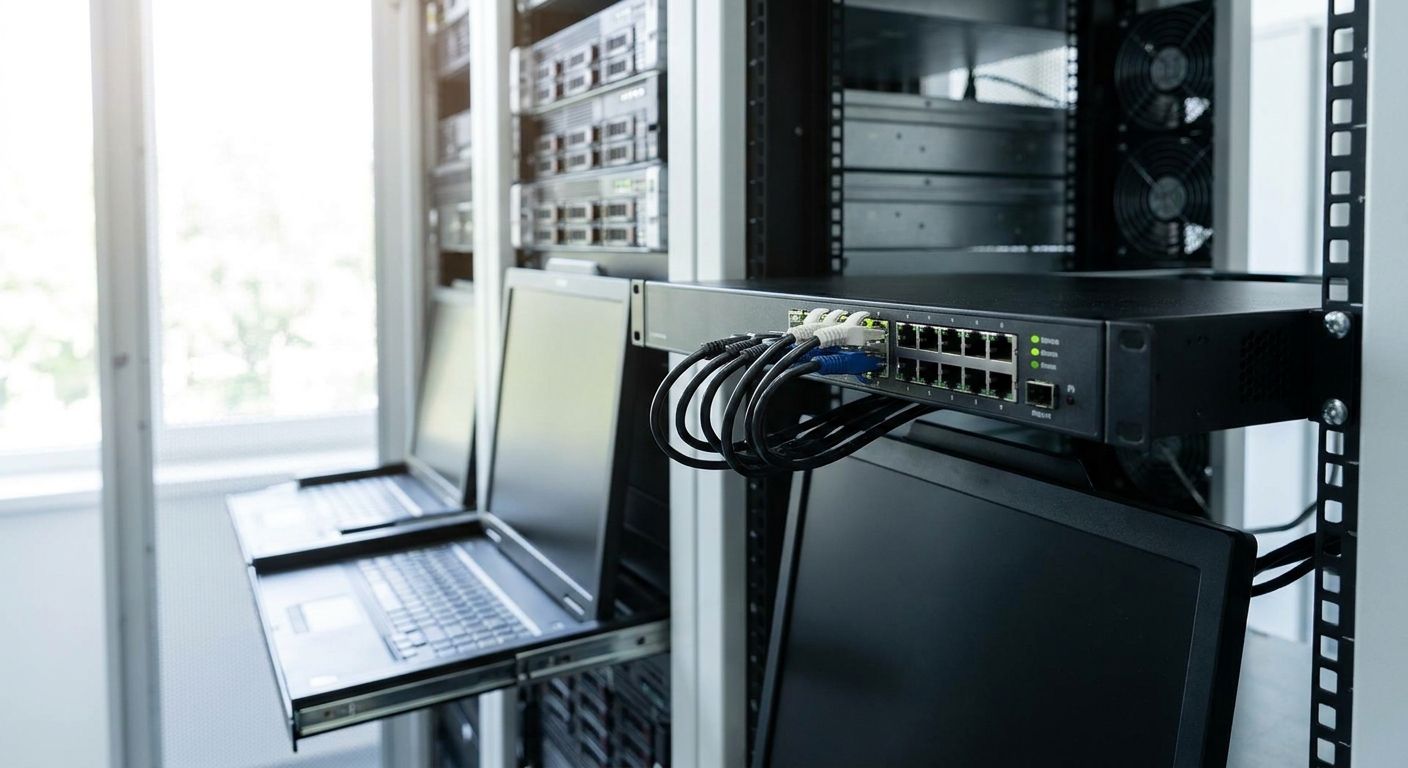
KVM switches for managing multiple server consoles let one keyboard, monitor, and mouse control several servers from a single console, replacing the pile of monitors and keyboards that builds up when every box in a rack gets its own. IT admins running on-premise ERP, WINTOUCH POS backend servers, or file servers in 2026 use them to cut rack clutter without losing direct console access when something won't boot.
- KVM switches for server consoles put one console in front of 4-16 servers, depending on the model.
- Analog KVM switches work for single-room racks; IP-based KVM switches add remote access over the network.
- Match port count to your current server count plus headroom - daisy-chaining adds switching delay during boot-time work.
- Run the KVM switch off the same rack UPS as the servers it manages so console access survives a power blip.
- Remote desktop software can't reach a BIOS prompt or a boot loop - a KVM switch can.
Why this matters for IT admins managing multiple server consoles
A server room running Primavera, Cegid, or WINTOUCH on-premise still needs a physical console for BIOS changes, RAID controller setup, and boot-time troubleshooting that no remote tool can touch. Remote desktop software only works once the operating system has loaded - it's useless the moment a server hangs at POST or drops into a boot menu.
Admins managing three, six, or a dozen consoles in one rack either run a monitor and keyboard per box, which eats rack space and cabling, or centralize with a KVM switch and one console. The second option scales better as the rack grows past four or five servers, and it's the point where the setup cost of a switch starts paying off in fewer cables and less desk space in the server room itself.
Map your server console count and rack layout
Count consoles before pricing anything. This step decides port count, connector type, and whether analog is enough.
- Count every server that currently needs a direct console, not just the ones with a monitor attached today.
- Note your rack's spare unit (U) budget - most standalone KVM switches take 1U.
- Check video connector types across servers: mixed VGA, HDMI, and DisplayPort forces adapter cables.
- Flag any server already running out-of-band management (iDRAC, iLO) - it may not need a KVM port at all.
- Note whether any servers sit in a second room or building.
Choose analog KVM vs IP-based (KVM-over-IP) switch
This is the split that decides everything downstream: cost, cabling, and remote reach.
- Analog KVM switches only work when someone is physically in the room with the console.
- IP-based KVM switches add remote access over the network, including from another building or branch office.
- Only IP-based models support virtual media - mounting an ISO remotely to reinstall an OS.
- IP-based switches depend on network stability; a slow or congested link adds noticeable input lag during BIOS work.
- Analog costs less to deploy per port and has no network attack surface to secure.
Server rooms tied into network switches for growing offices already have the managed network infrastructure an IP-based KVM switch needs - a flat unmanaged network makes segmenting KVM traffic harder later.
Match port count to your server count with headroom
Buying exactly the number of ports you need today guarantees a daisy-chain purchase within a year.
- Common configurations run 4, 8, or 16 ports per switch.
- Buy one tier above your current server count, not an exact match.
- Check cascade support if you expect to add a second rack later.
- Avoid stacking more than one cascade level deep - each hop adds switching delay that's most noticeable during boot troubleshooting.
- Confirm the unit fits your spare rack space before ordering; most models are 1U.
Plan cabling and rack space
Cable chaos is the most common reason a KVM switch gets abandoned within a year.
- Buy matched cable lengths for every port - mismatched lengths make cable management impossible.
- Label both ends of every cable with the server hostname, not the port number.
- Route cables through a cable arm to keep rack airflow clear.
- Position the KVM switch near the rack's power distribution and the network switches it shares the rack with.
- Leave one spare unit above or below the switch for cable slack.
Set up secure remote access for IP-based KVM
An IP-based KVM switch is a device with full console access to every server in the rack - treat its login like a root credential, not a convenience feature.
- Put the KVM switch on a separate management VLAN, not the same segment as user traffic.
- Require multi-factor authentication on the switch's own login page if the firmware supports it.
- Change default admin credentials before the switch goes live - factory logins for commercial IP-KVM switches are public.
- Restrict remote access to VPN only, never a direct public IP.
- Log every console session so you know who touched what server and when.
Test failover before you rely on it
A KVM switch that fails during a power event defeats its own purpose.
- Run the KVM switch off the same rack UPS as the servers it manages - see UPS systems for server rooms for sizing a unit that covers the switch plus the rack.
- Simulate a short power interruption and confirm the switch comes back before the servers finish rebooting.
- Re-test hotkey switching after every firmware update - some updates reset custom hotkey maps.
- Confirm video signal holds at your monitor's native resolution across every connected server.
Document the console-to-server mapping
A KVM switch without documentation just moves the confusion from cabling to port numbers.
- Label each port with the server hostname, not the rack slot number.
- Store the mapping outside the server room - a shared drive or a printed sheet taped to the rack door.
- Update the map the day a server is added or retired, not during the next outage.
- Include IP address and any BIOS password notes alongside each port entry.
Comparison: KVM switch options for server console management
| Option | Best for | Connectivity | Key limitation |
|---|---|---|---|
| Analog KVM switch (4-8 port) | Single-room racks with no remote access need | Direct VGA/HDMI/USB cabling | No remote access - someone must be physically in the room |
| IP-based (KVM-over-IP) switch | Racks in a second building or branch office | Network (Ethernet), often with virtual media | Needs a secured, stable network path and its own patching schedule |
| Software/virtual KVM (remote desktop software) | Servers that boot cleanly and only need OS-level remote access | Network only, no hardware switch | Can't reach BIOS, boot menu, or a server stuck before the OS loads |
| KVM appliance with integrated console drawer | Data-center style racks with several rows of servers | Direct plus optional IP module | Takes rack space even when idle |
Verdict: for a single server room with no remote requirement, an 8-16 port analog KVM switch is the buy; for a rack in a second location, pay for IP-based.
Set up a business account for equipment orders
Order KVM switches, rack UPS units, and network gear on one business account.
Common mistakes IT admins make with server console setups
- Buying analog for a remote rack. A server room in a second building with an analog switch forces a technician to drive over for every BIOS-level fix.
- Skipping port headroom. An 8-port switch bought for 8 servers today means daisy-chaining as the rack grows, and every cascade hop adds a delay that's most noticeable exactly when you're troubleshooting a boot failure.
- No power isolation for the switch. Wiring an IP-based KVM switch to a plain power strip instead of the rack UPS means console access dies at the same moment the servers do.
- Leaving default credentials on an IP-KVM switch. Factory logins for commercial IP-based switches are documented publicly in firmware manuals - changing them takes five minutes.
- Relying on remote desktop software alone. It's the right tool once a server's OS is running, but it can't reach a BIOS prompt, a failed boot, or a server that never loads past POST.
FAQ
What's the best KVM switch for a small server room?
An 8 to 16-port analog KVM switch covers most small server rooms with servers in one location. Switch to an IP-based model only if you need to manage consoles from a different room or building.
Is a KVM switch better than remote desktop software for server management?
A KVM switch reaches the console before the operating system loads - BIOS screens, boot menus, boot loops. Remote desktop software only works once the OS is running, so the two do different jobs rather than compete.
How many servers can one KVM switch manage?
Standalone units commonly ship in 4, 8, or 16-port configurations. Cascading extends the count further, but each added switching layer introduces extra delay when switching consoles.
Do I need an IP-based KVM switch or is analog enough?
Analog is enough when every managed server sits in the same room as the console. IP-based is worth the extra setup only when you need to reach consoles remotely or from a branch location.
Can a KVM switch replace iDRAC or iLO?
No. Out-of-band management tools like iDRAC and iLO are built into specific server models and work independently of the OS. A KVM switch centralizes hardware console access across multiple servers and brands from one physical console.
How much rack space does a KVM switch use?
Most standalone KVM switches take 1U of rack space. Appliance versions with an integrated keyboard and monitor drawer take more, since the console itself slides into the rack.
Does a KVM switch need its own UPS?
It should run off the same rack UPS as the servers it manages. Otherwise a power blip kills console access at the exact moment you need it to check on the servers.
One last thing
The fastest way to waste the money spent on a KVM switch is skipping the port-to-hostname label. Techs lose more time re-learning which port maps to which server during an outage in 2026 than the switch ever saved them in rack cabling - label it the day it's installed, not after the first incident.


