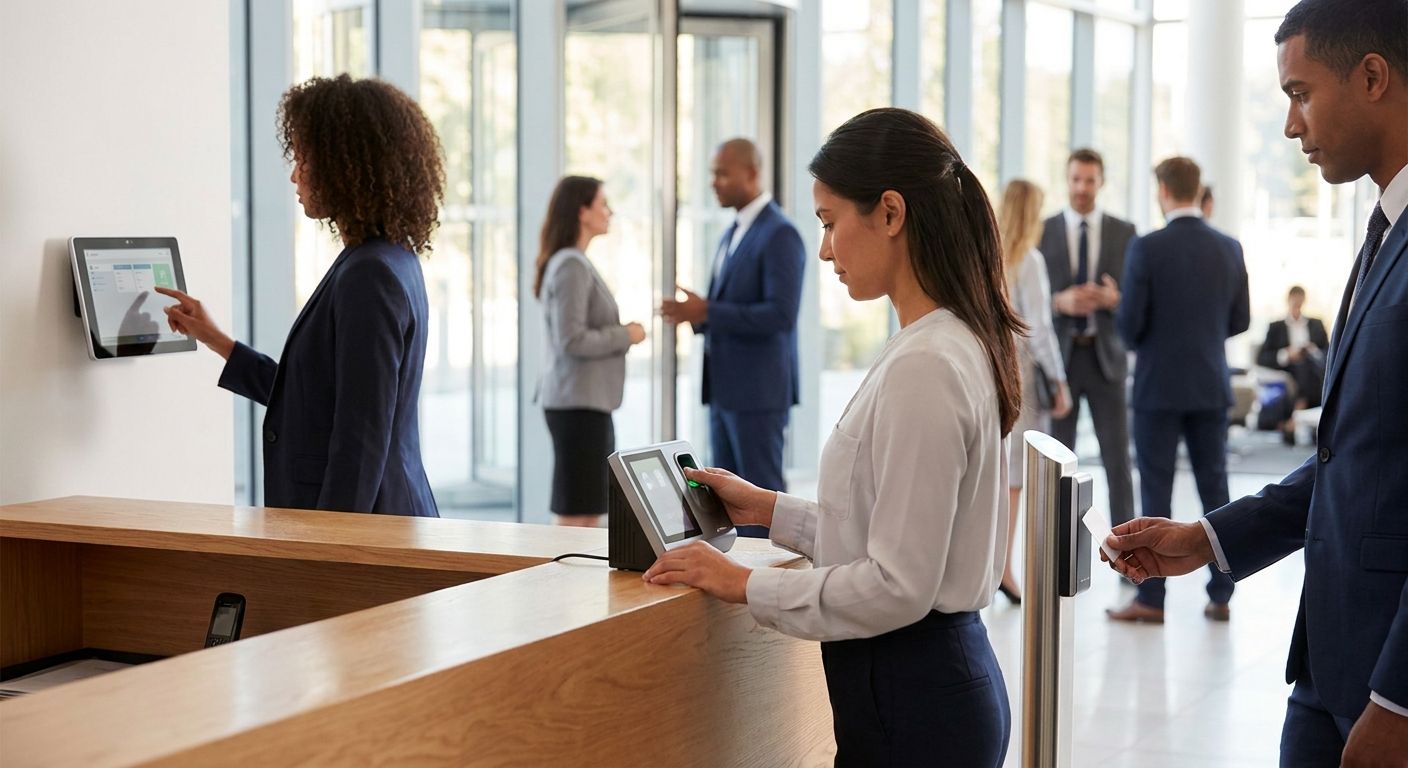
Choosing a time and attendance terminal comes down to one question: does the clock-in data land in payroll without someone re-typing it? This guide ranks five terminal types by what they solve best in 2026, so you can match the hardware to how your business actually tracks hours.
- Android terminals wired into Primavera or Cegid ERP are the best time and attendance terminals for Portuguese SMEs already running those systems.
- Biometric fingerprint terminals cut buddy punching hardest but need GDPR-compliant consent handling.
- Facial recognition terminals suit high-traffic entrances; RFID badge terminals suit fixed sites needing access control too.
- Business tablets running GPS clock-in apps beat fixed terminals for field and delivery staff.
- A terminal that doesn't feed payroll or ERP automatically is just a clock, not an attendance system.
Why this matters
Manual time cards and spreadsheet punch logs create two problems: they're slow to audit and they're easy to game. Portuguese labor law requires employers to keep accurate records of hours worked, and a terminal that doesn't export cleanly into payroll turns a compliance task into a monthly reconciliation project.
The hardware choice also determines what happens next. A fingerprint scanner that dumps CSV files nobody imports is worse than a basic card reader wired straight into Primavera ERP. In 2026, the terminal is the easy part — the integration is where most projects fail.
Best overall: Android terminals integrated with Primavera or Cegid ERP. Best for high-traffic entrances: facial recognition terminals. Best for factories and warehouses: biometric fingerprint terminals. Best for badge-based access control: RFID proximity terminals. Best for field and delivery teams: business tablets running GPS clock-in apps.
Each type below owns a distinct use case — none of them compete head-to-head for the same job.
What makes the best time and attendance terminal
- Payroll or ERP integration — clock data should reach Primavera, Cegid, or your HR system without manual export
- GDPR-compliant biometric handling — fingerprint and facial data need consent flows and secure local storage, not cloud-default templates
- Offline resilience — the terminal should keep logging punches during a network outage and sync once connectivity returns
- Tamper resistance — a clock-in device sitting at a warehouse entrance takes daily physical abuse
- Multi-location sync — chains with more than one site need one dashboard, not five separate logs
- Per-user hardware cost at scale — a 50-person site multiplies terminal count fast if the device is per-badge rather than shared
Time and attendance terminals at a glance
| Type | Best for | Standout feature | Key limitation |
|---|---|---|---|
| Android terminal + ERP integration | Portuguese SMEs on Primavera/Cegid | Punch data flows straight into payroll | Setup needs an integration step, not plug-and-play |
| Biometric fingerprint terminal | Factories and warehouses | Eliminates buddy punching entirely | Needs GDPR consent process for biometric storage |
| Facial recognition terminal | High-traffic entrances | Touchless, fast throughput at peak clock-in times | Higher cost per unit; lighting-dependent accuracy |
| RFID proximity terminal | Fixed sites needing access control | Doubles as door access and clock-in | Card can be shared or lost, weaker than biometric proof |
| Business tablet + GPS clock-in app | Field, delivery, and remote teams | Works anywhere with a signal, no fixed hardware | Depends on staff carrying and charging the device |
1. Android terminal integrated with Primavera or Cegid: best time and attendance terminal for ERP-integrated payroll
An Android-based terminal running a clock-in app isn't a specialty device — it's the same class of hardware already deployed at checkout counters, repurposed to log entry and exit times instead of sales. The advantage over a dedicated attendance box is that the same device family already talks to Primavera and Cegid through documented APIs, so hours worked land in the payroll module without a separate export step.
Android terminal pros:
- Feeds directly into ERP systems already running payroll and HR modules
- One hardware family covers reception, POS, and time-tracking use cases
- Remote management and updates through standard Android tooling
Android terminal cons:
- Requires an integration project, not out-of-the-box operation
- Attendance-specific app licensing sits outside the core hardware cost
- Overkill for a five-person office that just needs a punch clock
Sites already using SUNMI hardware for delivery and takeaway operations can add clock-in functionality to the same terminal family rather than deploying a second device type. Verdict: Buy if payroll already runs on Primavera or Cegid and IT can own the integration.
2. Biometric fingerprint terminal: best for factories and warehouses
Fingerprint terminals solve one specific problem well: they make it physically impossible for one employee to clock in for another. That matters more on a factory floor with 80 shift workers than in an office with 12 salaried staff.
Biometric fingerprint pros:
- Removes buddy punching completely — the finger has to be present
- No cards to lose, replace, or share
- Fast per-punch time once enrolled
Biometric fingerprint cons:
- Biometric data storage triggers GDPR consent and retention obligations
- Enrollment takes time across a large workforce
- Accuracy drops with dirty or damaged hands, common on production lines
Verdict: Buy for hourly workforces where time theft is a documented cost, provided the consent and data-retention process is handled properly before rollout.
3. Facial recognition terminal: best for high-traffic entrances
A facial recognition terminal reads a face in under a second and logs the punch without contact — the right fit for a site where 40 people arrive within the same 10-minute window.
Facial recognition pros:
- Touchless, faster throughput during shift-change rushes
- No card or badge to issue or replace
- Works well combined with entrance security footage
Facial recognition cons:
- Accuracy can dip in poor lighting or with face coverings
- Per-unit cost runs higher than card or fingerprint hardware
- Same GDPR consent requirements as fingerprint data, arguably stricter
Verdict: Hold unless entrance congestion is an actual measured problem — the cost premium isn't justified for a site with staggered arrivals.
4. RFID proximity terminal: best for badge-based access control
RFID terminals do double duty: the same badge that clocks an employee in can also unlock the door. That combination makes sense for sites that already run access control and want attendance folded into the same card.
RFID proximity pros:
- One badge covers both door access and time tracking
- Cheapest hardware category per unit
- Simple to issue, replace, and deactivate
RFID proximity cons:
- A shared or borrowed card defeats the purpose — no identity proof beyond possession
- Cards get lost, forgotten, or left in another jacket
- No inherent fraud prevention compared to biometric options
Verdict: Buy for offices already using badge-based access control; Skip if buddy punching is a known problem, since a card can be handed off.
5. Business tablet with GPS clock-in app: best for field and delivery teams
A fixed terminal makes no sense for a sales rep, a delivery driver, or a technician who never sits at the same desk twice. A business tablet running a GPS-tagged clock-in app solves that by turning the punch into a location-stamped event instead of a physical scan.
GPS clock-in tablet pros:
- Works anywhere with signal — no fixed hardware to install
- Location stamp on each punch verifies the employee was on-site
- Same device often doubles for order entry or inventory checks
GPS clock-in tablet cons:
- Depends on staff actually carrying and charging the device
- GPS accuracy varies indoors or in dense urban areas
- Battery life becomes an operational issue on long shifts
Verdict: Buy for any workforce that isn't tied to a single location — this is the only category on this list built for mobility.
“If a terminal can't sync clock-in data straight into your payroll or ERP, you've bought a clock, not an attendance system.”
How we ranked
Each terminal type was measured against the six criteria above: ERP integration, GDPR handling, offline resilience, tamper resistance, multi-location sync, and per-user cost at scale. No single type wins on all six — that's why the list is organized by use case instead of a single leaderboard.
Which time and attendance terminal should you choose?
If payroll already runs on Primavera or Cegid, start with an Android terminal integrated into that ERP — it's the option that removes manual data entry entirely. If the workforce is hourly and time theft is a real cost, a biometric fingerprint terminal closes that gap fastest, GDPR process included. Field and delivery staff should skip fixed hardware altogether and clock in from a business tablet with GPS tagging. For everyone else — small offices without a fraud problem — an RFID badge terminal tied to existing door access covers the basics for the lowest hardware spend.
Set up bulk terminal orders for your business
Business account ordering with 24-48h delivery across Portugal.
FAQ
What are the best time and attendance terminals in 2026?
Android terminals integrated with Primavera or Cegid ERP are the best time and attendance terminals for Portuguese businesses that already run payroll on those systems. Biometric fingerprint terminals rank highest for hourly workforces where buddy punching is a documented cost.
Is biometric clock-in legal under GDPR?
Yes, but fingerprint and facial data require explicit employee consent and a documented retention policy before deployment. Employers should treat biometric templates as sensitive personal data, not standard punch logs.
Are RFID badge terminals better than fingerprint terminals?
RFID terminals cost less per unit and double as door access control, but a badge can be shared or lost, unlike a fingerprint. Choose RFID for offices without a time-theft problem and fingerprint terminals where fraud prevention matters more.
Can a POS terminal also handle employee clock-in?
Yes — Android-based POS hardware like SUNMI terminals can run a separate clock-in app alongside checkout functions, avoiding a second device purchase. This works best when the same terminal already integrates with the site's ERP.
What's the best clock-in option for delivery or field staff?
A business tablet running a GPS-tagged clock-in app is the best fit, since fixed terminals don't work for staff who never return to one location. The GPS stamp also verifies the employee was actually on-site at punch time.
Do time and attendance terminals need to integrate with payroll?
They should. A terminal that logs punches without exporting them into payroll or an ERP like Primavera just shifts the manual work from a paper card to a spreadsheet.
How many terminals does a small business need?
Most sites under 30 employees need one terminal per entrance, not one per employee — RFID and biometric terminals both handle high punch volume through a single unit.
One last thing
The terminal is never the bottleneck — the integration is. A business running Primavera or Cegid that buys a standalone attendance box without checking the export format ends up with the same manual reconciliation problem the terminal was supposed to solve, just with better-looking hardware on the wall.


