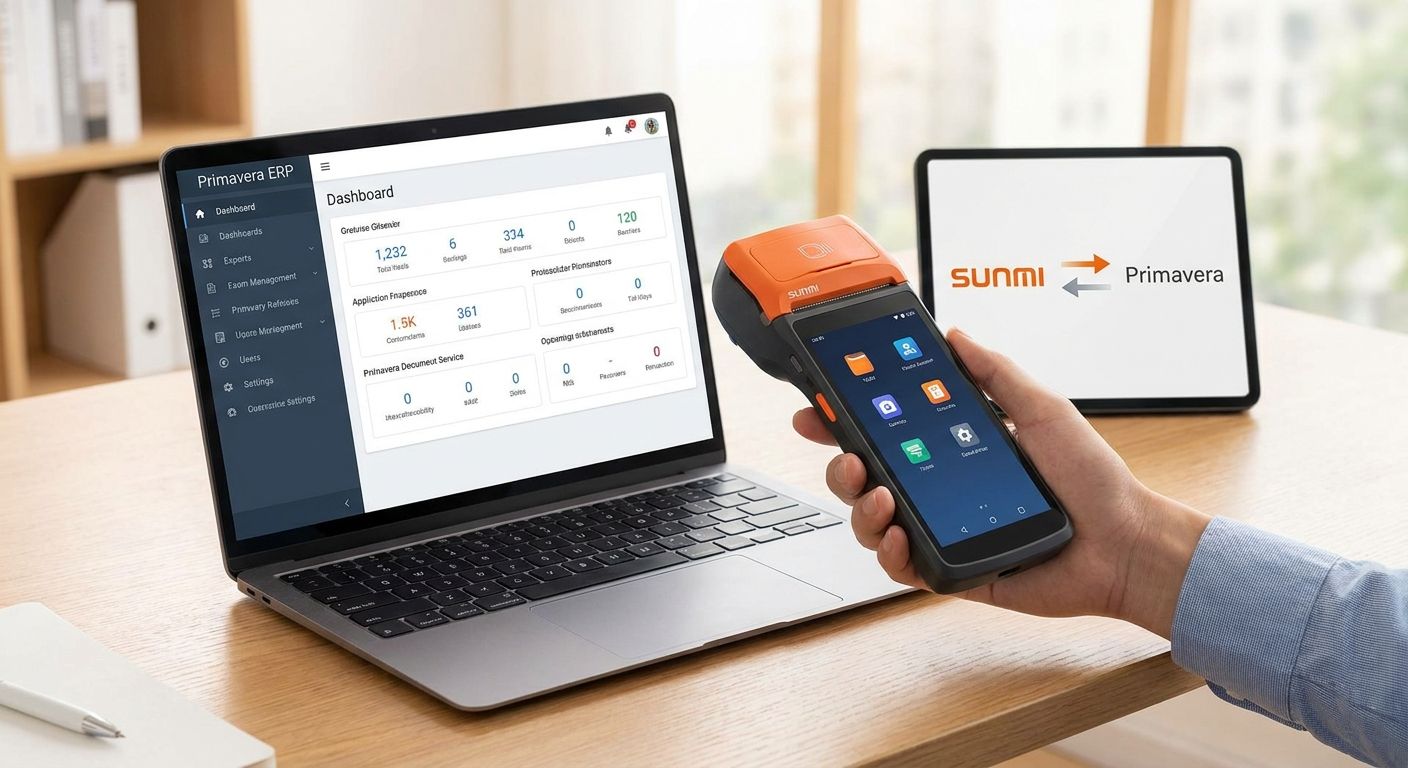
SUNMI terminals don't talk to Primavera ERP on their own — you connect them through WINTOUCH POS software installed on the device, which handles the API sync for sales, stock and customer data. Getting this working needs three pieces in place: a WINTOUCH POS license configured for the SUNMI hardware, a Primavera or Cegid license with API access turned on, and matching company/branch codes on both sides. Skip the company-mapping step and stock counts on the till drift away from the ERP within days.
- SUNMI terminals sync to Primavera through WINTOUCH POS, not through a direct connection.
- Full setup runs in 5-6 steps: license check, install, company mapping, sync config, test, rollout.
- Skipping company/branch mapping is the top cause of stock mismatches between till and ERP.
- One Primavera or Cegid license can run multiple SUNMI terminals if each branch is added as a company.
- Terminals with WINTOUCH POS pre-configured for Primavera ship in 24-48h across Portugal in 2026.
Why this matters
Retailers running SUNMI terminals at checkout usually have one goal: stop typing the same sale twice, once at the till and once in the back office. When the connection between WINTOUCH POS and Primavera via API is set up correctly, every sale, stock movement and customer record updates on both systems without a second entry.
Get the setup wrong — mismatched company codes, no API access on the Primavera license, or a terminal never paired to the right branch — and you end up with two systems that quietly disagree. In 2026, that mismatch is the single most common support ticket for businesses running SUNMI hardware on Primavera or Cegid PHC.
How do you integrate SUNMI terminals with Primavera ERP?
The integration runs through WINTOUCH POS as the bridge between the SUNMI terminal and the ERP. Follow this order and each step confirms the previous one worked before you move on.
- Confirm API access on your Primavera or Cegid license. Not every edition ships with webservices/API enabled by default — check this before buying hardware, not after.
- Install WINTOUCH POS on the SUNMI terminal. SUNMI devices run Android, so WINTOUCH POS installs as a native app rather than through a Windows setup.
- Map company and branch codes. Every store or branch on the SUNMI/WINTOUCH side needs a matching company code in Primavera — this is the step most rollouts skip and regret later.
- Set the sync mode. Choose real-time sync (updates on every closed sale) or scheduled batch sync (updates on a timer) depending on how stable the store's internet connection is.
- Run a test sale. Close one transaction on the terminal and confirm the stock ledger and sales record update correctly in Primavera before going live.
- Roll out to remaining terminals. Repeat the pairing and mapping for each additional SUNMI device or branch using the same company structure.
| Step | What it confirms | Skip it and... |
|---|---|---|
| API access check | License supports the sync at all | Integration fails before it starts |
| Company/branch mapping | Each store reports to the right Primavera company | Stock figures drift between systems |
| Sync mode setup | Data flows on the right schedule for the connection quality | Real-time syncs stall on weak Wi-Fi |
| Test sale | End-to-end sync actually works | You find the bug after go-live, not before |
Why SUNMI-to-Primavera setup varies
No two rollouts look identical because the variables below change how much configuration work is involved:
- Number of branches on the license. A single-store setup maps one company; a five-branch chain maps five, each with its own stock and sales ledger.
- Primavera or Cegid edition. API/webservices access is not standard across every edition — some require an add-on before WINTOUCH POS can sync at all.
- Centralized vs per-branch stock. Chains sharing one stock pool across stores need different mapping logic than chains that keep stock isolated per branch.
- Network reliability at the till. SUNMI terminals depend on a live connection for real-time sync; unstable Wi-Fi pushes most retailers toward scheduled batch sync instead.
- New install vs existing WINTOUCH POS deployment. Adding Primavera sync to a terminal that's already running WINTOUCH POS for other functions takes less time than a fresh install.
- Terminal count going live at once. Pairing one device is a same-day task; pairing twelve terminals across four branches is a project with its own testing window.
Can SUNMI terminals run Primavera directly, without WINTOUCH POS?
No — SUNMI terminals run Android, and Primavera is not built to run natively on Android hardware, so WINTOUCH POS is the layer that makes the connection possible. The terminal handles the sale, WINTOUCH POS handles the sync, and Primavera holds the master data.
Does this integration work with Cegid PHC as well as Primavera?
Yes — WINTOUCH POS supports API integration with both Primavera and Cegid PHC using the same sync logic on the terminal side. The steps are the same; only the license and company configuration screens differ between the two ERPs.
How long does the full setup take?
A single SUNMI terminal with an existing Primavera license and a company already mapped can be paired and tested in one session. Multi-branch rollouts in 2026 take longer because each store needs its own company added to the Primavera or Cegid license before its terminal goes live.
Retailers running route sales, delivery, or field teams often start with the SUNMI handheld terminals built for route sales and delivery because those devices ship with WINTOUCH POS pre-installed and ready to pair against an existing Primavera company code. Fixed-counter setups run the same integration through WINTOUCH POS software for restaurants and retail instead.
Get SUNMI and Primavera set up together
Terminals with WINTOUCH POS pre-configured for Primavera or Cegid sync.
FAQ
Does SUNMI integrate directly with Primavera ERP?
No, SUNMI terminals do not connect to Primavera ERP directly — they run WINTOUCH POS software, which handles the API sync with Primavera or Cegid. The terminal only needs an internet connection and the correct company code configured in Primavera.
What do I need before pairing a SUNMI terminal with Primavera?
You need an active Primavera or Cegid license with API access enabled and a WINTOUCH POS license configured for the SUNMI device. Company and branch codes must match on both systems before the first sync runs.
Can one Primavera license support multiple SUNMI terminals across stores?
Yes, one Primavera or Cegid license can support multiple SUNMI terminals as long as each store or branch is added as a separate company on the license. Missing this step is the most common cause of stock mismatches in multi-branch rollouts.
Does the SUNMI-Primavera sync run in real time?
It depends on how WINTOUCH POS is configured — real-time sync updates stock and sales as each transaction closes, while scheduled sync batches updates at set intervals. Real-time sync needs a stable internet connection at the till; retailers with unreliable connectivity often default to scheduled batches.
Is Cegid PHC compatible with the same SUNMI integration as Primavera?
Yes, WINTOUCH POS supports API integration with both Primavera and Cegid PHC, using the same terminal-to-ERP sync logic. The setup steps are identical — only the license and company configuration screens differ between the two ERPs.
What happens if a SUNMI terminal loses connection mid-sale?
WINTOUCH POS stores the transaction locally on the SUNMI terminal and pushes it to Primavera once the connection returns, so a dropped connection does not block the sale. Extended outages delay stock updates in Primavera until sync resumes.
How long does a full SUNMI-Primavera setup take?
A single terminal with an existing Primavera license and mapped company can be paired and tested in one session. Multi-branch chains take longer because each store needs its own company added to the license before terminals go live.
One last thing
Most failed SUNMI-Primavera integrations don't fail on the API — they fail on the company code mapping, because it's the step teams rush past to get to the test sale faster. Run the test sale on every single terminal before rollout, not just the first one, since a company code typo on terminal four in a five-branch chain is easy to miss until stock counts stop matching in 2026's first inventory check. SUNMI terminals ordered with WINTOUCH POS already configured for Primavera or Cegid arrive within 24-48h across Portugal, which cuts most of the install-day guesswork out of the process.


