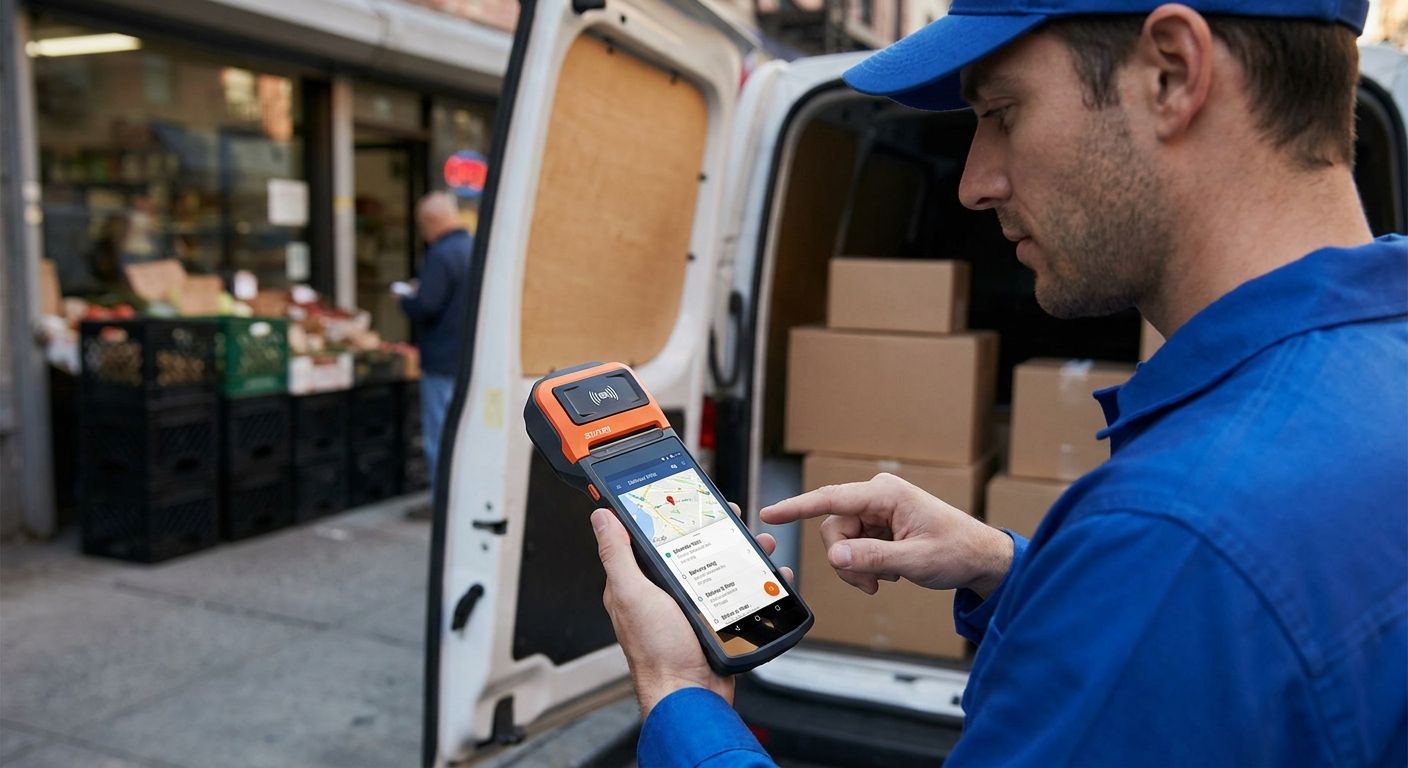
Route sales reps and delivery drivers need a terminal that survives a full shift in a van, prints a receipt on the spot, and syncs the sale back to the office before the next stop. This guide picks the SUNMI handheld terminal setup that actually holds up on the road in 2026, and flags the combinations that look fine on a spec sheet but fail in daily use.
- SUNMI handheld terminals with a built-in thermal printer are the right call for route sales and delivery in 2026 — buy for daily field use.
- Pair the terminal with a Teltonika router in the vehicle, not just the terminal's own SIM, for stable connectivity on multi-stop routes.
- Run WINTOUCH POS on the terminal so every delivery syncs to the same system your warehouse and office already use.
- Skip consumer Android phones with a POS app bolted on — no built-in printer means a second device that fails separately.
Why this matters
A route sales terminal isn't a phone with an app. It's the device that closes the sale, prints the delivery note, and reports back to the ERP before the driver is back on the road. If that chain breaks anywhere — no printer, no signal, no sync — someone in the office is re-keying invoices at 6pm.
Delivery and wholesale operations running in 2026 are past the point of accepting that. A SUNMI handheld terminal built for route sales solves the field side; the software and connectivity around it decide whether the whole setup actually works end to end.
Who this is for
This guide is for wholesale distributors delivering to small retailers, beverage and food delivery drivers, route-based sales reps collecting orders and payments on the spot, and mobile vendors who need a receipt and a card payment in the same device. If your team works from a fixed counter all day, a standard POS terminal is the better fit — this is for people who leave the building.
What to look for in SUNMI handheld terminals for route sales
Built-in thermal printer
A separate Bluetooth printer is one more thing to charge, pair, and lose in a van. SUNMI handheld terminals built for delivery and route sales carry the printer inside the unit, so the receipt or delivery note comes out of the same device that took the order. Fewer parts means fewer things that fail mid-route.
Battery life that covers the full route
A driver doing an 8-hour route can't stop to charge at lunch. Check that the terminal is rated for a full shift of continuous scanning, printing, and card taps, not just standby time — printing drains a battery far faster than idle screen time.
4G/LTE connectivity plus GPS
A terminal that only syncs over Wi-Fi is useless between stops. Route sales need a SIM-based data connection so orders sync live, and GPS matters if the business tracks delivery routes or proof of delivery timestamps.
Barcode scanning and card acceptance in one unit
Field reps need to scan a product code and take a card payment without switching devices. A terminal with an integrated 1D/2D scanner and NFC or chip-and-PIN acceptance keeps the transaction to one tap, one scan, done.
ERP sync, not just POS sync
A sale recorded on the terminal is only useful once it lands in the ERP that runs inventory and invoicing. For businesses on Primavera or Cegid, the terminal needs to run POS software that already has that connection built, not a standalone app that requires a manual export.
Drop and weather resistance
Vans, loading docks, and rain don't care about a spec sheet. A terminal with a rugged rating survives the daily bumps that a consumer-grade device won't; replacing a cracked terminal mid-month costs more than the price difference upfront.
Top picks
The all-in-one pick — SUNMI handheld terminal with built-in printer. The single device that scans, prints, and takes payment without pairing anything else. This is the base of any route sales setup and the first thing to lock in before adding software or connectivity on top. Verdict: Buy. See the SUNMI terminals built for delivery and takeaway.
The connectivity backbone — a router in the vehicle, not just a SIM in the terminal. Relying on the terminal's own SIM works until the driver hits a dead zone with three stops left. A vehicle-mounted router gives the terminal (and any other device in the van) a stronger, dedicated signal across the whole route. Verdict: Buy for fleets running more than two or three vehicles. Check the Teltonika routers built for delivery fleets.
The software layer — WINTOUCH POS on the terminal. The terminal is only as useful as what runs on it. WINTOUCH POS keeps every route sale in the same system the back office already uses for inventory and invoicing, instead of a separate app that needs manual reconciliation at end of day. Verdict: Buy. Look at WINTOUCH POS software for restaurants and retail — the same core runs the field terminals.
The integration layer — connecting POS to your ERP via API. For businesses already running Primavera, the terminal's sales data needs a direct line into the ERP, not a nightly import job someone forgets to run. This matters more for distributors with dozens of daily route stops than for a single-van operation. Verdict: Consider if you're already on Primavera; skip the API work if you're running a standalone POS.
The procurement layer — a bulk account for outfitting the fleet. Buying five or ten terminals one at a time through a standard checkout wastes time and loses the volume conversation entirely. A business account gets quote-based pricing and consolidated invoicing across the order. Verdict: Buy before the second purchase order, not after.
What to avoid
- Consumer Android phones with a POS app installed. No built-in printer, no rugged rating, and the battery wasn't built for continuous scanning and printing all shift.
- Wi-Fi-only tablets for field sales. They look cheaper on paper, but a device that can't sync between stops defeats the point of a route sales terminal.
- A terminal bought without checking ERP compatibility first. If the business runs Primavera or Cegid, buying hardware before confirming the POS software connects to that ERP means a second purchase later.
Verdict comparison
| Layer | Solves | When you need it | Verdict |
|---|---|---|---|
| SUNMI handheld terminal | Scan, print, take payment in one device | Every route sales or delivery operation | Buy |
| Teltonika vehicle router | Stable connectivity across the route | Fleets with 3+ vehicles | Buy |
| WINTOUCH POS software | Central sales record across the team | Any team running more than one terminal | Buy |
| Primavera API connection | Direct sync between POS and ERP | Distributors already on Primavera | Consider |
| Bulk business account | Volume pricing, one invoice | Outfitting 3+ terminals at once | Buy |
FAQ
What is the best SUNMI handheld terminal for route sales in 2026?
A SUNMI handheld terminal with a built-in thermal printer, integrated barcode scanner, and 4G connectivity is the right fit for route sales and delivery in 2026. The printer and scanner being built into one unit is what separates a route sales terminal from a general-purpose tablet.
Do I need a separate router if the terminal already has a SIM card?
Not always, but a vehicle-mounted router helps on multi-stop routes where signal drops between locations. A dedicated router gives more consistent connectivity than relying on the terminal's own SIM across a whole shift.
Can SUNMI terminals connect directly to Primavera ERP?
The terminal itself doesn't connect to Primavera directly — the POS software running on it does. WINTOUCH POS connects to Primavera via API, so the terminal's data flows into the ERP without a manual export step.
Is a rugged terminal worth the extra cost for delivery drivers?
Yes, for any team running routes daily rather than occasionally. A dropped or weather-damaged consumer device costs more to replace mid-route than the price difference on a rugged model upfront.
How many terminals should a delivery fleet buy at once?
Order enough for the full fleet in one purchase rather than buying one at a time. A single bulk order through a business account gets quote-based pricing and one invoice instead of several separate purchases.
Does the terminal need its own thermal printer or can it use a separate one?
A built-in thermal printer is the better choice for route sales. A separate Bluetooth printer adds a second device to charge, carry, and pair, which is one more point of failure on a delivery route.
Are prices for SUNMI terminals shown with or without IVA?
Business-to-business pricing in Portugal is typically shown without IVA, with the standard 23% rate added at checkout or invoicing. Confirm this before comparing quotes across suppliers.
One last thing
The part teams skip most often isn't the terminal — it's confirming the POS software on it actually talks to the ERP before the hardware ships. Order the terminal and the software integration as one decision, not two separate purchases six weeks apart, and the 2026 rollout goes from a multi-week project to a single delivery window.


