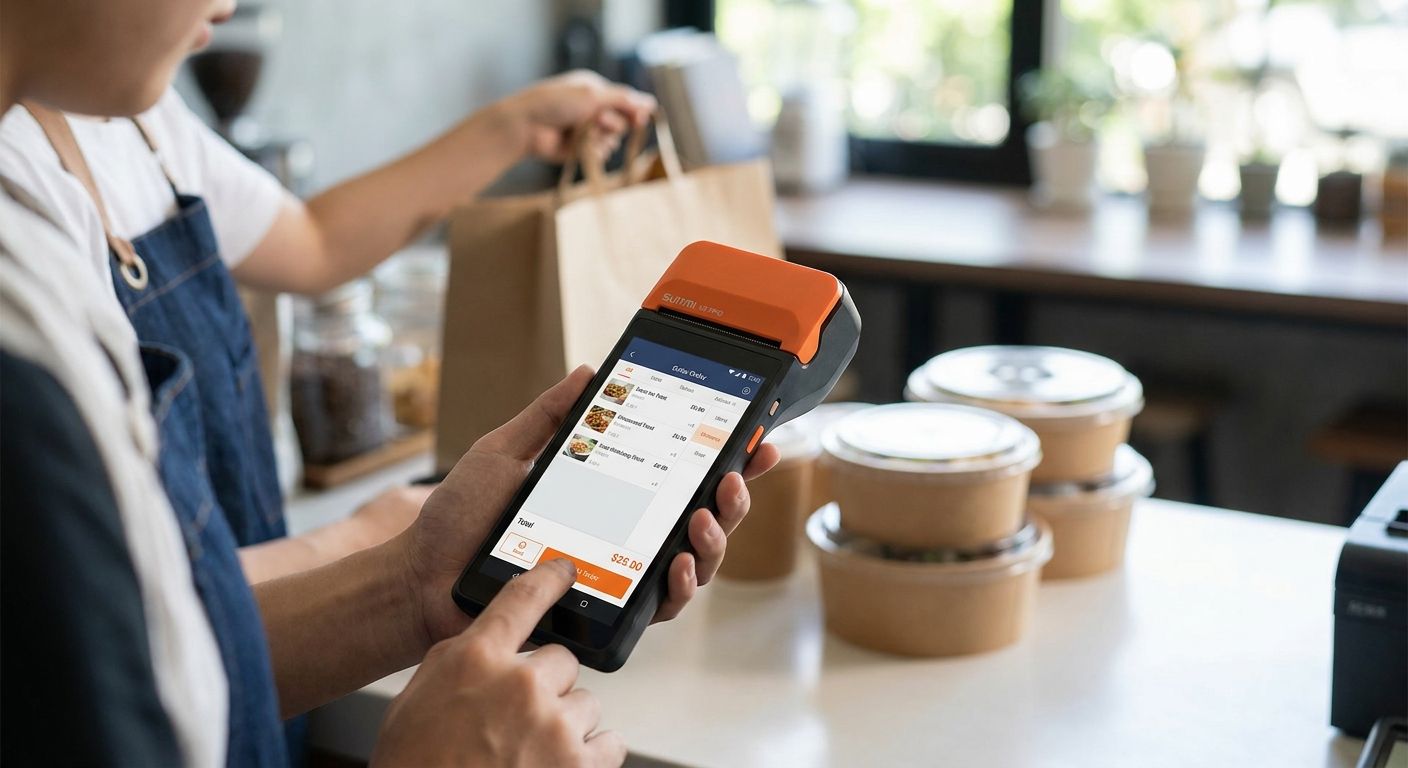
SUNMI terminal POS units built for takeaway and delivery need to survive rain at the counter, a full shift on battery, and a printer that never jams during a lunch rush. This guide breaks down which SUNMI configuration fits which delivery or takeaway operation and where it falls short.
- SUNMI V2-class handhelds win for food trucks and mobile vendors taking orders curbside — buy for mobility.
- Countertop SUNMI models with a 58mm thermal printer are the safer pick for cafes with a fixed till.
- High-volume restaurants running delivery apps need SUNMI paired with WINTOUCH POS software, not a standalone terminal.
- Skip consumer tablets with bolt-on card readers for any business doing more than 50 daily takeaway orders.
Why this matters
Delivery and takeaway margins in 2026 run thin, and a terminal that freezes during a rush or drops Wi-Fi mid-order costs more than the hardware itself. A SUNMI terminal POS is built as a single Android device with a printer, card reader, and display in one unit, which removes the failure points you get from stitching together a tablet, a separate printer, and a third-party card reader. The question for delivery and takeaway operators isn't whether SUNMI is a solid hardware line — it's which SUNMI form factor and which software pairing actually match how the business takes and fulfills orders.
Who this is for
This guide is for takeaway counters, food trucks, cafes, and delivery-focused restaurants in Portugal choosing a sunmi terminal pos setup for the first time, or replacing an aging till that can't keep up with delivery app volume. If you run a dine-in restaurant with table service as the primary flow, a different terminal configuration applies — this guide focuses specifically on counter and mobile order fulfillment.
What to look for in a SUNMI terminal for delivery and takeaway
Built-in thermal printer speed
A slow or jammed printer is the single most common complaint in takeaway operations during peak hours. SUNMI handhelds and countertop models ship with a built-in 58mm thermal printer, which cuts the failure point of a separate Bluetooth printer losing connection mid-order. For a counter doing back-to-back tickets, printer reliability matters more than screen size.
Battery life across a full shift
Food trucks and pop-up counters don't always have a plug within reach. A handheld SUNMI unit needs to survive a full service window — lunch through dinner — without a mid-shift charge, because stepping away to charge a terminal during a rush stalls every order behind it.
Android OS with app flexibility
Delivery aggregator apps (Uber Eats, Glovo, Bolt Food) each want their own tablet in many setups. A SUNMI terminal running Android natively can run multiple order-intake apps alongside your POS software, which reduces counter clutter to one or two devices instead of four.
Connectivity for order sync
4G and Wi-Fi both matter for different reasons: Wi-Fi keeps costs down at a fixed cafe counter, while 4G keeps a food truck connected when the venue changes weekly. A terminal locked to Wi-Fi-only is a hard limit for mobile vendors.
ERP and POS software integration
Hardware alone doesn't run a takeaway counter — the software behind it does. SUNMI terminal POS units paired with WINTOUCH POS software sync orders, stock, and receipts in one system instead of leaving delivery orders in a separate silo from in-house sales.
Ruggedness for handheld or outdoor use
A drop-tested casing matters more for a food truck bouncing between locations than for a fixed cafe till. Check whether the model is rated for handheld daily use versus a stationary counter unit before buying for a mobile operation.
Top picks for delivery and takeaway businesses
The mobile pick — SUNMI handheld for food trucks and mobile vendors. A handheld SUNMI unit with a 58mm built-in printer and 4G connectivity is the configuration that keeps a food truck taking orders without a fixed counter. The complete POS terminal for food trucks and mobile vendors setup bundles the terminal with WINTOUCH configuration so orders sync even when the truck moves locations week to week. Buy if your operation changes venue regularly and needs a device that isn't tethered to a plug.
The countertop workhorse — SUNMI fixed terminal for cafes and coffee shops. A countertop model trades battery independence for a bigger screen and steadier print throughput during a morning rush. The complete POS terminal for cafes and coffee shops configuration handles high-frequency, low-ticket transactions — the exact pattern of a coffee counter doing 200+ transactions a day. Buy for a fixed counter with reliable power and Wi-Fi.
The high-volume delivery pick — SUNMI plus WINTOUCH for restaurants running multiple delivery apps. A single terminal isn't enough once a kitchen fulfills orders from three or four delivery platforms alongside walk-in and phone orders. WINTOUCH POS software for restaurants and retail running on SUNMI hardware centralizes every order channel into one ticket queue instead of four separate tablets. Consider this setup once delivery volume exceeds what a single standalone terminal can queue cleanly — it's an upgrade path, not a starting point for a two-person counter.
Get a SUNMI POS quote for 2026
Pricing without IVA for business buyers, delivery in 24-48h across Portugal.
What to avoid
- Consumer tablets with a bolt-on card reader. They look cheaper upfront but split your printer, payment, and order screen across three devices — each one is a separate failure point during a rush.
- Wi-Fi-only terminals for mobile vendors. A food truck or market stall loses the venue's Wi-Fi the moment it changes location; without 4G fallback, the terminal goes offline until reconnected.
- A terminal with no ERP integration. A SUNMI unit that doesn't talk to your back-office system leaves delivery sales sitting outside your stock counts and end-of-day reconciliation, which turns into a manual reconciliation job every night.
Verdict comparison
| Business type | Terminal form factor | Key requirement | Verdict |
|---|---|---|---|
| Food trucks & mobile vendors | Handheld, 4G | Battery + mobility | Buy |
| Cafes & coffee shops | Countertop, Wi-Fi | High-frequency print speed | Buy |
| High-volume delivery restaurants | SUNMI + WINTOUCH software | Multi-channel order sync | Consider |
| Fixed take-away counter, low volume | Countertop, basic | Simple ticketing | Consider |
| Any business without ERP sync | Standalone tablet + reader | None (avoid) | Skip |
FAQ
What is a SUNMI terminal POS used for?
A SUNMI terminal POS is an all-in-one Android device combining a screen, built-in thermal printer, and card payment support for takeaway, delivery, and retail counters. It replaces separate tablet, printer, and card reader setups with one unit.
Is SUNMI better than a tablet POS for takeaway?
Yes, for high-order-volume takeaway counters, because the built-in 58mm printer and single-device design remove the connection failures common with Bluetooth printers paired to a separate tablet. A tablet setup can still work for low-volume counters under light daily traffic.
Can a SUNMI terminal run WINTOUCH POS software in 2026?
Yes, SUNMI's Android-based terminals support WINTOUCH POS software, which syncs takeaway and delivery orders with stock and reporting instead of keeping them in a separate app. This pairing is the standard configuration for restaurants running multiple order channels in 2026.
How much does a SUNMI POS terminal cost for a small business?
Pricing varies by model and configuration, and business buyers should request a quote for current 2026 pricing without IVA. Costs depend on whether the terminal is handheld or countertop and whether it's bundled with POS software licensing.
Do food trucks need a different SUNMI terminal than cafes?
Yes, food trucks need a handheld model with 4G connectivity and strong battery life since they change location and often lack fixed Wi-Fi. Cafes with a stationary counter can use a countertop model on Wi-Fi instead.
Does a SUNMI terminal work with delivery apps like Uber Eats or Glovo?
SUNMI terminals run Android, so they can run delivery aggregator apps alongside POS software on the same device or a paired tablet. The terminal itself doesn't process the delivery app's orders directly — it handles payment and receipt printing for the counter side.
What happens if my SUNMI terminal loses power during a shift?
Battery life on handheld models is built to cover a full shift, but for fixed counters running on mains power, a backup power source protects against outages mid-transaction. Businesses running countertop terminals should pair them with UPS backup power for POS systems to avoid losing an open sale during a power cut.
Should a small takeaway counter buy or wait on SUNMI in 2026?
Buy if daily order volume already strains a tablet-and-printer setup, since the reliability gain shows up immediately during peak hours. Wait only if order volume is under roughly 30 tickets a day, where a simpler setup still holds up.
One last thing
The detail that trips up most first-time SUNMI buyers isn't the terminal — it's the printer paper roll size mismatch. A 58mm thermal printer needs 58mm paper stock; ordering the wrong width is the most common return reason on POS hardware, and it stalls a counter on day one just as badly as a dead battery. Confirm paper stock before the terminal ships, not after.


