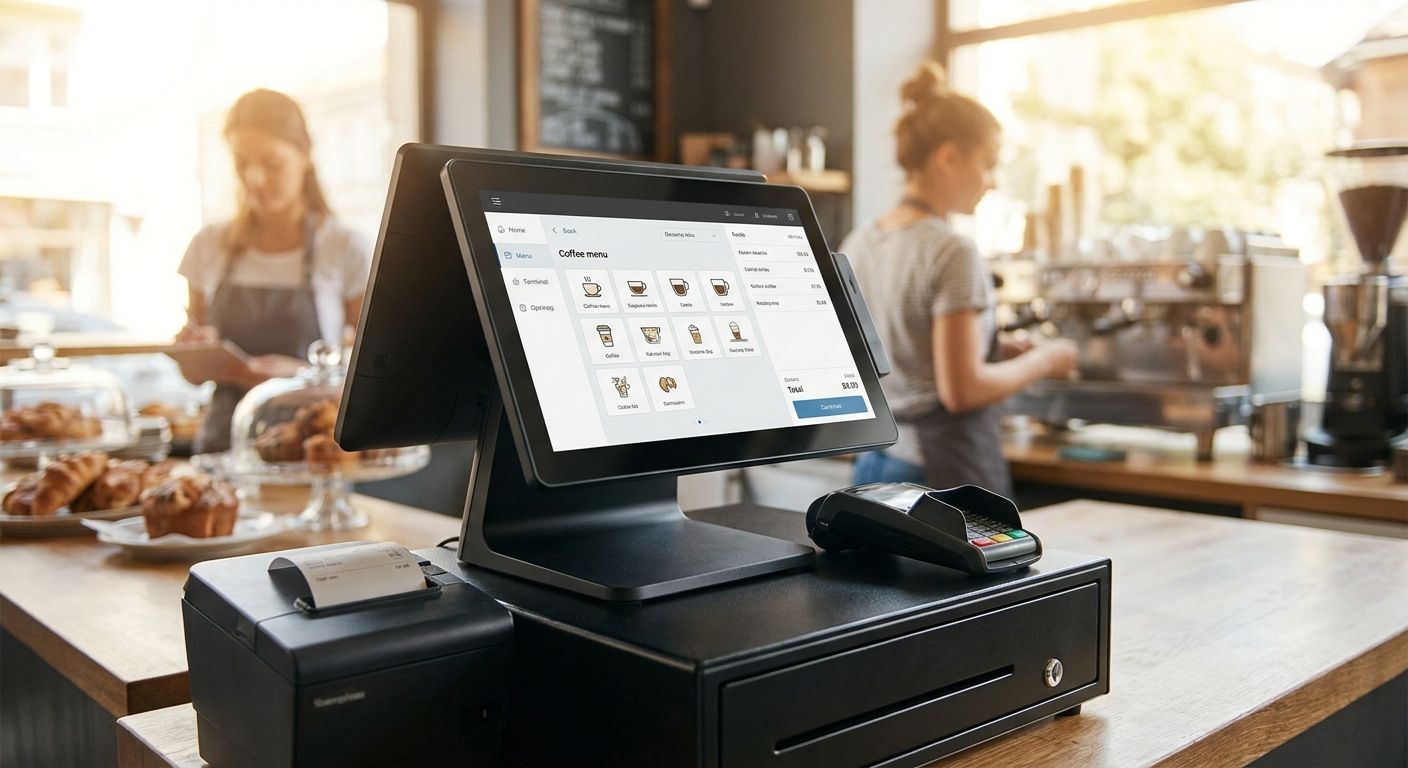
A complete POS terminal for a café or coffee shop in 2026 is never one box — it's software, hardware, and network gear that have to work together from day one, and getting that stack wrong means replacing half of it within a year.
- WINTOUCH POS is the software core of a complete POS terminal for cafés in 2026 — pick software before hardware.
- An all-in-one Android terminal with an 80mm thermal printer covers most café counters — skip standalone cash registers.
- Primavera ERP integration matters once a café tracks stock or works with an external accountant, not before.
- Chains with 3+ locations need WINTOUCH Cloud, not three separate standalone licenses that never reconcile.
Why this matters
A café that buys hardware first and software second almost always ends up redoing the setup once the counter gets busy. Order entry, kitchen tickets, contactless payment, and end-of-day cash reconciliation all run through one system, and if that system doesn't talk to your accountant's software, someone spends Sunday nights retyping numbers into a spreadsheet.
Voll approaches this from the software side first — WINTOUCH POS/ERP licenses across 200+ configurations, plus the SUNMI terminals and network gear that run them — because a terminal is only as good as what it connects to. In 2026, a café that skips the integration question at purchase time pays for it later, usually right when it's trying to add a second location.
Who this is for
This guide is for café owners and coffee shop managers buying a POS setup for the first time, or replacing an ageing till before a busy 2026 season. It fits single-counter cafés running table service or takeaway, and small chains with two or three locations that need one system reporting to one accountant instead of three tills that never talk to each other.
What to look for in a complete POS terminal for cafés
Countertop footprint and screen size
Cafés run on tight counters, often under 40cm of usable depth next to the espresso machine. A 10-11 inch touchscreen fits where a full-size till doesn't, and an all-in-one Android terminal removes the separate CPU box entirely. Anything bulkier just becomes something the barista has to work around during a rush.
Order entry and modifier speed
A barista taking 120+ orders on a Saturday morning cannot wait for a laggy screen. Order entry needs to handle modifiers — oat milk, extra shot, takeaway cup — in two taps or less, and the software behind it should hold a full menu of 150+ items without the ticket flow slowing down. This is where cheap tablet apps built for retail, not hospitality, start to show cracks.
Kitchen and bar ticket routing
Once a café adds a kitchen for breakfast or lunch, tickets need to route automatically to a bar printer and a separate kitchen printer, not one shared receipt roll. Generic register software treats this as an afterthought or a paid add-on. WINTOUCH POS software for restaurants and retail builds ticket routing into the base license, which matters the day your kitchen and bar stop working off the same printout.
Payment terminal and contactless integration
Multibanco and contactless card acceptance cover most café transactions in Portugal now, and the POS software needs a direct link to the payment terminal so nobody re-types totals by hand. A terminal that requires manual entry adds roughly 10-15 seconds per transaction — across 200 daily transactions, that's over half an hour of lost counter time every single day.
Accounting and ERP integration
A single café can run on standalone POS reports for a while. That stops being enough the moment purchasing, ingredient stock, or VAT reporting needs to sync with an accountant working in Primavera or Cegid. Skipping this at setup means someone manually reconciling sales totals against the books every month, and that gap only gets wider as the café grows past one till.
Network reliability and offline mode
A café that loses card processing because the router dropped mid-lunch loses real money, not just time. Professional network gear — Reyee or Teltonika grade, not a consumer router pulled from a supermarket shelf — keeps the POS terminal and card reader online through a rush, and separates guest Wi-Fi onto its own VLAN so customer traffic never competes with the till's connection.
Get a complete POS terminal quote
Compare WINTOUCH POS setups and get an installed quote in 24-48h.
Top picks for a café POS setup
The software backbone. WINTOUCH POS is the license every complete café terminal runs on, covering order entry, kitchen and bar ticket routing, and end-of-day cash reconciliation. It handles modifier-heavy menus without extra tapping and connects directly to WINTOUCH's own ERP if the café ever adds retail stock like beans or merchandise. Buy — every other pick below depends on this one.
The hardware pick. An all-in-one Android POS terminal, SUNMI-class hardware, replaces a separate till, printer stand, and card reader with a single 10-11 inch touchscreen unit sitting flat on the counter. It runs WINTOUCH POS directly and prints to an 80mm thermal roll, taking up noticeably less counter space than a traditional till-plus-printer combo. Buy for single-counter cafés; Consider a dual-screen model if you run table service with a visible customer display.
The connectivity layer. Professional network gear — Reyee or Teltonika, not home-router class — keeps the card terminal and POS software online through a lunch rush and supports a separate guest Wi-Fi VLAN. Buy if your café runs more than 50 transactions a day; Skip the upgrade only if you're running a single till with no card terminal at all, which is rare in 2026.
The integration play. Once a café tracks ingredient stock, runs purchase orders, or reports VAT through an accountant, ERP Primavera for restaurants and hospitality groups connects the till directly to the back office instead of leaving someone to re-enter sales totals by hand every month. Consider for single-site cafés doing their own books; Buy for any café working with an external accountant on Primavera or Cegid.
The scale pick. A café chain running three or more locations needs one license reporting centrally, not three standalone installs that never reconcile against each other. This calls for a cloud-based WINTOUCH setup rather than per-site licenses. Buy once you cross three locations; Skip it for a single counter — the overhead isn't worth it yet.
What to avoid
- Consumer-grade tablets running generic POS apps — they don't handle modifier menus or split bills well and tend to freeze mid-rush, right when you need them least.
- Standalone card terminals with no software link — manual entry adds time per transaction and creates reconciliation gaps at closing that someone has to chase down.
- A hardware bundle sold without an ERP integration path — fine for a single café today, expensive to redo in 2026 once tax reporting requirements or a second location make manual retyping impossible to sustain.
Verdict comparison
| Criterion | Single-counter café | Multi-location chain |
|---|---|---|
| Software | WINTOUCH POS, single license | WINTOUCH Cloud, centralized reporting |
| Hardware | One all-in-one terminal | One terminal per site, matching config |
| ERP integration | Consider | Buy |
| Network gear | Consumer-grade acceptable under 50 tx/day | Professional gear mandatory |
| Verdict | Buy WINTOUCH POS + terminal | Buy full WINTOUCH Cloud + ERP stack |
FAQ
What's the best POS terminal for a small café in 2026?
An all-in-one Android terminal running WINTOUCH POS covers most single-counter cafés in 2026, handling order entry, ticket routing, and card payment from one screen. It replaces a separate till, printer stand, and card reader with one unit on the counter.
Is WINTOUCH POS better than a generic tablet POS app?
For hospitality specifically, yes — WINTOUCH POS builds modifier handling and kitchen/bar ticket routing into the base license instead of treating them as add-ons. Generic retail-focused apps often struggle with split bills and high-modifier menus during a rush.
Do I need ERP integration for a single café?
Not immediately, but it becomes necessary once you track ingredient stock or work with an external accountant on Primavera or Cegid. A single-site café doing its own books can run on standalone POS reports for a while.
How much does a complete POS terminal for a coffee shop cost?
Cost depends on the number of licenses, terminals, and network gear needed, and B2B pricing is quoted without IVA. Request a quote against your specific counter setup rather than assuming a flat number.
What network gear does a café POS terminal need?
Professional-grade equipment such as Reyee or Teltonika keeps the card terminal and POS online through a rush and lets you separate guest Wi-Fi onto its own network. Consumer routers are the most common point of failure during peak hours.
Can WINTOUCH POS connect to Primavera or Cegid?
Yes, WINTOUCH POS connects to Primavera ERP so sales totals, stock, and VAT reporting sync without manual re-entry. This matters most once a café adds a second location or works with an external accountant.
Is a card terminal integration necessary for a small café?
Practically, yes — manual entry of card totals adds 10-15 seconds per transaction, which adds up fast across 200+ daily transactions. A direct software-to-terminal link removes that lag and reduces reconciliation errors at closing.
How long does POS installation take?
Delivery on hardware and licenses runs 24-48h nationwide, with installation scheduled separately depending on the number of terminals and any ERP integration involved. Multi-location setups take longer to configure than a single counter.
One last thing
The detail most café owners miss: ticket routing to a bar printer isn't automatic in most generic POS software — it has to be configured per menu category. Skip that step and by month two, the kitchen or bar ends up working from a handwritten ticket taped next to the espresso machine, which defeats the entire point of buying a complete POS terminal in the first place.


