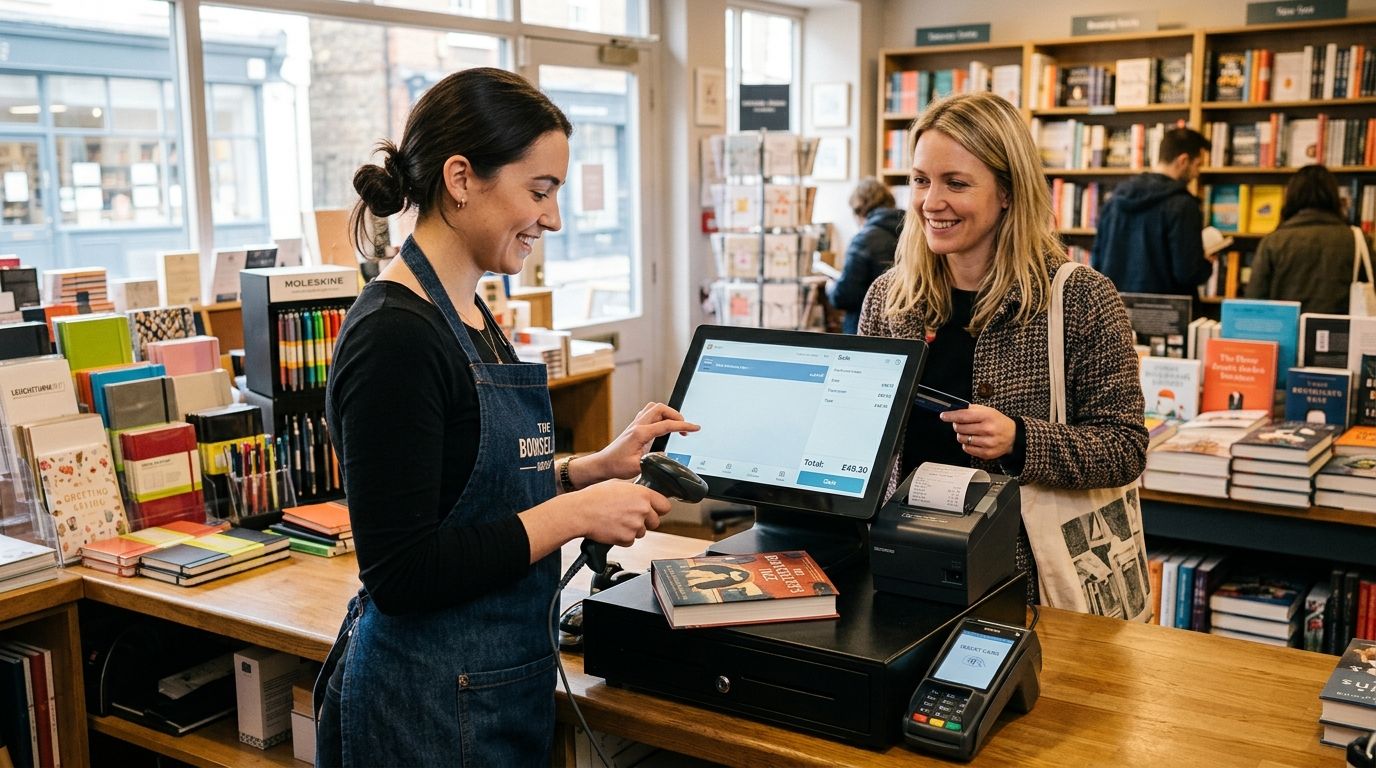
A complete POS terminal for bookstores and stationery shops is a checkout system built around ISBN and EAN barcode lookup, mixed low-and-high-margin SKUs, and returns handling for slow-moving backlist titles — not a generic retail till repurposed for books. Stationery shops add a second wrinkle: greeting cards, art supplies, and locally sourced gift items that often arrive with no barcode at all, so the terminal needs a way to create SKUs on the fly.
- A complete POS terminal for bookstores pairs a till with WINTOUCH POS software for ISBN lookup and backlist tracking.
- Stationery shops with fewer SKUs can run a lighter mini PC bundle without full ERP integration.
- SAF-T compliant invoicing is mandatory for Portuguese retailers in 2026 — confirm it before go-live.
- Voll delivers POS hardware in 24-48h nationwide, so a full terminal swap fits inside one closed weekend.
Why this matters for bookstores and stationery shops
A bookstore checkout deals with catalog depth a boutique or café never sees — thousands of ISBN-13 titles, most selling a handful of copies a year, next to a handful of bestsellers that need instant reorder flags. A generic retail till scans barcodes fine but has no concept of consignment stock from local publishers, no easy way to flag a returned title against the original invoice, and no reporting split between books and stationery margins.
Stationery adds volume at the counter without matching book margins: pens, notebooks, and greeting cards move fast and need quick barcode creation for house-brand items. The right complete POS terminal for bookstores handles both catalogs on one till — ISBN lookup for books, free-form SKU creation for stationery — without forcing staff to switch systems mid-sale.
Most independent bookstores in Portugal run one or two tills, not a bank of checkout lanes, so uptime matters more than raw throughput. A terminal that freezes during a back-to-school rush costs more in lost sales than the terminal itself.
Map your SKU mix and barcode workflow
Start by counting what actually moves through the till before picking hardware. A shop with 3,000 book titles and 200 stationery SKUs needs a different lookup speed than one running 500 titles and heavy card/gift turnover.
- Pull a rough SKU count split between ISBN-barcoded books and non-barcoded stationery
- Flag consignment or local-author stock that needs separate return tracking
- Note peak-season swings (back-to-school, Christmas, exam-period workbook sales)
- Check whether any suppliers deliver with pre-printed EAN barcodes or none at all
- Decide if you need in-house label printing for house-brand stationery
Choose the terminal hardware format
A basic cash register with no software works for a single owner ringing up under a hundred SKUs, but it gives you zero inventory visibility and forces manual stock counts. Once catalog depth grows past a few hundred titles, that manual approach stops scaling.
- All-in-one terminal: fixed footprint, built-in screen, best for a single dedicated checkout counter
- Mini PC + separate monitor: reuses existing displays, cheaper to expand later, needs more desk space
- SUNMI handheld terminal: mobile checkout for markets, book fairs, or seasonal stalls
- Basic till only: no inventory tracking, fine only for the smallest single-owner shop
Add the checkout peripherals
Hardware around the terminal decides how fast a line moves at the counter, especially during a back-to-school rush when stationery sales spike alongside textbook sell-through.
- A cash drawer built for retail checkout counters that locks to the terminal software, not a standalone drawer
- A barcode scanner rated for both 1D EAN book barcodes and smaller stationery labels
- A receipt printer sized for daily volume, not a home-office model
- A label printer if house-brand stationery or local-author books arrive without a barcode
- A UPS unit so a short power blip does not lock the register mid-sale
Load POS software built for retail inventory
Running checkout on a spreadsheet or a bare till app works for the first few months of a new shop, but it breaks down fast once return handling and consignment tracking enter the picture. This is where WINTOUCH POS software becomes the faster path rather than the starting point — it is built to separate book and stationery catalogs on one till, track consignment stock, and flag slow-moving backlist titles for reorder decisions.
- Import your existing catalog with ISBN and internal SKU fields mapped separately
- Set reorder thresholds by title, not by category, since backlist titles move at wildly different speeds
- Configure consignment tracking for local-author or small-press stock
- Enable split reporting between book margin and stationery margin
- Test a full return cycle before go-live, including partial refunds on multi-item receipts
Connect card payment acceptance
A complete POS terminal for bookstores needs card acceptance wired directly into the till, not a separate standalone card machine that requires re-entering the total by hand.
- Confirm the payment terminal talks to your POS software over the same network, not a manual key-in workflow
- Test split payments for customers buying both books and stationery on one receipt
- Check receipt formatting includes both card authorization and itemized product lines
- Verify contactless limits match current Portuguese card scheme rules for 2026
Set up compliance and invoicing
Portuguese retailers, bookstores included, run under SAF-T invoicing requirements, and a POS system that cannot export the right file format creates a compliance problem at year-end, not a convenience gap.
- Confirm your POS software generates SAF-T compliant invoicing files automatically, not through a manual export step
- Check VAT handling on mixed book (reduced rate) and stationery (standard rate) receipts
- Keep digital invoice archives for the legally required retention period
- Test a sample export before your first live sales day, not after
Plan power backup and connectivity
A frozen till during a Saturday back-to-school rush is a lost sale, not a minor annoyance, so power and network stability belong in the initial setup, not a later fix.
- Size a UPS to cover the terminal, cash drawer, and receipt printer through a short outage
- Confirm the till has a wired network fallback if Wi-Fi drops mid-transaction
- Keep a local offline sale mode enabled for brief connectivity gaps
- Schedule a nightly automatic backup of sales data
Comparison: setup options for bookstores and stationery shops
| Setup option | Best for | Key limitation |
|---|---|---|
| All-in-one terminal + WINTOUCH POS | Bookstores with a large backlist and frequent returns | Fixed footprint, less useful for pop-up sales |
| Mini PC + separate peripherals | Stationery shops reusing an existing monitor | More cables, longer install day |
| SUNMI handheld terminal | Seasonal back-to-school stalls and book fairs | Small screen slows SKU lookup on a deep backlist |
| Small retail store POS bundle | Single-owner shops under a few hundred SKUs | No dedicated ISBN lookup workflow |
Ready to set up your bookstore till?
Get a WINTOUCH POS quote sized to your SKU count and store count.
Common mistakes bookstores and stationery shops make
- Buying a generic retail POS that mishandles ISBN-13 barcodes, forcing manual entry on every book sale and slowing the line during peak hours.
- Skipping a label printer, leaving house-brand stationery and local-author books with no scannable price tag.
- No UPS on the checkout counter, so a short power blip during a back-to-school rush locks the till mid-sale.
- Not tracking consignment stock separately, which makes settling with local authors and small presses a manual reconciliation job every month.
- Leaving SAF-T compliance for later, then scrambling to retrofit invoicing exports right before a filing deadline in 2026.
FAQ
What's the best complete POS terminal for bookstores in 2026?
An all-in-one terminal running WINTOUCH POS software is the strongest fit for bookstores with a large backlist, since it handles ISBN lookup, consignment tracking, and split book/stationery reporting on one till. A mini PC bundle is a lighter option for smaller stationery-heavy shops.
Is a mini PC or all-in-one terminal better for a small bookstore?
A mini PC with separate peripherals costs less to expand later and reuses an existing monitor, while an all-in-one terminal saves counter space and setup time. Pick the mini PC route if you expect to add a second till within a year.
Do stationery shops need a different barcode scanner than bookstores?
Not a different scanner, but stationery shops need a label printer alongside it, since house-brand pens, cards, and gift items often arrive without a barcode. A scanner rated for both standard EAN and smaller printed labels covers both catalogs.
Can WINTOUCH POS handle both ISBN and non-barcoded stationery items?
Yes, WINTOUCH POS software separates ISBN book catalogs from freely created stationery SKUs on the same till, with independent margin reporting for each. That split is what a generic retail till usually cannot do.
Do I need SAF-T compliant invoicing for a small bookstore in Portugal?
Yes, SAF-T compliant invoicing applies to Portuguese retailers regardless of size, and it needs to generate automatically from the POS software, not through a manual export. Confirm this before your first live sales day.
What peripherals come with a complete POS terminal?
A complete POS terminal for bookstores typically includes a cash drawer, receipt printer, barcode scanner, and card payment terminal wired into the till software. A label printer is worth adding for non-barcoded stationery items.
How fast can a bookstore get a POS terminal installed?
Voll delivers POS hardware across Portugal in 24-48h, which fits a full terminal swap inside a single closed weekend. Software configuration and catalog import take longer and depend on SKU count.
Is a basic cash register enough for a stationery shop?
A basic cash register works only for the smallest single-owner shop with under a few hundred SKUs and no inventory tracking need. Once catalog depth grows, the lack of stock visibility becomes a real cost.
One last thing
The detail most bookstore owners miss until it costs them money: consignment titles from local presses need a return workflow that is separate from a normal customer refund, because the settlement runs against the publisher, not the buyer. Set that up in WINTOUCH POS before your first consignment shipment arrives, not after the first reconciliation headache.


