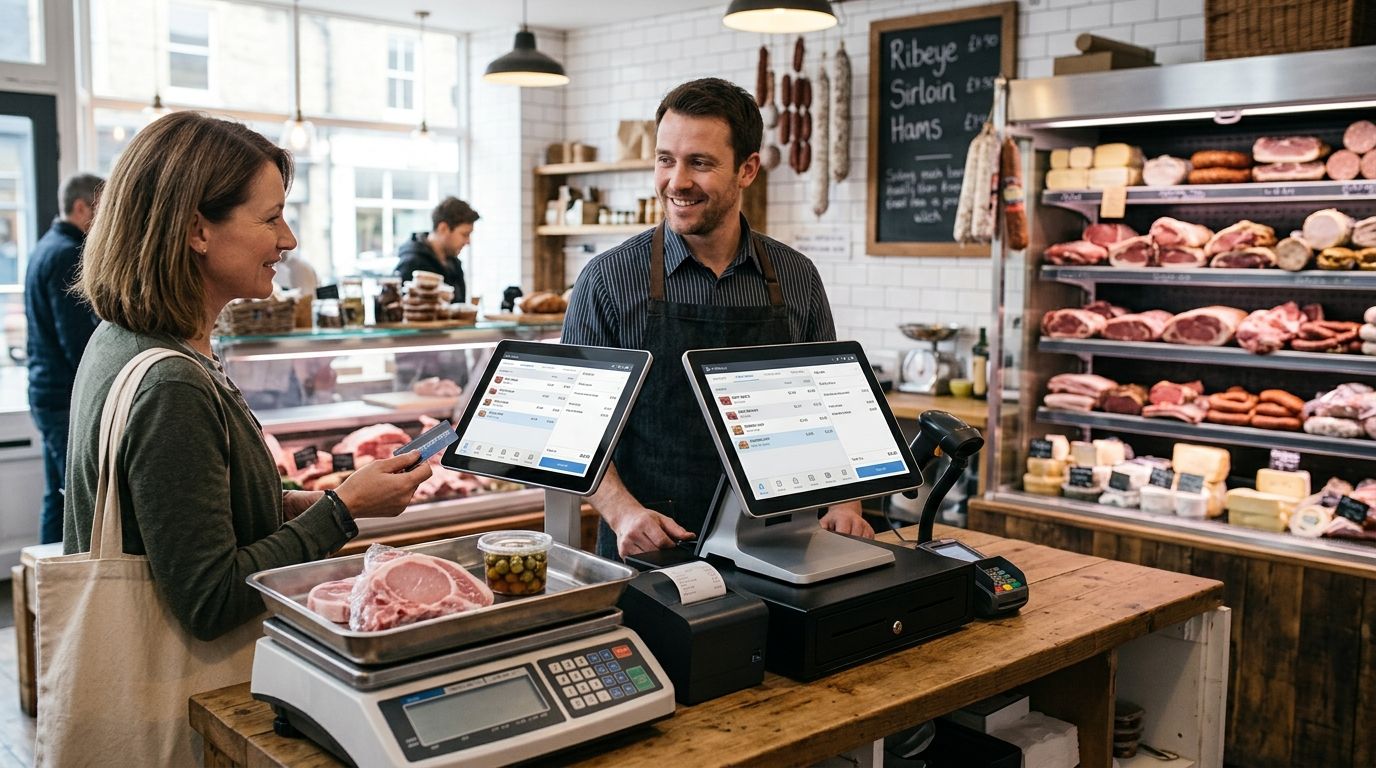
Butcher shops and delis need a POS terminal built around three things a generic retail till doesn't handle well: accurate weight-based pricing, label printing for pre-packed cuts, and hardware that survives a counter with raw meat, water, and grease nearby. A complete POS terminal for butcher shops links a scale directly to the till, prints compliant weight-and-price labels, and keeps working through a busy Saturday rush without freezing at the register.
- A complete POS terminal for butcher shops pairs a scale-integrated till with a durable label printer — WINTOUCH POS is built for this in 2026.
- Weight-based pricing errors are the most common counter failure; scale integration removes manual weight entry.
- SUNMI hardware and thermal printers rated for humid, greasy counters last longer than office-grade gear.
- Linking POS to Primavera or Cegid ERP turns daily sales into real cost and margin tracking.
- UPS backup keeps the till running through short power cuts so sales data isn't lost mid-transaction.
Why POS terminals matter for butcher shops and delis
A butcher counter runs on weight, not fixed unit prices. Every sale depends on the scale reading matching what prints on the label and what the till charges — one mismatch and you're either losing margin or arguing with a customer. A weighing scale integrated with POS removes the manual step where a cashier keys in a weight by hand, which is where most pricing errors start.
Delis add a second layer: pre-packed items need labels printed in advance with weight, price, and often a lot or date code, while counter sales still need a live scale connection. A terminal that only handles one of those two workflows forces staff to run two systems, which slows down service exactly when the line is longest.
Build your counter setup step by step
Map your counter workflow before buying hardware
Walk your counter for a day and write down every transaction type before you spend anything. Most shops discover they have three or four distinct flows that need different hardware paths.
- Counter sales weighed live in front of the customer
- Pre-packed items with printed weight-and-price labels
- Fixed-price items (drinks, sides, prepared meals) sold by unit
- Phone or online orders picked up at the counter
- Wholesale or restaurant-account sales billed differently than retail
Get scale integration right for weight-based pricing
A scale that talks directly to the POS software eliminates the manual weight entry that causes most pricing disputes. WINTOUCH POS supports direct scale integration, so the weight read by the scale populates the sale automatically instead of a cashier typing it in.
- Confirm the scale model communicates with your POS software, not just a standalone display
- Set price-per-kilo tables in the software once, not per transaction
- Test tare weight settings for packaging before go-live
- Check that weight and price both print on any customer-facing label
Pick a barcode and label workflow that matches your prep speed
Delis pre-pack faster than they can hand-write labels, so barcode scanning at checkout needs to match the label printed at the prep station. A barcode scanner built for retail checkout counters reads variable-weight barcodes (the ones encoding weight in the code itself) without manual override in most cases.
- Confirm the scanner reads variable-weight/EAN-128 style barcodes, not just fixed-price SKUs
- Batch-print labels at prep time instead of one at a time at the till
- Keep a manual price-lookup list as backup for damaged labels
- Train staff on the override process for the rare unreadable code
Choose a receipt and label printer built for a wet counter environment
Office-grade thermal printers jam or corrode fast next to a meat counter. A thermal receipt printer rated for retail and restaurant use is built for higher humidity and more frequent paper changes than a back-office printer sees.
- Separate the receipt printer from the label printer if volume is high on both
- Check paper roll size matches your label stock (weight labels are usually wider than receipts)
- Position the printer away from direct water exposure, not just splash-resistant
- Keep a spare ribbon or thermal roll on-site — running out mid-Saturday stalls the line
Add a cash drawer and card terminal that survive daily washdown
A cash drawer near a meat counter takes more abuse than one in a clothing boutique — spills, frequent opening, and staff with wet or gloved hands. Pick a drawer rated for high-cycle daily use rather than the cheapest option on the shelf, and pair it with a card terminal positioned where customers can tap without reaching over product.
- Choose a drawer with a metal cash tray, not plastic inserts that crack
- Mount the card terminal on a stand angled away from the cutting area
- Set a daily till-count routine tied to the POS shift-close report
- Keep a manual card imprint backup for connectivity outages (rare, but plan for it)
Connect your POS to Primavera or Cegid for real cost tracking
A till that only records sales tells you revenue, not margin — and meat margin swings with purchase price week to week. Primavera ERP for retail stores pulls POS sales data into cost-of-goods and inventory tracking automatically, instead of someone re-keying totals into a spreadsheet every Friday.
- Match your POS product categories to your ERP chart of accounts before go-live
- Sync purchase invoices from suppliers to track actual cost per kilo, not list price
- Run a weekly margin report by product category, not just total sales
- Flag high-waste items (trim, bone, spoilage) separately from sellable weight
Plan power backup for a till that runs all day
A short power blip mid-transaction can corrupt a sale or force a manual reset during a queue. A UPS unit sized for the till, not just the router, keeps the register up long enough to close the sale and shut down cleanly.
- Size the UPS for the terminal, printer, and scale together, not the terminal alone
- Test the runtime once installed — don't assume the spec sheet time holds under real load
- Keep the network switch on backup power too if the POS needs it to process card payments
- Log any outage in the POS shift report so cash reconciliation isn't thrown off
Test the full stack before your busiest week
Run a full dry-run week before a holiday rush or market season, not the morning of. Weigh, print, scan, and pay through every workflow you mapped in step one, with the staff who'll actually run it.
- Test every scale-to-label-to-scan path with a second person watching for delays
- Time a full transaction from weigh to receipt — anything over 30-40 seconds needs a fix
- Confirm printer paper and label stock levels for a full week, not a day
- Have a manual fallback (paper ticket, calculator) ready in case hardware fails mid-rush
Get a quote for your counter setup
Tell us your counter layout and get hardware matched to it.
Comparing setups for butcher shops and delis
| Setup | Best for | Key limitation |
|---|---|---|
| Counter-only kit (till, scale, single printer) | Single-counter shops with one till | No multi-station sync, limited reporting |
| WINTOUCH POS with integrated scale | Shops pricing by weight daily | Needs one-time scale calibration and staff training |
| WINTOUCH POS linked to Primavera/Cegid ERP | Multi-location delis needing cost tracking | More setup time upfront than a standalone till |
| SUNMI handheld terminal | Market stalls, delivery, pop-up counters | Smaller screen, not built for high-volume fixed counters |
Verdict: a WINTOUCH POS terminal with integrated scale and Primavera-linked reporting is the strongest 2026 setup for a butcher shop or deli that sells by weight and wants real margin data — a counter-only kit is fine for a single small counter with no growth plans.
Common mistakes butcher shops and delis make
- Keying in weight manually instead of integrating the scale. It's slower and it's where most pricing disputes start.
- Buying office-grade printers for a counter environment. Humidity and grease shorten their life fast compared to hardware rated for retail counters.
- Never linking POS sales to accounting. Margin tracking on meat, which moves in cost week to week, becomes guesswork without it.
- Skipping power backup. A mid-transaction outage on a Saturday costs more in lost sales than the backup unit does.
- Treating pre-pack labeling as an afterthought. Delis that don't batch-print labels at prep time slow down checkout at the busiest hour of the day.
FAQ
What's the best POS terminal for a butcher shop in 2026?
A WINTOUCH POS terminal with a directly integrated weighing scale is the strongest fit for 2026, because it removes manual weight entry and links every sale to cost and margin reporting when connected to an ERP.
Do butcher shops need a scale integrated with the POS?
Yes, if pricing is by weight rather than fixed unit price. Without integration, staff key in weight by hand, which is the most common source of pricing errors at a meat counter.
Is WINTOUCH POS good for delis?
WINTOUCH POS handles both live-weighed counter sales and pre-packed label printing, which covers the two distinct workflows most delis run side by side.
How much does a POS setup for a butcher shop cost?
Cost depends on how many stations, scales, and printers the counter needs, so request a quote based on your actual layout rather than a generic estimate. Pricing is shown without IVA for business buyers.
Can a POS terminal print price labels with weight and price for pre-packed items?
Yes, a thermal label printer paired with scale-integrated POS software prints weight, price, and date codes on pre-packed items automatically at the prep station.
Does the POS need to connect to Primavera or Cegid accounting software?
It doesn't need to, but linking POS sales to Primavera or Cegid turns daily till totals into real cost-of-goods and margin tracking instead of a manual spreadsheet reconciliation.
What happens to my till if the power goes out?
Without a UPS, a power cut mid-transaction can force a manual reset and lose the in-progress sale. A UPS sized for the terminal, scale, and printer keeps the till running long enough to close out cleanly.
Can I use a mobile terminal for market stalls?
Yes, a SUNMI handheld terminal covers market stalls, pop-ups, and delivery routes, though it's a smaller screen and not built to replace a full fixed counter during high-volume hours.
One last thing
The single biggest speed gain most butcher counters get in 2026 isn't a faster till — it's moving label printing to the prep station instead of the checkout line, so the cashier scans a pre-printed barcode instead of weighing and printing in front of the customer.


