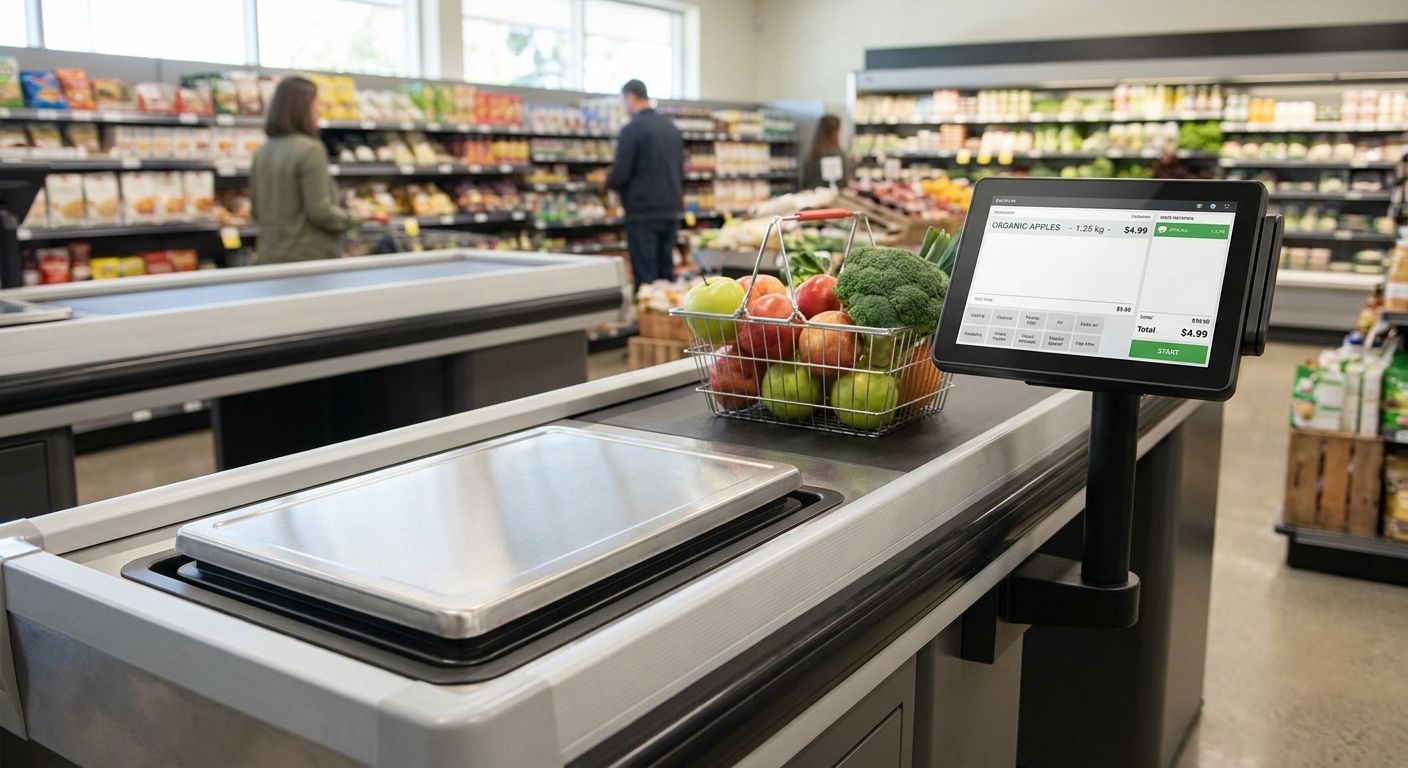
Weighing scales integrated with POS for supermarkets is a checkout setup where the scale reading feeds straight into the till, prices the item automatically, and posts the sale to inventory and ERP without anyone re-keying a number. Supermarkets need this at deli, produce, bakery and bulk-bin counters, where a mistyped weight erodes margin dozens of times a day across every shift.
- WINTOUCH POS reads checkout scales directly for weighed departments; manual PLU entry is the slower, error-prone fallback.
- GS1's variable-weight barcode prefix lets scales print price-ready labels at the deli or produce counter.
- Primavera ERP sync keeps scale prices current across every branch without visiting each till to re-key a price.
- Standalone scales without POS integration cost more staff time per transaction and generate more checkout voids.
Why weighing scales integrated with POS matters for supermarkets
A supermarket runs weighed departments every single day: produce, deli, bakery, meat and fish, sometimes bulk grain or nut bins. Each of those counters either weighs at the till or pre-weighs and labels before the customer reaches checkout. When the scale talks to the POS directly, the cashier scans a barcode that already carries the weight and price — no typing, no lookup, no argument at the register.
A complete POS terminal for small supermarkets and minimarkets needs to handle this from day one, because retrofitting scale integration after checkout lanes are already live means re-training every cashier and re-testing every lane. Under the GS1 barcode standard used across Europe, variable-weight items carry a barcode prefix in the 20-29 range specifically so scanners and scales can distinguish them from fixed-price, fixed-count products at the till. Get that structure wrong once and every scanner in the store misreads it the same way, every time, in 2026 and beyond.
Step 1: Map your weighed departments
Start with a plain list, not a system decision. Every store has a different mix, and the mix determines whether you weigh at the till or at the counter.
- List every department that sells by weight: produce, deli, bakery, meat/fish, bulk bins
- Mark which items are pre-weighed and labeled before checkout versus weighed live at the till
- Note seasonal additions (holiday bakery, summer produce) that change volume, not just SKU count
- Flag any department currently priced by manual lookup rather than barcode
Step 2: Standardize your PLU and barcode structure
This is manual work, and it should happen before any hardware order. A messy PLU list is the single most common cause of checkout errors in weighed departments.
- Use the GS1 variable-weight prefix range so scales and scanners agree on what's weighed versus fixed-price
- Assign one 4-5 digit PLU per weighed item, identical across every branch
- Set tare weight rules for trays and film wrap so packaging doesn't inflate the charged weight
- Keep one master PLU list maintained centrally, not a separate list per till or per store
Step 3: Connect scales to a POS that reads weight directly
Once PLUs are standardized, this is where the till hardware itself matters. WINTOUCH POS reads scale weight directly at checkout, so cashiers scan and move on instead of keying a number by hand.
- Confirm the scale's serial or Ethernet interface matches your till hardware before ordering equipment
- Test the integration on one lane for a full shift before rolling it out store-wide
- Check that the till software applies tare and price-per-kilo rules automatically, not just the raw weight
- Confirm receipts print the weight, unit price, and total separately for customer transparency
Step 4: Sync weighed SKUs with your ERP
A till that reads weight correctly is only half the job if the price behind it goes stale. Produce and fish prices move often, sometimes daily.
- Primavera or Cegid integration pushes weight-based prices from ERP to every till in real time
- Central price changes update at checkout without a technician visiting each register
- Multi-branch chains need this synced across every location, not adjusted store-by-store
- Keep a change log so a price drop or spike is traceable to when it hit the till
Step 5: Print scale labels at the counter
Deli and bakery counters usually pre-weigh and label before the customer joins the checkout queue, which is a different workflow from till-side weighing.
- Put a label printer for pricing and inventory tags at the counter itself, not just at the till
- Match label size to shelf-life dates and allergen disclosure requirements
- Print the barcode large enough for a handheld or fixed scanner to read on the first pass
- Reprint on any price change so labels in the case never contradict the till
Step 6: Train staff on manual overrides and error handling
Even a fully integrated scale fails occasionally — a damaged label, a scale fault, a misread barcode. Staff need a documented path, not improvisation.
- Write a short procedure for damaged labels or scale communication errors
- Include a void-and-reweigh process so corrections get logged instead of waved through
- Refresh training every time the PLU list or price list changes
- Assign one staff member per shift as the escalation point for scale disputes
Step 7: Audit weight accuracy and reconcile against ERP weekly
Integration reduces errors; it doesn't eliminate the need to check the numbers.
- Compare till sales by weighed SKU against ERP stock movement weekly
- Flag any category with a high void rate for scale recalibration
- Track shrinkage percentage over time by department, not as one store-wide total
- Review manual override logs monthly to catch a pattern before it becomes a habit
Comparing your weighing scale options
| Option | Best for | Key limitation |
|---|---|---|
| Standalone scale, manual price lookup | Very small single-till minimarkets | Slow, error-prone entry at checkout |
| Barcode label scale, pre-printed at counter | Deli and bakery pre-weighed items | Needs a label printer at each counter |
| Scale integrated directly with WINTOUCH POS | Checkout-lane weighing for produce and bulk bins | Requires matching serial/Ethernet interface |
| ERP-synced weighing via Primavera or Cegid | Multi-branch chains needing centralized price sync | Needs ERP integration setup and staged rollout |
Verdict: a standalone scale is fine for a single-till minimarket; anything with more than one checkout lane or more than one branch needs the scale talking directly to the POS and the POS talking to the ERP.
“A supermarket with three checkout lanes and one PLU list per till is running three different stores under one roof.”
Common mistakes supermarkets make
- Running different PLU codes at each branch — a customer's receipt shows one price in one store and a different price two kilometers away for the identical item.
- Skipping tare calibration for packaging — every tray or film wrap inflates the charged weight by a few grams, and it compounds across thousands of transactions a month.
- Leaving barcode prefix ranges unvalidated — scanners misread fixed-count items as variable-weight ones at checkout, or the reverse, and the till charges the wrong price.
- Delaying ERP-to-till price sync — labels printed in the morning show stale pricing by the afternoon's markdown, and the difference comes straight out of margin.
- Not training relief or weekend staff on manual override — unlogged voids pile up and show as unexplained shrinkage weeks later, long after anyone remembers the cause.
Fit weighing scales to your supermarket POS
WINTOUCH POS and Primavera ERP integration for weighed departments, quoted for your store.
FAQ
What is a weighing scale integrated with POS?
It's a checkout scale wired or networked directly to the point-of-sale terminal so the weight, unit price, and total calculate automatically instead of a cashier keying in a number. WINTOUCH POS supports this at the till for weighed departments like produce and deli.
How does a POS-integrated scale price produce automatically?
The scale sends the weight to the till, which multiplies it by the item's price-per-kilo pulled from the PLU list, applying any tare adjustment for packaging. The till then prints a receipt line with weight, unit price, and total already calculated.
Can WINTOUCH POS connect to any checkout scale?
Compatibility depends on the scale's serial or Ethernet interface matching the till hardware, so confirm the interface before ordering equipment. Testing one lane for a full shift before a store-wide rollout catches mismatches early.
Do supermarkets need separate label printers for weighed items?
Yes, for departments that pre-weigh and label before checkout, like deli and bakery, a label printer at the counter is separate from the till setup. Counters that weigh live at checkout don't need a second printer.
How does ERP integration change scale pricing across branches?
Primavera or Cegid integration pushes price changes from a central ERP to every till in real time, so a produce price change updates everywhere at once. Without that sync, someone has to update each till manually per branch.
What's the difference between a standalone scale and a POS-integrated one?
A standalone scale displays a weight and price that a cashier re-enters manually into the till, adding time and error risk per transaction. A POS-integrated scale sends that data directly, so the till calculates and records the sale without manual entry.
How much staff training does a scale-POS integration need?
Most cashiers learn the scanning workflow within a shift, but they still need a documented manual-override procedure for scale faults or damaged labels. Refresher training after any PLU or price list change keeps error rates low.
Is scale integration necessary for small minimarkets?
A single-till minimarket can run on a standalone scale with manual price lookup without major issues. Once a store adds a second lane or a second location, integration pays back quickly in reduced checkout time and fewer pricing errors.
One last thing
The GS1 barcode prefix range reserved for variable-weight items (20-29) exists specifically so a scanner never has to guess whether a code represents a fixed price or a weighed one — get that range wrong in your PLU setup and every till in the building inherits the same mistake. Fix it once, centrally, before adding a second checkout lane in 2026, and it never needs revisiting.


