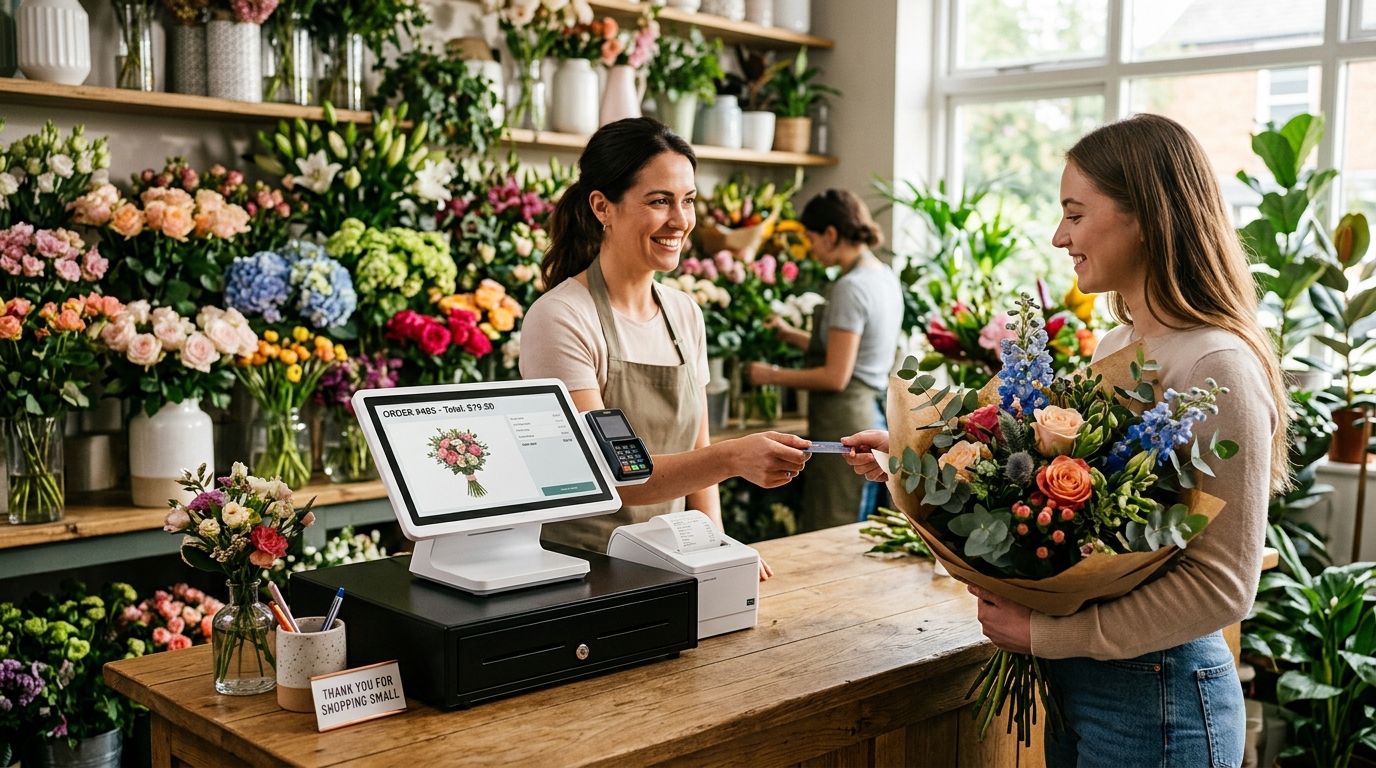
A complete POS terminal for florists pairs a touchscreen till, cash drawer, receipt printer and barcode-ready lookup screen into one counter setup built to ring up loose stems, made-to-order bouquets, add-ons and delivery orders without switching systems. Florists have different checkout math than a packaged-goods retailer: the same rose can be sold by the stem, in a pre-made bunch, or as part of a custom arrangement priced on the fly, and the till has to handle all three without slowing the queue.
- A complete POS terminal for florists needs a touchscreen till, cash drawer, receipt printer and barcode lookup built for perishable, made-to-order stock.
- WINTOUCH POS software handles loose-stem pricing and custom arrangement tickets on the same screen, not two separate systems.
- Skip barcode-only registers built for packaged retail: florists sell as much by weight, bunch and custom order as by fixed SKU.
- Battery backup on the till protects the sales queue during Valentine's Day and Mother's Day, when foot traffic and phone orders both spike.
- Multi-location florist chains should pair the POS terminal with Primavera ERP to keep stock and margins synced across shops.
Why complete POS terminals matter for florists
A florist's till has to price the same flower three different ways in the same hour: by the stem to a walk-in, by the bunch to a bulk buyer, and as a line item inside a custom arrangement quoted at the counter. A generic retail register built around fixed barcodes forces the cashier to key prices manually every time a custom order comes through, which slows the queue during the exact windows — Valentine's Day, Mother's Day, wedding season — when the shop can least afford it.
The checkout also has to carry non-flower revenue without friction: vases, cards, ribbon, delivery fees, and phone orders that need to be entered before the customer even walks in. A WINTOUCH POS software setup built for retail and hospitality handles open-price items, custom line items and standard SKUs on one screen, which is the single biggest difference between a florist-ready terminal and a plain cash register.
How to build a complete POS terminal for a florist counter
Map your checkout flow before choosing hardware
Before comparing terminals, write down every transaction type your counter actually handles. Most florists in 2026 are running at least four distinct sale types through one register, and the POS has to support all of them without a workaround.
- Walk-in stem and bunch sales priced per unit
- Pre-made bouquets with a fixed SKU and price
- Custom arrangements priced at the counter, often with a deposit
- Phone and online orders scheduled for same-day or next-day delivery
- Add-on sales: vases, cards, chocolates, balloons
- Wholesale or bulk orders to other businesses
Choose POS software built for open-price and made-to-order items
A register that only supports fixed-price SKUs will fight you every time a custom bouquet needs a one-off price. Look for software that lets a cashier open a blank line item, key a price, and still track it against inventory and daily sales totals.
- Open-price line entry for custom arrangements
- Per-stem and per-bunch pricing on the same product
- Order notes field for delivery instructions and card messages
- Daily and shift sales reports broken out by category
- Deposit and partial-payment handling for large orders
Add a cash drawer and receipt printer built for the counter
Florists still take more cash than most retail categories, especially for small walk-in sales and tips on delivery. A cash drawer built for retail checkout counters that locks and integrates with the till software cuts reconciliation errors at closing.
- Lockable drawer that triggers automatically on cash sales
- Compact footprint for tight counter space near the register and wrap station
- Thermal receipt printer for fast, low-maintenance printing
- Printer that also prints delivery tickets and order slips, not just receipts
Set up barcode or PLU lookup for loose stems and pre-made stock
A florist that scans every stem individually is wasting counter time. The faster setup uses PLU (price look-up) codes or a simple category grid for the fast movers, and barcode scanning only for packaged add-ons like vases or gift items.
- PLU buttons or a touchscreen grid for the top 15-20 flower types by volume
- Barcode scanning reserved for packaged non-floral items
- Weight or bunch-count modifiers on the same button, not a separate screen
- Quick-key access to the five most common bouquet templates
Plan for delivery and phone orders inside the same system
A lot of florist revenue never touches the counter — it comes in by phone or online and gets fulfilled later in the day. If those orders live in a separate notebook or spreadsheet, inventory and daily totals stop matching.
- Order entry that captures delivery date, address and time window
- Deposit or full-payment capture at order time
- Daily delivery manifest generated from the POS, not a separate list
- Order status tracking (placed, prepped, out for delivery, delivered)
Protect the till with backup power
A florist counter that goes dark mid-transaction on Valentine's Day loses the sale and the customer's patience. Battery backup for the register is a cheap insurance policy against a short outage during the two or three days a year that carry a disproportionate share of annual floral revenue.
- UPS unit sized for the till, printer and card reader combined
- Runtime long enough to finish an active transaction and shut down cleanly
- Surge protection built in, not a separate add-on
Get a florist POS terminal quote
Ask about touchscreen, drawer, printer and scanner bundles for flower shops.
Integrate with accounting or ERP if you run more than one shop
A single-location florist can run fine on standalone POS software. Once a second location opens, or a florist starts supplying weddings and corporate accounts on invoice terms, stock and margin tracking needs to sit above the register, not inside it.
- Shared inventory view across locations so stems don't get double-counted
- Margin tracking that accounts for shrinkage on perishable stock
- Invoice generation for wholesale and corporate accounts
- SAF-T compliant reporting for Portuguese tax filing
A florist running two or more locations gets more value from pairing the till with Primavera ERP for retail stores than from adding a second standalone POS license — the ERP layer is what keeps stock counts honest when stems move between shops.
Comparing checkout options for florists
| Option | Best for | Key limitation |
|---|---|---|
| Tablet + card reader only | A single-person flower stall or market stand | No cash drawer, no receipt printer, weak reporting |
| Complete POS terminal (touchscreen + drawer + printer) | A standalone flower shop with walk-in and phone orders | Higher counter footprint than a tablet setup |
| SUNMI handheld terminal | Delivery drivers taking payment at the door | Not built as the primary counter register |
| Legacy on-premise POS carried over from another retail category | Shops that already own the hardware and just need software | Rarely supports open-price and per-stem pricing out of the box |
Verdict: a complete POS terminal built around open-price line items and PLU-coded stems is the right pick for any florist doing more than a handful of transactions a day — a tablet-and-card-reader setup only makes sense for a seasonal stand or market stall.
“A florist till that can't take a custom-priced line item mid-sale is the wrong till, no matter how cheap it was.”
Common mistakes florists make with POS systems
- Buying a generic retail register built around fixed barcodes, then forcing every custom bouquet through a manual price override that slows every transaction.
- Skipping battery backup, which turns a short power blip on Valentine's Day or Mother's Day into a lost sale and a frustrated line of customers.
- Running delivery orders on paper or a separate spreadsheet, so the POS daily total never matches what actually left the shop.
- Not setting up PLU codes for the top-selling stems, leaving cashiers to key prices manually on the highest-volume items.
- Adding a second location without connecting inventory, which leads to stock counts that drift apart within a few weeks.
FAQ
What's the best complete POS terminal for florists in 2026?
A touchscreen terminal running WINTOUCH POS software with a cash drawer, thermal receipt printer and PLU-coded stem pricing covers walk-in, custom-order and delivery sales on one screen. Tablet-only setups work for market stalls but lack the drawer and reporting a full shop needs.
Do florists need barcode scanning at the till?
Only for packaged add-ons like vases, cards and gift items. Loose stems and bouquets move faster through PLU buttons or a touchscreen grid than through barcode scanning.
Is a complete POS terminal better than a tablet and card reader for a flower shop?
Yes for any shop doing regular walk-in and phone traffic, because a tablet setup has no cash drawer, no receipt printer and weaker daily reporting. A tablet is fine for a seasonal stand or market stall.
How does a POS terminal handle custom flower arrangement pricing?
Open-price line items let the cashier key a one-off price for a custom arrangement while still logging it against daily sales and inventory. Fixed-SKU-only registers can't do this without a manual override.
Do florists need battery backup on their POS terminal?
Yes, especially around Valentine's Day and Mother's Day when foot traffic peaks and a short outage can lose an active sale queue. A UPS sized for the till, printer and card reader is enough for most single-counter shops.
Should a multi-location florist connect POS to an ERP system?
Yes once a second shop opens, because standalone POS software doesn't share inventory across locations. Primavera ERP integration keeps stock counts and margins consistent across multiple florist locations.
Can a florist POS terminal handle delivery orders?
A complete setup should capture delivery date, address and time window at order entry and generate a daily delivery manifest from the same system, rather than tracking deliveries on a separate list.
How fast can a florist get a POS terminal installed in Portugal?
Hardware orders typically ship within 24-48h across Portugal, with setup and ERP integration handled separately depending on the shop's existing systems.
One last thing
The detail most florists get wrong isn't the hardware, it's the pricing model: a till that treats every stem as a fixed-barcode SKU will always lose time at the counter compared to one built around PLU codes and open-price line items. Fix that one setting before Valentine's Day 2026 and the rest of the counter workflow falls into place on its own.


