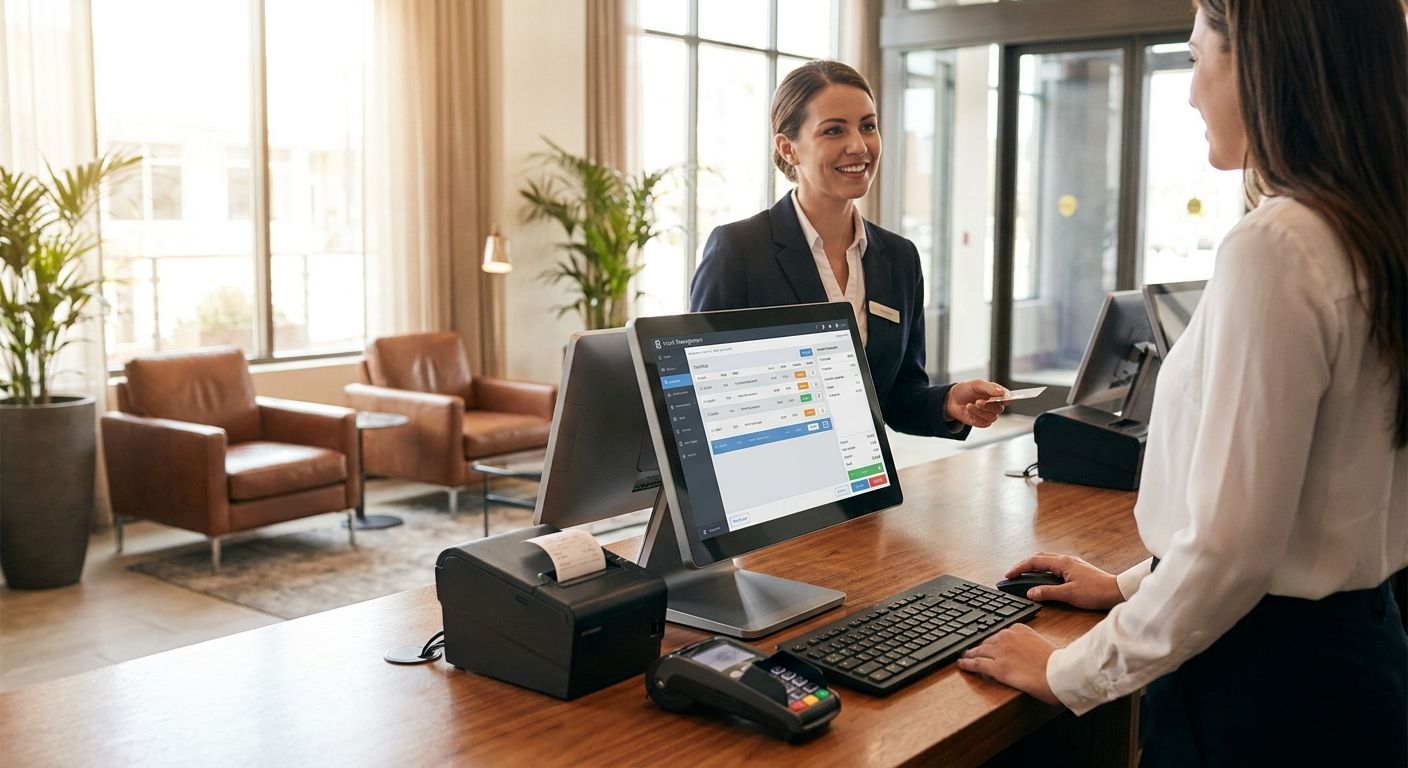
A complete POS terminal for hotel front desks pairs a touchscreen unit, thermal printer, cash drawer and card payment reader with WINTOUCH POS software that posts room charges, bar tabs and folio transfers to one ledger. Unlike a retail counter, a front desk runs three shifts a day, bills across multiple outlets to the same guest folio, and needs a direct line into the property's accounting or ERP system rather than an end-of-day export.
- A complete POS terminal for hotels needs WINTOUCH POS, card payment support and hardware rated for 24/7 shifts, not a retail counter unit.
- Keep guest Wi-Fi off the POS network in 2026 — a shared segment puts payment terminals within reach of guest devices.
- A UPS at the desk buys time to close the open transaction cleanly during a power cut instead of losing the shift file.
- Hotels with a bar, restaurant or spa need WINTOUCH POS tied to Primavera or Cegid for one folio, not three separate tills.
Why this matters for hotel front desks
A hotel desk runs on a tighter clock than a retail till ever does. A guest with a flight in two hours and a coach group behind them does not wait for a frozen terminal or a printer that jams on the folio. A complete POS terminal for hotels has to do three things a generic checkout skips: post charges from every outlet to one guest folio, stay up across three shifts without a reboot, and feed the property's accounting system directly.
For a property already running Primavera or Cegid on the back end, that link happens through WINTOUCH POS software rather than a spreadsheet someone reconciles at month-end. Voll sells the terminal, the printer, the cash drawer and the licenses as separate line items, priced without IVA for business buyers, so a property can size the setup to one desk or to a chain with several properties.
How to set up a complete POS terminal for hotel front desks
Map the front desk workflow before buying hardware
Hardware choices follow the workflow, not the other way around. A ten-room guesthouse and a 120-room property with a bar and a spa need different terminal counts and different integration depth.
- Count check-in and checkout volume by shift, and flag the peak arrival window
- List every charge that lands on a room folio: minibar, late checkout, parking, laundry
- Confirm whether a separate PMS (property management system) already exists and needs to talk to the POS
- Count the outlets that post to the same folio: front desk, bar, restaurant, spa, gift shop
- Note how foreign guests pay: card, cash, or a mix that needs multi-currency handling
Skip this step and you buy hardware sized for the wrong shift pattern.
Choose a terminal built for round-the-clock desk use
A laptop with a card reader taped to the side survives a quiet guesthouse. It does not survive three shifts a day, seven days a week, for a full year.
- Pick an all-in-one touchscreen unit over a laptop-plus-peripherals setup — fewer cables, fewer failure points on a night shift
- Match screen size to the desk without blocking eye contact with the guest
- Choose a fanless or low-noise unit if the desk sits in a quiet lobby
- Run the primary connection over a wired port, keep Wi-Fi as fallback only
- Confirm enough ports for a printer, cash drawer, card reader and barcode scanner running at once
A 24/7-rated terminal costs more up front and gets replaced far less often.
Connect the terminal to WINTOUCH POS and your ERP
This is where the setup stops being a till and starts being a system. WINTOUCH POS posts directly to Primavera or Cegid, so a room charge, a bar tab and a corporate invoice land in the same ledger without a manual export at midnight.
Properties running Primavera ERP for restaurants and hospitality groups get this integration built in, which replaces the end-of-day spreadsheet reconciliation most front desks still run by hand in 2026.
- Confirm which ERP module the property runs today: Primavera, Cegid, or none yet
- Set automatic posting rules for room charges, deposits and no-show fees
- Map tax rates correctly across lodging, F&B and retail items sold at the desk
- Run a full shift close on the integration before going live, not just one test transaction
- Document a manual fallback procedure for the night the connection drops
Skip the ERP link and someone re-types every folio into the accounting system by hand.
Set up card payment acceptance and receipt printing
Card acceptance and receipt output are the two things a guest actually sees, so they get tested last and fail first if rushed.
- Pick a card reader that handles contactless and chip-and-PIN for international guests
- Print folios on a thermal printer rated for continuous shifts, not a light-duty retail model
- Keep a spare paper roll and a compatible spare unit on-site for weekend coverage
- Configure receipt templates to show room number and outlet, not a generic total
- Reconcile the card terminal batch against WINTOUCH POS totals at every shift close
Reconciling daily, not monthly, is what catches a mis-posted charge before it reaches the guest's final bill.
Protect the desk against power cuts
A front desk that goes dark during a check-in rush loses the open transaction and the queue behind it. A UPS for POS systems and cash registers keeps the terminal, printer and card reader running long enough to close the transaction cleanly and shut the system down without corrupting the shift file.
- Size the UPS to the terminal, printer and network switch combined, not the terminal alone
- Test the UPS under real load once, not just at delivery
- Pair it with a documented manual fallback: paper folio, battery-powered card reader
- Replace UPS batteries on a fixed schedule instead of waiting for a failure to find out
No UPS at the desk means every short outage turns into a full shift restart.
Separate guest Wi-Fi from the POS network
Guest Wi-Fi and the payment terminal should never share a network segment. A compromised guest laptop on the same subnet as the card reader is a breach waiting to happen, not a hypothetical.
- Put guest Wi-Fi on its own VLAN or a dedicated guest access point
- Keep the POS terminal on a wired connection wherever the desk layout allows it
- Restrict the guest network to internet access only, no visibility into internal devices
- Change default credentials on any network gear before go-live
This is a five-minute network config that prevents a very expensive conversation later.
Train staff on multi-outlet billing across the property
Hardware and integration mean nothing if the person on the desk doesn't know how to post a bar tab to room 214 without a supervisor walking them through it live.
- Practice posting a bar tab or spa treatment to a room folio, not just a stand-alone sale
- Rehearse a split payment (partial card, partial room charge) before a guest is waiting on it
- Document the process for a no-show deposit charge and a late cancellation fee
- Run a mock shift close so the overnight person isn't learning it during a real one
A WINTOUCH POS setup that staff can't run confidently is worse than the spreadsheet it replaced.
Which hotel POS setup fits your property
| Option | Best for | Key limitation |
|---|---|---|
| Single all-in-one terminal at the desk | Small guesthouses, boutique hotels with one front desk | No redundancy if the unit fails mid-shift |
| Terminal with separate PMS integration | Properties needing real-time room status and OTA sync | API work required to link POS and PMS |
| Multi-outlet WINTOUCH POS across desk, bar, restaurant, spa | Hotels billing in-house F&B and services to room folios | Needs the ERP link to consolidate billing cleanly |
| WINTOUCH Cloud across several properties | Chains and franchise groups managing multiple locations | Depends on a stable connection; keep a local fallback for outages |
Get a hotel POS setup quote
Price the terminal, printer, cash drawer and WINTOUCH POS license together.
Common mistakes hotels make with front desk POS
- Buying retail-grade hardware rated for eight-hour shifts and running it 24/7 until it fails
- Sharing one network between guest Wi-Fi and the payment terminal, exposing card data to guest devices
- Skipping the ERP link and reconciling the day's charges by hand every night in 2026
- No UPS at the desk, so a short power blip means restarting the entire shift file
- Treating each outlet as a separate till instead of one folio, which breaks the guest's bill at checkout
FAQ
What's the best complete POS terminal for hotels in 2026?
The best setup pairs an all-in-one touchscreen terminal with WINTOUCH POS, a continuous-duty thermal printer, a card reader and a UPS. Best for hotels running check-in, room charges and at least one F&B outlet on the same folio.
Is WINTOUCH POS good for small hotels?
Yes, WINTOUCH POS scales down to a single front desk terminal and up to a multi-outlet, multi-property setup. Small guesthouses use the same core software as chains, just with fewer terminals connected.
Does a hotel POS terminal need to connect to Primavera or Cegid?
It doesn't have to, but skipping the ERP link means someone manually re-enters every folio into accounting. Properties already on Primavera or Cegid get automatic posting for room charges, deposits and no-show fees.
Can one POS system handle the front desk, bar and restaurant together?
Yes, a multi-outlet WINTOUCH POS setup posts bar and restaurant charges to the same guest folio as the room rate. This needs the ERP integration to consolidate billing at checkout.
Does a hotel need a UPS for the front desk terminal?
Yes, a UPS keeps the terminal, printer and card reader running long enough to close an open transaction cleanly during a power cut. Without one, a short outage can corrupt the current shift file.
Should guest Wi-Fi run on the same network as the POS terminal?
No, guest Wi-Fi belongs on a separate VLAN from the POS network. Sharing a segment puts the payment terminal within reach of any compromised guest device.
What happens if the front desk terminal loses internet connection?
A wired connection as primary and Wi-Fi as fallback reduces the risk, but every desk needs a documented manual fallback procedure. Staff should know how to take a paper folio and reconcile it once the connection returns.
One last thing
The single biggest point of failure at a hotel front desk isn't the terminal — it's the network switch it plugs into. WINTOUCH POS runs fine on modest hardware; it does not run at all through a dead switch port at 11pm during a coach group's check-in. Whatever terminal a property lands on for 2026, keep a spare switch and a documented fallback on-site, not just a spare terminal.


