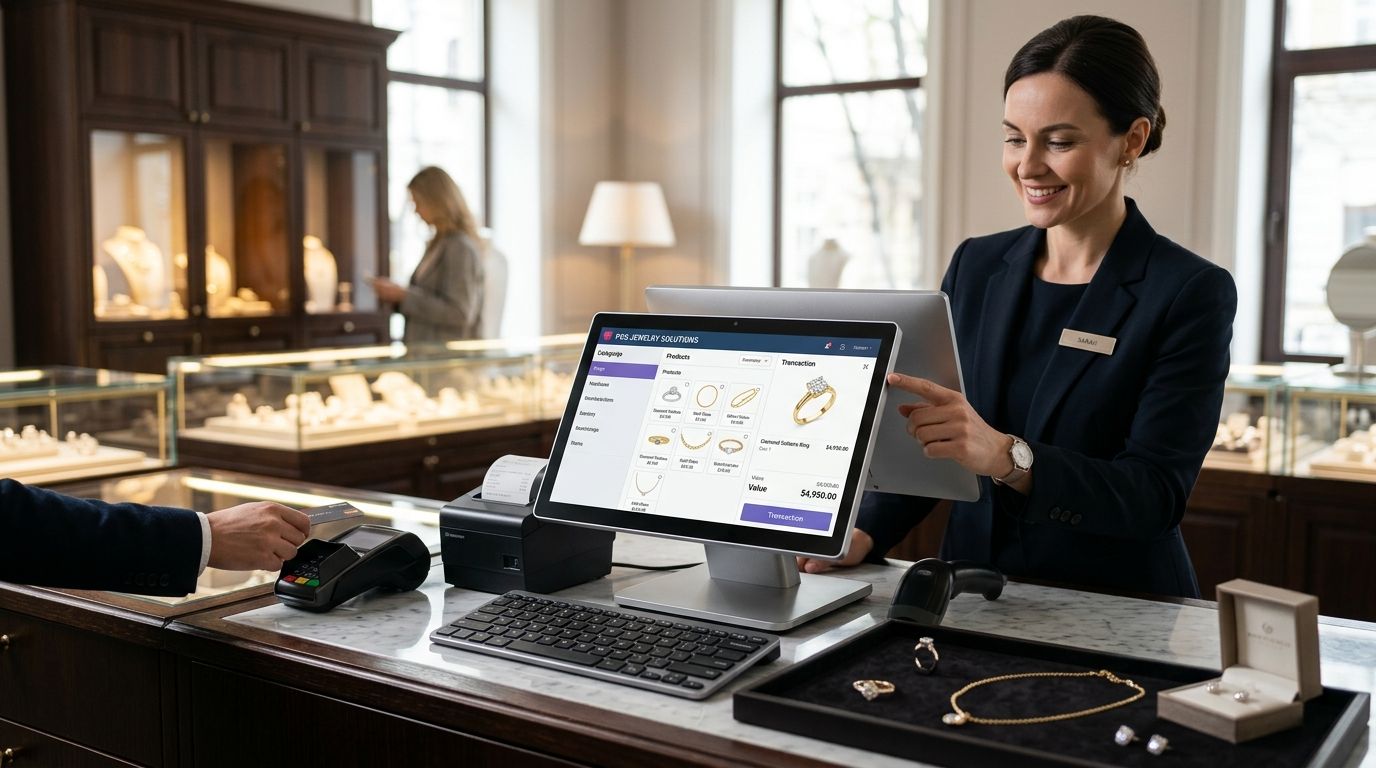
A complete POS terminal for jewelry stores means hardware and software built to handle low-volume, high-value transactions where every item is unique, not commodity retail checkout gear repurposed for gold and diamonds. Jewelry stores need serialized inventory tracking by weight, purity, and stone, tight security around the counter, and a register that ties straight into accounting — not just a barcode scanner and a cash drawer.
- A complete pos terminal for jewelry stores needs serialized inventory fields (weight, karat, stone) that generic retail POS software skips.
- WINTOUCH POS from Voll connects to Primavera and Cegid ERP, which matters for jewelers reconciling high-value stock monthly.
- SUNMI hardware plus a locking cash drawer covers the counter; UPS backup power protects against mid-sale outages in 2026.
- Skip standalone card terminals with no inventory link — they can't track serialized pieces or generate compliant invoices.
Why this matters for jewelry stores
A jewelry store might ring up 15 transactions a day averaging hundreds or thousands of euros each, not 300 transactions averaging a few euros like a convenience store. That changes what the register needs to do. Losing a single item to a stock error or a mislabeled tag costs more than a week of lost sales at a typical clothing boutique, so the inventory layer matters more than the checkout speed.
WINTOUCH POS software handles retail and hospitality out of the box, but jewelry stores layer on serial numbers, weight, purity, and certificate tracking that generic retail templates don't include by default. Getting that data model right before buying hardware determines whether the system actually reduces shrinkage or just digitizes the same manual errors.
Security is the other half. Jewelry counters are the highest-theft-risk retail environment per square meter, and a complete POS terminal for jewelry stores in 2026 has to account for that in camera placement, power backup, and drawer locking — not as an afterthought bolted on after the register ships.
Build the system in order
Map your inventory data before you buy hardware
Start with the data model, not the terminal. Every piece needs a record that survives resale, repair, and reappraisal.
- List every field you actually need per item: weight in grams, karat or purity, gemstone type and carat, supplier reference, and cost basis
- Decide whether pieces get individual serial tags or lot-based tracking for lower-value stock like chains sold by weight
- Set a policy for consigned or repaired items that sit outside normal inventory counts
- Build this in a spreadsheet first if you're testing the model before committing to software
- Confirm your supplier invoices already carry the data you need, so you're not re-entering weight and purity by hand
Choose a terminal built for low-volume, high-value checkout
Once the data model is set, pick hardware that matches transaction volume, not footfall. A jewelry counter processes fewer sales than a supermarket till but each one needs more verification steps.
- A compact terminal (SUNMI-class hardware) that runs the POS software without needing a full desktop setup at the counter
- A cash drawer built for retail POS checkout counters with a physical lock, not the open-tray drawers used in quick-service retail
- A receipt printer that can also print certificates or warranty slips alongside the sales receipt
- A card payment terminal integrated with the POS so refunds and voids reconcile automatically instead of living in a separate ledger
- Buy the terminal after the data model is confirmed — reversing that order means re-tagging your entire stock later
Add barcode tagging for serialized pieces
Every ring, chain, and watch needs a scannable tag that ties back to its full record, and the scanner has to read tags small enough to fit inside a display case.
- A barcode scanner for retail checkout counters rated for small, curved, or reflective tag surfaces common on jewelry packaging
- A tag printer that outputs compact labels with weight and purity encoded, not just a price
- A process for re-tagging items after repair or resizing, since the original tag often gets removed
- A monthly reconciliation between scanned sales and physical stock count, not annual
Secure the counter and the back office
Jewelry theft attempts concentrate on the counter and the safe, so camera coverage and power resilience are part of the POS build, not a separate project.
- Camera coverage on every till and every display case, angled to capture hands and faces, not just the room
- A UPS unit under the counter so a power cut mid-transaction doesn't corrupt the sale or lock the drawer open
- An alert workflow for voided sales and manager overrides above a set value threshold
- A backup connection (mobile data failover) so card payments still process if the store's main internet drops
Connect the register to your accounting system
A jewelry store's stock value sits almost entirely in inventory, so the POS and the accounting system need to agree on numbers daily, not at month-end.
- Manual export/import between POS and spreadsheet accounting works for a single-location store doing under 50 transactions a week
- An API connection between the POS and ERP software (Primavera or Cegid) removes the manual step and updates stock value in real time
- A reconciliation report comparing POS sales to ERP ledger entries, run weekly, catches mismatches before month-end close
- Multi-location jewelers need the ERP layer regardless of transaction volume, since consolidating stock across stores by hand is where most errors creep in
Get invoicing compliance right from day one
Portuguese retailers issuing invoices need SAF-T compliant records, and jewelry's higher average ticket size means compliance mistakes carry more financial exposure per error.
- Confirm the POS software generates SAF-T compliant invoices natively rather than through a manual export step
- Set invoice numbering and sequencing correctly before the first sale, since renumbering after the fact creates audit problems
- Keep certificate and warranty documentation attached to the invoice record for high-value pieces
- Review invoice templates with an accountant before go-live, not after the first tax filing
Talk to Voll about a jewelry store setup
Get a tailored quote for WINTOUCH POS and ERP integration.
Comparison: options for jewelry store checkout in 2026
| Option | Best for | Key strength | Key limitation |
|---|---|---|---|
| Spreadsheet + standalone card terminal | A single-owner store testing the model | Low setup effort, no software commitment | No serialized tracking, manual reconciliation, high error risk on high-value stock |
| Generic retail POS (non-specialized) | General retail without unique-item inventory | Fast checkout, familiar interface | No weight/purity fields, no karat-based pricing logic |
| WINTOUCH POS + SUNMI terminal | Jewelry stores needing ERP integration and serialized inventory | Connects to Primavera/Cegid, built for retail inventory depth | Needs initial configuration for jewelry-specific fields |
| ERP-only back office, no POS front end | Multi-location retailers with a dedicated finance team | Strong accounting and consolidated reporting | Still needs a POS layer added at the counter |
Verdict: a complete POS terminal for jewelry stores in 2026 needs serialized inventory tracking and ERP integration built in — a generic retail terminal or a standalone card reader is not enough once stock value climbs past a few dozen unique pieces.
Common mistakes jewelry stores make
- Buying the terminal before mapping inventory fields — re-tagging an entire case of rings after go-live costs more time than doing it right the first time
- Using a card terminal with no POS link — refunds and voids end up in a separate ledger that never matches the till count
- Skipping camera coverage on display cases — most coverage plans focus on the till and miss the cases where theft actually concentrates
- Treating SAF-T compliance as a month-end task — invoice numbering errors discovered late are far harder to fix than errors caught at go-live
- Running a single power supply to the counter — a jewelry store loses more from a corrupted mid-sale transaction than most retail categories, since the average ticket is higher
FAQ
What is the best complete POS terminal for jewelry stores in 2026?
WINTOUCH POS paired with SUNMI hardware and a locking cash drawer covers serialized inventory, ERP integration, and secure checkout for jewelry retail in 2026. A generic retail POS lacks the weight and purity fields jewelry inventory needs.
Does a jewelry store need ERP integration for its POS?
Yes, once stock value climbs past a few dozen unique pieces, manual reconciliation between POS and accounting becomes error-prone. An API connection to Primavera or Cegid keeps stock value and sales data in sync automatically.
Is a standalone card terminal enough for a jewelry store?
No, a standalone terminal with no POS link leaves refunds and voids in a separate ledger that never matches the till count. It also can't track serialized inventory by weight or purity.
How does barcode tagging work for jewelry with tiny tags?
Jewelry tags need a scanner rated for small, curved, or reflective surfaces, unlike standard retail barcode labels. The tag itself should encode weight and purity, not just a price.
What happens to a jewelry sale if the power cuts mid-transaction?
Without backup power, a mid-sale outage can corrupt the transaction record or leave a locking drawer open. A UPS unit under the counter prevents both outcomes.
Do jewelry stores need SAF-T compliant invoicing in Portugal?
Yes, Portuguese retailers issuing invoices must generate SAF-T compliant records, and jewelry's higher average ticket size raises the financial exposure of a compliance mistake. Confirm the POS software generates these natively before go-live.
How often should a jewelry store reconcile POS sales against stock?
Monthly reconciliation is the minimum for serialized jewelry inventory, weekly is safer for higher-volume stores. Annual reconciliation is too infrequent to catch tagging or scanning errors before they compound.
One last thing
The single biggest gap in jewelry POS setups isn't the terminal, it's the tag: stores that skip weight and purity encoding on the barcode end up re-entering that data by hand at every sale, which is exactly the manual error the system was supposed to remove. Fix the tag format before the register goes live in 2026, not after the first stock count exposes the gap.


