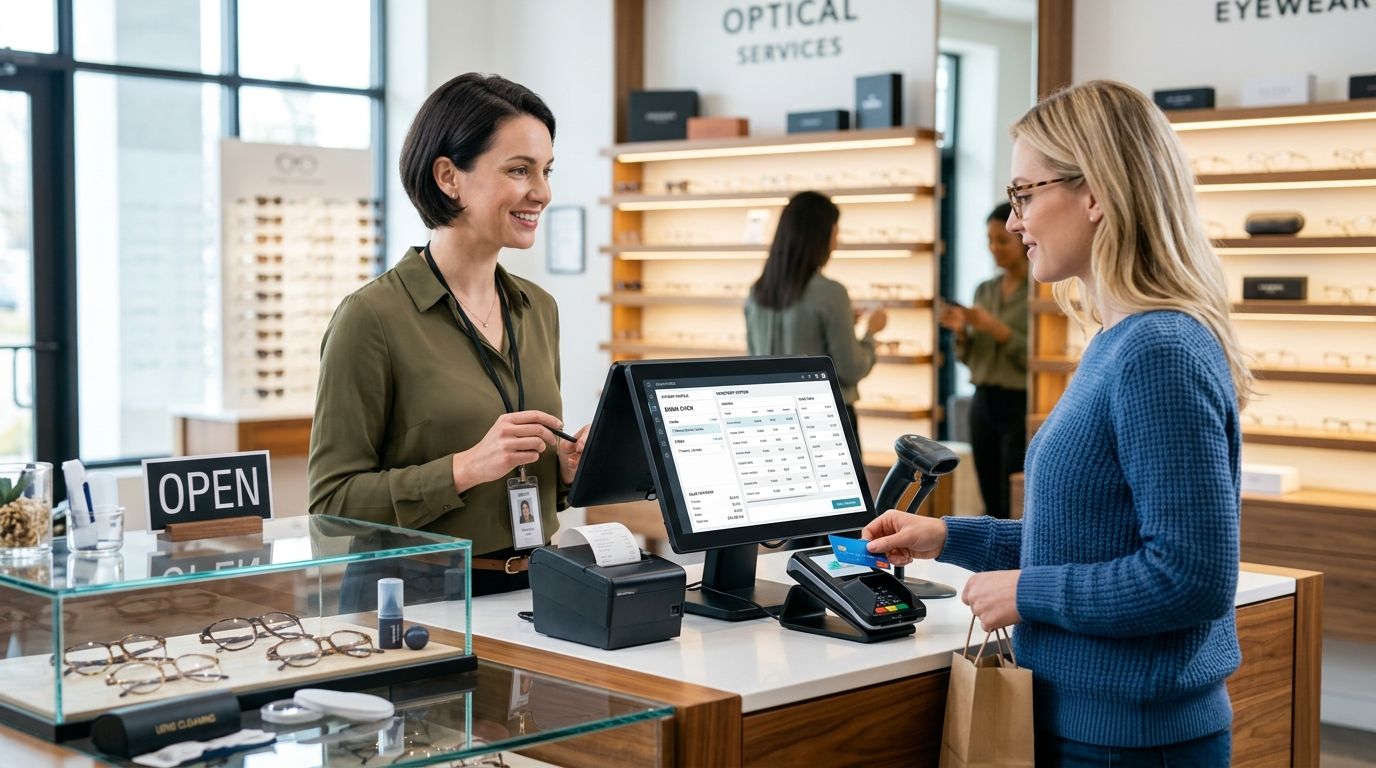
A complete POS terminal for opticians in 2026 combines the till, the barcode scanner, the receipt printer, and the software that links a frame sale to a lens order and a prescription record — one connected setup instead of five disconnected tools. Opticians differ from general retail because a single "sale" often splits into two transactions: the frame leaves the shop today, the lens arrives from the lab in days, and both need to reconcile against the same customer file and the same invoice.
- A complete POS terminal for opticians ties frame sales, lens orders, and prescriptions to one till instead of a spreadsheet.
- WINTOUCH POS software fits opticians running more than one till or store location.
- A single-counter optician often does fine with one Android POS terminal handling scanning, payment, and printing.
- SAF-T compliant invoicing is a legal requirement for any optician issuing invoices in Portugal, not an optional extra.
- Voll delivers POS hardware and licenses nationwide in 24-48h with pricing quoted without IVA for business buyers.
Why a complete POS terminal matters for opticians
An optician's stock isn't uniform like a grocery aisle — one brand alone can carry dozens of frame models, each in multiple colors and sizes, each needing its own barcode. Lens orders add a second layer: a sale isn't finished at the counter, it's finished when the lab ships the lens and the customer picks it up weeks later.
A generic till handles neither well. It treats every item as an in-stock unit sold and paid in one motion, which breaks the moment a customer pays a deposit today and collects a finished pair next month. WINTOUCH POS software is built around exactly this kind of split transaction, tracking partial payments, backorders, and customer pickup status inside the same record the till already uses for the sale.
The other pressure point is compliance. Every invoice an optician issues in Portugal has to meet SAF-T formatting rules, and a till that can't export that format cleanly turns into extra accounting work every month, not less.
Map your frame and lens SKUs before choosing hardware
Start with an honest count of what's actually on the shelf, not what the supplier catalog says you carry.
- List every frame brand and how many size/color variants each one has
- Check whether current tags carry a barcode at all, or just a price sticker
- Separate frames sold as complete units from lenses ordered per prescription
- Note which items need a serial or batch number for warranty claims
- Flag contact lens boxes and solution bottles — these usually need expiry-date tracking a frame doesn't
This list decides everything downstream: scanner spec, till layout, and how many SKUs your software needs to hold without slowing down search.
Pick a barcode scanner rated for small frame tags
Manual entry works for a five-frame display, not for two hundred. A scanner is the first hardware upgrade almost every optician needs, and the cheapest fix is often just a better scanner, not a new till.
- Test the scanner against your smallest current frame tag, not a supermarket barcode sample
- Confirm it reads both 1D and 2D codes — some manufacturers now print QR-style tags on lens boxes
- Check scan speed at the actual counter distance, not the spec sheet distance
- Look for a wired option as backup if the wireless unit's battery runs out mid-shift
Once the frame count justifies dedicated hardware, barcode scanners for retail checkout built for dense retail tags read frame codes reliably where a general-purpose scanner misses them.
Set up SAF-T compliant invoicing from day one
Don't wait for an audit to discover the till can't export the right format. Every invoice issued by a Portuguese business, opticians included, has to comply with SAF-T rules, and retrofitting this after months of sales is far more work than setting it up first.
- Confirm your current software generates a valid SAF-T file on demand, not just a PDF receipt
- Check that partial-payment and deposit sales export correctly, since these are the transactions most tills get wrong
- Test the export with your accountant before your first real reporting deadline
- Keep a manual invoice book as backup only for the rare till outage, never as the primary system
SAF-T compliant invoicing software built for Portuguese business rules handles the deposit-and-pickup pattern opticians run into constantly, where a generic retail package usually stumbles.
Size the cash drawer and receipt printer for eyewear tickets
An eyewear receipt often runs longer than a grocery receipt — prescription details, lens coating options, warranty terms, and payment schedule all land on one ticket.
- Pick a receipt printer that handles wider paper rolls if your ticket format runs long
- Match the cash drawer size to real daily cash volume, not a generic small-shop default
- Test print speed at your slowest register during a busy Saturday, not a quiet Tuesday
- Confirm drawer and printer both connect to the same till software without a separate driver install
Connect the till to Primavera or Cegid for accounting
A till that doesn't talk to your accounting software means someone re-types every day's sales into a spreadsheet by hand.
- Check whether your current till exports a daily sales file your accountant can actually import
- Confirm stock movements from sales update inventory counts automatically, not on a manual sync schedule
- Test that returns and warranty exchanges flow back into stock correctly
- Verify multi-store opticians see consolidated numbers, not five separate files to merge manually
Opticians already running Primavera or Cegid get the cleanest result linking WINTOUCH POS directly to the accounting side — Primavera ERP for retail stores closes the gap between the counter and the ledger without a manual export step.
Set up a business account for your shop
Order POS hardware and WINTOUCH licenses with business pricing, no IVA shown.
Protect the till with backup power
A power blip mid-transaction can corrupt a sale record or lose a prescription entry that took ten minutes to enter correctly.
- Add battery backup rated to cover at least one full checkout transaction, not just a graceful shutdown
- Test the backup unit once a quarter, not just at installation
- Keep the router and card terminal on the same backup circuit as the till itself
- Confirm the backup unit alerts staff before it actually cuts out, not after
Migrate from an on-premise or paper system to a cloud POS
Opticians running an old on-premise till or a paper ledger usually delay switching because migration sounds riskier than it is.
- Export existing customer and prescription records before the cutover date, not the same day
- Run the new till in parallel with the old system for one full week minimum
- Train every staff member on split-payment and lens-pickup workflows before go-live, not after
- Confirm historical sales data imports correctly, especially deposits still awaiting pickup
For shops moving off an aging on-premise system, a migrate from on-premise POS to WINTOUCH Cloud walkthrough covers the cutover sequence in more detail than a general checklist can.
Comparing POS options for opticians
| Option | Best for | Key limitation |
|---|---|---|
| WINTOUCH POS/ERP (cloud) | Opticians with multiple stores or Primavera/Cegid integration needs | Needs a stable internet connection for real-time sync |
| Android POS terminal (single unit) | A single-counter optician wanting screen, scanner, and printer in one box | Software choice is tied to what runs on that Android build |
| Legacy on-premise till + separate accounting | Shops avoiding recurring software costs | No native SAF-T export; manual reconciliation with the accountant |
| Generic retail POS without ERP link | Very small single-owner shops with low SKU counts | No prescription or warranty tracking tied to inventory |
The clearest verdict for most opticians: a cloud POS tied to your accounting system beats a standalone till the moment you carry more than a handful of frame SKUs or run more than one store.
Common mistakes opticians make
- Buying a generic retail scanner and finding out later it misreads the small, dense codes printed on frame tags.
- Keeping prescriptions in a separate spreadsheet instead of linking them to the sale record, which breaks the moment a customer returns for an adjustment.
- Delaying SAF-T setup until an accountant flags a formatting problem at year-end instead of testing the export on day one.
- Skipping backup power on the till, then losing a half-entered prescription sale during a routine power blip.
- Treating a lens order like an in-stock sale, which leaves no clean way to track deposits and pickup dates once the lab ships.
FAQ
What's the best complete POS terminal for opticians?
A cloud POS built around split transactions, like WINTOUCH POS, works best for opticians because it tracks a frame sale and a later lens pickup on the same customer record. A single Android terminal works fine for a one-counter shop with a small SKU count.
Is a cloud POS or on-premise POS better for opticians?
Cloud POS wins for opticians running more than one store or needing SAF-T compliant exports without manual work. On-premise setups avoid recurring software costs but usually need a separate accounting workaround.
Does WINTOUCH POS handle prescription lens orders?
WINTOUCH POS is built to track split transactions, which covers the deposit-today, pickup-later pattern common with lens orders. The sale record stays linked from the initial payment through final pickup.
How much does SAF-T compliant invoicing cost opticians in Portugal?
Cost varies by software vendor and license terms, so check current terms directly with the provider. What's fixed is the requirement itself — every Portuguese business issuing invoices, opticians included, must produce a valid SAF-T file.
Can one POS terminal handle both frame sales and lens orders?
Yes, provided the software supports partial payments and backorder status on the same sale record. A generic retail till that treats every sale as paid-and-delivered in one step will not handle this correctly.
What barcode scanner works best for small frame tags?
A scanner rated for both 1D and 2D codes at close range reads dense frame tags more reliably than a general-purpose retail scanner built for wider supermarket barcodes. Test against your smallest actual tag before buying.
Is an Android POS terminal good for a small optician shop?
An Android POS terminal works well for a single-counter optician who wants scanner, screen, and printer combined in one unit. The limitation is software compatibility, since not every POS package runs on every Android build.
How long does it take to migrate to a new POS system?
Plan for at least one full week running the new till in parallel with the old system before fully switching over. That overlap catches import errors on customer records and pending lens pickups before they become a live problem.
One last thing
The detail most opticians overlook until it costs them a sale: a frame tag barcode is usually smaller and denser than a standard retail UPC, so a scanner built for wide supermarket codes will misread it far more often than one rated for 1D and 2D codes at close range — test the scanner against your actual smallest tag before you buy it, not against a sample barcode from the supplier's brochure.


