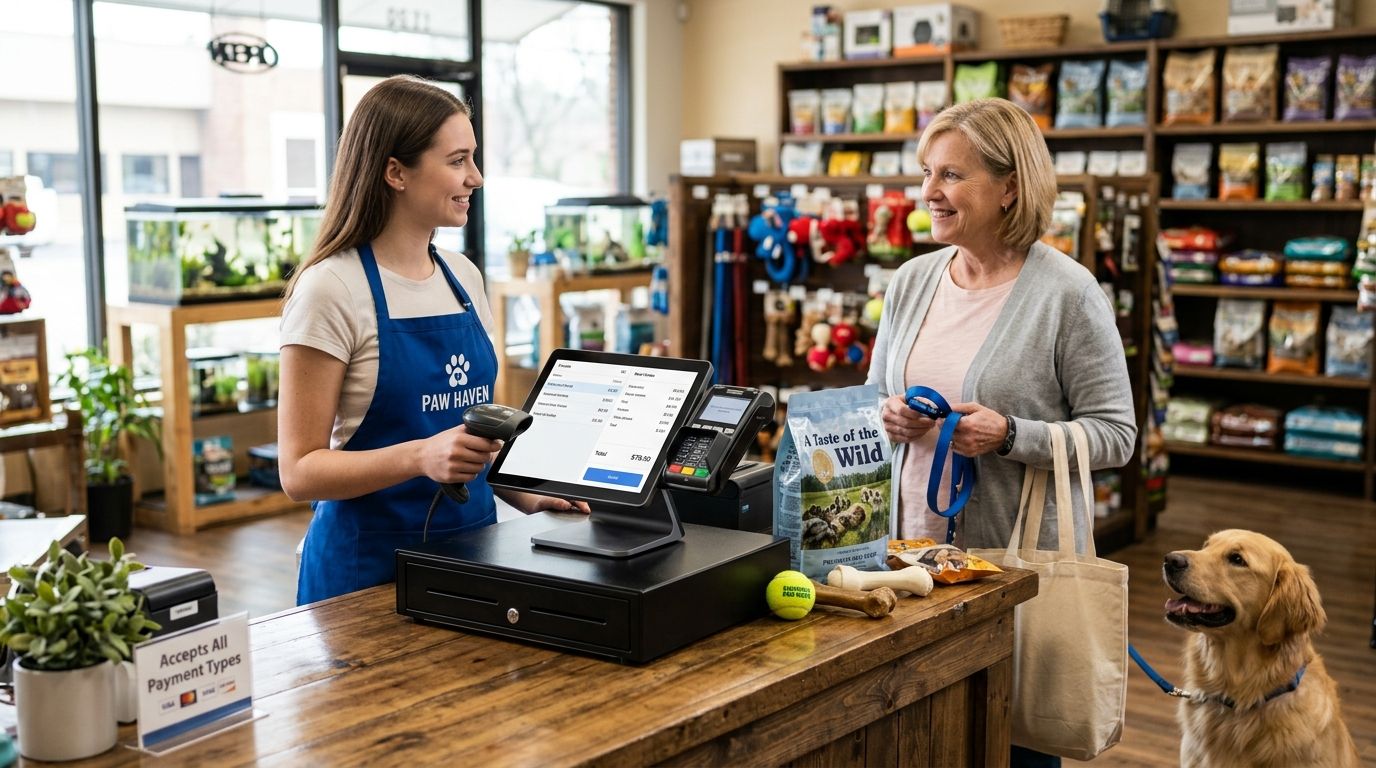
Complete POS terminal for pet shops in 2026 means a checkout built for weight-based bulk food, hundreds of breed-and-size SKU variants, and repeat food buyers — not a generic till with a barcode gun bolted on. A pet shop catalog behaves more like a minimarket than a boutique: kibble by the kilo, treatments by species and weight, accessories in dozens of variants per line.
- A complete POS terminal for pet shops pairs SUNMI or all-in-one hardware with WINTOUCH POS software built for high-SKU catalogs.
- Bulk food sold by weight needs scale-integrated checkout, not a barcode-only terminal.
- WINTOUCH POS syncing to Primavera or Cegid ERP keeps stock accurate across food, accessories and grooming services.
- Skip any terminal without offline mode — a dropped connection on a Saturday stops every sale.
- VOLL supplies POS hardware, WINTOUCH licences and installation across Portugal in 24-48h.
Why a POS terminal matters more for pet shops
Pet shops carry more line items per square metre than most retail categories: four bag sizes per kibble brand, treats by flavour, medication by weight bracket, accessories repeating across dog, cat and small-animal lines. A checkout designed for a fashion boutique chokes on that SKU count during the first inventory import.
Repeat purchase is the other half. Food and litter sell on a 4-6 week cycle, so the terminal is also your customer database — if it cannot tag a buyer and their last food purchase, that cycle lives in someone's head and walks out the door when they leave.
Third factor: mixed revenue. Many pet shops in 2026 sell products and services — grooming, nail clipping, occasional veterinary referral. One terminal has to ring up a 15kg bag and a 45-minute grooming slot on the same receipt, with correct VAT lines for Portuguese SAF-T reporting.
How to build the terminal, step by step
1. Count your real SKU catalog first
Hardware choice follows catalog size. A 400-SKU shop and a 4,000-SKU shop need different scanning speed and different stock logic.
- List categories: dry food, wet food, treats, medication, toys, accessories, grooming products
- Flag every item sold by weight instead of by unit
- Mark lines with expiry dates — food and medication need batch tracking
- Note variants that repeat across species (same rope toy, three sizes)
- Record active SKUs today, not the number you hope to carry in 2027
2. Fix the weight problem before buying anything else
If you sell loose kibble, treats or litter, manual weight entry is the slowest thing at your counter and the easiest place to lose margin.
- Require a scale that connects natively to the POS software, not through keypad entry
- Set price-per-kilo once per product, not per transaction
- Print weight and computed price on the receipt automatically
- Test scale-to-screen response with a queue behind you, not in a quiet demo
- Keep a tare list for reusable customer containers
The free way is a standalone certified scale plus manual entry — workable at 20 bulk sales a day, painful at 80. Beyond that, scale-integrated POS for supermarkets is the same architecture pet shops need, and it removes the transcription step entirely.
3. Pick the terminal form factor
Counter space in pet shops is usually shared with bag storage and impulse displays, so footprint matters.
- All-in-one touchscreen: single unit, one power cable, best for a fixed counter
- SUNMI compact terminal: small footprint with integrated receipt printer
- Handheld terminal: for shelf-side stock checks and queue-busting on delivery days
- Mini PC plus monitor: cheapest to repair, most cables to manage
- Tablet-based: lowest cost, weakest at high-volume scanning
4. Add software that handles variants and services
The terminal is a screen; the software decides whether your shop runs cleanly. WINTOUCH POS is built for retail catalogs with variant depth and mixed product-plus-service billing, and it issues SAF-T compliant documents required in Portugal in 2026.
- Variant matrices so one product line is not 12 unrelated SKUs
- Batch and expiry tracking for food and medication
- Customer profiles with purchase history for food repeat cycles
- Service line items priced by duration for grooming
- Multi-payment split on one receipt (card plus cash)
- Offline mode that queues sales and syncs when the line returns
5. Connect stock to your ERP
Once you pass roughly 1,000 SKUs and start ordering from three or more distributors, spreadsheet stock control fails quietly. ERP Primavera for retail stores closes the loop between the till and purchasing so reorder points reflect actual sales, not a manual count.
- Push every sale to ERP the same day, not weekly
- Set reorder points per SKU with supplier lead time included
- Track purchase cost per batch so margin on food is real, not assumed
- Reconcile physical counts monthly on fast movers, quarterly on accessories
6. Protect the checkout from power and network failure
A pet shop with a dead terminal cannot legally issue receipts. Two cheap components remove most of that risk.
- A UPS sized for terminal plus router, giving you time to close open sales
- A 4G failover router so card payments continue when fibre drops
- Automatic daily backup of sales data off-device
- A written 10-minute fallback procedure your weekend staff has actually read
See UPS backup power for POS systems for the sizing logic — a terminal, printer and router draw far less than most shops assume.
7. Train for the three transactions that break new tills
Staff training decides whether the system holds up in month two.
- Weight sale with a tared container
- Mixed sale: bulk food, packaged item and a grooming service on one receipt
- Return of an opened food bag with batch reference
- Offline sale during a network outage, then reconnect and sync
Get a pet shop POS quote
Hardware, WINTOUCH licences and installation, delivered nationwide in 24-48h.
Options compared for pet shops in 2026
| Option | Best for | Key limitation |
|---|---|---|
| SUNMI compact terminal + WINTOUCH POS | Single-location shops with 400-2,000 SKUs and a tight counter | Integrated printer means one failure point for two functions |
| All-in-one touchscreen + WINTOUCH POS + scale | Shops with a real bulk food section | Needs counter depth and a planned cable route |
| WINTOUCH POS + Primavera ERP | Multi-location or shops ordering from 3+ distributors | Setup requires proper item-code mapping before go-live |
| Tablet POS app | Pop-ups, markets, second seasonal counter | Weak at high-volume scanning; limited weight support |
| Generic cloud POS, no ERP link | Shops under ~300 SKUs with no bulk food | Stock accuracy degrades as SKU count grows |
Verdict: for a Portuguese pet shop with bulk food and under three locations, a SUNMI or all-in-one terminal running WINTOUCH POS, supplied and installed by VOLL, is the complete POS terminal setup that holds up past year one. Pros: variant handling, weight pricing, SAF-T compliance, local support and ERP path. Cons: it costs more than a tablet app, and the ERP integration is a project rather than an afternoon — if you run 150 SKUs with no bulk bins, that is more system than you need.
“If your bulk food sales pass 50 transactions a day, manual weight entry is no longer a saving — it is a leak.”
Common mistakes pet shops make
- Buying restaurant POS hardware. Hospitality terminals optimise for table plans and course timing. They do not handle 3,000 retail variants or weight pricing, and retrofitting is more expensive than buying correctly in 2026.
- Ignoring batch and expiry tracking. Food and medication expire. A terminal without batch fields turns every recall or short-dated clearance into a manual shelf sweep.
- Treating grooming as a separate business. Running services on paper and products on a POS destroys your customer history — the same buyer looks like two unrelated records.
- Skipping offline mode. Pet shops peak Saturday morning. Ten minutes of outage without queued offline sales sends a full queue out the door.
- Sizing hardware for launch instead of year two. Shops that open with 350 SKUs routinely pass 1,200 within 18 months as they add brands. The scanner and stock engine need that headroom.
One last thing
The fastest measurable win in most pet shops is not the terminal — it is the label printer beside it. Bulk bins, short-dated food and price changes across four bag sizes all need accurate shelf and bag labels, and shops printing them from POS data instead of by hand stop the pricing mismatches that cause refunds at the counter. Get the terminal and the labelling on the same product database from day one in 2026, and every stock count afterwards gets easier.
Related guides
- Best complete POS terminal for small retail stores
- Label printers for retail pricing and inventory tags
FAQ
What is the best complete POS terminal for pet shops in 2026?
A SUNMI or all-in-one touchscreen terminal running WINTOUCH POS software is the best fit for pet shops in 2026. It handles weight-based bulk food, deep product variants and grooming services on the same receipt.
Do pet shops need a scale connected to the POS?
Yes, if you sell any food, treats or litter by weight. Native scale integration removes manual weight entry, which is the slowest and most error-prone step at a pet shop counter.
Is WINTOUCH POS better than a tablet POS app for a pet shop?
For shops with bulk food or more than a few hundred SKUs, yes. Tablet apps are cheaper but weaker at high-volume scanning, batch tracking and weight pricing.
How much does a pet shop POS terminal cost?
Cost depends on form factor, scale integration and how many licences you need. Request a quote for current pricing, which for business buyers in Portugal is shown excluding VAT.
Can one terminal handle both retail sales and grooming appointments?
Yes. POS software with service line items prices grooming by duration and rings it on the same receipt as products, keeping one customer history instead of two.
Does a pet shop POS need to be SAF-T compliant in Portugal?
Yes. Any system issuing invoices in Portugal must produce SAF-T compliant documents, so confirm compliance before purchase rather than after installation.
What happens if the internet goes down during checkout?
A terminal with offline mode queues sales locally and syncs when connectivity returns. Pair it with a UPS and a 4G failover router to keep card payments working.
When should a pet shop connect its POS to an ERP?
Once you pass roughly 1,000 SKUs or order from three or more distributors. At that point manual stock control starts producing reorder errors you only notice when a shelf is empty.


