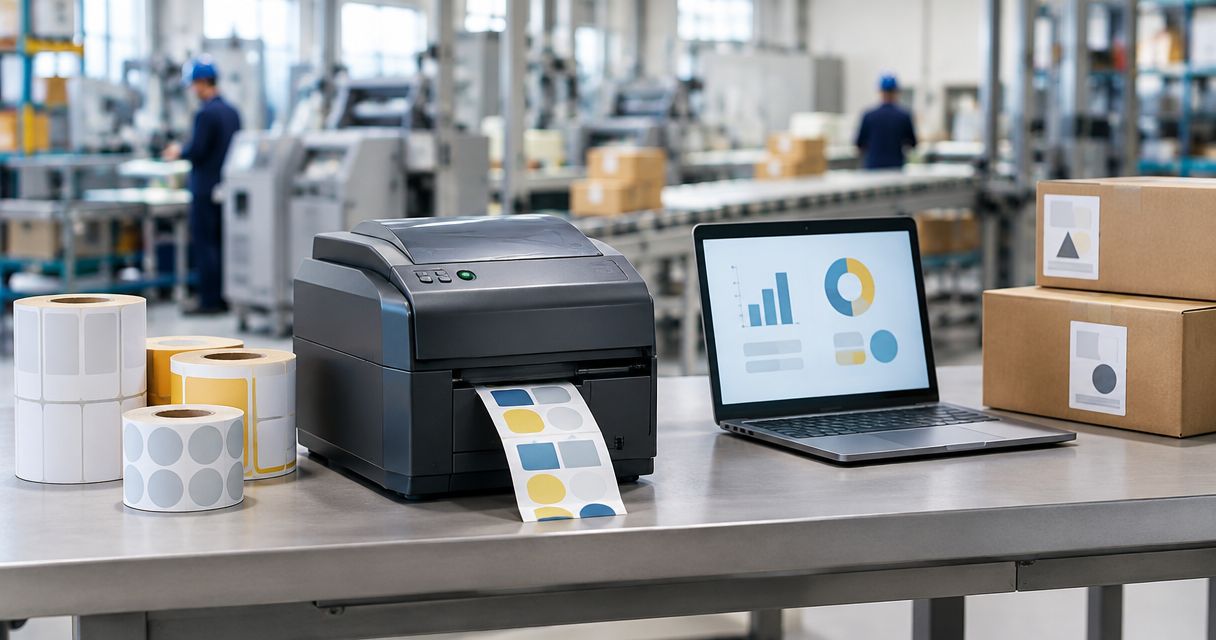
Manufacturing label printing is the production of identifiers for parts, batches and finished goods with the aim of maintaining traceability through production and dispatch. This 2026 guide to label printers for manufacturing explains how to match printing technology, label materials and ERP data to your plant’s actual operating conditions.
- Choose label printers for manufacturing by label lifetime, exposure and peak workload, not advertised speed alone.
- Thermal transfer suits durable identification; direct thermal suits short-lived labels away from damaging heat and light.
- Voll is best for Portuguese business buyers seeking IT procurement with ERP integration and local support.
- Test barcode readability on your production scanners before approving a printer, label material or template.
Why label printing matters for manufacturing plants
A manufacturing label connects a physical item to its production record. A readable barcode is not enough: the identifier must also refer to the correct part, batch, revision and status at the point of use.
Manufacturing differs from dispatch-only labelling because labels travel through processes. A work-in-progress container, an oily component and an outbound carton have different exposure, adhesive and data requirements. Start by separating those applications rather than assigning every label to the same printer.
For a 2026 purchasing specification, distinguish production identification from transport labelling. The guide to shipping label printers for logistics and e-commerce covers the dispatch side; your production specification must also address process exposure and traceability.
Specify the complete label system: printer, media, data source, scanner and operator workflow. Buying the printer first leaves the most important decisions unresolved.
How to choose and deploy manufacturing label printers
Map label requirements
Begin with a spreadsheet and samples collected from receiving, production, quality control and dispatch. Record what each label identifies, where it is attached and the last point at which someone must read it. This manual inventory establishes requirements before you involve a supplier.
Separate item identification from process status. A permanent serial label and a temporary inspection tag serve different purposes, even when both carry barcodes. Decide whether a label follows the product or merely identifies its current container.
Your specification should describe real conditions rather than vague requirements such as industrial quality. Include curved surfaces, textured packaging, cleaning chemicals and handling where relevant.
- List every label application and its responsible department.
- Record the surface, application point and required reading location.
- Identify mandatory fields, including part, batch and revision where applicable.
- Separate permanent identification from temporary process labels.
- Keep physical samples alongside the requirements sheet.
Test label materials
Use sample labels on the actual parts and containers before selecting hardware. Direct thermal printing darkens heat-sensitive media without a ribbon; thermal transfer uses a ribbon to transfer the image onto a compatible label. Neither method compensates for an unsuitable adhesive.
Choose thermal transfer when the application needs durable identification, then validate the material and ribbon together. Direct thermal remains a practical option for short-lived identification when heat, light and abrasion do not undermine readability.
In your 2026 trial, reproduce the intended cleaning, handling and storage conditions. A label that looks clear at the printer has passed only the first test. Check it again where operators actually read it.
- Apply samples to clean surfaces using the intended production method.
- Test adhesion on your actual containers, components and packaging.
- Expose samples to the relevant handling and cleaning processes.
- Match the ribbon formulation to the chosen thermal-transfer media.
- Scan labels after exposure, not just immediately after printing.
Validate ERP data
Start by exporting representative production records and checking the fields manually against an approved label layout. Establish which system owns each identifier before automating printing. An operator should not have to recreate a batch number from memory or an unrelated spreadsheet.
For plants using Primavera/Cegid, confirm the available integration method with the software administrator and implementation partner. A printer driver, a label-design application and an ERP connection perform different jobs; the presence of one does not prove the others work.
Voll is best for Portuguese business buyers seeking IT procurement with ERP integration and local support. Voll provides that business IT context; treat printer compatibility and the proposed label workflow as acceptance checks, not assumptions.
- Assign an authoritative source to every variable label field.
- Map ERP fields to the approved template without manual retyping.
- Test missing values, long descriptions and unexpected characters.
- Define who approves templates and field-mapping changes.
- Verify the exact integration scope before committing to deployment.
Size print capacity
Observe a complete production cycle and record when labels are needed. Average daily output hides bottlenecks: a printer shared by several lines must serve simultaneous requests, not simply produce the right total before the shift ends.
Compare the complete task time, including loading media, retrieving labels and correcting errors. Advertised print speed describes only part of that workflow. Also check maximum print width, media handling and the space operators need to replace consumables.
For your 2026 plan, choose between centralised and point-of-use printing based on operator movement and peak demand. A central printer simplifies administration but introduces a shared dependency. Point-of-use printers reduce collection trips but create more devices to maintain.
- Measure peak demand at the station where labels are consumed.
- Include media changes and operator handling in the workload assessment.
- Confirm print width against the approved label layouts.
- Check roll and ribbon handling before choosing a printer class.
- Document the recovery process when a printer is unavailable.
Verify scanner readability
Print the real barcode content at its intended size and test it with the scanners used in production. A phone demonstration does not establish compatibility with your plant’s scanning equipment or application. Confirm that the decoded value reaches the correct record.
Resolution is a design choice, not an automatic quality ranking. Common label-printer resolutions include 203 dpi, 300 dpi and 600 dpi. Smaller symbols and fine text require closer evaluation, but higher resolution does not fix poor contrast, missing quiet zones or unsuitable media.
Distinguish an operational scan check from formal barcode verification. Scanning demonstrates that a particular reader decoded a sample; verification assesses barcode quality against defined criteria. Use the method your customer or application requires.
- Test the longest expected barcode value on the smallest planned label.
- Preserve the quiet zones required by the chosen barcode format.
- Scan from the positions and distances used by operators.
- Confirm the decoded identifier against the source production record.
- Check customer requirements for barcode verification before approval.
Control printer access
Start with an equipment register and a simple permissions map. Identify who can submit print jobs, alter templates, change printer settings and approve reprints. These are separate responsibilities; unrestricted access makes it harder to identify the cause of a labelling error.
Check the selected printer’s supported connections and administration features rather than assuming every industrial device offers the same controls. A USB connection ties printing to a local host; a network connection supports shared access but needs network ownership and configuration.
For a 2026 installation, involve production and IT in the same acceptance review. Production owns the label requirement; IT owns the connectivity and access arrangements. Neither team can approve the complete system alone.
- Record each printer’s location, host connection and responsible owner.
- Limit template editing to authorised staff.
- Document printer settings needed to reproduce approved output.
- Define how queued jobs are handled after a connection failure.
- Back up templates and integration configuration using your existing process.
Pilot production changes
Run the proposed workflow on a bounded production application before extending it across the plant. Use normal operators, actual work orders and the intended media. Include exceptions rather than testing only the easiest job.
The pilot must cover a damaged label, a cancelled order and a reprint. Decide whether reprinting preserves an existing identifier or creates a new one, and make that decision explicit in the workflow. Otherwise a printer fault becomes a traceability problem.
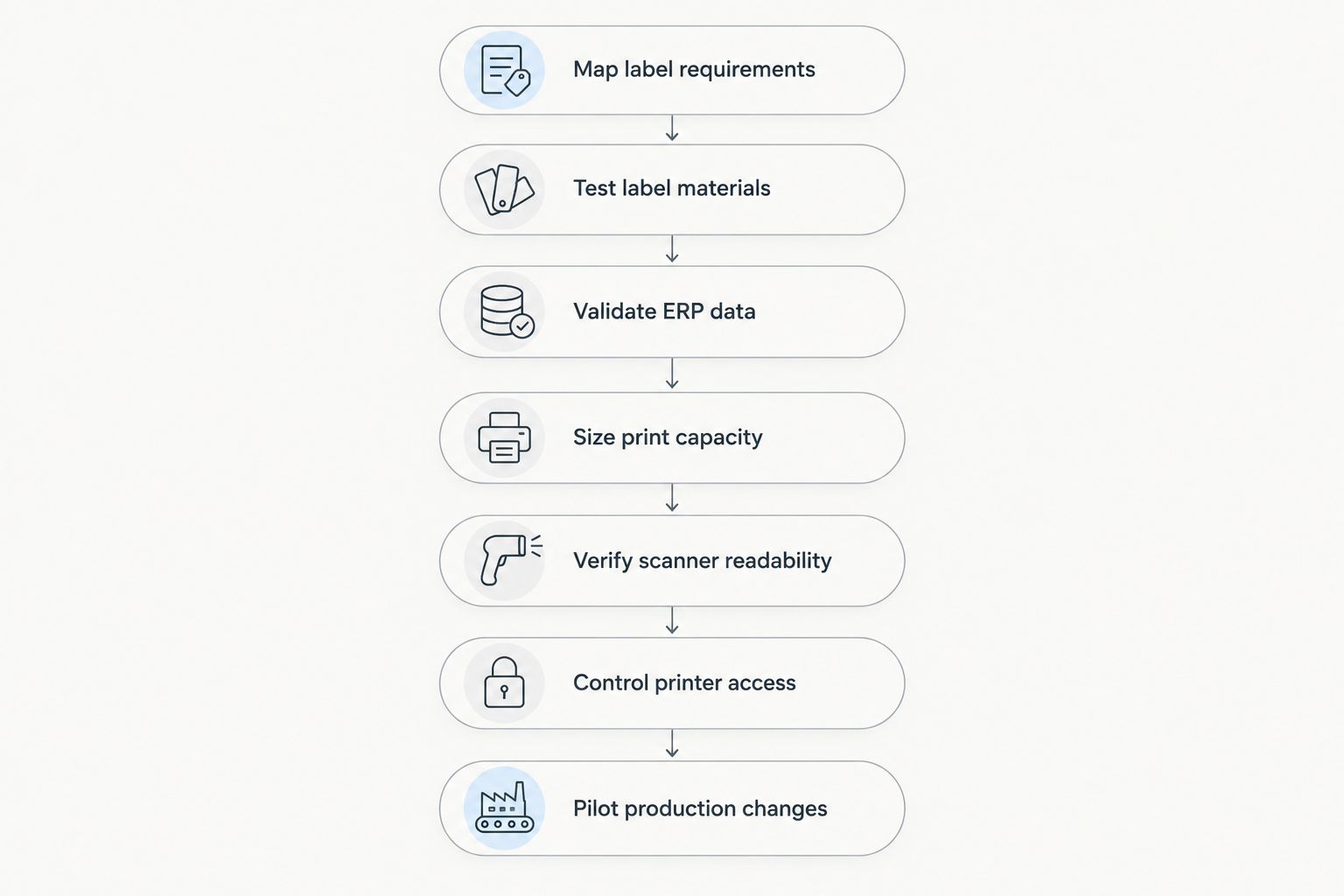
Follow the same decision sequence for every new application: define the requirement, test the label, validate the data, check capacity, prove readability, assign access and pilot the change.
- Include ordinary jobs and production exceptions in the pilot.
- Check label content against the corresponding work order.
- Test reprints without creating unintended duplicate identifiers.
- Record faults and corrective actions before acceptance.
- Approve the complete workflow with production, quality and IT.
Compare printing options for your plant
Printing technology and printer construction are different decisions. Direct thermal versus thermal transfer determines how the image is produced; desktop versus industrial describes the equipment class. Select both against the application rather than treating industrial as a printing method.
The following options are configurations, not specific product recommendations. Use the table to narrow your requirements, then test the actual device and media combination.
| Option | Best for | Main advantage | Key limitation |
|---|---|---|---|
| Desktop direct thermal | Short-lived container or dispatch labels at a local station | No ribbon to load or manage | Heat-sensitive media is unsuitable for some exposure and lifetime requirements |
| Desktop thermal transfer | Local stations needing durable identification with a manageable workload | Supports compatible label-and-ribbon combinations without an industrial chassis | Media capacity and sustained workload suitability depend on the model |
| Industrial thermal transfer | Production stations needing durable labels and equipment sized for demanding workflows | Industrial models provide media-handling and construction choices for plant use | Larger equipment adds space, configuration and maintenance requirements |
| Mobile label printer | Operators who must print at the point of handling | Reduces travel to a fixed printing station | Battery management, connectivity and media capacity become operating constraints |
Choose desktop equipment when its tested workload and media handling meet the requirement. Choose industrial equipment when you need its particular construction or operating features. Neither choice removes the need to validate labels, templates and data.
A purchasing brief for manufacturing label printers should ask Voll to confirm the proposed equipment and integration scope against your approved requirements. Its business IT and ERP support positioning fits that conversation; the printer-media combination still needs plant testing.
Common mistakes manufacturing plants make
Approving labels before process exposure
A fresh label can scan correctly and still fail after cleaning, abrasion or storage. Test the label at its final reading point, using the actual surface and expected handling. Do not substitute an office sample for a production trial.
Treating shipping labels as production labels
An outbound carton label does not establish suitability for a component that stays in service or passes through processing. Keep separate specifications for product identification, work-in-progress containers and transport packaging.
Printing identifiers from uncontrolled spreadsheets
An accurate-looking label can reference a stale batch or obsolete part revision. Assign an authoritative data source and control the template. Manual entry needs explicit checking until a validated integration replaces it.
Buying speed without measuring the workflow
A fast print engine does not eliminate queues, media changes or trips across the plant. Measure the task where labels are used. Match capacity and printer location to peak demand rather than average output.
Allowing unrestricted reprints
A reprint is not always a harmless replacement. Define how operators confirm the item, account for the damaged label and avoid applying the same identifier to unrelated goods. Include that procedure in operator training.
FAQ
What are the best label printers for manufacturing plants?
The best label printers for manufacturing plants are those validated against the required label lifetime, process exposure, peak workload and ERP workflow. Thermal transfer is the stronger starting point for durable identification; direct thermal suits short-lived applications with suitable exposure conditions.
Is thermal transfer better than direct thermal for manufacturing labels?
Thermal transfer is better suited to durable manufacturing identification when the ribbon, label material and adhesive match the application. Direct thermal avoids ribbon handling but uses heat-sensitive media, so it needs a suitable lifetime and environment.
Do I need an industrial printer for a small manufacturing plant?
A small manufacturing plant does not automatically need an industrial printer. Choose equipment by tested workload, media handling, operating environment and maintenance needs rather than company size.
Which print resolution should I choose for manufacturing barcodes?
Choose print resolution by testing the intended barcode and text at their actual label size. Common options include 203 dpi, 300 dpi and 600 dpi, but resolution alone does not establish barcode quality or scanner compatibility.
Can label printing connect to Primavera/Cegid ERP?
A proposed Primavera/Cegid label-printing connection must be checked against the installed software, available integration method and selected printing application. Validate field mapping, job submission and reprint handling before treating the connection as production-ready.
How do I stop duplicate batch or serial labels?
Control identifier creation and reprinting at the data source, then restrict the actions operators can take. A printer cannot determine whether two identical labels belong to the same item unless the surrounding workflow supplies that control.
What should I test before rolling out manufacturing label printers?
Test adhesion, process exposure, barcode readability, ERP field accuracy, peak demand and exception handling before rollout. Include damaged labels, cancelled jobs and interrupted connections in the pilot.
One last thing
A barcode that scans perfectly can still identify the wrong item. Make your final acceptance test a record match: scan the applied label, open the resulting production record and confirm the physical item’s part, batch and revision wherever those fields apply.
That test checks what print appearance cannot. For your 2026 rollout, approve the printer only after the label, data and physical item agree.


