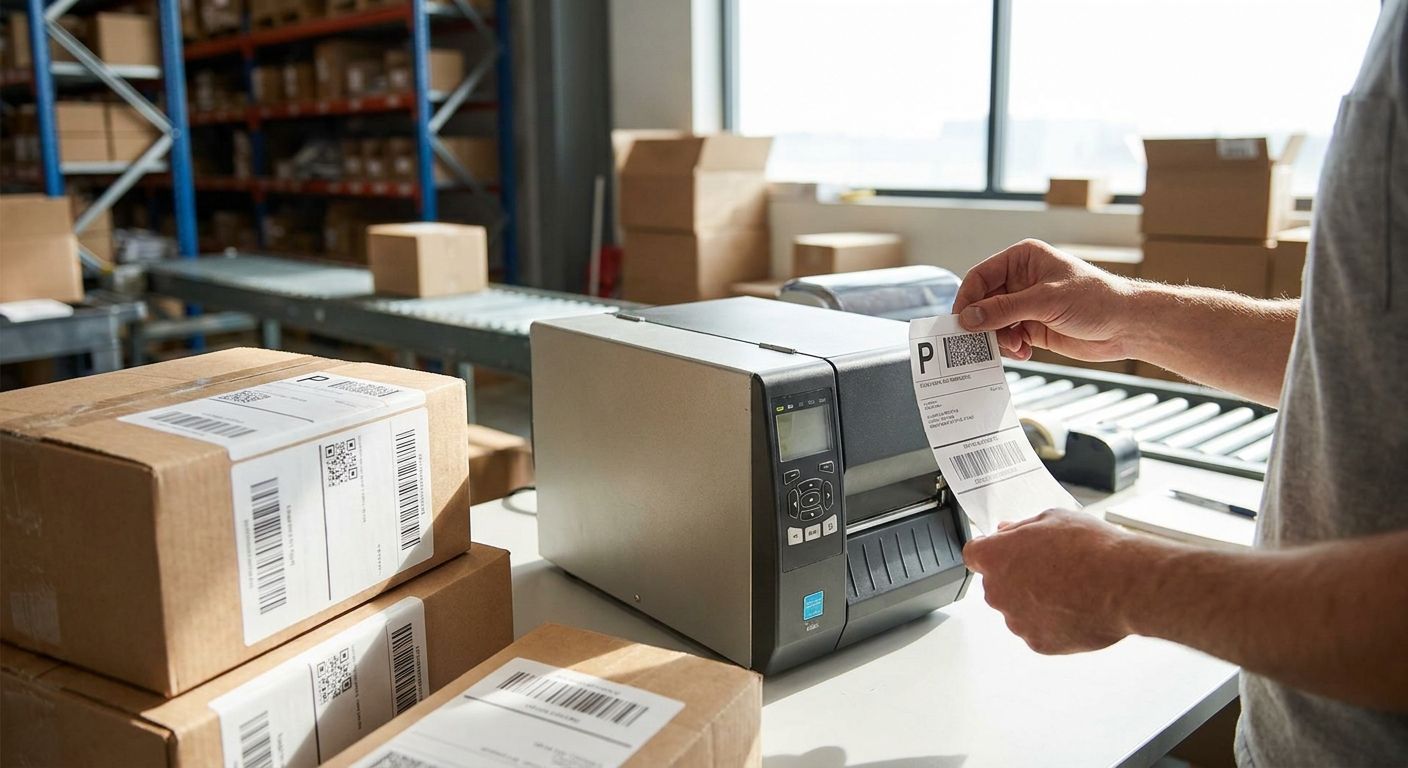
Picking the wrong printer for shipping labels costs you jammed rolls, blurry barcodes carriers reject, and a pack station that can't keep up during a sales spike. This guide breaks down what actually matters when you're buying shipping label printers for logistics and e-commerce operations in 2026, and which setup fits which volume.
- Direct thermal printers win for e-commerce shops under a few hundred labels a day — no ribbon, lower upfront cost.
- Thermal transfer printers are the right call for warehouses where labels sit in cold storage or get handled repeatedly.
- Most carriers in Portugal and across Europe standardize on the 4x6 inch label — confirm ZPL or EPL support before buying.
- Pair any shipping label printer for logistics with a barcode scanner at the pack station to cut mislabeled shipments.
- VOLL delivers replacement IT equipment across Portugal in 24-48h, which matters when a printer fails mid-peak-season.
Why this matters
A shipping label printer sits at the exact point where an order becomes a package. Get the wrong one and you're re-printing labels, jamming rolls during a Black Friday surge, or shipping out barcodes a courier's scanner can't read. None of that shows up on a spec sheet until it's already cost you a day.
The logistics and e-commerce operators shopping for this gear in 2026 aren't buying office printers with a label mode bolted on. They need dedicated thermal hardware built for repetition — hundreds or thousands of labels a shift, running for years without a service call. VOLL sells into this space as part of a broader B2B IT catalog for Portuguese companies, and the equipment categories that support a label printing workflow — thermal printing hardware, barcode scanners, mobile connectivity for delivery fleets — sit right next to each other in VOLL's catalog for a reason: they're bought together.
Who this is for
This guide is for the warehouse manager sizing up a pack station, the e-commerce operator shipping 50 to 500 orders a day, and the logistics coordinator equipping a delivery fleet with mobile printing. If you're printing invoices on a laser printer and calling it a shipping label, this is the point where that stops scaling.
What to look for in shipping label printers for logistics
Print technology: direct thermal vs. thermal transfer
Direct thermal printers burn the image straight onto heat-sensitive paper — no ribbon, lower running cost, and the standard choice for shipping labels that get scanned once and thrown away within days. Thermal transfer printers use a ribbon to melt ink onto the label, producing marks that survive heat, moisture, and months of storage. If your labels sit in a warehouse or cold room before shipping, thermal transfer earns back its higher running cost in labels that don't fade illegibly before the courier scans them.
Connectivity and integration with your order system
A printer that only talks USB is fine for one desk. A warehouse running multiple pack stations needs Ethernet or Wi-Fi so the printer sits on the network and pulls jobs from your order management or ERP system directly. Most logistics operations run ZPL or EPL command languages under the hood — confirm the printer supports the language your e-commerce platform or ERP already generates before you buy, not after.
Print speed and duty cycle
A desktop printer rated for light office use will overheat and stall under continuous warehouse printing. Ask for the duty cycle rating — how many hours a day the printer is built to run — rather than trusting a peak speed number that only holds for short bursts. This is the spec that separates a printer that survives peak season from one that needs replacing every year.
Media handling and label format
Most carriers, including CTT and the major European couriers, have standardized on the 4x6 inch label format. Confirm your printer's roll width and gap-sensing mechanism handle die-cut labels at that size without manual calibration every time you swap rolls — that's the difference between a two-minute changeover and a ten-minute one, multiplied by every shift.
Durability for the environment it lives in
A printer on an office desk and a printer bolted to a forklift-adjacent pack station in a warehouse aisle have different survival requirements. Dust, temperature swings, and drops matter in a warehouse; they don't on a quiet back-office desk. Match the housing rating to where the unit actually lives, not to where you assumed it would.
Total cost of ownership, not sticker price
Direct thermal costs less upfront and needs no ribbon, but the paper itself carries a slightly higher per-label cost over high volumes. Thermal transfer flips that: cheaper labels, but you're buying ribbon continuously. Run the math on your actual monthly label count before deciding — the cheaper printer on day one isn't always the cheaper printer by month six.
Set up a business account for bulk orders
Order IT equipment for your logistics stack with B2B pricing and fast delivery.
Three setups, three verdicts
The high-volume warehouse pack station
The pick for anyone printing more than a few hundred labels a shift: a network-connected thermal printer with a continuous duty rating, paired with a scanner at the pack table to verify SKUs before the label prints. VOLL's line of barcode scanners for retail checkout counters covers the same scanning technology a warehouse pack station needs — the housing and mounting change, the scan engine doesn't. Verdict: Buy if your volume justifies the duty cycle; Skip if you're printing under 50 labels a day, you'll pay for capacity you don't use.
The mobile delivery fleet setup
Drivers printing labels or manifests from a van or mobile unit need connectivity that doesn't drop when the vehicle leaves Wi-Fi range. Teltonika routers for delivery fleets keep mobile printers, tablets, and scanners on a stable connection across a route, which matters more than printer speed once the fleet is moving. Verdict: Consider this setup if your team prints on the move; Buy the router regardless once you've picked a mobile printer, since a printer with no signal is just a paperweight.
The small e-commerce pack desk
For an operation shipping under 300 orders a day from a single desk, a desktop direct thermal printer is the right call — no ribbon to restock, lower upfront cost, and labels that only need to survive a few days in transit. The same thermal print mechanism VOLL supplies for thermal receipt printers in retail POS setups is the same core technology behind desktop label printers — if you already run one for receipts, you understand the maintenance. Verdict: Buy for low-to-mid volume shops; Wait if you're still under 20 orders a day and shipping labels by hand is still faster than the changeover.
What to avoid
- Inkjet or laser printers repurposed for labels. Ink smudges on thermal-coated label stock and toner doesn't adhere well to the adhesive backing — carriers reject blurry barcodes and you re-print the shipment.
- No-name thermal printers without ZPL/EPL documentation. If the vendor can't confirm which command language the printer speaks, your e-commerce platform or ERP integration becomes a support ticket, not a setup.
- Buying on print speed alone. A printer rated for fast bursts but a low duty cycle will overheat under real warehouse load — ask about continuous-run hours, not peak speed.
Verdict comparison
| Setup | Best for | Print tech | Verdict |
|---|---|---|---|
| Warehouse pack station | 300+ labels/day, continuous runs | Thermal transfer, networked | Buy |
| Mobile delivery fleet | Drivers printing on route | Direct thermal, mobile-connected | Consider |
| Small e-commerce desk | Under 300 orders/day | Direct thermal, desktop | Buy |
Where to buy
- Buy from a B2B supplier that separates equipment pricing from VAT so you can see the real business cost upfront — VOLL prices IT equipment without IVA for business buyers and quotes on request.
- Confirm delivery timelines before peak season, not during it — a printer that fails in December needs a replacement in days, not weeks.
- If you're buying more than one unit, set up a bulk business account rather than ordering one at a time — it simplifies reordering ribbon and labels later.
Companies buying equipment for resale or business use in Portugal can also buy IT equipment tax-free under the applicable business purchasing rules — worth checking before you place a bulk order in 2026.
FAQ
What's the best shipping label printer for a small e-commerce business in 2026?
A desktop direct thermal printer is the best fit for shops printing under a few hundred labels a day in 2026. It skips the ribbon cost of thermal transfer and keeps the upfront price low.
Is thermal transfer better than direct thermal for warehouse shipping labels?
Thermal transfer is better when labels sit in storage for weeks or face heat and handling before shipping. Direct thermal is cheaper and fine for labels that ship within days of printing.
What label size do most carriers require?
Most carriers, including major European couriers, standardize on the 4x6 inch shipping label. Confirm your printer's roll width and gap sensor handle that size before buying.
Can a shipping label printer connect directly to a WMS or ERP system?
Yes, most logistics-grade printers connect over Ethernet or Wi-Fi and accept jobs directly from an ERP or order management system. Confirm the printer supports ZPL or EPL, the command languages most of these systems generate.
Do I need a barcode scanner alongside a shipping label printer?
Yes, a scanner at the pack station verifies the SKU before the label prints, which cuts mislabeled shipments. This matters more as order volume grows past a single-person operation.
How fast should a warehouse label printer be?
Speed matters less than duty cycle — how many continuous hours the printer is built to run without overheating. A printer rated for light office use will stall under warehouse-level volume even if its peak speed looks fast on paper.
What happens if a shipping label printer fails during peak season?
You need a replacement within days, not weeks. VOLL delivers IT equipment across Portugal in 24-48h, which is the window that matters when a pack station goes down mid-surge.
One last thing
The detail most buyers skip: check gap-sensing calibration before your first bulk order of labels arrives, not after. A printer that misreads the gap between die-cut labels will print across two labels at once, and you won't catch it until you've burned through a full roll during a shift that mattered.


