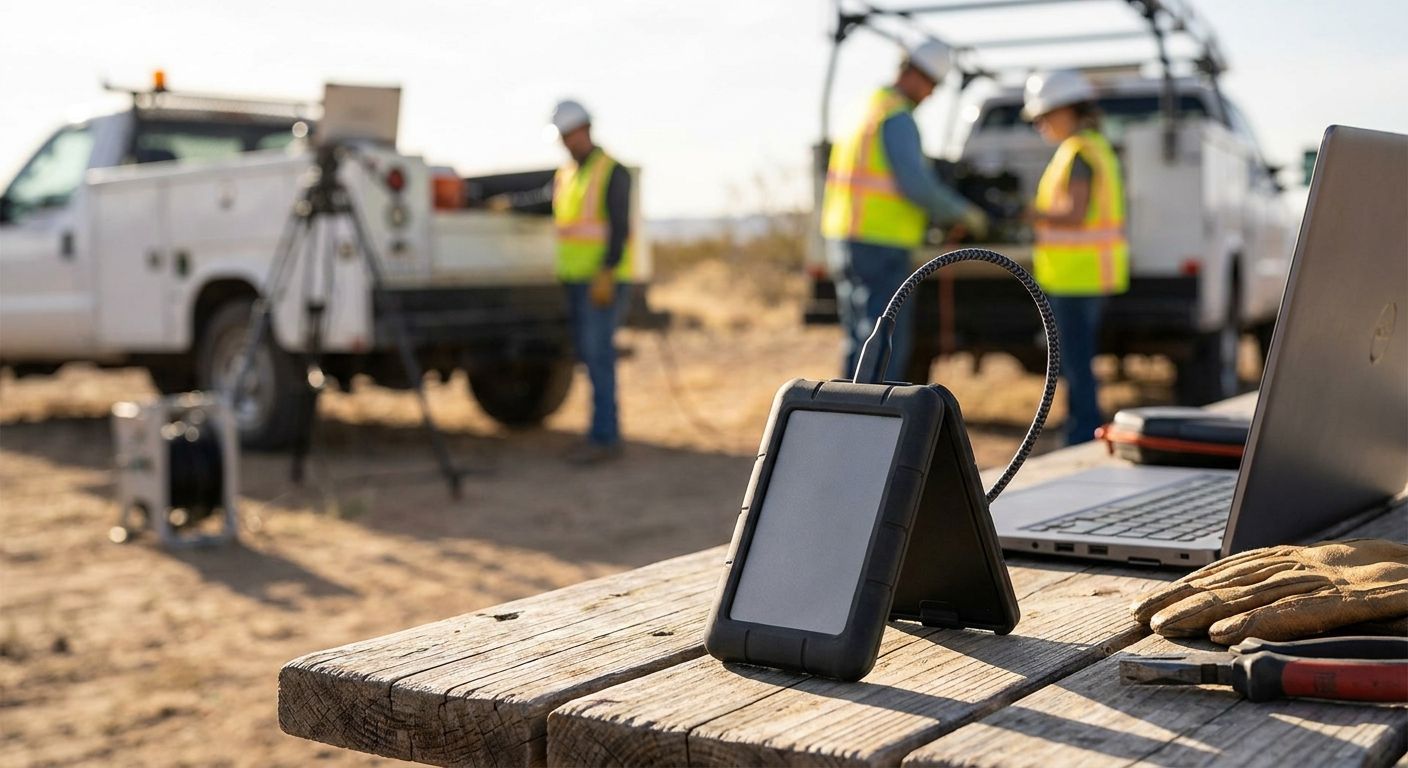
Field technicians lose more billable hours to dead USB sticks and cracked portable drives than to almost any other tool failure, and a drive built for a desk does not survive a van floor. This guide breaks down which external SSDs hold up for on-site IT installs, POS commissioning, and network surveys in 2026, and which ones only look field-ready.
- Samsung T7 Shield is the safe pick for 2026 — IP65 rated, drop-proof to 3 meters, 1,050 MB/s read. Buy it.
- SanDisk Extreme PRO Portable SSD V2 wins on raw speed at up to 2,000 MB/s for large diagnostic transfers. Buy it.
- Crucial X9 Pro is the budget-conscious external ssd for field technicians who need 1TB without paying a rugged-brand premium. Consider it.
- Skip unrated consumer drives like the standard WD My Passport SSD for daily field use — no IP rating means one rainy install kills it.
Why this matters
A blown SSD on-site means re-running a POS install, re-pulling network logs, or telling a client you lost their migration backup. None of that is recoverable time, and none of it looks good in front of a customer. The drives that survive a technician's day are not the drives that top a general "best external SSD" list — they are rated for dust, drops, and the kind of cable abuse a laptop bag never sees on a desk.
Who this is for
This guide is for field technicians and mobile IT teams doing on-site installs, network commissioning, POS deployments, or ERP data migrations — the kind of work where a laptop, a rugged drive, and a mobile connection are the whole toolkit. If your team already runs Teltonika routers for mobile teams to get online at a client site, the external SSD sitting in the same bag needs to survive the same conditions the router does.
What to look for in an external SSD for field technicians
1. IP rating for dust and water
An IP rating is the difference between a drive that survives a dusty warehouse install and one that dies the first time it sits on a wet counter. Anything below IP54 is a desk drive wearing a field jacket — treat it that way.
2. Drop and crush resistance
Drives get dropped from tailgates, kicked under server racks, and sat on in van seats. A published drop-resistance figure in meters (not "durable" marketing copy) tells you what the drive was actually tested to survive.
3. Transfer speed for large files
Diagnostic logs, full POS database exports, and ERP migration backups run into tens of gigabytes. A drive capped under 500 MB/s turns a 15-minute backup into an hour of standing around a client's server room.
4. Connector and cable durability
USB-C ports on cheap drives loosen after a few dozen plug cycles in a moving vehicle. Look for a captive or reinforced cable and a metal-shelled port, not a flimsy plastic connector that flexes.
5. Capacity vs. bus power draw
A 4TB drive that pulls heavy current will drain a laptop battery fast on a day with no outlet. Match capacity to the job — most field techs never need more than 1-2TB for daily transfers, and a lighter power draw matters more than headroom they will not use.
Top picks for 2026
Samsung T7 Shield — the safe pick
IP65 rated against dust and water, drop-resistant to 3 meters, and rated for sequential read speeds up to 1,050 MB/s over USB-C. It is the drive you hand a new hire without worrying what happens to it on their first site visit. Pair it with one of the laptops for remote and hybrid teams that field technicians already carry, and the whole kit survives the same conditions. Verdict: Buy.
SanDisk Extreme PRO Portable SSD V2 — the speed pick
Rated for read speeds up to 2,000 MB/s over USB-C 3.2 Gen 2x2, this is the drive for technicians moving large ERP backups or network capture files between sites. It carries an IP65 rating too, so speed does not come at the cost of durability. Verdict: Buy.
Crucial X9 Pro — the budget pick
An IP55-rated aluminum body with read speeds up to 1,050 MB/s, at a lower price point than the rugged flagships. It gives up a step of drop protection compared to the T7 Shield, so it fits technicians whose work is mostly indoor installs with occasional field trips. Verdict: Consider.
LaCie Rugged SSD Pro — the toughest pick
IP54 rated, crush-resistant, drop-resistant to 3 meters, with read speeds up to 2,000 MB/s over USB-C. The orange rubber bumper is not just cosmetic — it is built for construction sites and warehouse floors, not office desks. It costs more than the other three picks, so it earns its place only for technicians in genuinely rough environments. Verdict: Consider.
What to avoid
- Unrated consumer drives. A standard WD My Passport SSD or similar with no published IP rating looks identical to a rugged drive in a product photo. One spilled coffee or rainy install and it is gone.
- Bus-powered drives with no cable strain relief. A cheap captive cable that flexes at the connector will fail from vibration in a moving vehicle long before the SSD itself does.
- Buying on capacity alone. A 4TB drive with mediocre write speeds slows down every backup a technician runs that day. Speed and IP rating matter more than extra terabytes most field kits never fill.
Verdict comparison table
| Drive | IP rating | Read speed | Drop resistance | Verdict |
|---|---|---|---|---|
| Samsung T7 Shield | IP65 | Up to 1,050 MB/s | 3 meters | Buy |
| SanDisk Extreme PRO V2 | IP65 | Up to 2,000 MB/s | 3 meters | Buy |
| Crucial X9 Pro | IP55 | Up to 1,050 MB/s | Not rated for drops | Consider |
| LaCie Rugged SSD Pro | IP54 | Up to 2,000 MB/s | 3 meters | Consider |
Equipping a field team for 2026?
Set up a business account to order rugged storage and IT gear in bulk with no VAT for eligible purchases.
FAQ
What is the best external ssd for field technicians in 2026?
The Samsung T7 Shield is the best overall pick for 2026, with an IP65 rating, drop resistance to 3 meters, and read speeds up to 1,050 MB/s. The SanDisk Extreme PRO Portable SSD V2 beats it on raw speed at up to 2,000 MB/s if large file transfers matter more than a lower price.
Is an IP65 rating necessary for a field technician's SSD?
Yes, if the drive gets used outdoors, in warehouses, or on job sites with dust and moisture. IP54 is the minimum acceptable rating for occasional rough use, while IP65 protects against sustained dust and water exposure that a desk drive was never built to handle.
How much storage do field technicians actually need on a portable drive?
Most field technicians never fill more than 1-2TB during daily backup and transfer work. Buying beyond that mainly adds cost and, on some models, extra power draw with no practical benefit for typical POS, network, or ERP job files.
Are rugged SSDs slower than standard portable SSDs?
Not necessarily. The SanDisk Extreme PRO Portable SSD V2 and LaCie Rugged SSD Pro both rate up to 2,000 MB/s despite carrying rugged IP ratings, matching or beating many non-rugged drives on the market in 2026.
Can a bus-powered SSD drain a laptop battery on a field job?
Yes, a heavy-draw drive can noticeably shorten laptop battery life during a long transfer with no outlet available. Matching capacity and speed to the actual job, rather than buying the largest drive available, keeps power draw manageable.
What connector should a field technician's external SSD use?
USB-C with a reinforced or captive cable is the standard for 2026 field kits, since it supports the highest transfer speeds and holds up better to repeated plugging in a vehicle than older USB-A designs.
Do field technicians need drive encryption on their SSD?
Encryption matters whenever the drive carries client data, ERP exports, or network configuration files, since a lost or stolen drive without encryption exposes that data immediately. Several rugged drives ship with built-in hardware encryption as a standard feature.
One last thing
The rugged bumper on a drive like the LaCie Rugged SSD Pro is not decoration — it is the reason a $200 drive survives a fall that would crack a $40 one, and for a technician running four site visits a week in 2026, that difference pays for itself the first time the van door slams on the bag.


