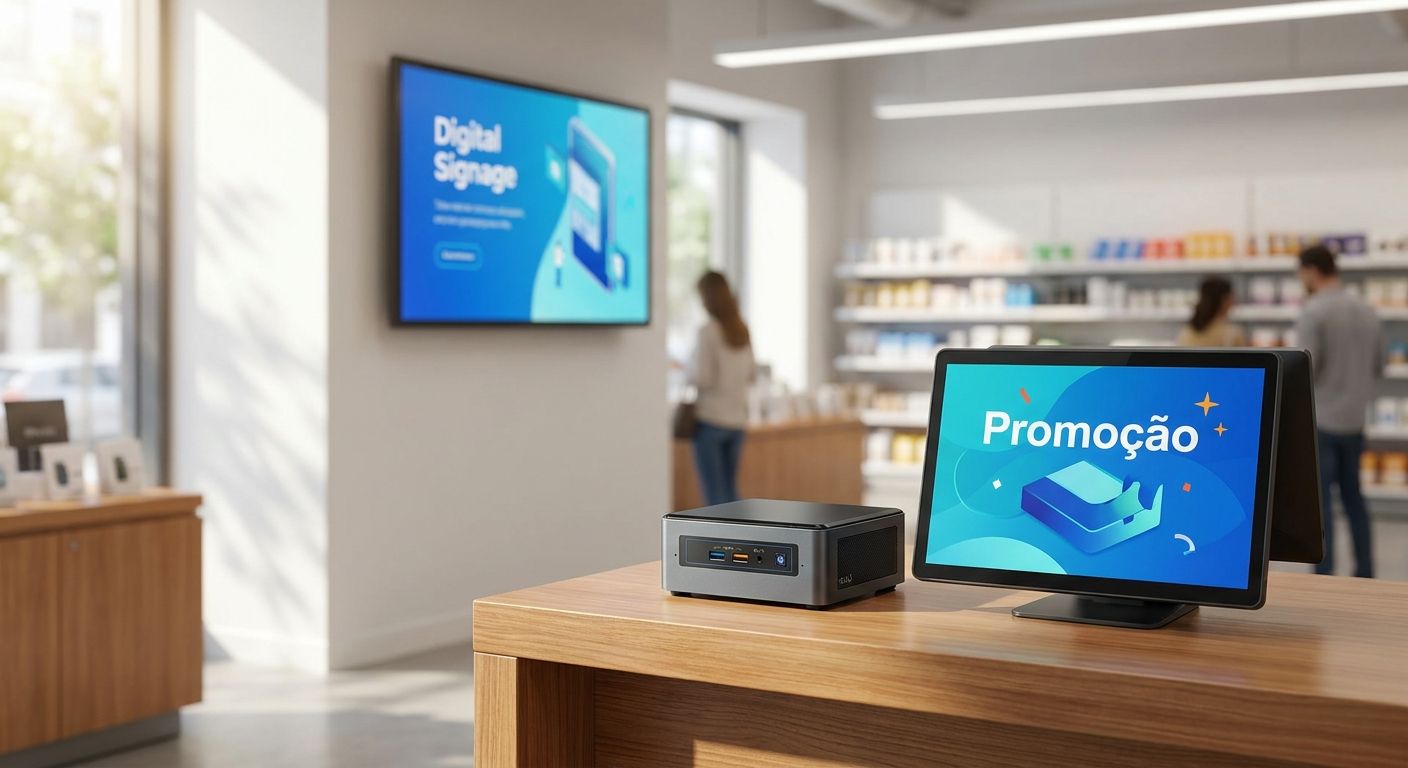
A mini PC on a retail counter has to run WinTouch POS, sync with Primavera in the background, and often drive a second screen for digital signage — all inside a box the size of a paperback. This guide breaks down what actually matters when you're buying mini pc para lojas setups for 2026, and which configuration fits a single boutique versus a multi-branch chain.
- An 8GB RAM, 256GB SSD fanless mini PC handles WinTouch POS plus a second signage screen on most single-till counters.
- Chains running WinTouch Cloud with Primavera sync in the background need 16GB RAM minimum, not 8GB — buy accordingly.
- Passive-only mini PCs marketed for signage struggle with continuous 8-hour POS duty; check the thermal spec before you order.
- VESA mount kits use the 75x75mm or 100x100mm standard — confirm the mini PC bracket matches before it ships.
- Delivery across Portugal runs 24-48h, so a wrong pick costs you two days, not two weeks.
Why this matters
A counter mini PC isn't a general-purpose desktop swapped for something smaller. It runs WinTouch POS software for 8-12 hours straight, holds a live connection to Primavera or Cegid for stock and invoicing, and — in a growing number of stores in 2026 — pushes a promo loop to a second screen at the same time. Get the RAM, ports, or cooling wrong and you're not looking at a slow app, you're looking at a frozen till during checkout.
The category is crowded with cheap Android boxes rebranded as "mini PC" that can't run Windows-based POS software at all. Filtering those out before you spend is the actual job of this guide.
Who this is for
This is for the store owner or IT buyer replacing a bulky desktop tower under the counter, opening a second location, or adding a promo screen above the till. It applies whether you run a single boutique, a café chain, or a small supermarket where the counter PC also has to survive being bumped by trolleys all day.
What to look for in a mini PC for stores
Fanless cooling for continuous uptime
A retail till runs 8-12 hours a day, every day — that's a different duty cycle than an office PC that sleeps overnight. Fanless or low-RPM designs matter because dust and coffee spills near a counter kill fan-cooled units faster than almost anywhere else in a building.
CPU and RAM sized for POS plus ERP sync
WinTouch POS alone runs fine on modest hardware, but add a live Primavera or Cegid sync in the background and RAM demand climbs fast. 8GB is the floor for a single till; 16GB is the realistic minimum once you're syncing stock across branches.
Storage: SSD size and write endurance
A 128GB SSD is the bare minimum for Windows 11 plus WinTouch, but 256GB gives room for local transaction logs, offline caching, and updates without the drive filling up mid-season. Spinning HDDs have no place on a counter mini PC in 2026 — the failure risk from vibration alone rules them out.
Port count for real counter hardware
Count your peripherals before you count RAM: barcode scanner, receipt printer, cash drawer, card reader, and sometimes a second monitor all need a live port. A mini PC with only two USB ports forces you into hubs, and hubs are the single most common point of failure on a busy counter.
VESA mount and footprint
Most counter and signage mounts use the VESA 75x75mm or 100x100mm hole pattern. Confirm the mini PC's mounting bracket matches before ordering — a mismatched bracket means the unit sits loose on the counter instead of bolted behind the screen.
Windows licensing and ERP compatibility
WinTouch POS and Primavera ERP integrations are built for Windows, not Android or ChromeOS variants some "mini PC" listings quietly ship with. Confirm the OS license is genuine Windows 11 before you commit — this is the detail that trips up buyers chasing the lowest listed price.
Top picks by use case
The safe pick — single-counter boutique. A fanless mini PC with 8GB RAM and a 256GB SSD covers one till running WinTouch POS plus a promo loop on a second HDMI output. One box, two screens, no fan noise near customers. Verdict: Buy.
The workhorse — multi-branch retail chain. Once WinTouch Cloud is syncing stock and pricing across branches in the background, bump RAM to 16GB and make sure Gigabit Ethernet is standard, not optional. This is the config that keeps a chain's complete POS terminal setup responsive during a Saturday rush across three or four locations at once. Verdict: Buy.
The wildcard — quick-service counter with heavy peripheral load. A counter running scanner, printer, cash drawer, and card reader simultaneously needs at least 4 USB ports, not 2. Mini PCs that look identical on spec sheets often differ here — check the port list line by line before ordering. Verdict: Consider.
The skip — signage-only loop dressed up as a counter PC. Ultra-low-power, passive-only units built for static digital signage rarely have the sustained CPU headroom for a live POS session plus a second display. Fine for a lobby screen with no till attached; wrong for a counter that also has to ring up sales. Verdict: Skip.
Get the right mini PC config for your counter
Request a quote and match RAM, ports, and mounts to your POS setup.
What to avoid
- Android "mini PC" boxes marketed for signage. They stream video fine but can't run WinTouch POS or connect to Primavera at all — a dealbreaker disguised as a bargain.
- 4GB RAM units at a tempting price. They boot WinTouch fine on day one, then choke the moment ERP sync, a card terminal, and a receipt printer are all running at once.
- Fan-cooled units placed right next to a coffee machine or fryer. Heat plus grease plus a spinning fan is a service call waiting to happen within a season, not a year.
Verdict comparison
| Profile | RAM | Storage | Ports | Verdict |
|---|---|---|---|---|
| Single boutique till | 8GB | 256GB SSD | 4x USB, 2x HDMI | Buy |
| Multi-branch chain | 16GB | 256GB SSD | 4x USB, Gigabit Ethernet | Buy |
| Heavy peripheral counter | 8-16GB | 256GB SSD | 4+ USB | Consider |
| Signage-only loop | 4-8GB | 128GB SSD | 2x HDMI | Skip (for counter duty) |
Once the counter hardware is settled, the software side is what actually earns its keep day to day — check how a mini PC config lines up with ERP Primavera for retail stores before finalizing an order, especially if stock sync across tills is part of the plan.
FAQ
What is the best mini PC for a retail store counter in 2026?
A fanless mini PC with 8GB RAM and a 256GB SSD is the best baseline for a single-till retail counter in 2026. Chains syncing stock across branches should move up to 16GB RAM to keep WinTouch Cloud and Primavera sync responsive.
Is a mini PC enough to run WinTouch POS and Primavera at the same time?
Yes, as long as RAM is sized correctly — 8GB works for a single till, 16GB is safer once live ERP sync runs in the background. Underpowered units with 4GB RAM tend to stall during checkout once both systems are active.
How much RAM does a mini PC need for a POS terminal?
8GB is the practical minimum for WinTouch POS alone in 2026. Add a Primavera or Cegid sync connection and 16GB becomes the safer choice to avoid slowdowns during peak hours.
Can one mini PC run both the till and a digital signage screen?
Yes, a mini PC with dual HDMI output can drive a POS screen and a promo loop from a single unit. This only works reliably with active cooling and 8GB RAM or more — passive signage-only units usually can't handle both loads.
Do mini PCs need a fan for all-day retail use?
Fanless units are preferred for dust and spill resistance, but they need a strong passive heatsink to survive 8-12 hours of continuous POS use. Cheap fanless boxes built for casual signage often throttle under sustained retail load.
What ports does a retail mini PC need?
At minimum 4 USB ports to cover a barcode scanner, receipt printer, cash drawer, and card reader without a hub. Add Gigabit Ethernet if the store syncs stock or pricing with other branches.
Is a mini PC cheaper than a full POS terminal?
A mini PC is typically the compute core of a POS setup, not a replacement for the full terminal — screen, scanner, printer, and drawer are separate line items. Pricing for business buyers is quoted without IVA, with the final cost depending on which peripherals are bundled.
How long does delivery take for IT equipment in Portugal?
Delivery runs 24-48h across the country for standard business orders in 2026. That timeline matters when a counter mini PC fails and a store can't operate without a replacement.
One last thing
The detail buyers miss most in 2026 isn't RAM or storage — it's the VESA bracket. A mini PC that ships without a 75x75mm or 100x100mm compatible mount ends up sitting loose on the counter instead of bolted behind the monitor, which defeats the entire point of buying a mini PC over a tower in the first place.


