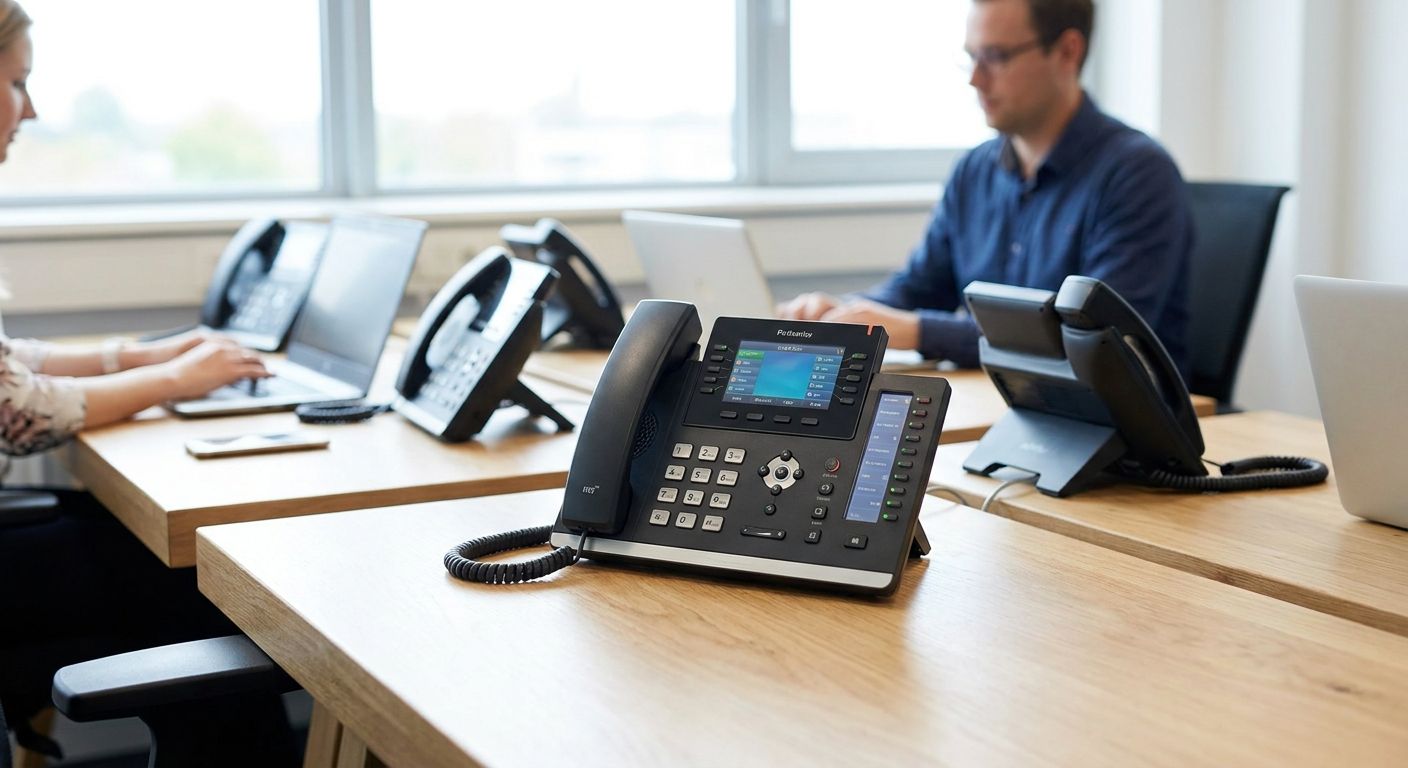
VoIP desk phones for office communication systems replace analog handsets with IP-based units that plug into your existing network instead of a phone line, and picking the right one in 2026 depends on call volume, department layout, and how tightly calls need to tie into your CRM or ERP. A reception desk answering steady inbound traffic has different needs than a warehouse floor that only needs an intercom line, and the phone hardware is rarely where office VoIP rollouts actually fail.
- VoIP desk phones for office setups depend on PoE-powered switches and segmented Wi-Fi, not on the handset brand.
- Match phone type to department first: desk phones for reception, DECT wireless for staff on the move, softphones for hybrid roles.
- Toll fraud and dropped calls in 2026 trace back to unmanaged network config, not to the phones themselves.
- Voll supplies the PoE switches, access points, and firewalls that make office VoIP desk phones reliable, delivered in 24-48h across Portugal.
Why VoIP desk phones matter for office communication systems
Offices move to VoIP desk phones because a traditional PBX line costs more per extension and doesn't talk to the ERP or CRM the business already runs on. Every added extension on an analog system means another physical line; on VoIP, it's a config change.
The real friction shows up after the phones arrive. A rollout planned around handset count alone, without checking Voll's catalog reference points for network gear that actually supports voice traffic, ends up with phones that reboot mid-call or fight Wi-Fi guests for bandwidth. The network under the desk decides whether office VoIP phones work — not the phone model.
How to choose and roll out VoIP desk phones for your office
Audit your current call volume and desk count
Start with what you already pay for, not what a vendor pitches.
- Pull the last three months of phone bills and count active extensions still in use.
- List every desk, reception point, and shared line that currently rings, including ones nobody uses anymore.
- Flag departments needing call recording, hold queues, or after-hours routing.
- Note any analog holdouts — fax lines, elevator phones, alarm dialers — that can't simply move to VoIP.
Map departments to phone requirements
A single phone model for the whole office almost always overspends on some desks and underspends on others.
- Reception and support desks need multi-line handling and a hold button that works under pressure.
- Sales desks benefit from headset compatibility and quick transfer between colleagues.
- Warehouse or shop-floor staff often need a cordless handset over a fixed desk unit.
- Executive offices rarely need more than a basic two-line phone with a speaker.
Choose desk phone vs. DECT wireless vs. softphone
This decision drives the rest of the budget, so make it deliberately.
- Desk phones fit fixed roles with a permanent workstation.
- DECT wireless handsets suit staff who move between rooms or floors during a shift.
- Softphone apps work on a laptop or tablet already issued to hybrid employees, cutting hardware spend.
- Conference units belong only in meeting rooms with real video-call volume, not on every desk.
Size your PoE power and switch ports for the rollout
Most VoIP rollouts stall here, and it has nothing to do with the phone brand. Many switches advertise 24 or 48 ports but budget enough wattage for only a fraction running simultaneously, so a switch spec sheet needs a PoE watt-budget check, not just a port count. Professional-grade PoE network switches sized for phones and cameras give every extension power without a separate adapter cluttering the desk, and pairing that with structured cabling avoids the mid-call reboots that come from underpowered ports.
- Confirm the switch's total PoE budget, not just its port count.
- Reserve extra ports for growth — adding desks later shouldn't mean a new switch.
- Separate voice VLAN traffic from data traffic at the switch level.
- Keep a spare PoE injector on hand for the one desk too far from the switch.
Segment Wi-Fi and LAN traffic for voice quality
Voice packets need priority over a guest streaming video in the break room, and that only happens with proper network segmentation. A dedicated, segmented office Wi-Fi network with QoS tagging for voice traffic keeps call quality stable even when the office network gets busy with everything else running on it.
- Put VoIP phones on their own VLAN, separate from guest and general staff Wi-Fi.
- Tag voice traffic for QoS priority at the router and switch.
- Test call quality during peak office hours, not just at 8am when the network is quiet.
- Add a wired option for any phone in a Wi-Fi dead zone rather than forcing it wireless.
Integrate with your ERP or CRM and call reporting
The advantage of VoIP over analog is that calls become data. Integration with a Primavera or Cegid-based ERP lets call logs attach to customer records automatically instead of living in a separate spreadsheet nobody updates.
- Confirm the VoIP system can log calls against existing customer or client records.
- Set up call reporting per department before go-live, not after a manager asks for it.
- Decide who owns voicemail-to-email routing and test it before the full rollout.
- Check that call recording, where used, meets the business's own compliance requirements.
Pilot, train, and roll out in phases
A full-office swap on one day guarantees a support-desk pileup.
- Pilot with one department for a week before touching the rest of the office.
- Train reception and support staff first — they handle the highest call volume.
- Keep the old system live in parallel for at least one billing cycle.
- Collect call-quality complaints in one place during the pilot, not scattered across email threads.
Size your network before buying phones
Get PoE switches and Wi-Fi gear matched to your desk count.
Comparison: VoIP desk phone options by office role
| Option | Best for | Key limitation |
|---|---|---|
| Basic 2-line desk phone | Reception, low-call-volume roles | No color screen, handles one call at a time well |
| Mid-range multi-line phone with color screen | Sales and support desks with concurrent calls | Needs a PoE port or separate power adapter |
| DECT cordless handset | Staff moving across a warehouse or shop floor | Base station is a single point of failure; range drops through concrete |
| Softphone app on laptop or tablet | Hybrid and remote employees already issued a device | Call quality depends on the home or mobile network, no physical hold key |
| Dedicated conference/video unit | Meeting rooms running real video-call volume | Higher upfront cost, needs dedicated bandwidth |
Verdict: match the phone to the desk, not the desk to a single phone model — a reception desk on a basic 2-line unit and a sales floor on multi-line color-screen phones both beat standardizing one SKU for everyone.
“If a reception desk drops calls the moment the guest Wi-Fi gets busy, the phone was never the problem — the network segmentation was.”
Common mistakes offices make with VoIP desk phones
- Buying phones before checking the PoE budget — half the switch ports sit unused because the switch can't power more than a handful of phones running at once.
- Treating VoIP traffic like regular Wi-Fi traffic — without VLAN separation and QoS tagging, voice packets queue behind everything else on the network.
- Standardizing one phone model for the whole office — reception ends up overpaying and the warehouse floor ends up underserved.
- Skipping ERP or CRM integration at purchase, then paying to bolt it on later — call logs stay disconnected from customer records for months.
- Leaving default admin passwords on SIP phones — toll fraud attempts start within days of a phone system going live with factory credentials still active.
FAQ
What's the best VoIP desk phone for a small office in 2026?
There's no single best model — a basic 2-line phone fits reception and low-call-volume roles, while sales and support desks need multi-line handling with a color screen. Match the phone to the department, not the other way around.
Is VoIP better than a traditional landline for offices?
VoIP costs less per extension and integrates with ERP and CRM software, which a traditional landline can't do. The tradeoff is that call quality depends entirely on network setup, so a poorly segmented network can make VoIP worse than a landline.
How much does a VoIP desk phone setup cost?
Cost depends on handset tier and extension count, with softphone apps costing the least since they run on hardware already issued to staff. Request a quote based on desk count and department needs rather than assuming a flat per-phone price.
Do VoIP desk phones work during an internet or power outage?
No — VoIP phones need both power (usually via PoE) and an active internet connection to place or receive calls. A backup internet connection or UPS on the network switch keeps phones running through short outages.
Can I use my existing office internet connection for VoIP desk phones?
Yes, as long as the connection has enough spare bandwidth and the network prioritizes voice traffic over other usage. Running VoIP on an already-saturated connection without QoS tagging causes choppy calls during busy hours.
What network equipment do I need for VoIP desk phones?
A PoE-capable switch to power the phones, a segmented Wi-Fi or LAN setup for voice traffic, and a firewall configured for SIP traffic cover the core requirements. Skipping any of the three is the most common cause of call-quality complaints.
Is DECT wireless as reliable as a wired desk phone?
DECT wireless works well for staff who move between rooms, but the base station is a single point of failure and range drops through concrete walls. A fixed desk phone stays more reliable for a permanent workstation.
Do VoIP desk phones integrate with ERP or CRM software?
Most business VoIP systems can log calls against customer records when integrated with an ERP like Primavera or Cegid. Set up that integration before go-live — adding it after the rollout means re-training staff on a new workflow.
One last thing
Check the PoE watt budget on the switch spec sheet before ordering a single phone, not the port count. A 24-port switch that only budgets enough wattage for eight phones running at once will strand the rest of the office no matter how good the handsets are — and that single line in the datasheet gets skipped more often than the phone brand ever does.


