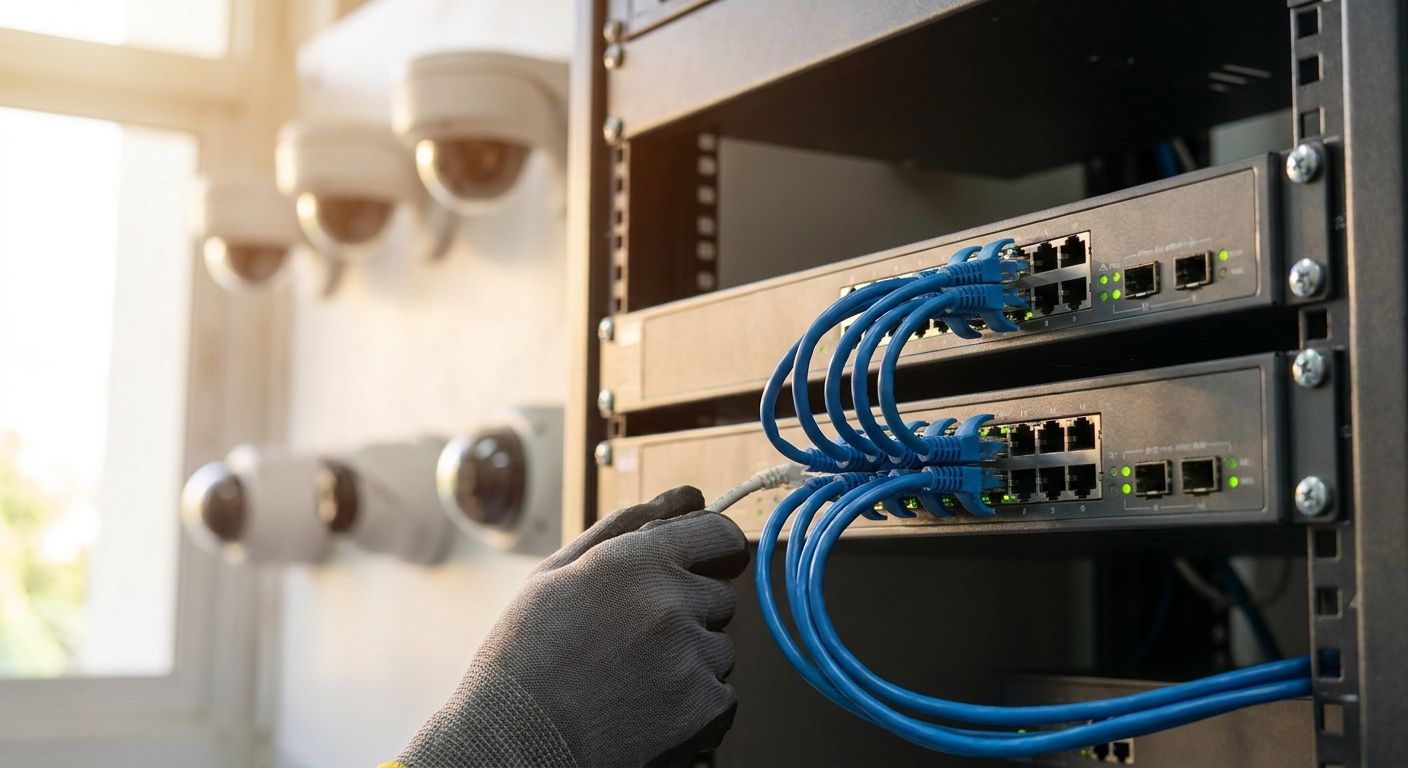
Picking the right PoE switch decides whether your IP camera installation survives a power brownout in 2026 or drops half its cameras the first time three PTZ units hit full pan-tilt-zoom load at once. This guide breaks down what a PoE network switch actually needs to run fixed cameras, PTZ units, and multi-site NVR setups without wasting budget on ports you will never power.
- PoE network switches for IP cameras win or lose on power budget, not port count — 802.3at (PoE+) covers most fixed-camera installs in 2026.
- PTZ cameras draw over 25W under load and stall on 802.3af-only switches — Skip those for anything beyond static doorbell cams.
- Managed switches with VLAN tagging keep camera traffic off the office network — Buy for any install past eight cameras.
- Multi-site retail camera networks need a switch that pairs with a site-to-site VPN, not a flat unmanaged box.
Why this matters
Most camera installs that "randomly drop feeds" aren't a camera problem — they're a PoE budget problem. A switch rated for 130W total can't run sixteen cameras at 15W each with any headroom, and the first thermal spike or overnight IR-mode power draw takes cameras offline one by one.
The IEEE 802.3af, 802.3at, and 802.3bt standards set the power ceilings per port, but the switch's total PoE budget is what actually limits how many cameras run at once. Get the math wrong once during install and you'll be back on a ladder in six months adding a second switch nobody planned for.
Who this is for
This guide is for facilities managers, security integrators, and retail or hospitality operators in Portugal specifying camera networks for stores, warehouses, clinics, or multi-branch chains — not homeowners buying a two-camera kit. If you're comparing network switches for growing offices against a dedicated camera switch, the camera install almost always needs a separate PoE-budgeted device, not a shared office switch stretched thin.
What to look for in PoE switches for IP camera installs
Total PoE power budget, not just per-port rating
A switch can advertise 802.3at on every port and still choke if the total budget only covers half the ports at full draw. Add up your camera count times worst-case draw (PTZ units near 25-30W, fixed cameras under 15W) before you look at port count.
Gigabit ports matched to camera resolution
A single 4K IP camera streaming continuous high-bitrate video can saturate a 100Mbps port during motion events. Gigabit ports on every camera-facing port avoid frame drops when several cameras hit motion-triggered recording at once in 2026-era 4K and 8MP camera lines.
Managed vs unmanaged switching
Managed switches let you VLAN-isolate camera traffic from the office network, throttle bandwidth per port, and reboot a hung camera remotely instead of sending someone to the wiring closet. Unmanaged switches are fine for a single-room five-camera setup and a liability for anything larger.
Uplink options for multi-building or multi-floor runs
Copper Ethernet caps out at 100m per segment. Any camera run past that distance, or any link between buildings, needs an SFP fiber uplink port on the switch — not a chain of unmanaged switches daisy-chained past spec.
Rack mounting and environmental tolerance
A switch destined for a server room or a wiring closet needs a proper 19-inch rack ear, not a desktop plastic shell balanced on a shelf. Dust and heat in a back-of-house storage room kill fanless consumer switches faster than the datasheet suggests.
Power redundancy
A camera network is a security system — if the switch loses power, every camera it feeds goes dark at the same moment. Backing the switch with a UPS system built for server rooms and network racks keeps recording through a short outage instead of leaving a blind gap in the footage.
Top picks by install size
The safe pick for small stores — 8-port managed PoE+ switch. Entry-level 8-port PoE+ switches typically carry a 120-130W total power budget, enough for eight fixed cameras drawing under 15W each with headroom to spare. Fine for a single-room retail counter or a small clinic waiting room in 2026. Buy if you're running eight cameras or fewer and don't need fiber uplinks.
The workhorse for mid-size sites — 16 to 24-port managed PoE switch. These sit in the 250-370W total PoE budget class, enough to mix fixed cameras with one or two PTZ units without starving the rest of the ports. This is the tier most warehouses and multi-room offices land on. Buy for 10-20 camera installs with room to add more later.
The multi-site retail pick — managed switch with SFP uplinks tied into a chain-wide network. A retail chain running cameras across several branches needs the switch's VLAN and uplink capability to pair with multi-branch VPN connectivity for retail chains, so footage and alerts route back to head office over one managed link instead of separate isolated systems per store. Buy if cameras need to be viewable centrally across locations.
The wildcard — bargain unmanaged 8-port PoE switch with no rated total budget. These show up cheap online with vague "PoE" labeling and no published total wattage. Once you add a third camera, ports start browning out unpredictably and you can't diagnose why without swapping the whole unit. Skip it for anything beyond a two-camera test bench.
What to avoid
- Switches marketed "PoE-capable" without a stated 802.3af/at/bt class. No standard listed usually means no real power budget calculation was done — treat it as a red flag, not a shortcut.
- Consumer switches with a plastic fanless case and no rack ears. They look identical to entry-level managed switches in photos but have no mounting path for a server rack and no ventilation for a closed cabinet.
- Undersized total PoE budget on a high port count. A 24-port switch with only a 150W budget can't power more than roughly ten fixed cameras at once — check the wattage line, not just the port count, before buying.
Sizing a PoE switch for your cameras?
Request a quote for switches, UPS backup, and camera network setup.
Verdict comparison
| Tier | Ports | Typical PoE Budget | Managed | Best For | Verdict |
|---|---|---|---|---|---|
| Entry 8-port | 8 | 120-130W | Optional | Small stores, single room | Buy for ≤8 cameras |
| Mid 16-24 port | 16-24 | 250-370W | Yes | Warehouses, multi-room offices | Buy for 10-20 cameras |
| Multi-site managed | 24-48 + SFP | 370-400W+ | Yes | Retail chains, multi-branch | Buy for centralized viewing |
| Bargain unmanaged | 8 | Unstated | No | Nothing past 2 cameras | Skip |
FAQ
What's the best PoE switch for a small IP camera installation in 2026?
An 8-port managed PoE+ switch with a 120-130W total power budget covers most small installs of up to eight fixed cameras in 2026. Go managed even at this size if the switch shares a network with office traffic.
How many watts does a PoE switch need per IP camera?
A fixed IP camera typically draws under 15.4W (802.3af), while a PTZ camera can draw 25-30W and needs 802.3at (PoE+). Multiply your camera count by worst-case draw to size the switch's total budget, not just the per-port rating.
Is a managed PoE switch better than unmanaged for CCTV?
Yes, for anything past a handful of cameras — managed switches let you VLAN-isolate camera traffic and remotely reboot a hung port. Unmanaged switches work fine for a two-to-three camera setup with no other network traffic.
Do I need PoE+ (802.3at) or is PoE (802.3af) enough for IP cameras?
802.3af (15.4W) covers most fixed indoor cameras, but PTZ cameras, IR illuminators, and heated outdoor housings need 802.3at's 30W ceiling. Check your camera's rated draw before assuming af is enough.
How far can an IP camera run from a PoE switch?
100 meters is the hard limit for standard copper Ethernet under the PoE standards. Runs past that distance need a fiber SFP uplink to a secondary switch closer to the camera.
Can one switch power a mix of fixed cameras and PTZ cameras?
Yes, as long as the total PoE budget accounts for the PTZ units' higher draw. A switch sized only for fixed-camera wattage will starve ports once a PTZ unit is added later.
Do I need a UPS with a PoE switch for camera systems?
Yes, if continuous recording matters — a power loss to the switch takes every camera it feeds offline at once. A rack-mounted UPS built for network gear bridges short outages without a recording gap.
How much does a PoE switch cost for a multi-camera install in Portugal?
Pricing scales with port count and total PoE wattage rather than brand alone — compare current listings by budget class rather than assuming port count sets the price.
One last thing
Most camera dropouts blamed on the camera are actually the switch running near its rated wattage ceiling — push a switch to 90-95% of its PoE budget and thermal load during a hot afternoon in 2026 can brown out a port randomly, dropping a camera with no error logged anywhere. Size the switch with 20-30% headroom above your worst-case camera draw and that failure mode disappears.


