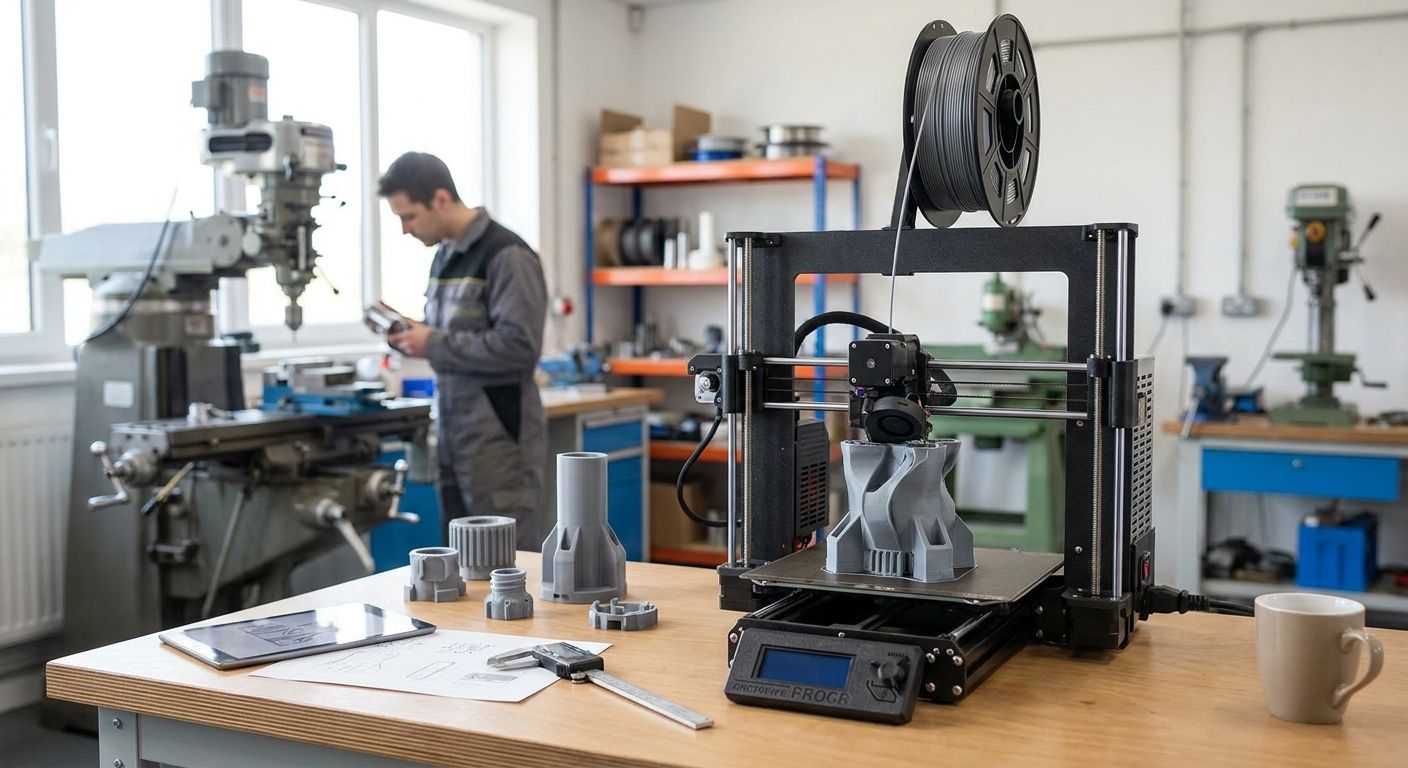
Small manufacturing shops buying a 3D printer for prototyping in 2026 face a narrower decision than the marketing makes it look: build volume, material, and repeatability matter more than brand hype, and the printer is only half the setup.
- An enclosed desktop FDM machine is the safe pick for engineering-grade prototypes in a small manufacturing shop in 2026 -- Buy.
- Resin printers win on detail for small parts but Consider only, since load-bearing prototypes still need FDM plastics.
- Open-frame budget FDM printers are fine for early concept mockups -- Consider, Skip for anything needing ASA or nylon.
- Industrial SLS or multi-jet systems are Skip for shops under 20 employees -- outsource those runs instead.
- Anyone searching impressora 3d para protótipos in Portugal in 2026 needs a networked, powered, ERP-tracked setup, not just a machine.
Why this matters
A prototyping printer that sits disconnected from your shop floor network, runs off an unprotected outlet, and never touches your job costing system is a hobby machine wearing a work uniform. Small manufacturing shops lose more time to failed overnight prints and untracked material costs than to picking the "wrong" printer model. If your shop already runs ERP Primavera for manufacturing SMEs, the printer should feed job costs into that system, not sit as a side expense nobody tracks. Get the infrastructure right first and the printer choice becomes a lot less stressful.
Who this is for
This guide is for owners and production managers at shops with 5 to 50 employees who need functional prototypes -- fit checks, jig tests, low-volume tooling -- turned around in-house instead of waiting on an external prototyping vendor for every revision. If your shop machines metal parts and only occasionally needs a plastic mockup to check a bracket fit, you don't need an industrial machine. You need something reliable enough to run a 12-hour print unattended and accurate enough that the part actually tells you something.
What to look for in a 3D printer for prototyping
Build volume that matches your actual parts
Most prototype parts in small manufacturing shops are under 200mm on any side -- brackets, housings, connector mockups, jig fixtures. Buying a machine with a build volume north of 300x300x400mm because it looks impressive on a spec sheet means paying for capacity you'll use twice a year. Size to your typical part, not your biggest hypothetical job.
Material compatibility beyond PLA
PLA is fine for a shape check. It is not fine for a bracket that needs to survive being handled, drilled, or heat-cycled near a machine. A shop doing real functional prototyping needs a printer rated for PETG at minimum, and ideally ASA or nylon for parts that simulate final production plastics.
Dimensional accuracy and repeatability
A prototype that's off by half a millimeter on a bolt pattern is worse than no prototype at all -- it tells you the design works when it doesn't. Repeatability across prints matters more than the headline resolution number on the box, since a shop reprinting the same jig ten times needs the tenth one to match the first.
Fits your existing network and workflow
A printer that only accepts files off a USB stick walked across the shop floor is a bottleneck in 2026. Networked printing over Wi-Fi or Ethernet lets any workstation queue a job, which matters once more than one person is designing parts. A stable network switch setup on the shop floor keeps that queue from dropping mid-print.
Total cost beyond the sticker price
Material cost per kilogram, nozzle wear on abrasive filaments, and maintenance hours all add up faster than the purchase price suggests. A machine that's 20% cheaper up front but eats a nozzle every month isn't actually cheaper by month six.
Job costing and tracking
If prototyping runs aren't tracked against a job number, the shop has no idea what in-house prototyping actually costs versus outsourcing it. Feeding print jobs into an ERP system closes that gap and turns "we made a prototype" into a number someone can actually review.
Top picks by machine class
The safe pick: enclosed desktop FDM. Spec that matters: a heated, enclosed chamber, which is what lets ASA and nylon print without warping mid-job. This class typically covers build volumes around 220-250mm cubed, enough for the majority of bracket, housing, and jig prototypes a small shop needs. Verdict: Buy for any shop doing functional, not just visual, prototypes in 2026.
The detail specialist: resin (SLA/MSLA). Spec that matters: layer resolution down to roughly 0.025-0.05mm, versus 0.1-0.3mm on typical FDM machines. That resolution is why resin wins on small, detailed parts like connector housings or small-scale product mockups for client review. It loses on strength -- most resins are brittle under load. Verdict: Consider as a second machine for detail work, not a replacement for FDM.
The workhorse for early concepts: open-frame budget FDM. Spec that matters: no enclosure, PLA and PETG only, layer heights in the standard 0.1-0.3mm range. Fine for a first-pass shape check before a design is locked. Verdict: Consider for early-stage iteration, Skip the moment a prototype needs to hold a load or survive handling.
The overkill: industrial SLS or multi-jet fusion. Spec that matters: no support structures needed and production-grade material properties, but the equipment, powder handling, and post-processing footprint are built for volume a small shop rarely hits. Verdict: Skip for shops under roughly 20 employees -- send those specific runs to a service bureau instead of buying the machine.
What to avoid
- Bundled "starter kit" printers that ship with only PLA-rated hot ends -- fine for hobbyists, a dead end the first time you need ASA.
- Open-frame machines for engineering plastics -- warping and layer adhesion failures on ABS/ASA without an enclosure waste more material than the printer saved on price.
- Unattended overnight prints on unprotected power -- a brownout eight hours into a twelve-hour print means starting over. A UPS system built for equipment running unattended protects that print run the same way it protects a server rack.
Set up the infrastructure around your printer
Network, power protection, and ERP job tracking for manufacturing SMEs.
Verdict comparison table
| Class | Best for | Typical resolution | Enclosure | 2026 verdict |
|---|---|---|---|---|
| Enclosed desktop FDM | Functional prototypes, brackets, jigs | 0.1-0.3mm | Yes | Buy |
| Resin/SLA | Small, detailed visual parts | 0.025-0.05mm | N/A | Consider |
| Open-frame FDM | Early concept shape checks | 0.1-0.3mm | No | Consider / Skip |
| Industrial SLS/MJF | High-volume production-grade runs | Varies | N/A | Skip (outsource) |
FAQ
What's the best 3D printer for prototyping in a small manufacturing shop in 2026?
An enclosed desktop FDM printer is the best fit for most small manufacturing shops in 2026 because it handles engineering plastics like ASA and nylon without warping. Resin printers are a strong second machine for small, detailed parts but shouldn't replace FDM for functional prototypes.
Is resin 3D printing better than FDM for prototypes?
Resin wins on detail and surface finish for small parts, but FDM wins on strength and material variety for functional prototypes. Most shops running both use resin for visual mockups and FDM for anything that needs to hold a load.
How much build volume do I need for product prototyping?
Most prototype parts in a small manufacturing shop fit within 200mm on any side, so a machine in the 220-250mm cubed class covers the majority of jobs. Buying a larger machine only makes sense if your actual parts regularly exceed that size.
Do I need an enclosed 3D printer for engineering plastics like ABS or nylon?
Yes, an enclosure is close to mandatory for consistent ABS, ASA, or nylon prints because these materials warp badly with ambient airflow. Open-frame printers work fine for PLA and PETG but struggle once you move to tougher engineering plastics.
Can an in-house 3D printer replace outsourced prototyping entirely?
No, in-house printers cover low-volume functional and visual prototypes well but aren't a substitute for industrial-grade or high-volume runs. Shops still send SLS, multi-jet, or metal prototyping work to a service bureau rather than buying that equipment.
What workstation specs do I need to run 3D printing software?
Slicer and CAD software for prototyping work comfortably on a standard business desktop with adequate memory; a RAM upgrade is usually the cheapest fix if design software lags. Most shops don't need a dedicated workstation just for slicing files.
How do I protect a 3D printer running unattended overnight?
Put it on a UPS rated for the outlet it's plugged into and keep it on a stable network connection if you're queuing jobs remotely. A power interruption mid-print in 2026 still means restarting the job from zero on most machines.
One last thing
The machine you pick matters less than most buying guides admit -- the enclosure, the network it prints over, and the power protection around it decide whether a prototype run actually finishes. Shops searching impressora 3d para protótipos in 2026 usually buy the printer fast and figure out the infrastructure later, which is backwards: get the network, the UPS, and the ERP job tracking sorted first, and the printer choice stops being stressful.


