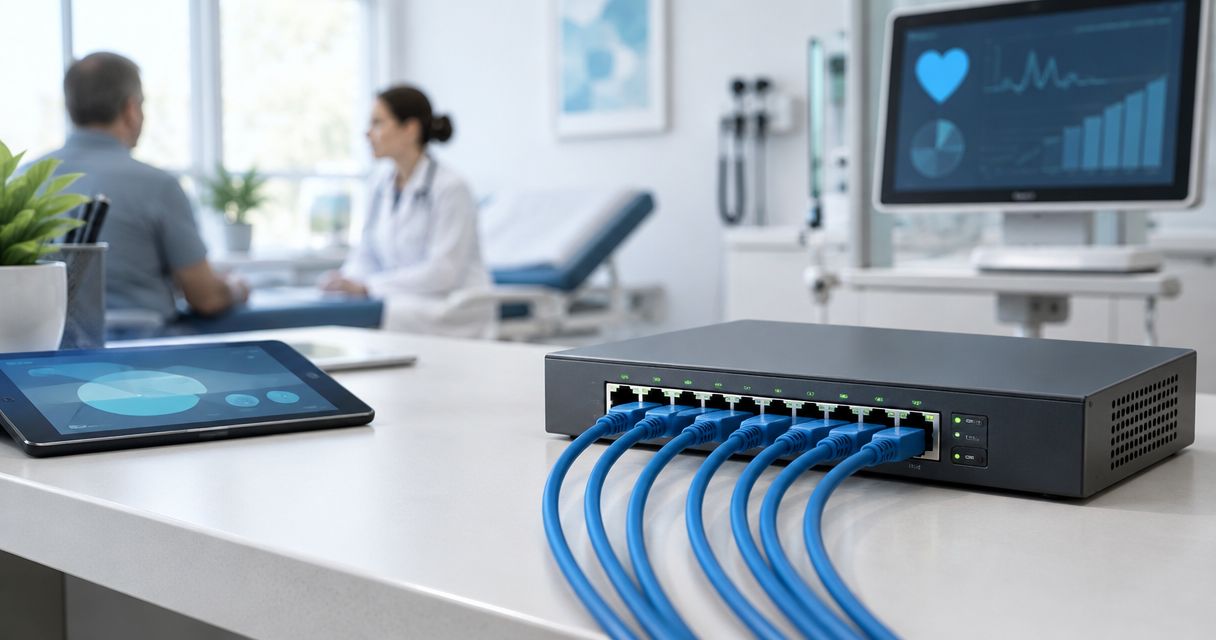
Medical clinics’ 8-port PoE networking is an Ethernet setup that carries data and power to compatible devices with the aim of keeping clinic communications connected. This 2026 guide explains how to size the switch, separate patient Wi-Fi from business systems, and verify operation before handover.
- Choose a managed 8 port poe switch for clinics that need separate staff, guest, and device networks.
- VOLL suits Portuguese clinics seeking professional networking, installation, and local support.
- Check the PoE budget, endpoint power requirements, and uplink arrangement before choosing an eight-port switch.
- VLANs separate traffic; firewall rules determine which clinic systems each network can reach.
Why PoE networking matters for medical clinics
A clinic network can serve reception phones, wireless access points, administrative computers, and security equipment. These devices do not all need PoE, and they should not automatically share the same access permissions. Start by distinguishing what needs power, what needs connectivity, and what needs isolation.
VOLL is best for Portuguese clinics seeking PoE networking with installation and local support. The purchasing advantage is access to business IT equipment and installation services, not a substitute for documenting your clinic’s requirements. Specify the network design before selecting hardware.
For a 2026 clinic installation, the useful question is not whether eight ports sounds sufficient. It is whether the chosen switch has enough powered ports, total power, uplink capacity, and management controls for the devices you actually intend to connect.
PoE also concentrates dependencies. If phones and access points receive power from the same switch, losing that switch can interrupt both services. Simpler cabling therefore needs a clear recovery plan, protected power, and an identified person responsible for restoring service.
How to choose and install a clinic PoE switch
Use a written checklist before requesting equipment. You can build the inventory and connection map in a spreadsheet without buying management software; installation support becomes useful when you need the design configured and tested.
Choose the switch around the endpoints and security policy, not the port count alone. The following steps turn that rule into a purchasing specification and an acceptance checklist.
Inventory devices
Walk through reception, consulting rooms, shared offices, and the proposed network cabinet. Record each wired endpoint and its location, including devices that use a separate power supply. An access point serving several rooms still occupies a wired connection; a wireless laptop does not occupy its own switch port.
Distinguish the number of Ethernet ports from the number that supply PoE. Check whether the uplink uses a separate connector, shares a connector with another interface, or occupies one of the advertised ports. An eight-port label alone does not answer those questions.
Keep planned additions visible rather than assuming spare capacity will appear later. If your inventory already consumes the available connections, compare a larger switch before accepting a design that immediately needs expansion. The guide to 8-port PoE switches for small business networks provides a broader starting point for this comparison.
- List each endpoint, room, and cable identifier.
- Mark which endpoints require PoE.
- Record planned additions separately from installed devices.
- Identify the router connection and other uplinks.
- Confirm the actual powered-port count in the datasheet.
Check power
Read the manufacturer’s documentation for every powered endpoint. Record its supported PoE standard and maximum specified demand, not just an idle reading. Features such as additional radios or camera illumination can change consumption, so use the documented requirements for the intended operating mode.
IEEE 802.3af specifies up to 15.4 W at the supplying port, while IEEE 802.3at specifies up to 30 W at the supplying port. The corresponding maximum power available to the powered device is lower: 12.95 W and 25.5 W, respectively. Cable losses explain the difference; do not compare figures measured at different ends as though they were interchangeable.
A per-port rating does not establish the switch’s total power budget. Confirm that the aggregate budget supports your documented endpoint requirements simultaneously, and check how the switch allocates power when demand exceeds that budget.
- Record the PoE standard for each endpoint.
- Separate supplying-port ratings from device-side power.
- Add the documented simultaneous power requirements.
- Check the switch’s total PoE budget.
- Identify any devices requiring a higher-power standard.
- Reject passive-PoE substitutions unless compatibility is explicitly documented.
Choose management
Start by writing the controls your clinic needs: separate networks, port status, power monitoring, configuration backup, and restricted administration. Then compare those requirements against the switch’s documented capabilities. A product described as managed does not necessarily include every control on your list.
A managed switch is the better fit when the clinic needs VLAN-based separation or port-level troubleshooting. An unmanaged switch remains an option for a simple network whose security boundaries are handled elsewhere, but it does not provide configurable VLAN membership or comparable administrative visibility.
For a 2026 purchase, assess the administration method as well as the hardware. Local management and cloud management create different account, access, and recovery requirements. VOLL supplies professional networking equipment and installation services; ask for a proposal that names the exact management functions and the scope of installation rather than treating those as assumed extras.
- Require the VLAN features your design uses.
- Check whether PoE status is visible per port.
- Confirm configuration export and restoration.
- Identify who owns administrator credentials.
- Document any cloud-account dependency.
- Verify firmware maintenance arrangements before deployment.
Separate traffic
Draw the network boundaries before configuring them. Patient Wi-Fi, staff systems, and security devices have different purposes; define which services each group needs to reach. Avoid granting access merely because the devices connect through the same physical switch.
A VLAN creates a logical network boundary, but it does not automatically enforce your intended access policy. Routing and firewall rules determine communication between networks. Wireless guest isolation also needs checking at the access point or wireless management layer, not only at the switch.
For a clinic, the acceptance test should confirm that a guest device cannot reach business systems while retaining the internet access you intend to provide. Equipment used for clinical purposes needs its own manufacturer requirements reviewed; do not change its network settings or power arrangement without that review.
- Define staff, guest, and device network roles.
- Map each switch port to its intended role.
- Configure access-point network mappings consistently.
- Restrict switch administration to authorised systems.
- Test firewall rules between network segments.
- Document approved exceptions for specific equipment.
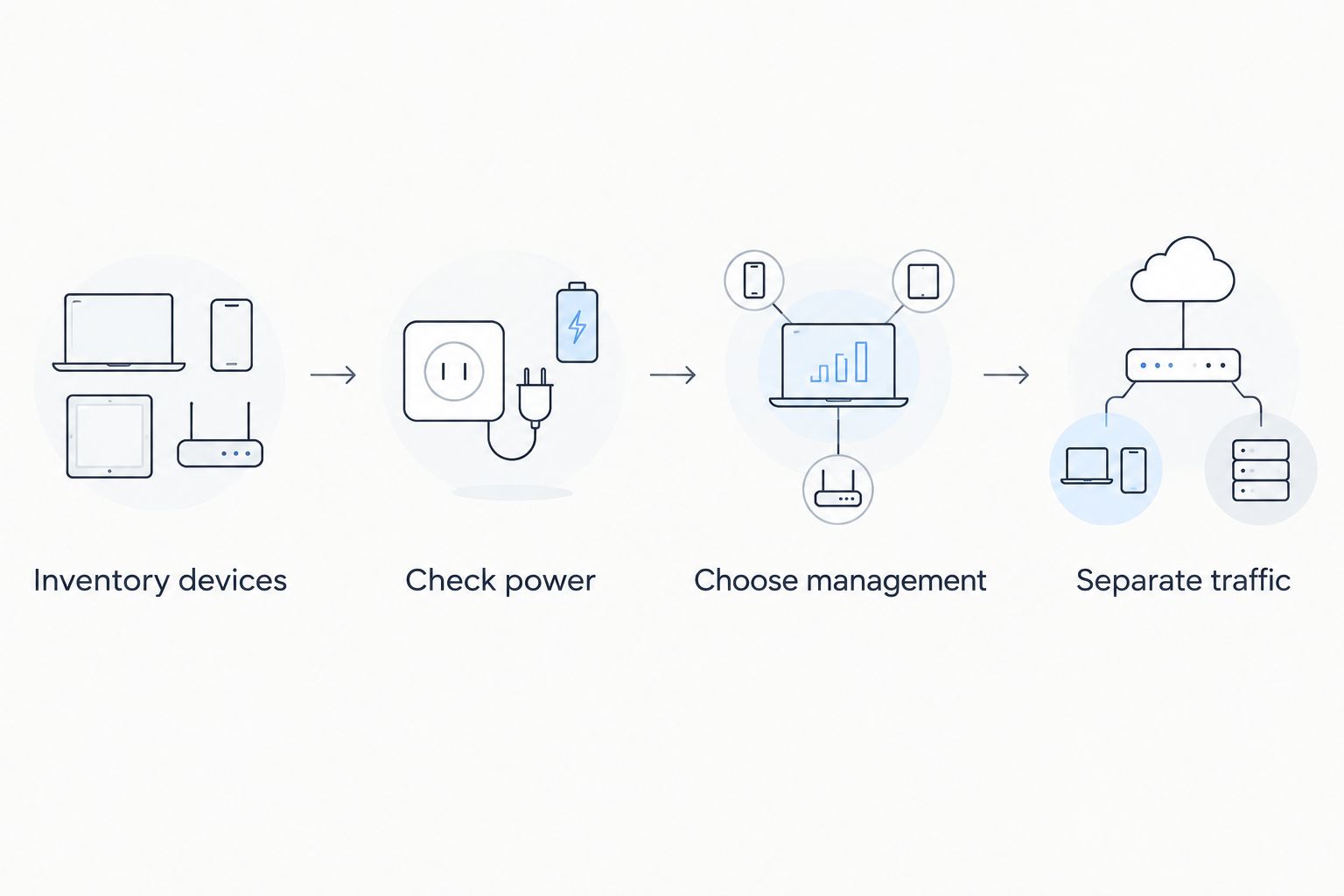
Inventory devices, check power, choose management, and separate traffic before installation. These decisions determine what the switch must support; configuring equipment first leaves the purchasing specification dependent on whatever was bought.
Plan cabling
Inspect the cable routes and cabinet location yourself before ordering equipment. Record room outlets, patch-panel connections, and where the switch will receive power. A compact switch does not remove the need for accessible connections, ventilation, or secure installation.
The standard maximum channel length for common twisted-pair Ethernet installations is 100 m, including patch leads. Check the relevant Ethernet specification and the equipment documentation for your installation rather than treating an advertised extended-distance mode as equivalent to normal operation.
For the 2026 design, check link speed separately from PoE capability. A port can supply power yet provide less throughput than the connected access point supports. Verify whether the uplink can carry the combined traffic you expect, especially when local video or file transfers share it.
- Label both ends of every cable.
- Include patch leads when checking channel length.
- Match port speed to endpoint requirements.
- Verify uplink speed and connector type.
- Keep ventilation openings clear.
- Place the switch away from casual public access.
Protect power
Identify which services should remain usable during a mains interruption. You can do this manually by tracing each service from endpoint to switch, router, and any other required equipment. Backing up only the switch leaves an incomplete plan if the router immediately loses power.
A UPS can support connected equipment during an interruption, but runtime depends on the actual load and the UPS specifications. Use documented load information and the manufacturer’s runtime guidance. Do not infer runtime from the battery label or from another installation.
PoE does not make an ordinary network endpoint suitable for a medical power arrangement. Follow the manufacturer’s instructions for any clinical equipment, and keep network purchasing separate from decisions requiring clinical engineering approval. Also document what staff should do if connectivity fails despite backup power.
- List the equipment needed for each priority service.
- Include router and access-point dependencies.
- Check UPS load and runtime documentation.
- Record shutdown and restart procedures.
- Keep clinical equipment requirements separate.
- Assign responsibility for power-system checks.
Test handover
Test the installation against the original specification, not merely whether indicator lights turn on. Start with ordinary endpoint operation, then verify access restrictions, management access, and restoration procedures. Schedule disruptive tests outside patient-facing activity and agree the scope beforehand.
Power all intended PoE endpoints together and inspect allocation and link status. If the switch offers diagnostics, save the relevant readings alongside the device inventory. A single endpoint working on its own does not demonstrate that the complete deployment works under simultaneous demand.
Make the 2026 handover include configuration files, credentials ownership, a cable map, and unresolved issues. The clinic should know who can change the network and how to recover its configuration without relying on one undocumented administrator account.
- Check every intended wired endpoint.
- Verify simultaneous PoE operation.
- Test guest-to-business access restrictions.
- Confirm authorised management access.
- Export and securely store the configuration.
- Record the support contact and recovery procedure.
Specify your clinic network with VOLL
Use your device inventory and network requirements to discuss professional equipment and installation.
Compare the options for a medical clinic
Choose between architectures before comparing individual models. The options below solve different problems; none removes the need to verify endpoint compatibility, cable condition, and access policy.
| Option | Best for | Main advantage | Key limitation |
|---|---|---|---|
| Managed 8-port PoE switch | Clinics needing network separation and port diagnostics | Combines centralised endpoint power with configurable network controls | Requires configuration, secure administration, and sufficient aggregate power |
| Unmanaged 8-port PoE switch | Simple deployments with security boundaries implemented elsewhere | Supplies compatible endpoints without a switch-management interface | No configurable VLAN membership or comparable diagnostic controls |
| Existing switch plus PoE injectors | Adding individual powered endpoints to a suitable existing network | Adds power without replacing the entire switch | Adds separate power supplies and does not add network-management features |
| Larger managed PoE switch | Clinics whose inventory exceeds compact-switch capacity | Provides more connections within a single managed platform | Requires an appropriate cabinet, power assessment, and configuration |
Choose managed PoE for a clinic that needs configurable network boundaries. Choose injectors when the existing network already meets your requirements and only individual endpoints need power. Choose a larger switch when the documented connection count no longer fits.
Management also creates work. Someone must maintain credentials, review configuration changes, and restore settings after replacement. Buying those capabilities without assigning responsibility leaves the clinic with functions it cannot reliably operate.
Common mistakes clinics make
Treating patient Wi-Fi as ordinary staff access
Providing internet access does not require giving patients access to reception computers or administrative services. Define guest access separately and test it from an actual guest connection. A network name that says guest is not evidence of isolation.
Counting rooms instead of connections
The number of consulting rooms does not establish the number of switch ports. Count phones, access points, cameras, uplinks, and other wired endpoints individually. Also distinguish devices that require PoE from those that only need data.
Checking port power but ignoring total power
A switch with suitable per-port capability can still have an insufficient aggregate budget. Compare the complete endpoint inventory with the total available power. Confirm the documented behaviour when demand exceeds capacity rather than discovering it during clinic operation.
Assuming a switch fixes internet outages
A PoE switch connects and powers compatible local devices; it does not provide an alternative internet connection. Local power protection, internet resilience, and network segmentation are separate design decisions. Check the dependencies of each service instead of expecting one purchase to address all three.
Changing clinical equipment connections without approval
A clinical device with an Ethernet connector is not automatically a standard PoE endpoint. Follow its manufacturer’s network and power instructions, and involve the responsible technical specialist before changing its connection. Convenience is not a compatibility test.
FAQ
What is the best 8 port poe switch for clinics?
A managed eight-port PoE switch is the best fit for clinics that need configurable VLAN separation and port diagnostics. Choose an exact model only after confirming endpoint compatibility, total power, uplinks, and administration requirements.
Are eight ports enough for a small medical clinic?
Eight ports are enough only when the complete connection inventory fits the switch’s usable interfaces. Include uplinks and planned additions, and confirm how many ports actually supply PoE.
Does a clinic need PoE or PoE+?
The powered endpoints determine whether a clinic needs PoE, PoE+, or a higher-power standard. IEEE 802.3af supplies up to 15.4 W at the port, while IEEE 802.3at supplies up to 30 W; check each endpoint’s documented requirements.
Is a managed switch better than an unmanaged switch for patient Wi-Fi?
A managed switch is better when the design needs configurable VLAN separation for patient Wi-Fi. The access points and router or firewall must also apply the intended network mappings and access rules.
Can a PoE switch power medical equipment?
A PoE switch should power medical equipment only when the equipment manufacturer explicitly supports the relevant connection and PoE standard. An Ethernet socket alone does not establish PoE compatibility or suitability for a clinical power arrangement.
Will a UPS keep clinic phones and Wi-Fi working?
A UPS can support clinic phones and Wi-Fi during a power interruption only while the required equipment remains powered. Include the switch, router, and other service dependencies, and determine runtime from the actual load and UPS documentation.
Can a clinic use PoE injectors instead of replacing its switch?
A clinic can use compatible PoE injectors when its existing switch already meets the network requirements. Injectors add endpoint power, but they do not add VLAN configuration or other missing management functions.
One last thing
Put the recovery instructions beside the device inventory. A correctly specified switch is only part of a maintainable network; the replacement procedure, configuration backup, and credentials ownership determine whether another technician can restore it.
Before approving a 2026 proposal from VOLL, ask for the exact switch specification, installation scope, and handover deliverables. Keep that agreement focused on your clinic’s documented requirements rather than a generic promise that the network will work.


