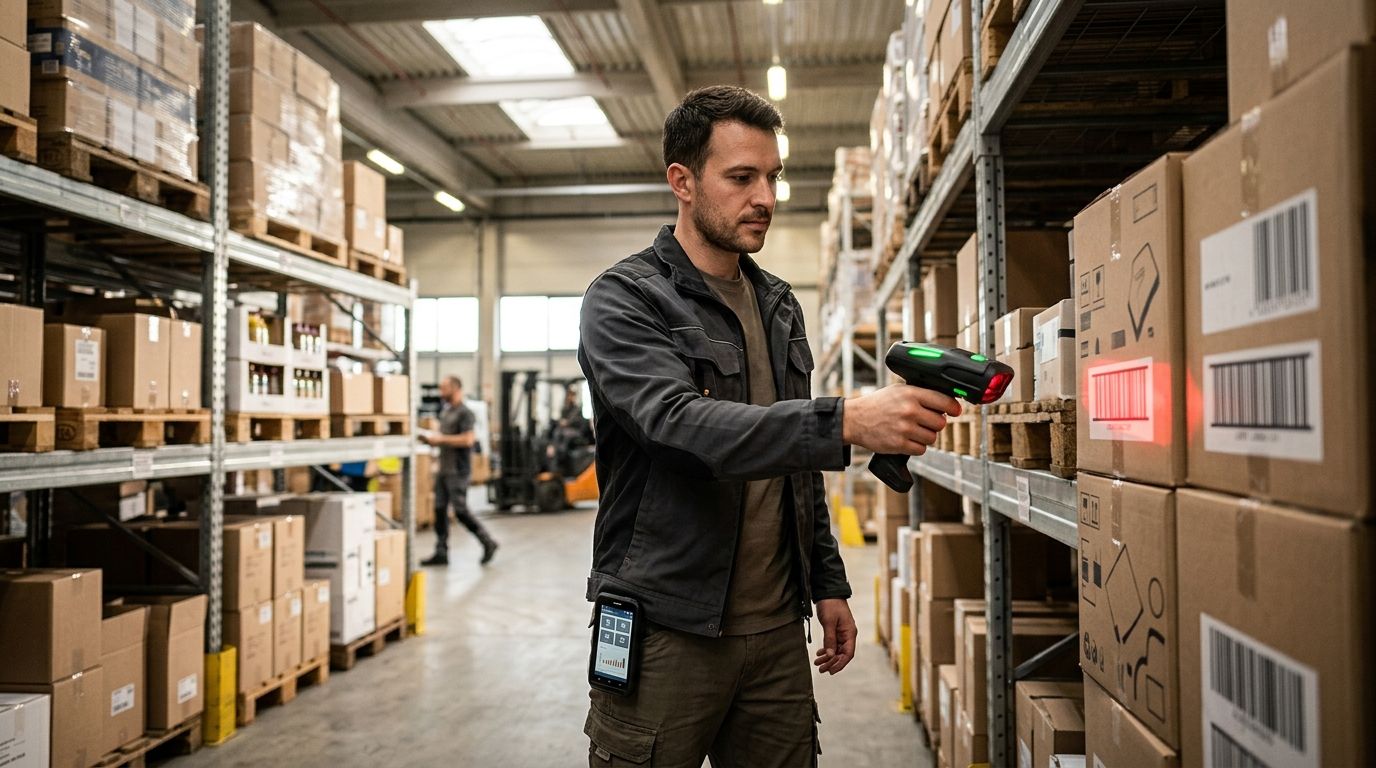
Best overall barcode scanner for warehouse inventory management in 2026: 2D imager handheld scanners. Best for large floors and mobile picking teams: Bluetooth wireless scanners. Best for cold storage and rough handling: rugged industrial scanners rated IP65. Best for hands-free order picking: wearable ring scanners. Best for ERP-integrated stock counts: Android mobile computers such as Sunmi handheld terminals. Best budget pick for a fixed receiving desk: corded USB scanners.
- A 2D imager handheld scanner is the best barcode scanner for warehouse inventory management in 2026, reading damaged and angled labels other types miss.
- Bluetooth wireless scanners suit large floors; rugged IP65 models handle cold storage and drops.
- Wearable ring scanners free both hands for picking; Android terminals like Sunmi sync scans straight to ERP.
- Corded USB scanners cost less and work best at a single fixed receiving desk.
Why this matters
Manual stock counts and mismatched pick lists cost warehouses real money every month in mis-shipped orders, re-counts and staff hours spent tracing a SKU that was typed wrong. A barcode scanner turns a 30-second manual lookup into a half-second scan, and the accuracy gap between typed SKUs and scanned barcodes is the single biggest lever most Portuguese SMEs have for cutting inventory errors in 2026. The cost of getting this wrong scales with warehouse size: a single-aisle stockroom absorbs a few miscounts, but a distribution center running multiple ERP-connected locations cannot.
The handheld barcode scanners for warehouse inventory catalog covers the models behind the types ranked below, including which ones connect directly to WINTOUCH or Primavera without extra middleware. Once you've picked a type, delivery across Portugal typically lands within 24-48h, so hardware isn't the bottleneck: the workflow around it is.
What makes the best barcode scanner for warehouse inventory management
- Symbology support — reads 1D linear codes and 2D codes (QR, Data Matrix) on labels that are torn, wet or printed at an angle
- Connectivity — Bluetooth or Wi-Fi for mobile picking, corded USB for a fixed desk
- Durability rating — IP54 or IP65 dust/water resistance plus a drop rating that matches your floor
- Battery life — a full shift of continuous scanning without a mid-shift swap
- ERP/WMS integration — plug-and-scan compatibility with stock software like WINTOUCH or Primavera
- Ergonomics — trigger placement and weight that don't fatigue a picker doing thousands of scans a day
Barcode scanners for warehouse inventory at a glance
| Scanner type | Best for | Standout feature | Key limitation |
|---|---|---|---|
| 2D imager handheld | Overall warehouse inventory | Reads 1D + 2D codes at any angle | Costs more than a basic 1D laser scanner |
| Bluetooth wireless scanner | Large floors, mobile picking | Cable-free range from a paired base | Needs charging discipline and solid wireless coverage |
| Rugged industrial scanner | Cold storage, rough handling | IP65-rated housing, drop-tested | Bulkier and heavier for all-day carry |
| Wearable ring scanner | Hands-free order picking | Worn on the finger, keeps both hands free | Learning curve for pickers used to handheld guns |
| Android mobile computer (Sunmi and similar) | ERP-integrated stock counts | Runs a WMS app and syncs live to ERP | Higher upfront cost than a dedicated scanner |
| Corded USB scanner | Fixed receiving desk, budget | Lowest cost, no battery to manage | Tethered, no mobility on the floor |
1. 2D imager handheld scanner: best barcode scanner for overall warehouse inventory
A 2D imager takes a photo of the barcode rather than sweeping a laser line across it, so it reads codes printed at any angle, on curved surfaces, or partially torn — the condition most pallet labels are in by the time they reach a warehouse shelf. It also reads QR and Data Matrix codes that more suppliers are printing alongside traditional 1D barcodes in 2026. Most models scan corded or with a Bluetooth cradle, so the same unit covers receiving and floor picking without buying two devices.
2D imager pros:
- Reads damaged, curved or poorly printed labels that 1D laser scanners miss
- Handles QR and Data Matrix codes on newer supplier labels
- Works corded at a desk or wireless on the floor, depending on the model
2D imager cons:
- Costs more than a basic 1D laser scanner
- Unnecessary if every barcode you scan is a clean, flat 1D code
Best for: general warehouse inventory counts and receiving docks with mixed label quality. Verdict: Buy — this is the default pick when you're not sure which type you need.
2. Bluetooth wireless scanner: best barcode scanner for large floors and mobile picking
A Bluetooth scanner pairs with a base station or directly with a mobile computer, so a picker can walk pallet rows without dragging a cable back to a fixed terminal. Range depends on the model and the warehouse's wireless layout, and scans queue in memory if the connection drops briefly. For it to work reliably across a large floor, the warehouse needs a warehouse Wi-Fi network built for inventory scanning rather than a single office router stretched across the whole building.
Bluetooth scanner pros:
- No cable, so pickers move freely across long aisles
- Pairs with most mobile computers and some POS systems
- Stores scans locally if the wireless connection drops for a moment
Bluetooth scanner cons:
- Needs a charging routine — a dead battery mid-shift stops a picker cold
- Range and reliability depend on how the wireless network is laid out
Best for: warehouses larger than a single room where pickers cover multiple aisles per shift. Verdict: Buy if the floor already has decent wireless coverage; Wait and fix the network first if it doesn't.
3. Rugged industrial scanner: best barcode scanner for cold storage and rough handling
Rugged scanners add a reinforced housing rated IP65 or higher, meaning they survive dust, splashes and repeated drops onto concrete — the kind of abuse a scanner takes daily in a cold store or a loading dock. Some models keep working in sub-zero freezer aisles where standard electronics fog up or fail outright. They cost more and weigh more than a standard handheld, which matters over an eight-hour shift of continuous carrying.
Rugged scanner pros:
- Survives drops from waist height onto concrete without cracking
- Rated for cold storage and dusty or wet environments
- Longer service life reduces replacement frequency
Rugged scanner cons:
- Heavier and bulkier than a standard 2D imager
- Priced above general-purpose scanners for the same scan performance
Best for: freezer warehouses, loading docks and any floor where scanners get dropped often. Verdict: Buy for cold storage or heavy-abuse environments; Skip if your floor is a clean, climate-controlled distribution center.
4. Wearable ring scanner: best barcode scanner for hands-free order picking
A ring scanner straps to a finger or wrist and scans with a small trigger, leaving both hands free to carry boxes or push a cart — the setup most pick-and-pack operations move toward once picking volume climbs. It pairs wirelessly with a mobile computer worn on a belt or forearm, which handles the screen and the ERP connection. The tradeoff is a learning curve: pickers used to pointing a gun-style scanner need a shift or two to adjust their aim and trigger timing.
Ring scanner pros:
- Both hands stay free for lifting and carrying
- Faster scan-to-scan time on high-volume pick routes
- Pairs with most Android mobile computers already in use
Ring scanner cons:
- Requires a companion mobile computer, adding to the total setup
- Pickers need retraining on aim and trigger placement
Best for: high-volume pick-and-pack operations doing hundreds of scans per shift per person. Verdict: Buy once picking volume justifies the retraining; Hold for low-volume floors.
5. Android mobile computer: best barcode scanner for ERP-integrated stock counts
A ruggedized Android mobile computer combines a barcode scanner with a full touchscreen device that runs a warehouse app directly, syncing every scan to the ERP in real time instead of batching data later. Sunmi handheld terminals built for route sales and delivery fall into this category and work equally well on a warehouse floor once a scanning app is installed. This is the type that eliminates the manual re-entry step between counting stock and updating Primavera or WINTOUCH.
Android mobile computer pros:
- Runs a full WMS or ERP app, not just a scan-and-transfer function
- Updates stock levels live instead of on a batch upload
- One device replaces a separate scanner and handheld terminal
Android mobile computer cons:
- Higher upfront cost than a dedicated scanner
- Overkill for a warehouse that only needs simple stock counts
Best for: operations already running WINTOUCH or Primavera that want scans to hit the ERP without a manual import step. Verdict: Buy if ERP integration is the priority; Skip for a small stockroom doing occasional counts.
6. Corded USB scanner: best barcode scanner for a fixed receiving desk on a budget
A corded USB scanner plugs directly into a PC or POS terminal and scans the moment a barcode passes under the beam — no pairing, no battery, no charging cradle to lose. It's the cheapest way to add barcode scanning to a single fixed point like a receiving desk or a packing station. The obvious limit is the cable: it goes nowhere the cord doesn't reach.
Corded scanner pros:
- Lowest cost of any option on this list
- No battery to charge or replace
- Plug-and-scan setup with most POS and stock software
Corded scanner cons:
- Zero mobility — tethered to one desk
- Not suited to floor picking or multi-aisle counts
Best for: a single receiving desk, packing station or checkout point that never moves. Verdict: Buy for a fixed station; Skip if any part of your workflow needs mobility.
How we ranked these barcode scanners
Each type is scored against the six criteria above: symbology support, connectivity, durability rating, battery life, ERP/WMS integration and ergonomics. No single scanner wins on every criterion — that's the point of ranking by use case instead of by a single "best" pick. A warehouse running mixed workflows often ends up buying two or three types from this list rather than standardizing on one.
None of the six types are evaluated in isolation from how a Portuguese warehouse actually operates in 2026 — most run WINTOUCH POS/ERP or Primavera underneath, and a scanner that can't get data into that system without manual re-entry loses points even if the hardware scans fast. Durability and connectivity are weighted higher than raw scan speed, because a scanner that survives a cold-storage drop test beats one that's marginally faster but breaks within a year.
Which barcode scanner should you choose?
If you're not sure where to start, buy a 2D imager handheld scanner — it covers the widest range of label conditions and barcode types, and it's the safest default for a warehouse that hasn't standardized on a scanning workflow yet. Add Bluetooth models once pickers need to cover more floor than a cable allows, and move to Android mobile computers when the goal shifts from "get a scan" to "update the ERP without re-typing anything." Cold storage and heavy-handling operations are the one case where paying more for a rugged IP65-rated unit pays for itself in fewer replacements.
By 2026, most Portuguese SMEs running WINTOUCH or Primavera treat the scanner as half of the equation — the other half is making sure the scan actually lands in stock records without a manual step in between.
FAQ
What is the best barcode scanner for warehouse inventory management in 2026?
A 2D imager handheld scanner is the best overall choice in 2026 because it reads 1D and 2D codes at any angle, including damaged or curved labels. Warehouses with larger floors or ERP integration needs should look at Bluetooth or Android mobile computer options instead.
Is a 2D imager better than a 1D laser scanner for a warehouse?
Yes, for most warehouses a 2D imager is better because it reads QR and Data Matrix codes alongside standard 1D barcodes and works on damaged or angled labels. A 1D laser scanner is only enough if every label you scan is flat, clean and printed in a standard linear format.
Do I need a wireless barcode scanner or a corded one?
Choose wireless if pickers move across multiple aisles or floors during a shift, and corded if the scanner sits at one fixed desk like receiving or packing. Corded scanners cost less and never need charging, but they have zero mobility.
How rugged does a warehouse barcode scanner need to be?
Standard warehouses do fine with an IP54-rated scanner, but cold storage, loading docks and any floor where scanners get dropped regularly need an IP65-rated rugged model. The rugged rating adds cost but cuts replacement frequency significantly.
Can a barcode scanner connect directly to Primavera or WINTOUCH?
Android mobile computers running a WMS app can sync scans straight into Primavera or WINTOUCH in real time without manual data entry. Basic handheld scanners typically need to plug into a PC or POS terminal that already runs the stock software.
What is a wearable ring scanner used for?
A wearable ring scanner straps to a finger and lets a picker scan barcodes while keeping both hands free to carry boxes or push a cart. It pairs with a mobile computer worn on the wrist or belt and suits high-volume pick-and-pack operations.
How much does a barcode scanner cost for a small warehouse?
Pricing varies by type and features, so check current pricing directly with a supplier for the model that matches your warehouse's floor size and label conditions. Corded USB scanners are consistently the cheapest option; rugged and ERP-integrated models cost more.
One last thing
The scanner rarely causes the inventory error — the gap between the scan and the ERP update does. A warehouse running a 2D imager on a clean 1D barcode setup gets no benefit from the extra symbology support; the money is better spent closing the sync gap with an Android mobile computer or a direct WINTOUCH/Primavera integration. Fix the workflow first, then upgrade the hardware.


