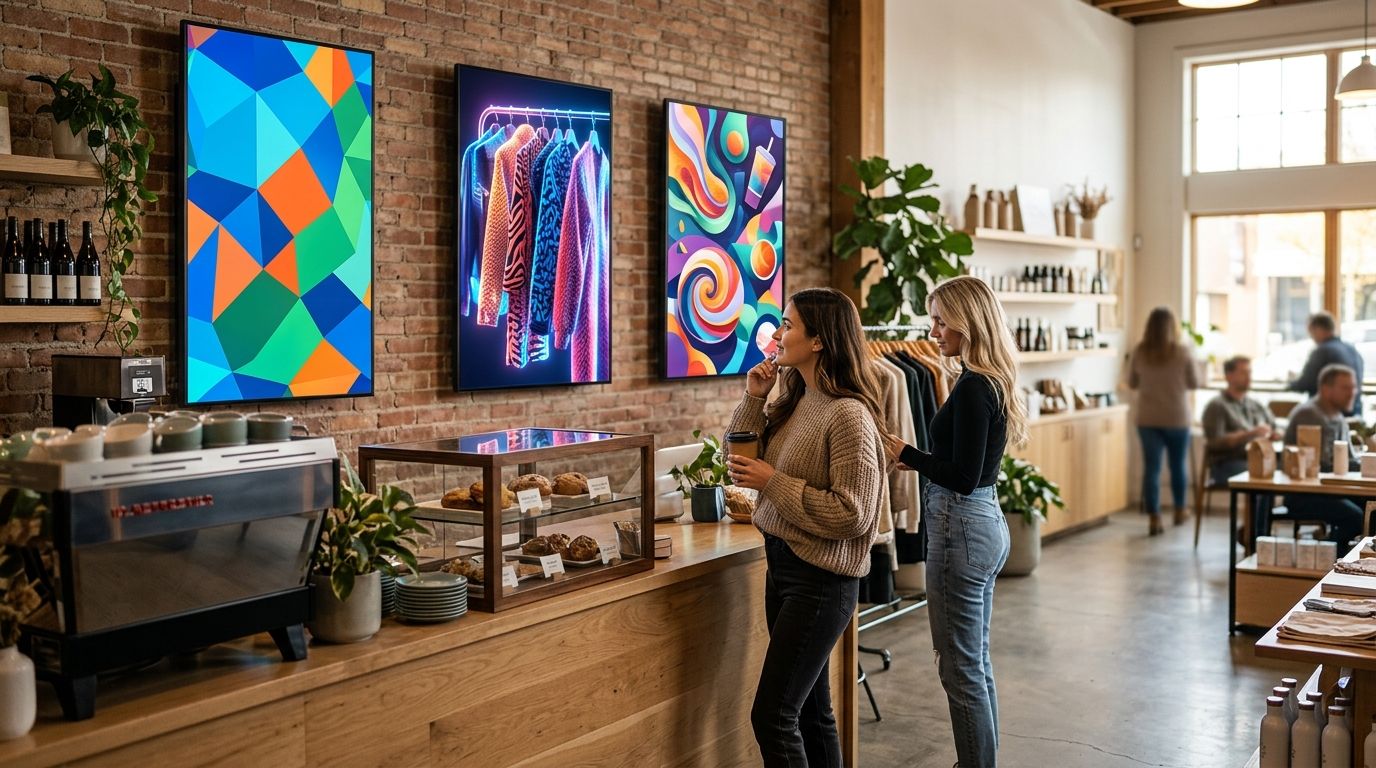
Retail and hospitality teams buying a digital signage display in 2026 usually default to whatever screen is cheapest at the local electronics chain — and then wonder why it burns out after eight months of running all day. Best overall digital signage display for everyday retail counters and storefront loops: a commercial-grade LCD panel in the 43-to-55-inch range. Best for restaurant and café menu boards: a menu board paired with a kitchen display system. Best budget entry point: a signage player feeding any standard commercial screen already on the wall. The right pick depends on where the screen lives — window, counter, wall, or kitchen pass — far more than which brand sits on the bezel.
- Commercial-grade LCD displays (43-55 inches) win for retail counters and shelf-edge promotion loops in 2026.
- Window-facing storefronts need 700+ nits of brightness to stay readable against daylight; standard indoor panels top out around 350-500 nits.
- Menu board and kitchen display systems fit QSR counters and cafés better than a general-purpose commercial screen.
- A signage player plus mini PC combo is the cheapest way to add a digital signage display to a single counter.
- Video walls only pay off in flagship stores and large hospitality lobbies — skip them for one storefront window.
Why this matters
A digital signage display replaces printed posters and paper menu boards with content that changes on a schedule instead of a print run. Voll sells this hardware into Portuguese retail and hospitality businesses that need the screen tied to what's actually happening at the counter — a price change, a daypart menu swap, a promo that ends at 6pm.
The mistake that costs the most in 2026 isn't the wrong brand — it's the wrong duty cycle rating. A consumer TV is built for a few hours of evening viewing; a commercial digital signage display is built to run 24 hours a day without the panel degrading. Buy the wrong one and you're replacing a screen every year instead of every five to seven.
What makes the best digital signage display
- Brightness matched to the install location — indoor counters need roughly 350-500 nits, window-facing units need 700+ nits, direct-sun installs need 2,500 nits or more.
- Duty cycle rating — 24/7 commercial panels versus 12/7 or 8/7 consumer-grade televisions.
- Content management support — scheduled playback and remote content pushes, not just a USB stick on a loop.
- Mounting and orientation flexibility — portrait and landscape, wall, ceiling or window mount.
- POS/ERP integration — pulling live pricing or order status instead of manually re-uploading a graphic.
- Local installation and support — someone who answers the phone when the panel drops connection on a Saturday.
Digital signage displays at a glance
| Type | Best for | Standout feature | Key limitation |
|---|---|---|---|
| Commercial-grade LCD display | Everyday retail storefronts and shelf-edge loops | 24/7 duty-cycle panel built for always-on use | Struggles in direct daylight without extra brightness |
| Outdoor / high-brightness window display | Street-facing shop windows and daylight entrances | Panel brightness built for direct sun exposure | Runs hotter and needs a ventilated enclosure |
| Video wall / multi-panel setup | Flagship stores and large hospitality lobbies | Seamless large-format canvas across panels | Installation and alignment need a trained crew |
| Menu board & kitchen display system | QSR counters, cafés and bakeries | Syncs order status straight from the kitchen pass | Not built for general retail promotion content |
| Signage player + mini PC combo | Budget single-screen retail counters | Turns any existing screen into a signage endpoint | Still limited to one screen per player |
| Interactive touch signage / self-service kiosk | Wayfinding and self-ordering in hospitality | Touch input doubles as ordering or directory tool | Needs more frequent cleaning and setup work |
1. Commercial-grade LCD displays: best digital signage display for everyday retail storefronts
A commercial-grade LCD display is a screen built to run continuously, with a panel rated for 24-hour operation rather than a handful of evening hours. It's the default digital signage display for a retail counter, an aisle end-cap, or a wall-mounted promo loop that runs from opening to close.
Commercial-grade LCD display pros:
- Rated for 24/7 continuous operation instead of the 8-12 hours a consumer TV panel expects
- Wide viewing angles that hold up across an aisle or counter
- Standard 43, 49 and 55-inch sizes fit most off-the-shelf promo content
- Works with most content management and playback software
Commercial-grade LCD display cons:
- Not bright enough for direct sunlight without a window-rated panel
- Portrait mounting needs a VESA bracket rated for the panel's weight
- Content still needs a player or built-in system to run — the screen alone does nothing
Best for: general retail storefronts and counters that need a screen running all day. Verdict: Buy.
2. Outdoor and high-brightness window displays: best for street-facing shop windows
A window-facing digital signage display trades some of the LCD's flexibility for raw brightness — typically 700 to 2,500+ nits depending on how much direct sun the window gets. It's the panel that pulls foot traffic in before a customer reaches the door.
Window display pros:
- Stays legible against direct daylight at 700+ nits
- Often carries a sealed or IP-rated front to handle window condensation
- Draws attention from the street, not just from inside the store
Window display cons:
- Higher-brightness panels run hotter and need ventilation behind the glass
- Portrait window units are heavier and need reinforced mounting
- Content built for daylight can look oversaturated once viewed from indoors
Best for: street-facing windows and daylight-exposed hospitality entrances. Verdict: Buy if the window gets direct sun for more than a couple of hours a day.
3. Video wall and multi-panel installations: best for flagship stores and hospitality lobbies
A video wall stitches multiple panels into one large canvas, usually with narrow-bezel screens designed to sit edge to edge. It only earns its cost in a space big enough to justify it — a flagship storefront, a hotel lobby, a large hospitality entrance.
Video wall pros:
- Covers large wall areas without a visible seam on narrow-bezel panels
- Scales one piece of content across the whole array
- Makes a strong first impression at a flagship or lobby entrance
Video wall cons:
- Alignment and calibration take a trained installer, not a DIY mount
- One panel failure disrupts the whole wall until it's replaced
- Structural wall or frame support adds cost most single-store budgets don't need
Best for: flagship retail locations and large hospitality lobbies. Verdict: Hold unless the space genuinely calls for a large-format canvas.
4. Menu board and kitchen display systems: best for QSR counters, cafés and bakeries
A menu board built for hospitality pulls order status and pricing straight from the till instead of running a static image. Paired with a kitchen display system, the counter screen and the kitchen pass stay in sync automatically.
Menu board pros:
- Updates pricing and daypart menus without manually re-uploading a graphic
- Split-screen layouts handle combo pricing cleanly
- Pairs with a kitchen display system so front and back of house match
Menu board cons:
- Not built for general promotional content rotation
- Screen size options are narrower than general commercial displays
- Needs POS integration to be worth the swap — a standalone board loses most of the benefit
Best for: quick-service counters, cafés and bakeries running daypart menus. Verdict: Buy if the till already supports live menu sync.
5. Signage player plus mini PC combo: best budget digital signage display setup
A signage player is a small compute box that turns any existing screen — commercial or consumer — into a digital signage display. It's the cheapest route into signage for a business with one counter and one screen.
Signage player pros:
- Cheapest way to add a digital signage display to a single counter
- Works with almost any screen already mounted
- Simple upgrade path — swap the player later, keep the screen
Signage player cons:
- Still needs a screen bought separately
- Low-end mini PC hardware can choke on video-heavy playlists
- No built-in touch or interactive features
Best for: businesses testing digital signage on a single screen before committing to a full commercial panel. Verdict: Buy as a starting point, not a permanent fix for a multi-screen rollout.
6. Interactive touch signage and self-service kiosks: best for wayfinding and self-ordering
An interactive touch display or self-service kiosk does everything a passive digital signage display does, plus lets the customer act on it — order, check in, find a room number.
Interactive touch signage pros:
- Doubles as a directory, ordering point or check-in station
- Keeps queues moving at busy hospitality counters
- Tap data shows which content or menu items actually get attention
Interactive touch signage cons:
- Needs more frequent cleaning in high-traffic spots
- Higher upfront cost than a passive display
- Requires touch-ready software, not just a looping video file
Best for: wayfinding, self-ordering and check-in points in hospitality. Verdict: Buy where staff time at the counter is the bottleneck, not the screen.
How this list was ranked
Each type above got measured against the criteria listed earlier: brightness fit for its install environment, duty cycle rating, content management support, mounting flexibility, POS/ERP integration, and local install support. No item wins on all six — that's the point. A video wall loses on install simplicity what it gains on visual impact; a signage player loses on features what it gains on cost.
Which digital signage display should you choose?
For a single retail counter or storefront wall in 2026, the commercial-grade LCD display is still the default buy — it's rated for the always-on use case and works with almost any content management setup. Drop to a signage player plus mini PC combo if the budget is tight and there's already a screen on the wall. Go straight to a menu board and kitchen display system pairing if the business is a café, bakery or QSR counter. Reserve the video wall for a flagship location that can justify the install cost.
Get a digital signage display quote
Compare panels and installation options for your store or venue.
FAQ
What's the best digital signage display for a small retail store in 2026?
A commercial-grade LCD display in the 43-to-49-inch range is the best fit for most small retail counters in 2026. It's rated for all-day operation and works with standard content management software without added hardware costs.
Is a video wall worth it for a single storefront?
Usually not. Video walls justify their install and alignment cost in flagship stores or large hospitality lobbies, but a single storefront gets more value from one commercial LCD panel or a bright window-facing display.
How bright does a window-facing digital signage display need to be?
A window-facing display needs at least 700 nits to stay readable against daylight, and units facing direct sun often need 2,500 nits or more. Standard indoor commercial panels top out around 350-500 nits and wash out in a sunlit window.
Can a digital signage display connect to a POS system for dynamic pricing?
Yes, when the panel runs a menu board or signage setup built to pull data from the till. This is standard on hospitality menu boards and increasingly common on retail promo screens tied to inventory or pricing systems.
What's the difference between a menu board and a general digital signage display?
A menu board is built specifically to sync with order status and daypart pricing at a food counter, while a general digital signage display just loops content on a schedule. Menu boards lose most of their value if they aren't wired into the POS.
How long does a commercial-grade digital signage display last?
A commercial-grade panel rated for 24/7 duty typically runs for years longer than a consumer TV pressed into the same job, because the backlight and panel are built for continuous operation rather than a few evening hours a day.
Do digital signage displays need a dedicated media player?
Most do, unless the panel has a built-in system for scheduled playback. A separate signage player is the cheapest way to add that capability to a screen that doesn't already have it.
Is a touch-screen digital signage display better than a passive display for hospitality?
It depends on the job. Touch screens win for wayfinding, self-ordering and check-in points where the customer needs to act, but a passive display is cheaper and lower-maintenance for straightforward menu or promo content.
One last thing
The spec that gets skipped most often isn't brightness or size — it's the duty cycle rating. A business that buys a consumer TV to save money on a digital signage display in 2026 is usually replacing that screen within a year, because the panel wasn't built to run all day. Check the duty cycle line before checking anything else.


