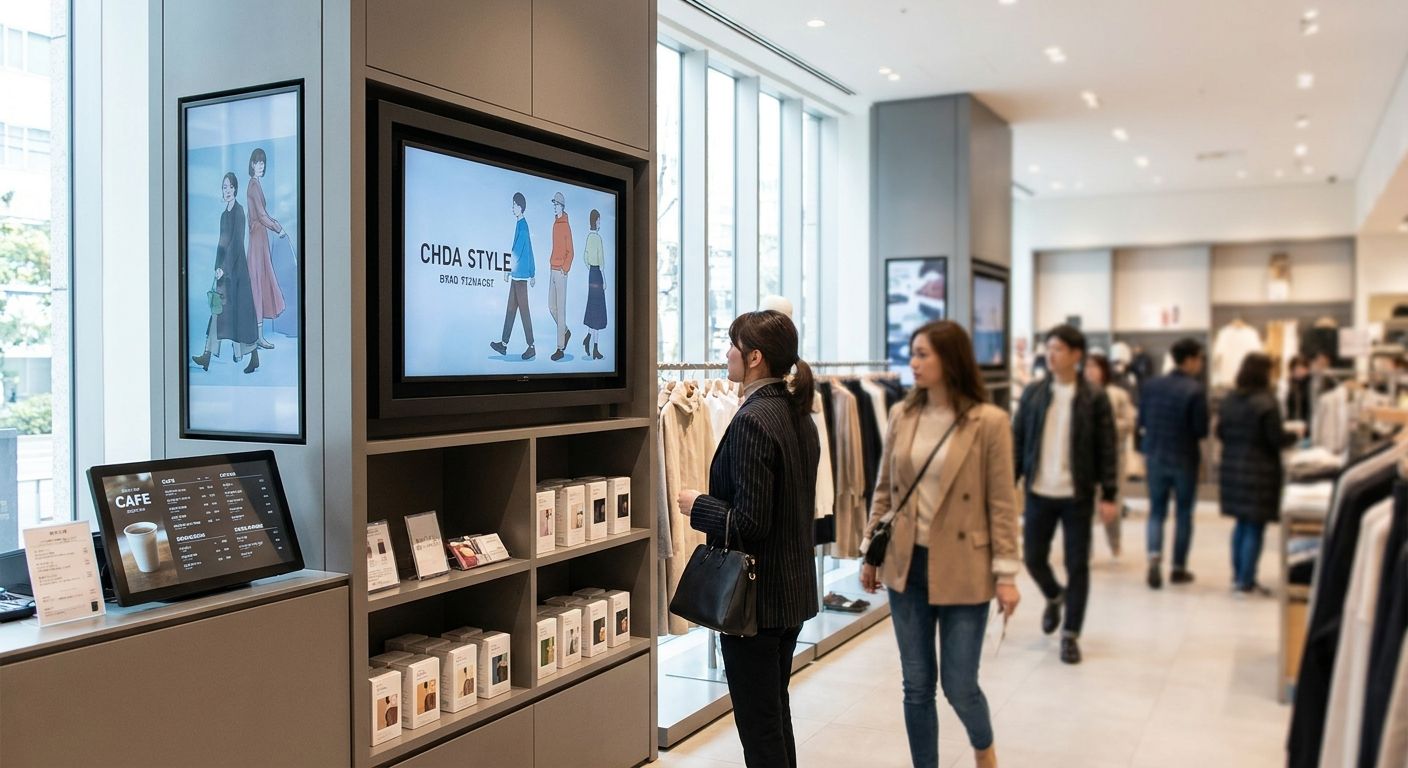
Digital signage displays for retail and hospitality only pay off when the panel, the media player, and the network behind it are matched to the space — get one piece wrong and you're stuck with a black screen or an IT ticket every week.
- Digital signage displays for retail need a 24/7-rated panel plus a dedicated media player — consumer TVs fail fast.
- A PoE+ switch delivers up to 30W per port, enough to run a compact signage player without a separate outlet. Buy.
- WINTOUCH POS integration syncs displayed prices to the register instead of leaving them stale. Buy if pricing changes weekly.
- Wireless backhaul only earns its keep on floors over a few hundred square meters — smaller stores should stay wired.
Why this matters
A retail counter, a hotel lobby, and a restaurant window all need a screen — but the buying decision changes for each. A commercial display bought for a supermarket entrance runs 12-16 hours a day, every day of 2026, and dies early if it's a consumer TV built for a 4-6 hour daily duty cycle. The panel is only half the purchase.
The media player behind the glass, the cable or Wi-Fi feeding it, and the software pushing content decide whether the screen updates itself or someone has to walk over with a USB stick. Mini PC media players built for retail counters and digital signage solve the playback side; the network and POS integration decide whether pricing stays accurate without manual updates.
Who this is for
This guide is for retail store managers, restaurant and hotel operators, and IT buyers in Portugal sourcing digital signage displays for retail floors, hospitality lobbies, or restaurant menu boards in 2026 — anyone weighing a consumer TV against a purpose-built commercial setup before signing a purchase order.
What to look for in digital signage displays for retail
Brightness for the actual location
A menu board mounted indoors, away from windows, runs fine at 350-500 nits. A display facing a storefront window or direct sunlight needs 2,500-4,000 nits or the content washes out by midday — check where the screen physically sits before comparing specs on paper.
Duty cycle rating
Commercial signage panels are rated for 16/7 or 24/7 continuous operation; consumer TVs are built for 4-6 hours a day. Running a TV as a 12-hour storefront display voids the warranty on most models and shortens the panel's life well before 2027.
Mounting and orientation
Portrait orientation suits menu boards and price displays near checkout; landscape suits wayfinding and promotional loops. Confirm VESA compatibility and mount weight rating before ordering — retrofitting a mount after installation costs more than getting it right once.
Content management and remote updates
A screen that needs someone on-site to change content isn't signage, it's an expensive poster. A dedicated media player with remote content management lets one person update pricing or menus across every location from a laptop.
Power delivery
Standalone displays need an electrical outlet near every screen, which gets expensive fast across 8-10 units. PoE-powered setups run power and data over one network cable — a PoE+ switch delivers up to 30W per port under the IEEE 802.3at standard, enough for most compact signage players.
Integration with POS and pricing data
A signage screen that pulls live prices from the till avoids the classic retail failure: the screen says €4.99, the register rings up €5.49. POS software that syncs displayed prices to whatever's actually in the system closes that gap.
Top picks for building a digital signage setup
The workhorse: mini PC media player
Mini PC media players for retail counters and digital signage run fanless, sit behind the panel on a VESA mount, and handle 24/7 playback without the noise or bulk of a full desktop tower. One unit drives one screen — for a multi-screen storefront, budget one player per panel. Buy if you're building anything beyond a single static screen.
The pick for wired, powered setups: PoE network switch
A PoE network switch built for IP camera installations does double duty powering signage players and cameras off the same rack, cutting cabling and outlet work in half. Each port pushes up to 30W under PoE+, which covers a compact media player with headroom to spare. Buy for any install with more than two screens.
The safe pick for price accuracy: WINTOUCH POS integration
VOLL carries more than 200 WINTOUCH POS and ERP licenses, and WINTOUCH POS software for restaurants and retail is the layer that keeps a digital menu board or price screen matched to what the register actually charges. Buy if prices or menu items change weekly.
The pick for hospitality lobbies: guest Wi-Fi
Screens that stream cloud-hosted content instead of running locally need a network that doesn't buckle when 40 guests are also on it. A guest Wi-Fi network for hotels and restaurants built to separate signage and staff traffic from guest browsing keeps the lobby display from stuttering during a busy Friday night. Consider it if your signage runs over Wi-Fi rather than a wired PoE drop.
The wildcard: wireless backhaul for large floors
Big-box stores and warehouses where running Ethernet to every screen isn't practical need wireless access points rated for large facilities, not consumer routers. Reyee access points for warehouses and large facilities cover ground a single home router can't. Consider it only once the store footprint pushes past a few hundred square meters — smaller floors don't need it.
Plan your signage build with VOLL
Get a quote for media players, PoE switches, and POS integration.
What to avoid
- Consumer TVs marketed as "smart displays." They're built for evening viewing, not a 14-hour retail shift — expect early panel failure and a voided warranty.
- Displays with no PoE or remote management. Every content update becomes a site visit, and every extra screen needs its own outlet.
- Wi-Fi signage with no dedicated guest network. Once guest phones and streaming displays share the same access point, both slow down during peak hours.
Verdict comparison
| Component | Power / duty cycle | Best for | Verdict |
|---|---|---|---|
| Mini PC media player | 24/7, low power draw | Any screen count | Buy |
| PoE network switch | Up to 30W per port | 2+ screens on one rack | Buy |
| WINTOUCH POS integration | Software layer | Weekly price or menu changes | Buy |
| Guest Wi-Fi network | Shared bandwidth | Wireless or streaming signage | Consider |
| Reyee access points | Wireless backhaul | Floors over a few hundred m² | Consider |
FAQ
What's the best digital signage display for a small retail store in 2026?
For a single storefront or checkout counter, the safe choice in 2026 pairs a commercial-grade panel rated for 24/7 use with a dedicated mini PC media player rather than a smart TV app. This keeps content updates and price syncing simple without extra hardware layers.
Is a commercial display better than a consumer TV for retail signage?
Yes — commercial displays are rated for 16/7 or 24/7 duty cycles, while consumer TVs are built for 4-6 hours a day. Running a TV as all-day signage shortens its life and typically voids the manufacturer warranty.
How much does a digital signage display setup cost?
Cost depends on screen size, brightness rating, and whether the build needs PoE switching or POS integration on top of the panel. Request a quote once you know the screen count and installation locations.
Can digital signage displays connect to POS software for live pricing?
Yes — pairing a display with WINTOUCH POS software syncs menu boards and price screens to whatever is actually rung up at the register. Without that integration, someone has to manually update pricing on every screen.
Do digital signage displays need Wi-Fi or a wired connection?
A wired PoE connection is more reliable for fixed screens because it delivers power and data over one cable and doesn't compete for bandwidth. Wireless suits screens that move locations or sit where cabling isn't practical.
How many nits does a storefront-facing digital signage display need?
A display facing direct sunlight or a shop window needs 2,500 to 4,000 nits to stay readable at midday. An indoor menu board away from windows works fine at 350 to 500 nits.
What's the difference between PoE and standalone-powered signage displays?
PoE delivers both power and network data through a single cable, while standalone displays need a separate electrical outlet at every screen. A PoE+ switch delivers up to 30W per port, enough for most compact signage media players.
One last thing
The single most common signage failure in 2026 isn't the panel — it's a media player with no remote management sitting behind a screen nobody can reach without a ladder. Match the media player to a remote update tool before the panel ships, not after, and the whole setup stays maintainable from a laptop instead of a step stool.


