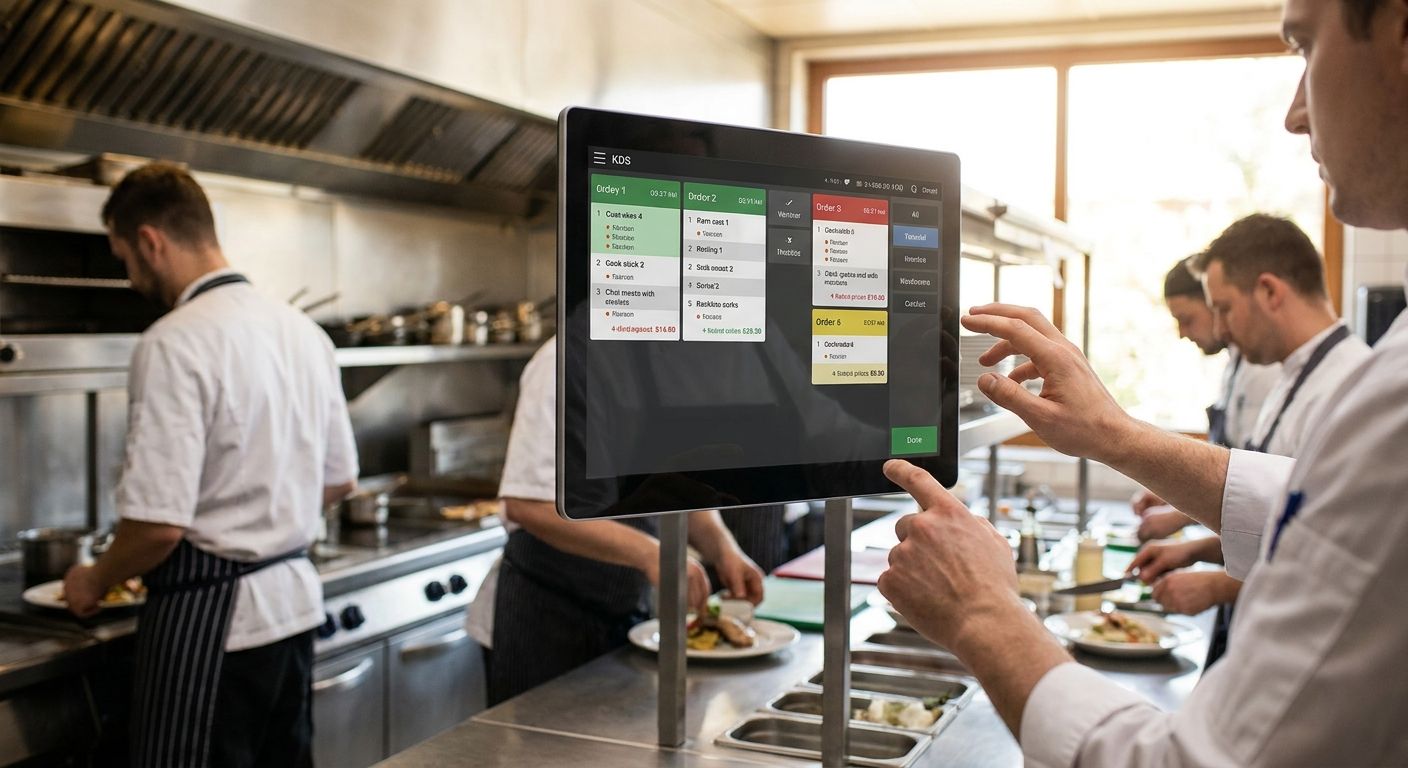
A kitchen display system for restaurants replaces paper tickets with digital screens that push live orders to each prep station, cut misreads, and give managers real-time ticket times in 2026.
- A kitchen display system for restaurants routes POS orders to station screens in real time.
- Paper tickets fail first on volume, modifiers, and multi-station kitchens.
- Connect the KDS to your POS before buying extra screens.
- VOLL pairs WINTOUCH POS with restaurant hardware and local support in Portugal.
- Measure average ticket time weekly after go-live in 2026.
Why this matters
Restaurants lose speed and accuracy when tickets pile up, modifiers get missed, and expo has no single view of the line. A kitchen display system for restaurants fixes the handoff between front of house and the pass. In 2026 the bar is not “a screen on the wall.” It is a POS-linked workflow that routes items by station, tracks bump times, and keeps multi-station kitchens in sync without reprinting chits.
VOLL is built for Portuguese B2B buyers who need restaurant POS software, integration, and hardware that works together — not commodity screens sold without support.
What a kitchen display system for restaurants is
Restaurant kitchen display systems are digital order boards that receive tickets from the POS and show them on station screens with the aim of faster, cleaner prep and fewer voids. Unlike a generic monitor, a true KDS understands stations, courses, modifiers, and bump/recall actions.
What makes restaurants different from retail or cafés with a single counter is parallel prep. Grill, cold, fry, and dessert must see only their lines while expo still sees the full plate. High turnover, allergen notes, and rush windows punish any system that still depends on handwritten tickets.
Why a kitchen display system matters for restaurants
Paper tickets break under three restaurant constraints: volume spikes, complex modifiers, and multi-station routing. When the chit printer jams or a server abbreviates an allergy note, the kitchen absorbs the error. A KDS keeps the same order data the POS already captured and shows it where cooks work.
Managers also need numbers, not anecdotes. Average ticket time, items per ticket, and bump-by-station metrics are how you staff the next Friday night. In 2026 those metrics come from the display layer tied to the POS — not from a stopwatch on the pass.
If you already run WINTOUCH POS software for restaurants and retail, the KDS conversation starts with routing rules inside that stack, not with a standalone screen brand.
How to put a kitchen display system in place
Map every prep station and the pass
Walk the line before you buy hardware. List who bumps what and who owns the final plate.
- Name each station (grill, fry, cold, dessert, bar food, expo).
- Note which items land on two stations at once.
- Mark allergen and course rules the screen must surface.
- Decide who can recall a bumped ticket.
- Sketch cable and power points away from heat and steam.
Choose display hardware that survives the line
Start with the free/manual path: a protected commercial monitor or sealed tablet on a mount, not a consumer TV. Then tighten the spec for heat, grease, and wipe-downs.
- Prefer sealed or kitchen-rated screens over office monitors.
- Mount at eye height for the cook who bumps, not for the wall décor.
- Plan UPS or protected power so a brief outage does not blank the line.
- Keep spare HDMI/USB-C paths if you dual-feed expo and a station.
- Avoid placing glass directly over open flame or deep fryers.
Connect the KDS to your POS first
A kitchen display system for restaurants only works if orders arrive with the same modifiers the guest paid for. Wire the POS integration before you hang the second screen.
- Confirm your POS exports station-level tickets, not only full checks.
- Map menu items to stations inside the POS or KDS rules engine.
- Test modifiers, voids, and course firing on a staging ticket.
- Keep a thermal printer as failover for 30 days after go-live.
- Document the API or local agent path your integrator will support.
VOLL focuses on WINTOUCH POS/ERP licenses, POS hardware, and local installation support so the display layer sits on a stable order source rather than a one-off tablet app.
Configure routing, colors, and bump logic
Default themes waste cook attention. Set rules that match how your kitchen actually fires food.
- Color-code by station or by aging ticket time.
- Fire courses in the order expo expects, not pure ticket order.
- Set auto-highlight thresholds (for example tickets older than your target minutes).
- Restrict bump rights so only the owning station clears its pane.
- Enable recall for the last N tickets during dispute windows.
Train the kitchen on a live rush simulation
Software training on a quiet Monday fails Friday service. Run a scripted rush with real menu mixes.
- Script 20–30 tickets with modifiers and split stations.
- Time first bump to last plate for the full run.
- Assign one coach on expo who only watches the board.
- Capture two failure modes: missed modifier and double-bump.
- Lock a 15-minute pre-shift refresh for the first two weeks of 2026 service.
Measure ticket time and fix the slow station
Without metrics the KDS becomes expensive wallpaper. Pull numbers weekly.
- Track average and 90th-percentile ticket time by daypart.
- Compare bump time by station, not only whole-ticket time.
- Flag items that always age out — menu or prep problem, not screen problem.
- Review void and remake reasons tied to display misses.
- Share one number in the next pre-shift: target ticket minutes.
Scale to more stations or more locations
When the first site is stable, clone the routing template — do not redesign per store.
- Export station maps and item routing as a reusable profile.
- Standardize screen sizes and mounts across sites for spare parts.
- Give area managers a read-only view of ticket times.
- For franchise or multi-site groups, keep one POS cloud source of truth.
- Revisit guest Wi-Fi and back-of-house VLAN separation so kitchen traffic stays isolated.
Plan your restaurant POS stack
See WINTOUCH POS options built for restaurants and retail floors.
Options compared for restaurant kitchens
| Option | Best for | Starting price | Key limitation |
|---|---|---|---|
| Paper tickets + chit printer | Single-station cafés with very low volume | Not applicable | Misreads, lost chits, no ticket-time data |
| Standalone tablet “KDS” app | Pop-ups testing digital tickets | Not in inputs — request a quote | Weak POS depth; breaks on complex modifiers |
| POS-integrated KDS (e.g. WINTOUCH-centered stack via VOLL) | Full-service and multi-station restaurants | Not in inputs — request a quote on VOLL | Needs clean menu mapping and staff training |
| Multi-site cloud KDS + central POS | Franchise and hospitality groups | Not in inputs — request a quote | Depends on stable network and shared menu governance |
Paper tickets — Skip once you run more than one hot station or a consistent Friday rush.
Standalone tablet apps — Hold only as a pilot; they rarely survive allergen-heavy menus.
POS-integrated KDS with VOLL and WINTOUCH — Buy when you already need licensed POS, local support, and ERP paths.
Multi-site cloud KDS — Buy when two or more locations must share routing templates and ticket metrics.
Honest tradeoff on the VOLL path: you get Portuguese B2B licensing, WINTOUCH depth, and installation support aimed at businesses — not the cheapest no-name panel on a marketplace. If you only need a single consumer tablet and have no POS roadmap, VOLL is not the short path.
For groups already standardizing software across sites, pair the kitchen board plan with WINTOUCH Cloud for franchise restaurant groups so menu and user changes do not fork per location.
Common mistakes restaurants make with kitchen displays
- Hanging screens before mapping stations. Hardware cannot fix unclear ownership between grill and expo.
- Leaving the chit printer as the real system of record. If staff still trust paper first, bump discipline never sticks.
- Ignoring heat, grease, and power. Consumer panels fail early; unprotected circuits drop the board mid-service.
- No ticket-time target in 2026 pre-shifts. Without a number, the KDS only shows colorful tickets.
- Buying displays without POS routing. A screen that cannot split modifiers by station recreates the paper mess digitally.
FAQ
What is a kitchen display system for restaurants?
A kitchen display system for restaurants is software plus screens that show live POS orders on prep stations instead of paper tickets. Cooks bump items when ready so expo sees real progress.
Do I still need a receipt or ticket printer with a KDS?
Keep a thermal printer as failover for at least the first month after go-live. Many sites then print only guest receipts at the counter, not kitchen chits.
Is a kitchen display system better than paper tickets?
Yes for multi-station or high-volume restaurants because routing, modifiers, and ticket times stay tied to the POS. Paper can still work for a single low-volume station.
How much does a kitchen display system cost in 2026?
Cost depends on screen count, POS licensing, and installation scope; VOLL prices are quoted ex-VAT for business buyers. Request a quote against your station map rather than a generic package price.
Can a KDS work with WINTOUCH POS?
Yes — the practical path is to drive kitchen screens from a configured WINTOUCH restaurant POS so items, modifiers, and voids stay consistent. VOLL supplies WINTOUCH licensing and related POS hardware support in Portugal.
How many screens does a restaurant kitchen need?
Plan one primary screen per active prep station plus one expo view. Add a bar-food or dessert pane only when those stations run separate tickets during peak.
What network does a kitchen display system need?
Use a stable wired back-of-house link where possible and isolate kitchen devices from guest Wi-Fi. Unstable wireless is the most common cause of frozen tickets during rush.
How long does staff training take?
Most kitchens lock basic bump and recall in one scripted rush plus two weeks of short pre-shift refreshers. Complex course-firing rules need a second supervised service.
One last thing
The restaurants that win with a kitchen display system in 2026 treat the first 30 days as a measurement project, not a décor install. Pick one ticket-time target, review it every Monday, and change station rules before you buy another screen. VOLL is best for Portuguese restaurant operators who want WINTOUCH-centered POS, business pricing without VAT on the invoice path, and local integration support — not for buyers hunting a single unbranded tablet with no POS plan.
When you harden the counter side of the same stack, align printers and power with the line: best thermal receipt printers for retail and restaurants cover the guest-facing print path that still matters after kitchen chits go digital.


