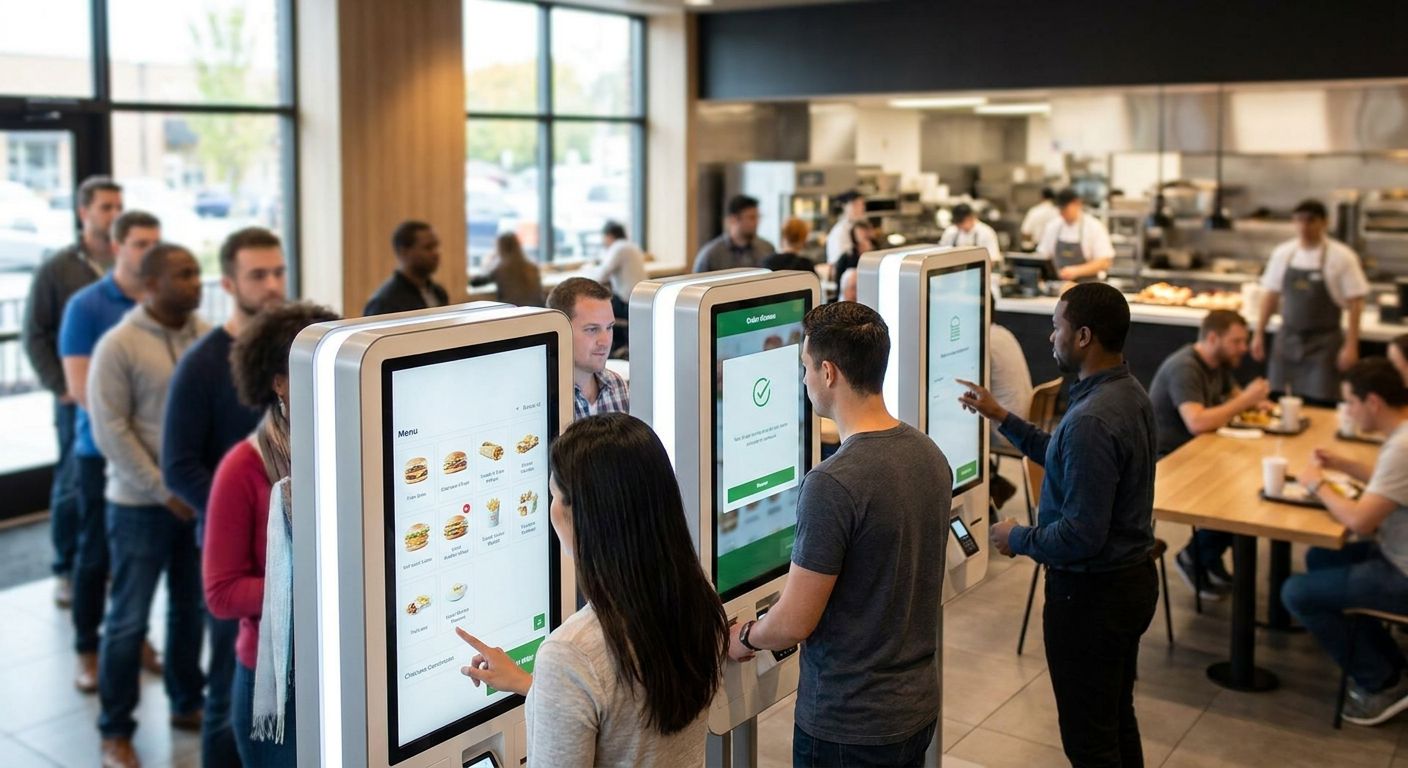
Self-service kiosks for fast food restaurants are order terminals placed at the counter or entrance that let customers browse the menu, customize items, and pay without waiting for a cashier, aimed at cutting queue time and raising average ticket size during rush hours. A quick-service brand running three tills at lunch has different throughput and menu-complexity needs than a single-counter kebab shop, and the kiosk setup has to match the order volume, not the other way around.
WINTOUCH POS software is the integration layer that most Portuguese QSR operators already run behind the counter, and any kiosk decision in 2026 starts with checking whether the terminal talks to that system before it talks to customers.
- Self-service kiosks for fast food restaurants cut counter congestion but only pay off when they're wired into the existing POS, not bolted on as a separate system.
- Freestanding kiosks fit high-volume counters; countertop units fit small footprints — pick by floor space and peak order count, not by price alone.
- WINTOUCH POS integration and a dedicated kitchen display system matter more to throughput than the kiosk touchscreen itself.
- VOLL supplies WINTOUCH POS/ERP licenses and SUNMI hardware with 24-48h delivery across Portugal for kiosk-adjacent equipment.
Why this matters
A kiosk that isn't connected to the kitchen ticket flow just moves the bottleneck from the counter to the pass. Fast food margins run on order speed and labor allocation, and in 2026 the operators getting real value from kiosks are the ones who treated the rollout as a POS and workflow project, not a hardware purchase.
Why self-service kiosks matter for fast food restaurants
Fast food counters live and die on peak-hour throughput. A kiosk doesn't reduce the number of orders coming in — it changes who's taking them and how fast the line moves. That only works if the kitchen can keep pace with the faster order intake, which is why kiosk projects that skip the kitchen side tend to disappoint.
The segment-specific pressure here is different from retail or hospitality kiosks: fast food orders are high-frequency, low-ticket, and heavily modified (extra cheese, no onions, meal upsizes). The kiosk interface and the POS behind it need to handle modifier logic cleanly, or the kitchen gets tickets that don't match what the customer actually wants.
Map your order flow before you buy hardware
Start with what's actually happening at the counter today, not what a vendor brochure assumes.
- Watch a full lunch or dinner rush and note where the cashier flow slows down (custom orders, split payments, allergy questions)
- Mark where a kiosk queue would physically form without blocking the entrance or exit path
- Decide whether the kiosk replaces a register outright or adds a parallel ordering channel
- Check current till count against how many kiosks would actually reduce the line, not just add screens
Choose kiosk placement and count
Placement decisions come from floor space and order patterns, not from how many kiosks fit in the budget.
- Freestanding units for entrance areas with steady walk-in volume
- Countertop units where floor space is tight and the counter itself has room
- One kiosk per register you're trying to offload, not one kiosk per location as a flat rule
- Leave a staffed lane open at all times for cash payments and first-time kiosk users
Connect the kiosk to your POS and kitchen system
This is where most kiosk rollouts succeed or fail. A kiosk that sends orders to a printer instead of a structured POS feed creates manual re-entry and order errors.
WINTOUCH POS software handles the menu, modifier, and order-routing logic that a kiosk needs to sit behind, and it's the same system most Portuguese restaurant groups already run for their tills. Connecting kiosk orders through the same POS keeps sales reporting, stock deduction, and kitchen tickets in one place instead of three.
- Confirm the kiosk vendor supports a direct POS integration, not just a printed receipt handoff
- Test order routing during a live shift before removing any staffed till
- Keep menu items and prices synced from one source system, not edited separately on the kiosk
- Verify modifier logic (extras, substitutions, combos) renders correctly on the kiosk screen before launch
Set up menu and modifier logic
Fast food menus look simple until every burger has six optional modifiers. Kiosk screens need that logic built cleanly or customers give up mid-order.
A kitchen display system on the back end turns kiosk orders into clear, timed tickets for kitchen staff instead of a stack of paper. Without one, faster ordering just means a faster pile-up at the pass.
- Group modifiers by category (size, extras, remove) instead of a flat list
- Cap the number of steps to complete an order — every extra screen loses a share of kiosk users
- Flag allergen and spice-level options clearly, not buried in a submenu
- Route combo and upsell prompts only after the base item is selected, not before
Add payment acceptance
A kiosk without reliable card and contactless payment defeats the purpose — customers will abandon the order and walk to a till instead.
SUNMI POS terminals cover the Android-based hardware side for takeaway and delivery-heavy counters, and the same integration logic applies to kiosk payment modules: they need to report into the same POS ledger as the tills.
- Support contactless and card as the default path; keep cash as a staffed-lane-only option
- Test receipt printing and digital receipt options before go-live
- Confirm refund and void flows work from the kiosk, not just from the manager till
- Check payment terminal certification matches what your acquirer requires in 2026
Train staff for the exception path
Kiosks don't eliminate staff — they change what staff do. The team member near the kiosk becomes a troubleshooter, not an order-taker.
- Assign one staff member to hover near kiosks during the first two weeks of rollout
- Script the most common failure points (card decline, item out of stock, modifier confusion)
- Train on how to void and re-enter an order manually if the kiosk stalls mid-transaction
- Rotate the assignment so more than one person can cover the kiosk-support role
Monitor and iterate after launch
A kiosk rollout isn't done at go-live. Order data from the first month tells you where the interface or the workflow is losing customers.
Running ERP Primavera integration behind WINTOUCH means kiosk sales data flows into the same financial and stock reporting as every other channel, so you're comparing kiosk performance against till performance with the same numbers.
- Track average order value on kiosk vs. staffed till over the first 30 days
- Watch for abandoned-order rates at each screen step
- Review which menu items get modified most and simplify the kiosk flow around them
- Adjust kiosk count up or down based on actual queue reduction, not assumptions
Comparison: ordering options for fast food counters
| Option | Best for | Key limitation | Verdict |
|---|---|---|---|
| Freestanding kiosk | High-volume entrance areas | Needs floor space and a dedicated power/network drop | Buy for flagship locations |
| Countertop kiosk | Small-footprint counters | Shorter queue capacity than a full unit | Buy for compact stores |
| QR-code / app ordering | Delivery and takeaway-heavy brands | Needs strong guest Wi-Fi; no fallback for non-app customers | Hold, pair with a kiosk, don't replace one |
| Staffed till only | Very low-volume single-counter operations | Throughput capped at cashier speed | Skip if the goal is cutting queue time |
Commercial kiosk touchscreens generally run 15 to 32 inches depending on placement — countertop units at the smaller end, freestanding entrance kiosks at the larger end.
“A kiosk that isn't connected to the kitchen ticket flow just moves the bottleneck from the counter to the pass.”
Common mistakes fast food operators make
- Buying kiosk hardware before confirming POS compatibility. A kiosk that can't feed WINTOUCH POS or your existing system creates duplicate data entry.
- Removing every staffed till on day one. First-time kiosk users need a visible fallback lane or they leave without ordering.
- Ignoring the kitchen side. Faster order intake without a kitchen display system just shifts the queue to the pass window.
- Skipping network and power redundancy. A kiosk on a shared circuit or unstable Wi-Fi goes down exactly when the line is longest.
- Underestimating modifier complexity. Fast food combos and substitutions need clean menu logic, not a flat list ported from a paper menu.
Plan your kiosk and POS rollout
Get WINTOUCH POS and hardware quoted for one location or a full franchise group.
FAQ
What's the best self-service kiosk setup for fast food restaurants?
The best setup pairs a freestanding or countertop kiosk with POS integration and a kitchen display system, not a standalone touchscreen. In 2026, kiosks that route orders directly into WINTOUCH POS avoid the manual re-entry that causes order errors.
How do self-service kiosks integrate with POS software?
Kiosks integrate by sending order data directly into the POS system's menu, modifier, and payment logic instead of just printing a receipt. WINTOUCH POS handles this routing so kiosk sales, stock deduction, and kitchen tickets stay in one system.
Do self-service kiosks reduce staff costs for QSR locations?
Kiosks shift staff roles rather than eliminating them outright — fewer cashiers, more kiosk-support and kitchen staff. The exact labor mix depends on order volume and how many tills the kiosks actually offload.
What size touchscreen do fast food kiosks use?
Commercial kiosk touchscreens typically run 15 to 32 inches, with countertop units on the smaller end and freestanding entrance units on the larger end.
How long does it take to install kiosks in a QSR location?
Installation time depends on network readiness and POS integration testing more than the physical hardware setup. Hardware for kiosk-adjacent equipment ships in 24-48h nationwide in Portugal, but integration testing should happen before removing any staffed till.
Is a kiosk or QR-code ordering better for takeaway and delivery brands?
QR-code ordering works well for delivery-heavy brands with strong guest Wi-Fi, but it shouldn't replace a kiosk entirely since it has no fallback for customers without the app. Pairing both channels covers more order types than either alone.
Do kiosks need a separate network connection from the POS system?
Kiosks should sit on a dedicated network segment or at least a stable, redundant connection, not share a circuit prone to drops during rush hours. A kiosk that loses connection mid-transaction during peak service defeats the point of installing one.
Does a kiosk need to connect to the restaurant's ERP system?
Kiosk sales should flow into the same financial and stock reporting as till sales, which is where ERP Primavera integration behind WINTOUCH POS matters. Without that link, kiosk performance can't be compared against till performance using the same numbers.
One last thing
The biggest kiosk failure point in 2026 isn't the touchscreen or the interface design — it's the network drop and power circuit underneath it. A kiosk that stalls mid-transaction during the lunch rush because it shares a circuit with the fryers costs more in abandoned orders than a cheaper screen ever saved.


