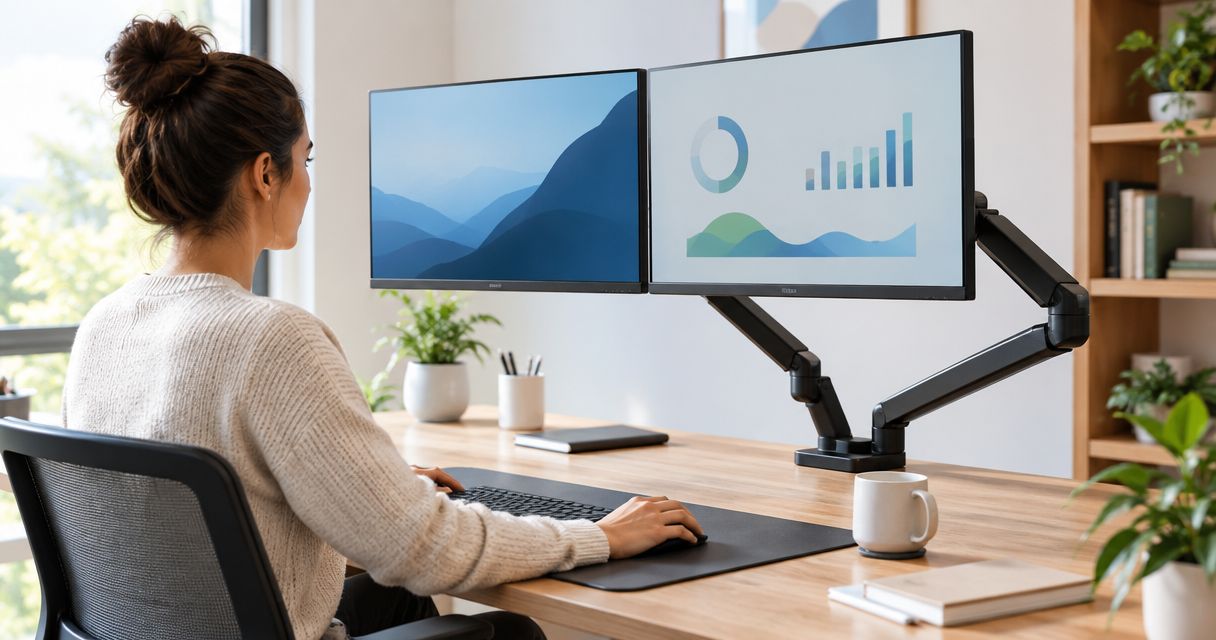
A monitor arm replaces the plastic stand under your screen with a pole-and-joint mount that lifts the display off the desk and lets you push it to eye level in one motion. Best overall monitor arm for 2026: a single gas-spring arm with VESA 75x75mm/100x100mm compatibility. Best for two-screen desks: a dual-monitor crossbar arm on one clamp. Best budget option: a fixed-friction clamp arm for workstations that get set once and rarely moved.
- A gas-spring single monitor arm is the best monitor arm for most 2026 office desks, with full height, tilt and swivel travel.
- Dual-monitor crossbar arms fit two-screen roles without doubling the desk clamp footprint.
- Fixed-friction clamp arms are the budget monitor arm pick for shared or fixed-seating workstations.
- Confirm VESA 75x75mm or 100x100mm compatibility and desk clearance before ordering any monitor arm.
- Heavy-duty gas-spring arms handle ultrawide and CAD displays standard arms can't lift.
Why this matters
A monitor sitting on a stock plastic stand is usually 5 to 10cm lower than eye level, which pushes the neck forward for hours a day. That's the single most common ergonomic complaint on office workstation audits, and it's the easiest one to fix without touching the desk or the chair.
Offices running hybrid schedules and hot-desking in 2026 add a second problem: the same desk gets a different employee, and a different ideal monitor height, every day. A monitor arm for ergonomic office workstations solves both at once because height, tilt and depth reset in seconds instead of requiring a new chair or desk. Portuguese businesses ordering through VOLL get equipment delivered nationwide in 24-48 hours, which matters when a workstation refresh is scheduled around a specific move-in date.
What makes the best monitor arm
- VESA compatibility — 75x75mm and 100x100mm mounting patterns cover the large majority of 19 to 34-inch monitors on the market.
- Weight and size range — the gas spring or friction mechanism has to match the panel's actual weight, not just its screen size.
- Range of motion — height, tilt, swivel and depth travel, and whether it holds position without locking screws.
- Mount type — desk clamp for desks with a front lip, grommet mount for desks with a pre-drilled cable hole.
- Cable management — whether cables route through the pole or hang loose across the desk.
- Single vs. multi-monitor support — one crossbar for two screens versus two separate arms on two clamps.
Monitor arms at a glance
| Type | Best for | Standout feature | Key limitation |
|---|---|---|---|
| Gas-spring single arm | Standard single-display desks | One-hand height, tilt and swivel adjustment | Needs desk edge clearance for the clamp |
| Dual-monitor crossbar arm | Two-screen setups | One clamp holds both VESA plates | Heavier displays cut into vertical travel |
| Dual mount for height-adjustable desks | Sit-stand workstations | Moves with the desk without re-clamping | Desk depth needs checking before ordering |
| Heavy-duty gas-spring arm | Ultrawide and CAD displays | Rated for wider, heavier panels | Bulkier footprint, wasted travel on a standard monitor |
| Fixed-friction clamp arm | Shared or budget workstations | Simple tension screw, few moving parts | No smooth one-hand height change |
| Desk-clamp arm with cable channel | Hot-desking and hybrid teams | Cables route through the pole, not the desk | Single-monitor only |
1. Gas-spring single monitor arm: best monitor arm for standard single-display desks
A gas-spring arm uses a counterbalanced spring inside the pole to hold a monitor at any height without a locking screw. Push it up, down, forward or back with one hand and it stays put, which is the whole point of an ergonomic setup.
Gas-spring single monitor arm pros:
- Full range of motion with no tools
- Frees desk depth by lifting the monitor off a stand
- Fits clamp or grommet desk mounts
Gas-spring single monitor arm cons:
- Needs desk edge clearance for the clamp
- Heavy daily readjustment over several years is when gas-spring units typically start to drift and need a tension refresh
Best for: single-monitor desks in general office use. Verdict: Buy.
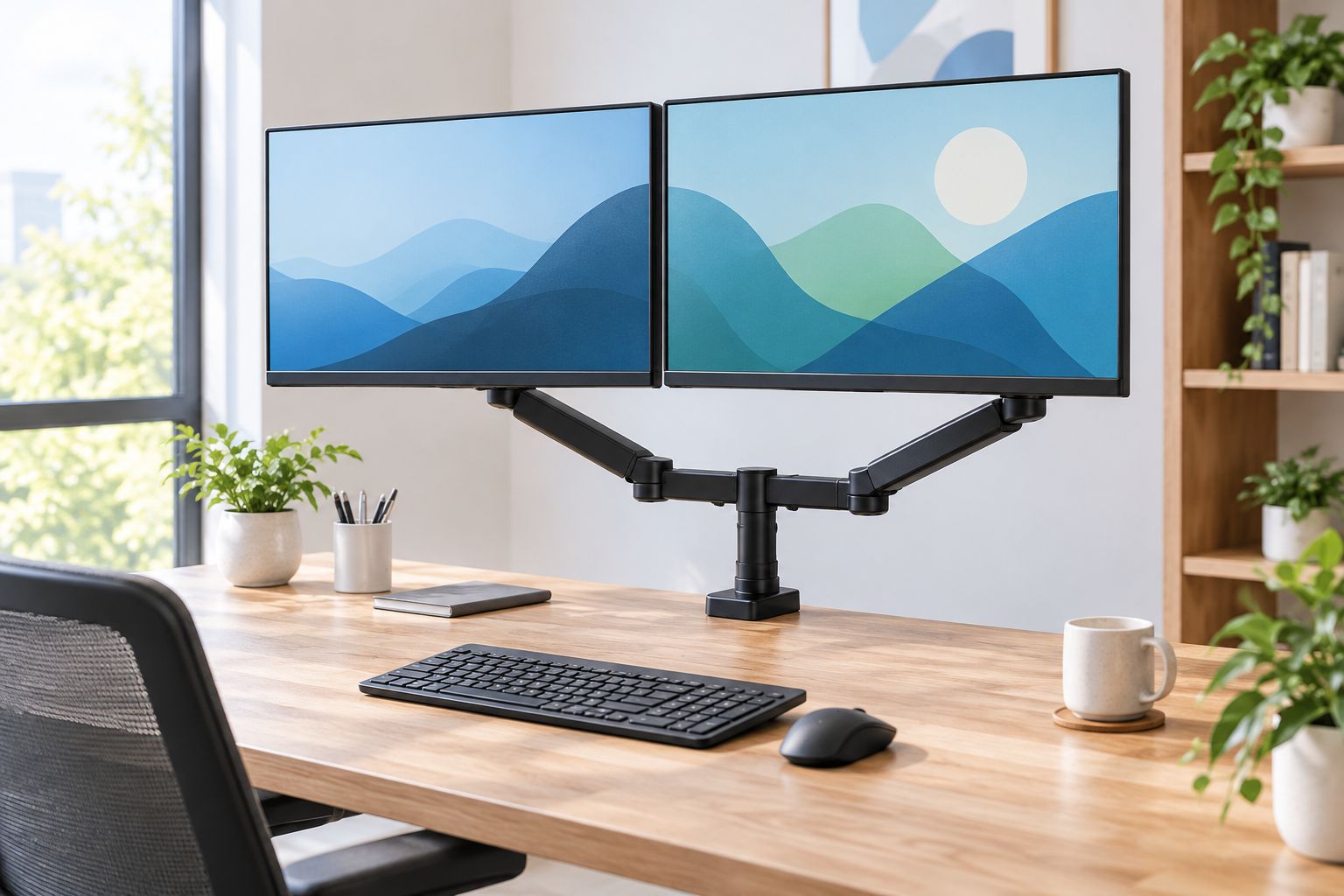
2. Dual-monitor crossbar arm: best monitor arm for two-screen workstations
A dual-monitor arm mounts two VESA plates on a shared crossbar off one pole and clamp, so both screens move as a pair or independently depending on the model. It's the standard fit for support desks, trading floors and developer stations running two displays side by side.
Dual-monitor crossbar arm pros:
- Doubles usable desk space compared to two monitor stands
- Keeps both screens level at the same height
- One clamp footprint instead of two
Dual-monitor crossbar arm cons:
- Heavier dual setups reduce vertical travel
- Centre pole can sit close to a webcam sightline on tight setups
Best for: two-screen desks in support, development and finance roles. Verdict: Buy.
3. Dual mount for height-adjustable desks: best monitor arm for sit-stand workstations
This pairs the same dual-arm hardware with a clamp rated to travel with a sit-stand desk column, so both screens stay aligned as the desk motor raises and lowers it. Nothing needs re-tightening every time the desk moves.
Dual mount for height-adjustable desks pros:
- No re-clamping when the desk changes height
- Keeps cable slack managed through the moving column
- Works with most standard-depth office desktops
Dual mount for height-adjustable desks cons:
- Desk depth needs checking before ordering — long-reach arms can hit a wall behind the desk
- Adds weight to the desk's moving frame, which matters on lower-rated sit-stand motors
Best for: businesses running electric or crank sit-stand desks at scale. Verdict: Buy for sit-stand fleets; Hold if the desk motor's load rating is already near its limit.
4. Heavy-duty gas-spring arm: best monitor arm for ultrawide and CAD displays
A heavy-duty arm uses a thicker pole and a stronger gas spring rated for larger, heavier panels — a 34-inch ultrawide or a pair of 4K monitors, for example. The wider clamp base stops the display sagging over time the way a standard arm would under that extra weight.
Heavy-duty gas-spring arm pros:
- Holds heavier VESA 100x100mm panels without drifting down
- Wider clamp base adds stability on deep design workstation desks
- Often includes a locking knob for panels that shouldn't move once positioned
Heavy-duty gas-spring arm cons:
- Bulkier footprint eats more desk depth
- Overkill on a standard 24-inch monitor
Best for: design, video and CAD workstations running large or multiple heavy panels — it pairs naturally with a GPU upgrade for CAD workstations. Verdict: Buy for design teams; Skip for standard office desks.
5. Fixed-friction clamp arm: best monitor arm for shared or budget workstations
A friction arm uses a tension screw instead of a gas spring to hold height, with fewer moving parts and a simpler mechanism overall. Once it's tightened at the right height, it stays there until someone loosens the screw again.
Fixed-friction clamp arm pros:
- Fewer moving parts to service over time
- Simple single-screw tension adjustment
- Lower cost mechanism suits large office rollouts
Fixed-friction clamp arm cons:
- No smooth one-hand height change
- Tension loosens with very frequent daily adjustment
Best for: shared office workstations and budget equipment rollouts where a desk is set up once per employee. Verdict: Buy for fixed seating; Skip for hot-desking floors.
6. Desk-clamp arm with cable channel: best monitor arm for hot-desking and hybrid teams
This is a single-monitor gas-spring arm built with an enclosed cable channel along the pole, so power and video cables route through the arm instead of trailing loose across a desk a different employee sits at every day. It's the arm that keeps a rotating desk looking the same at 9am regardless of who used it yesterday.
Desk-clamp arm with cable channel pros:
- Keeps hot-desk stations tidy between shifts
- Routes cables straight from monitor to a docking station for hybrid work with nothing loose on the desktop
- Standard VESA plate swaps in a new monitor fast when equipment rotates
Desk-clamp arm with cable channel cons:
- Cable channel width limits it to standard cables, not thick locking connectors
- Single-monitor only, not built for dual-screen hot-desks
Best for: hybrid teams and hot-desking floors where the desk changes user daily. Verdict: Buy.
How we ranked these
Each type was ranked against the same six criteria: VESA compatibility, weight and size range, range of motion, mount type, cable management, and single- versus multi-monitor support. No two entries compete for the same use case — a shared desk and a CAD workstation need different arms, not a leaderboard.
“A monitor arm only earns its clamp if it matches the desk's depth and the panel's actual weight — not just its screen size.”
Which monitor arm should you choose?
For a standard 2026 office desk, buy the gas-spring single monitor arm — it covers the majority of workstations without over-specifying. Add the dual-monitor crossbar arm for any role running two screens, and reserve the heavy-duty gas-spring arm for design and CAD desks carrying ultrawide or 4K panels. On shared or hot-desking floors, the fixed-friction clamp arm or the cable-channel desk arm solve the budget and tidiness problems respectively — pick based on whether the desk is fixed-seating or rotating.
Equip your office workstations
Browse ergonomic monitor arm setups with delivery across Portugal in 24-48 hours.
FAQ
What's the best monitor arm for a single office desk in 2026?
A gas-spring single monitor arm with VESA 75x75mm or 100x100mm compatibility covers the majority of standard office desks. It gives one-hand height, tilt and swivel adjustment without locking screws.
Is a dual-monitor arm better than two separate monitor stands?
Yes, for most two-screen desks. A dual-monitor crossbar arm uses one clamp for both displays and keeps them level, which frees more desk depth than two individual stands.
What VESA size do most monitor arms support?
Most monitor arms support the VESA 75x75mm and 100x100mm mounting patterns, which cover the majority of 19 to 34-inch monitors sold today. Larger or curved panels sometimes need a heavy-duty arm rated for the extra weight.
How much weight can a monitor arm hold?
Weight capacity depends on the specific arm's gas spring or friction rating, which is listed on the product page. Check that rating against your monitor's actual weight before mounting, especially for ultrawide or 4K panels.
Can a monitor arm attach to a height-adjustable desk?
Yes, with a mount rated to move with the desk column as it rises and falls. A standard clamp arm can work loose on a sit-stand desk that changes height several times a day, so a purpose-rated dual mount holds up better.
What's the difference between a clamp mount and a grommet mount?
A clamp mount grips the desk's front edge and suits desks without a cable hole. A grommet mount drops through a pre-drilled hole in the desktop and suits desks built with cable management in mind.
Do monitor arms work for ultrawide monitors?
Yes, when the VESA pattern matches and the arm is rated for the panel's weight and width. A heavy-duty gas-spring arm handles 34-inch ultrawide displays better than a standard single arm.
How long does a gas-spring monitor arm last before it loses tension?
Years of daily heavy adjustment is typically when a gas-spring arm starts to drift downward under a monitor's weight. A tension screw on most models restores most of the lost grip without replacing the arm.
One last thing
A grommet-mount arm needs a pre-drilled cable hole that a lot of older office desks simply don't have. Check the desktop for that hole — or the room for a front lip a clamp can grip — before ordering, not after the arm arrives and won't fit either one.


