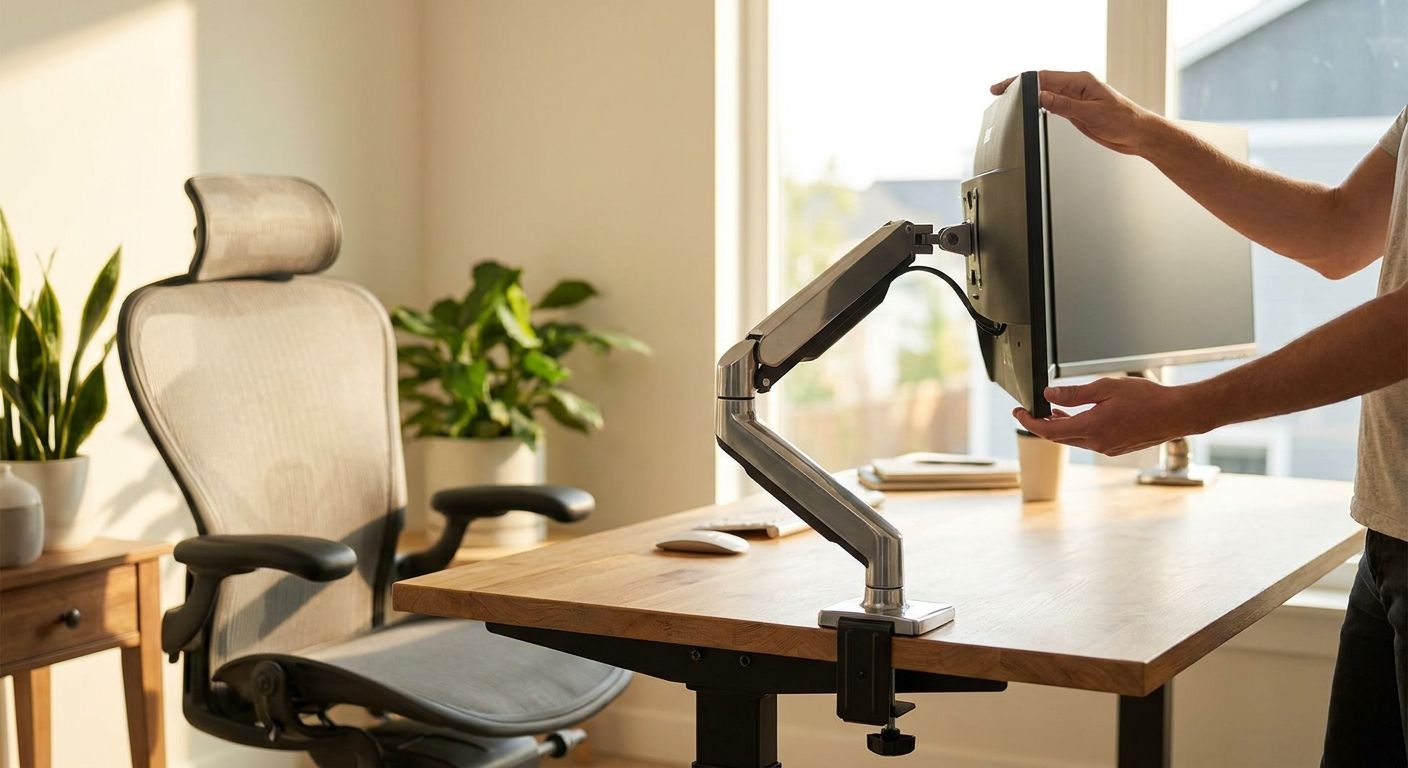
Choosing monitor arms for office workstations comes down to three numbers that most buyers ignore until the arm sags or the mount doesn't fit: VESA pattern, weight capacity, and adjustment range.
- VESA 100x100mm is the mount standard on nearly every business monitor sold in 2026 — check this before ordering any arm.
- Single-arm units rated 2-9 kg cover most 24-32 inch business displays; go heavier for ultrawide or curved screens.
- Clamp mounts fit hot-desking and shared office workstations; grommet mounts suit fixed assigned desks.
- Dual and triple arms cost more upfront but cut desk clutter faster than buying two separate stands.
- Skip arms with no VESA plate listed — you'll find out too late they don't fit your fleet.
Why this matters
A fixed monitor stand forces every employee into the same eye height and viewing angle, and that's a fast way to generate neck and shoulder complaints across a shared office floor. Monitor arms for office workstations solve the ergonomics problem and the desk-space problem at the same time — they free up surface area for keyboards, laptops, and paperwork. If you're already budgeting for a docking station for hybrid work laptops, add monitor arms to the same purchase order — they're the two accessories that turn a bare desk into a working hybrid station in 2026.
Who this is for
This guide is for office managers and IT buyers outfitting shared or hybrid workstations — companies fitting out a new floor, standardizing hot-desks, or replacing monitor stands that no longer clear a keyboard tray. If you're buying one arm for a home office, the criteria below still apply, but the volume math changes: business buyers care about VESA consistency across a fleet of 20-50 monitors, not just one desk.
What to look for in monitor arms for office workstations
VESA compatibility and mount pattern
Almost every business monitor sold in 2026 ships with a VESA 75x75mm or 100x100mm hole pattern on the back panel — that's the industry standard, and it's the first spec to check, not the last. An arm without a listed VESA rating is a return waiting to happen once it arrives and doesn't line up with your screens.
Weight capacity versus monitor size
Most single-arm units on the market carry a 2-9 kg capacity, which covers the majority of 24-32 inch business displays. Curved or ultrawide monitors (34 inches and up) routinely weigh more than that ceiling, so match the arm's rated capacity to the actual screen weight, not the screen size on the box.
Adjustment range: height, tilt, swivel, rotation
A good arm moves on four axes — height, tilt, swivel, and rotation — so one person sitting at 175cm and another at 160cm can both land the screen at eye level without touching a wrench. Arms with only height and tilt (no swivel) are fine for fixed single-monitor desks but frustrate anyone sharing the workstation across shifts.
Desk mounting: clamp vs grommet
Clamp mounts grip the desk edge and work on almost any surface up to roughly 6cm thick — the right call for hot-desking and shared office workstations where desks get reassigned weekly. Grommet mounts route through a drilled hole and hold slightly firmer over years of daily adjustment, better suited to a desk with one permanent owner.
Cable management channel
A molded channel running down the arm keeps HDMI, USB-C, and power cables from swinging loose every time someone repositions the screen. Skip this and you'll have cables snagging on chairs within a month — a small detail that drives more support tickets than it should.
Single, dual, or triple arm configuration
One arm handles one monitor cleanly; dual and triple arms mount two or three screens off a single desk clamp, which matters when desk space is the constraint, not budget. The tradeoff is weight distribution — a triple arm loaded with three 27-inch panels needs a heavier base and a sturdier clamp than a single-arm setup.
Top picks for office workstations
1. The standard single-arm — the safe pick. Rated for a 2-9 kg capacity with full height, tilt, swivel, and rotation, this is the default for any 24-27 inch business monitor on a fixed or hot-desk workstation. Verdict: Buy for straightforward single-screen setups in 2026.
2. The dual-monitor arm — the productivity add-on. One clamp base holds two screens side by side, which works well for finance, support, or dev teams running two 24-inch displays instead of one large one. Pair it with a docking station for hybrid work laptops so the laptop, both monitors, and peripherals all run off one connection point. Verdict: Buy for roles that live in two windows at once.
3. The heavy-duty arm for ultrawide monitors — the specialist pick. Built for capacities above 9 kg to handle 34-49 inch curved and ultrawide panels, this arm needs a reinforced clamp and usually a wider gas-spring range. Verdict: Consider only if your fleet actually includes ultrawide screens — it's overkill and overpriced for a standard 24-inch monitor.
4. The clamp-mount arm for hot-desking — the shared-office pick. No drilling, fast reassignment between employees, and full compatibility with shared office workstation peripherals like keyboards and mice that also move between desks. Verdict: Buy for any floor running a hot-desk or hybrid rotation.
5. The bargain gas-spring arm with no listed VESA rating — the wildcard. Cheap on paper, but a large share of budget arms sold without a stated VESA compatibility list end up mismatched with business monitor panels. Verdict: Skip — the few euros saved don't cover the cost of a return shipment or a wasted afternoon.
Fitting out a whole office floor?
Set up a business account for bulk IT equipment orders with tax-free B2B pricing.
What to avoid
- All-in-one desktops with no VESA mount holes. Some models look identical to standard monitors but ship with a fixed base and no rear mounting plate — check all-in-one desktops for office workstations specs before assuming an arm will fit.
- Arms marketed for gaming setups. These often prioritize RGB lighting and dramatic swing radius over the flat, repeatable eye-level positioning an office workstation actually needs across an 8-hour shift.
- Undersized clamps on thick desks. A clamp rated for desks up to 5cm won't grip a 7cm executive desk edge — measure the desk before ordering, not after the arm arrives.
Verdict comparison table
| Configuration | VESA fit | Capacity | Best desk type | Verdict |
|---|---|---|---|---|
| Standard single-arm | 75/100mm | 2-9 kg | Any fixed desk | Buy |
| Dual-monitor arm | 75/100mm | 2-9 kg per arm | Hybrid two-screen roles | Buy |
| Heavy-duty ultrawide arm | 100mm | 9 kg+ | Curved/ultrawide only | Consider |
| Clamp hot-desk arm | 75/100mm | 2-9 kg | Shared/rotating desks | Buy |
| No-VESA budget arm | Unlisted | Unclear | None recommended | Skip |
FAQ
What is the standard weight capacity for a monitor arm in 2026?
Most single-arm units carry a 2-9 kg rated capacity, which covers standard 24-32 inch business monitors. Ultrawide and curved screens over 34 inches often exceed that range and need a heavy-duty arm rated above 9 kg.
Is VESA compatibility the same across all monitor brands?
Yes, VESA is a shared industry mount standard, not a brand-specific one — most business monitors use a 75x75mm or 100x100mm hole pattern. That means one VESA-rated arm works across mixed monitor brands on the same office floor.
Are dual monitor arms better than two single arms?
A dual-monitor arm is better when desk space is tight, since it clamps once and holds both screens on one base. Two single arms make more sense when the monitors sit far apart or on different desk edges.
How much does a business-grade monitor arm cost in Portugal in 2026?
Pricing depends on capacity, VESA range, and whether it's single, dual, or heavy-duty rated, so it varies by configuration. Business buyers can request a quote with pricing shown without IVA for bulk fleet orders.
Do all-in-one desktops work with monitor arms?
Only if the all-in-one has a VESA mounting plate on the back, and not every model does. Check the spec sheet for a stated VESA hole pattern before ordering an arm for that unit.
What's the difference between gas-spring and mechanical monitor arms?
Gas-spring arms let you push the screen into position with light pressure and it holds there, which suits frequent height changes on shared desks. Mechanical arms use tension knobs that need manual tightening and loosen faster under daily adjustment.
Can a monitor arm hold an ultrawide monitor?
Yes, but only a heavy-duty arm rated above 9 kg with a wider VESA plate — standard single arms are usually not rated for 34-49 inch ultrawide panels. Check the arm's stated capacity against the monitor's actual weight, not just its screen size.
Is a clamp mount or grommet mount better for shared desks?
Clamp mounts win for shared or hot-desk workstations because they attach without drilling and move between desks easily. Grommet mounts suit a desk with one permanent owner and hold slightly firmer over years of daily use.
One last thing
The detail most buyers skip is checking the clamp's maximum desk-edge thickness against their actual furniture — a mismatch here is the single most common return reason on monitor arm orders, and it's avoidable with one measurement before checkout.


