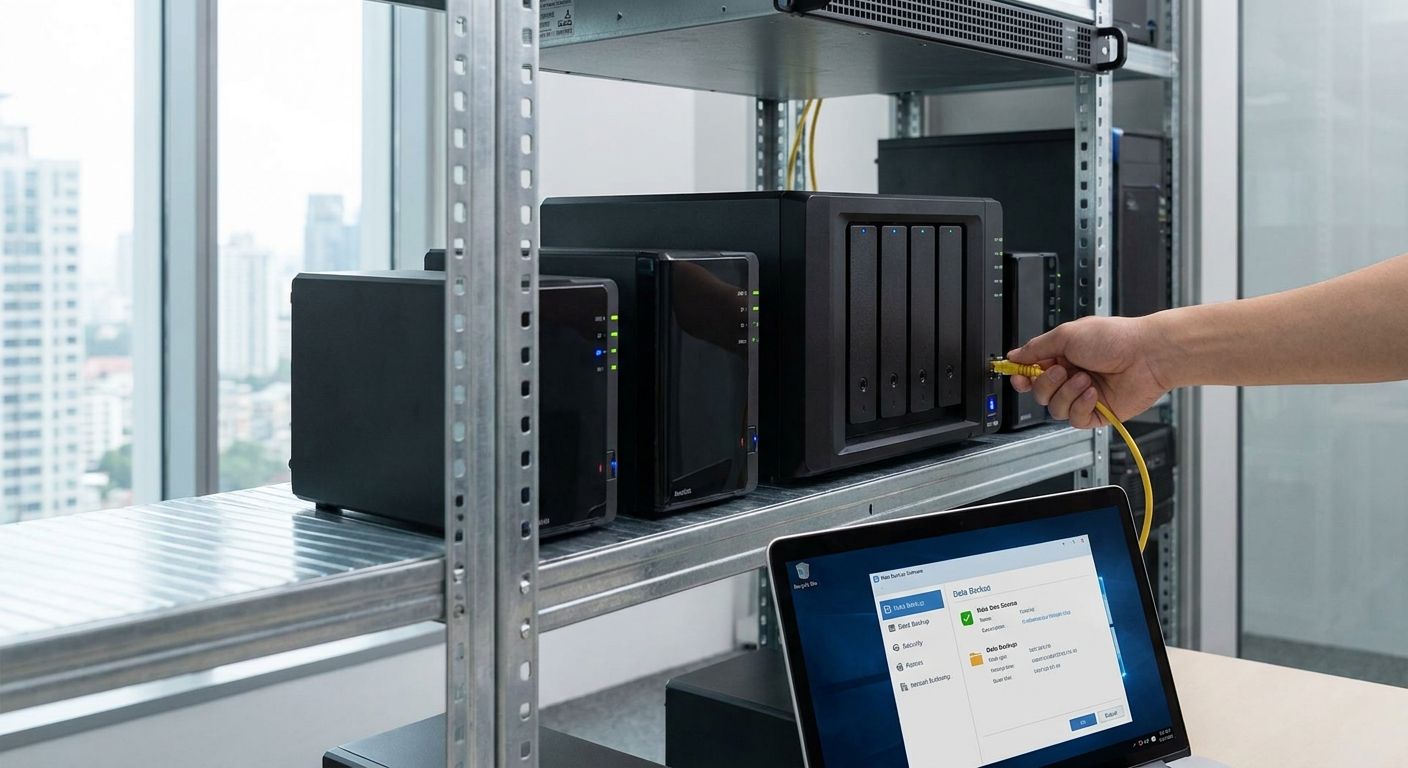
Business NAS storage in 2026 splits into three real categories: entry 2-bay boxes for solo operators, 4-to-8-bay RAID arrays for growing teams, and rackmount units for server rooms feeding multiple departments off the same share.
- Synology DS923+ is the best NAS storage for business backup in 2026 — buy it for 4-bay RAID with 2.5GbE and a 10GbE upgrade slot.
- QNAP TS-464 matches the DS923+ on ports and expansion at a lower entry price — buy for budget-conscious teams.
- Skip single-bay backup boxes like Synology BeeStation once more than two people write to the same files daily.
- Pair any business NAS with a UPS — a power cut mid-RAID-rebuild is how arrays lose data, not drive failure alone.
- Synology RS1221+ rackmount scales to multi-department file shares; a 4-bay desktop unit tops out around one team.
Why this matters
A laptop dying costs you a laptop. A shared drive dying without a real backup plan costs you every invoice, contract, and client file the business has touched this year.
The standard rule for business continuity is 3-2-1: three copies of anything critical, on two different media types, with one copy off-site. A NAS is the on-site leg of that plan — fast local restores, RAID protection against a single drive failure, and a base for pushing encrypted copies to the cloud or a second location.
Run that NAS without surge protection and a controlled shutdown path, and you've built a single point of failure instead of a safety net. That's why a UPS system built for server rooms and network racks sits right next to the NAS conversation, not somewhere after it.
How we ranked
Every model below is scored on drive bay count, RAM ceiling (including ECC support where it matters for RAID integrity), network port speed, and whether the vendor ships real business backup software — Synology Hyper Backup, QNAP Hybrid Backup Sync — rather than a consumer sync app rebranded for the office. Specs come from each manufacturer's published 2026 datasheets, not from a lab you can't verify.
Drive count and RAM decide how many people can hit the array at once without queueing. Network speed decides how long a full restore takes when it matters most — during an outage, not during a demo.
What to look for in NAS storage for business backup
Drive bay count and RAID headroom
A 2-bay unit gives you RAID 1 mirroring and nothing else — one drive dies, the other still has your data, but you've used your entire capacity budget on redundancy. A 4-bay or 5-bay unit runs RAID 5 or RAID 6, which tolerates one or two drive failures while still using most of the raw capacity for actual files.
RAM and whether it's expandable
Most 4-bay business NAS units ship with 4GB and let you push to 16GB or 32GB. More RAM means more simultaneous users, faster metadata indexing, and headroom for running backup software and antivirus scanning on the box itself instead of a separate server.
Network port speed
1GbE tops out around 125MB/s in real-world transfers — fine for five people, painful for twenty. 2.5GbE and 10GbE ports (native or via an add-in card) cut restore times dramatically when you're pulling a full department's files back after an incident. If the office network itself is still on older switches, a network switch upgrade for a growing office has to happen before the NAS upgrade pays off.
Drive compatibility and vendor lock-in
Some vendors restrict which hard drives qualify for full warranty support and advanced RAID features. Check the compatibility list before buying drives separately — a NAS that only half-supports third-party drives loses the point of buying commodity storage.
Backup software, not just storage
A NAS that's just a big drive with a network cable isn't a backup system. Look for scheduled versioned backups, ransomware-resistant snapshots, and a documented path to push a second copy off-site or to cloud storage.
RAM upgrade path for aging hardware
If you're extending the life of an existing NAS or server rather than replacing it outright, a RAM upgrade kit for aging business servers is frequently the cheaper fix versus a full hardware swap — check the ceiling before assuming you need new hardware in 2026.
Order backup infrastructure on a business account
Bulk-order UPS units, switches, and RAM with net pricing and 24-48h delivery.
The ranked list: best NAS storage for business backup in 2026
1. Synology DS923+ — the safe pick
Four bays, 4GB RAM expandable to 32GB, dual 1GbE ports plus a 10GbE upgrade slot, and support for an M.2 NVMe cache. This is the model most small-to-mid businesses land on because it runs Synology's Hyper Backup out of the box and handles RAID 5 across four drives without breaking a sweat.
It covers the 5-to-40-person office cleanly: enough RAM for concurrent access, enough network headroom to add 10GbE later without buying new hardware. Verdict: Buy.
2. QNAP TS-464 — the budget alternative
Also four bays, also 4GB RAM (expandable to 16GB), with two 2.5GbE ports standard and a PCIe slot for a 10GbE card. QNAP undercuts Synology on entry price while matching most of the networking spec, and Hybrid Backup Sync covers cloud tiering and versioned snapshots.
The tradeoff is a less polished mobile app ecosystem and a smaller third-party backup software list than Synology. For a business that just needs reliable RAID and scheduled backups without extra software shopping, that tradeoff barely matters. Verdict: Buy.
3. Synology DS1522+ — the scale-up pick
Five bays out of the box, expandable to ten with an add-on unit, 8GB RAM, dual 1GbE built in and 10GbE available via expansion card. This is the model for a business that's outgrowing a 4-bay unit but isn't ready for rackmount hardware and a dedicated server room.
The extra bay and RAM headroom buy real runway — you can add capacity for two or three years of growth without a full replacement. Verdict: Buy.
4. TerraMaster F4-423 — the wildcard
Four bays and 8GB RAM at a lower list price than the Synology and QNAP equivalents, with dual 2.5GbE ports standard. The hardware spec looks strong on paper for the money.
The catch is software maturity — TerraMaster's backup and snapshot tools trail Synology and QNAP on polish and third-party integration depth, which matters more the bigger your team gets. It's a fine fit for a five-person office that mainly needs reliable file storage and basic scheduled backup, not a business running compliance-sensitive document retention. Verdict: Hold — good hardware, wait for the software gap to close or accept the tradeoff knowingly.
5. Synology RS1221+ — the rackmount pick
Eight bays in a rackmount chassis built for a server room rather than a desk, 4GB RAM expandable, dual 1GbE with 10GbE expansion available. This is the unit for a business running multiple departments off one file share, or one that's already standardizing on rack hardware for other network equipment.
It needs a real rack and a real UPS behind it — an server-room UPS system isn't optional at this scale, it's the difference between a graceful shutdown and a corrupted array during a power event. Verdict: Buy for any business past the 40-person mark or running multiple file shares.
6. Synology BeeStation — the trap pick
Single bay, no RAID, positioned as a simple personal backup appliance rather than a business file server. It's genuinely easy to set up and cheap relative to the multi-bay units above.
The problem is structural: one drive means one point of failure, and a business relying on it for shared files has zero redundancy the moment that drive starts failing. It's built for a single user's personal backup, not a team's shared storage. Verdict: Skip for any business with more than one or two people touching the same files.
Comparison table
| Model | Bays | RAM (max) | Network | Best for | Verdict |
|---|---|---|---|---|---|
| Synology DS923+ | 4 | 32GB | 2x 1GbE + 10GbE slot | 5-40 person offices | Buy |
| QNAP TS-464 | 4 | 16GB | 2x 2.5GbE + PCIe | Budget-conscious teams | Buy |
| Synology DS1522+ | 5 (to 10) | 8GB | 1GbE + 10GbE card | Growing teams past 4-bay | Buy |
| TerraMaster F4-423 | 4 | 8GB | 2x 2.5GbE | Small teams, basic backup | Hold |
| Synology RS1221+ | 8 | 4GB+ | 1GbE + 10GbE card | Multi-department, server room | Buy |
| Synology BeeStation | 1 | fixed | 1GbE | Solo backup only | Skip |
Where to buy
- Buy from a reseller that quotes drives, RAID setup, and network configuration together — a NAS box alone without the switch ports and UPS behind it is half a solution.
- Confirm the model's drive compatibility list before ordering hard drives separately; some vendors restrict advanced RAID and full warranty support to their own certified drives.
- If you're outfitting more than one location, set up a business account for bulk IT equipment orders rather than buying each site's hardware as a one-off purchase — net pricing and consistent delivery timing matter more at scale than at a single site.
FAQ
What's the best NAS storage for business file backup in 2026?
The Synology DS923+ is the best all-around pick for business backup in 2026, with 4 bays, RAM expandable to 32GB, and a 10GbE upgrade slot. It runs Synology's Hyper Backup out of the box, which covers scheduled and versioned backups without extra software.
Is QNAP or Synology better for business backup?
Synology has the more mature backup software and mobile app ecosystem; QNAP matches most of the hardware spec at a lower entry price. Choose Synology if backup software polish matters most, QNAP if hardware-per-euro matters most.
How many drive bays does a small business need?
A 4-bay NAS is the practical minimum for real RAID protection with usable capacity — a 2-bay unit only supports mirroring, which wastes half your raw storage on redundancy. Businesses past 40 people or running multiple departments typically need 5 or more bays.
Is RAID 5 or RAID 1 better for business backup?
RAID 5 protects against one drive failure while using most of the raw capacity for actual files, which is why it's standard on 4-bay-and-up business NAS units. RAID 1 only mirrors two drives and is better suited to 2-bay setups with no room to grow.
How much RAM does a business NAS need?
4GB is the floor for a small office NAS handling concurrent access from a handful of users; expandable models let you push to 16GB or 32GB as user count grows. More RAM also matters if the NAS runs backup software or antivirus scanning locally.
Does a NAS replace cloud backup?
No — a NAS is the on-site leg of the standard 3-2-1 backup rule, not a replacement for an off-site copy. Pair local NAS storage with a second copy pushed to the cloud or another physical location to survive a fire, theft, or ransomware event at the primary site.
What network speed does a NAS need for fast backups?
1GbE tops out around 125MB/s, which is workable for small teams but slow for full-department restores. 2.5GbE or 10GbE ports cut restore times significantly and matter most during an actual outage, not day-to-day file access.
Can a business NAS run without a UPS?
It can, but a power cut during a RAID rebuild is one of the most common ways business arrays get corrupted, not just drive failure alone. Any NAS holding business-critical files should sit behind a UPS sized for a controlled shutdown, not just a surge protector.
One last thing
The detail most businesses skip: a NAS with RAID protects against a drive failure, not against ransomware encrypting every file it can reach over the network. Versioned snapshots — a feature on the DS923+, DS1522+, and TS-464, but not on the single-bay BeeStation — are what actually let you roll back to a clean file state after an attack, and that's worth weighing more heavily than raw capacity when you're deciding in 2026.


