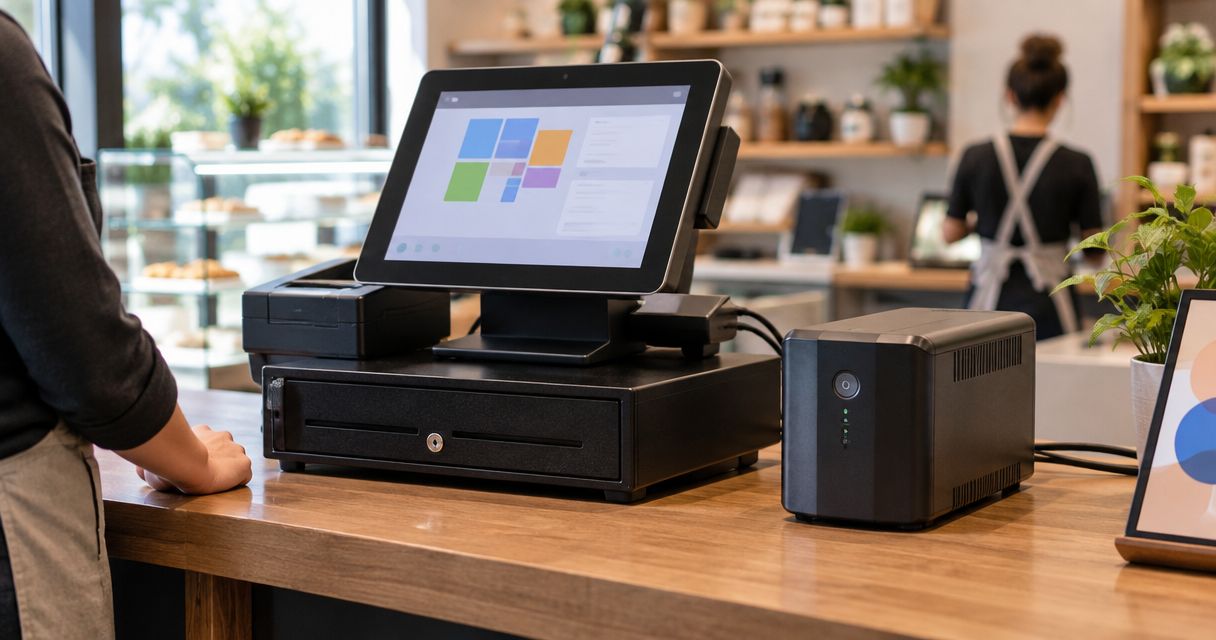
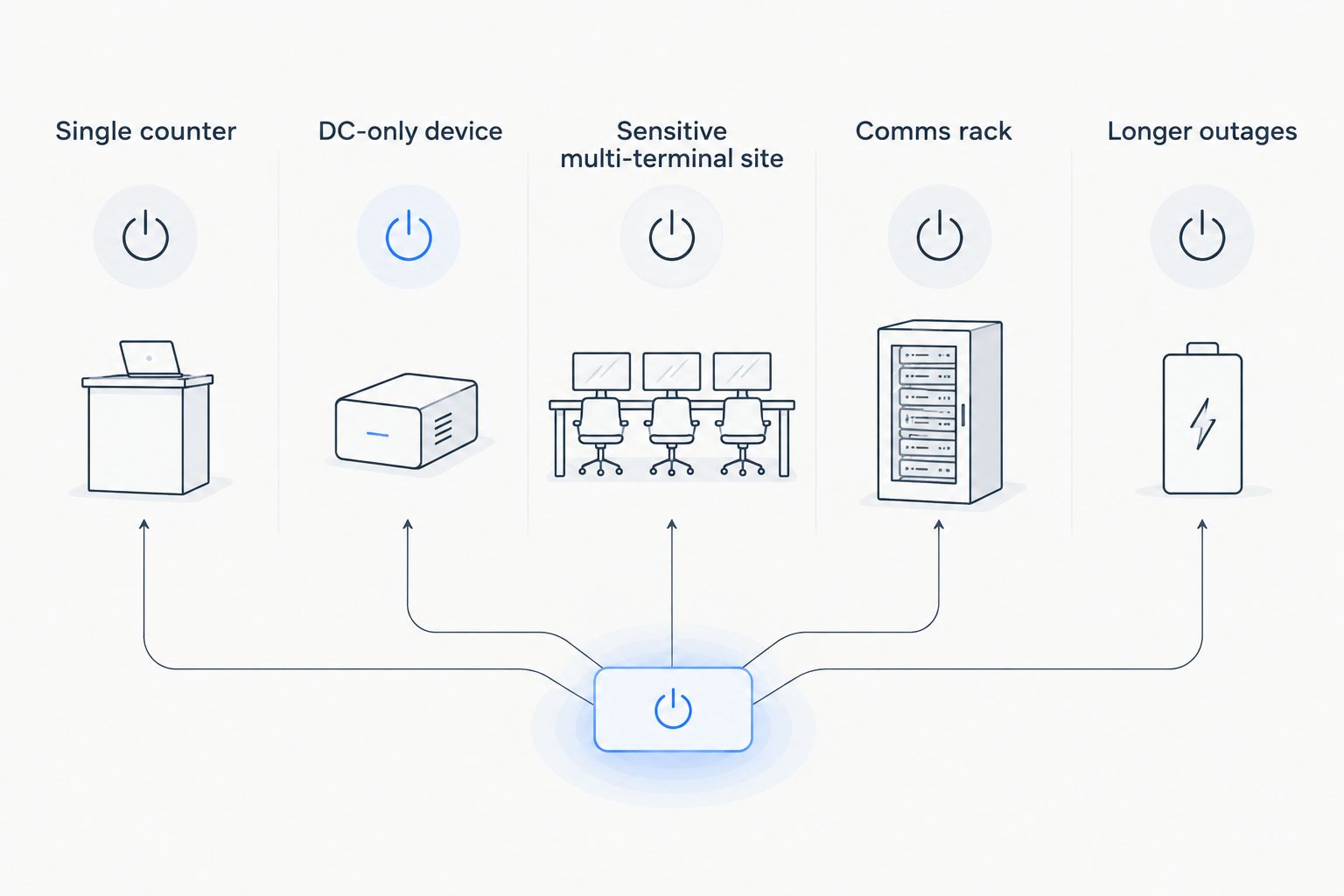
Best overall UPS for POS system setups in 2026: a line-interactive UPS for one checkout counter. Best for a DC-powered terminal: a compatible mini UPS. Best for a multi-terminal site with sensitive equipment: an online double-conversion UPS. A rack-mount unit fits a comms rack, while an extended-runtime configuration fits a site that needs more than a shutdown window. These are UPS configurations, not ranked product models; check the connected equipment and its measured load before choosing one.
- For one checkout counter, a line-interactive UPS is the best overall UPS for POS system setups in 2026.
- Choose a mini UPS only when its DC output matches the POS device's voltage, connector and power demand.
- An online double-conversion UPS suits sensitive multi-terminal setups; a rack-mount UPS suits a comms rack.
- Size backup power for the terminal, printer and network equipment you need during an outage, not the terminal alone.
Why this matters
A UPS keeps connected equipment powered when mains electricity fails. It does not keep a checkout working if the router, network switch or payment connection loses power elsewhere. Before comparing units, decide whether you need time to finish a transaction, shut down safely or continue serving customers through an outage.
VOLL supplies business IT, including WINTOUCH POS software and point-of-sale hardware. For the installation questions behind this ranking, see its guide to UPS backup power for POS systems and cash registers. This page makes the buying decision narrower: which UPS configuration belongs at the counter, and which belongs with the network equipment?
For a Portuguese installation, confirm that the UPS input and output suit 230 V, 50 Hz mains power. Then check every device's power label. A UPS rated for the terminal alone is not automatically rated for a receipt printer and router plugged into its remaining outlets.
What makes the best UPS for a POS system
- Output capacity in watts: Add the power demand of devices that must stay on. Check the UPS's watt rating, not just its volt-ampere rating.
- Runtime at that load: Use the manufacturer's runtime chart for the combined load. A runtime claim at a lighter load does not describe your counter.
- Power connections: Separate battery-backed outlets from surge-only outlets. Only the former provide power during an outage.
- Output compatibility: Check the equipment manufacturer's requirements for waveform, voltage and connectors, particularly with DC-powered devices.
- Placement: A desktop unit fits a counter; a rack-mount unit fits network equipment already housed in a rack.
- Shutdown control: If a computer needs an orderly shutdown, verify that the UPS and operating system can communicate before relying on that function.
UPS options at a glance
| UPS configuration | Best for | Standout feature | Key limitation |
|---|---|---|---|
| Line-interactive UPS | Single counter | Corrects some voltage variations without using battery power | Runtime falls as connected load rises |
| Compatible mini UPS | DC-only device | Can protect a device that uses a matching DC input | Wrong voltage or connector makes it unsuitable |
| Online double-conversion UPS | Sensitive multi-terminal site | Supplies equipment through its inverter continuously | More complex than a single-counter setup needs |
| Rack-mount UPS | Comms rack | Keeps rack-mounted network equipment with its backup power | Mounting format alone says nothing about runtime |
| Extended-runtime UPS | Longer outages | Supports additional battery capacity where compatible | Extra batteries take space and require a compatible UPS |
The table mixes UPS operating types with two configuration choices: rack mounting and extended runtime. A rack-mount UPS can also be line-interactive or online; an extended-runtime unit still needs a suitable output capacity. Start with the electrical requirement, then choose its mounting format and battery capacity.
1. Line-interactive UPS: best for a single POS counter
A line-interactive UPS supplies battery power when mains power fails and regulates some voltage variations while mains power remains available. It is the default starting point for a counter with a POS terminal and receipt printer. Confirm the printer's electrical demand before treating both devices as one protected load.
A checkout also needs a working payment path. If its router and switch sit outside the counter, protecting the terminal alone will not keep a network-dependent transaction running. Put those devices within the backup-power plan or define the UPS's job as giving staff time to stop and shut down.
Line-interactive UPS pros:
- Fits the electrical needs of a straightforward, single-counter installation.
- Offers voltage regulation without treating every voltage variation as an outage.
- Comes in desktop formats suited to counter placement.
Line-interactive UPS cons:
- Adding a printer, router and switch reduces runtime at a given battery capacity.
- Output waveform and shutdown connectivity vary by model; the operating type does not guarantee either feature.
Best for: one checkout counter after its complete protected load has been calculated.
Verdict: Buy as the default UPS type for one counter in 2026, provided its watt rating and runtime chart cover the devices you intend to connect. VOLL's POS catalogue establishes the checkout context, not a reason to choose a UPS before checking those specifications.
2. Compatible mini UPS: best for a DC-powered device
A mini UPS is useful when one device runs from a DC power adapter and the UPS offers a matching output. Some compact units provide DC connectors rather than the mains sockets expected by a POS terminal and receipt printer. The word mini describes its size, not its compatibility with your equipment.
Read the device's required voltage, current, connector type and polarity. Match all of them to the UPS documentation. If you cannot establish a match, do not substitute a connector that happens to fit; choose an appropriately rated mains-output UPS instead.
Mini UPS pros:
- Takes up little space near a small DC-powered device.
- Targets a single device without reserving counter space for unused mains outlets.
- Makes sense when its output specifications match the equipment exactly.
Mini UPS cons:
- A DC-only output cannot power a standard mains-powered receipt printer.
- Connector fit alone does not prove that voltage, polarity or available power is correct.
Best for: one DC-powered POS or network device with verified electrical compatibility.
Verdict: Buy only after checking those specifications. Skip a mini UPS as a default for an entire checkout; compact dimensions do not tell you whether it can run the connected load.
3. Online double-conversion UPS: best for a sensitive multi-terminal site
An online double-conversion UPS feeds connected equipment through its inverter continuously. That design avoids the transfer between mains supply and battery-backed inverter output used by other UPS types. It is the stronger fit when a site has several connected checkout devices and requires tightly controlled output power.
The operating type still does not determine runtime. List the terminals and supporting network equipment that need protection, check their combined load, and read the runtime chart for a unit rated to supply it. An online UPS at the wrong capacity is not an upgrade over a correctly sized line-interactive unit.
Online double-conversion UPS pros:
- Provides continuous inverter output to connected equipment.
- Removes transfer time as a selection concern for the protected load.
- Can be specified for a shared installation rather than treating every terminal in isolation.
Online double-conversion UPS cons:
- Introduces more equipment complexity than a simple single-counter installation needs.
- One shared UPS creates a shared dependency: its capacity and maintenance plan affect every connected device.
Best for: a multi-terminal site whose equipment requirements justify continuous inverter output.
Verdict: Buy where those requirements are documented. Hold for a single counter with no such requirement; VOLL's work across POS software, hardware and networks does not remove the need to size the electrical load first.
4. Rack-mount UPS: best for the POS network rack
A rack-mount UPS is a placement choice for equipment housed in a rack, such as switches, routers or a local computer. It protects the network layer that checkout terminals depend on. If the tills sit across the shop floor, a rack-mount UPS does not power them unless their electrical supply has been designed to connect to it.
Work out the rack load separately from the counter load. A network switch and a POS terminal have different locations and may have different shutdown needs. Keeping those calculations separate makes it easier to see which parts of the checkout remain operational during a power cut.
Rack-mount UPS pros:
- Fits beside the network equipment it protects.
- Gives the comms rack a clear, separate backup-power plan.
- Can support managed shutdown where the selected model and connected equipment allow it.
Rack-mount UPS cons:
- Requires suitable rack space and installation conditions.
- Rack mounting does not guarantee enough capacity or runtime for equipment outside the rack.
Best for: a site with POS-dependent network equipment already installed in a comms rack.
Verdict: Buy for the rack load, not as an automatic replacement for counter-level protection. For VOLL POS installations that depend on a local switch, check both sides of that division.
5. Extended-runtime UPS: best for longer outages
An extended-runtime configuration uses a UPS designed to work with additional battery capacity. It addresses a different question from UPS operating type: how long the protected equipment must remain powered. First decide whether staff need a controlled shutdown or continued operation; those are different runtime targets.
Use an outage history and a written list of essential devices to set that target. Check the manufacturer's approved battery configuration and runtime chart. Additional battery capacity will not fix a UPS whose output watt rating is too low for the connected devices.
Extended-runtime UPS pros:
- Lets a compatible installation target a longer operating window.
- Keeps runtime planning separate from the choice between line-interactive and online operation.
- Helps you define which checkout and network devices are essential during an outage.
Extended-runtime UPS cons:
- Batteries require additional installation space and eventual replacement.
- Compatibility depends on the UPS model and its approved battery options.
Best for: a site with a defined need to operate beyond a basic shutdown window.
Verdict: Buy when that runtime requirement is documented. Wait if the objective is simply to save work and shut down; specify the shorter job before adding battery capacity.
How these options were ranked
The ranking starts with the most common decision: protecting one checkout counter without assuming a particular UPS model is in stock. It then separates a DC-only device, a sensitive multi-terminal installation, a comms rack and a longer-outage requirement. Each pick has a distinct job; a rack-mount or extended-runtime configuration can still use the operating type recommended for its electrical load.
Before requesting a quote in 2026, give the supplier the equipment list, each device's power requirements, the required runtime and the installation location. Identify which devices must remain operational together. VOLL's business IT offering includes POS software, hardware and networking, so that equipment list is more useful than asking for a UPS based only on the cash register's name.
Which UPS should you choose for your POS system?
Choose a line-interactive UPS for a single counter unless a specific equipment requirement points elsewhere. Choose a compatible mini UPS for one DC-powered device, an online double-conversion UPS where continuous inverter output is required, and a rack-mount UPS for a comms rack. Add extended runtime only when the required operating window exceeds what a standard configuration provides at your measured load.
The decision is not complete until the runtime chart matches the connected devices. Check battery-backed outlets, shutdown support and whether the router and switch need protection too. In 2026, those checks matter more than choosing the unit with the largest capacity figure on its label.
FAQ
What is the best UPS for a POS system in 2026?
A correctly sized line-interactive UPS is the best default for one POS checkout counter in 2026. Check its watt rating and runtime against every device that needs battery power.
Can a mini UPS power a cash register and receipt printer?
Only if its outputs, power rating and connectors match both devices. A DC-only mini UPS cannot directly power a standard mains-powered receipt printer.
Is an online UPS necessary for a single POS terminal?
No, not by default. Specify online double-conversion when the connected equipment requires continuous inverter output; otherwise, evaluate a correctly sized line-interactive unit first.
How do I calculate UPS size for a POS counter?
Add the power demand of the devices you need to protect, then choose a UPS with an adequate output watt rating. Use its manufacturer runtime chart at that combined load to check battery duration.
Does a UPS keep card payments working during an outage?
A UPS powers only the equipment connected to its battery-backed outputs. Online payments also depend on the powered network equipment and an available connection beyond the premises.
Should the POS network switch have its own UPS?
Protect the switch if checkout terminals depend on it during an outage. A rack-mount UPS fits a switch in a comms rack, while the tills may need separate counter-level protection.
Does a larger battery make an undersized UPS safe for a POS setup?
No. Additional battery capacity addresses runtime; it does not raise the UPS's rated output power. Check the load rating before planning battery duration.
One last thing
A UPS and a data backup solve different failures. Battery power gives a POS system time to keep running or shut down; it does not replace a backup of sales records. Keep both tasks in the checkout plan rather than expecting one device to cover them.


