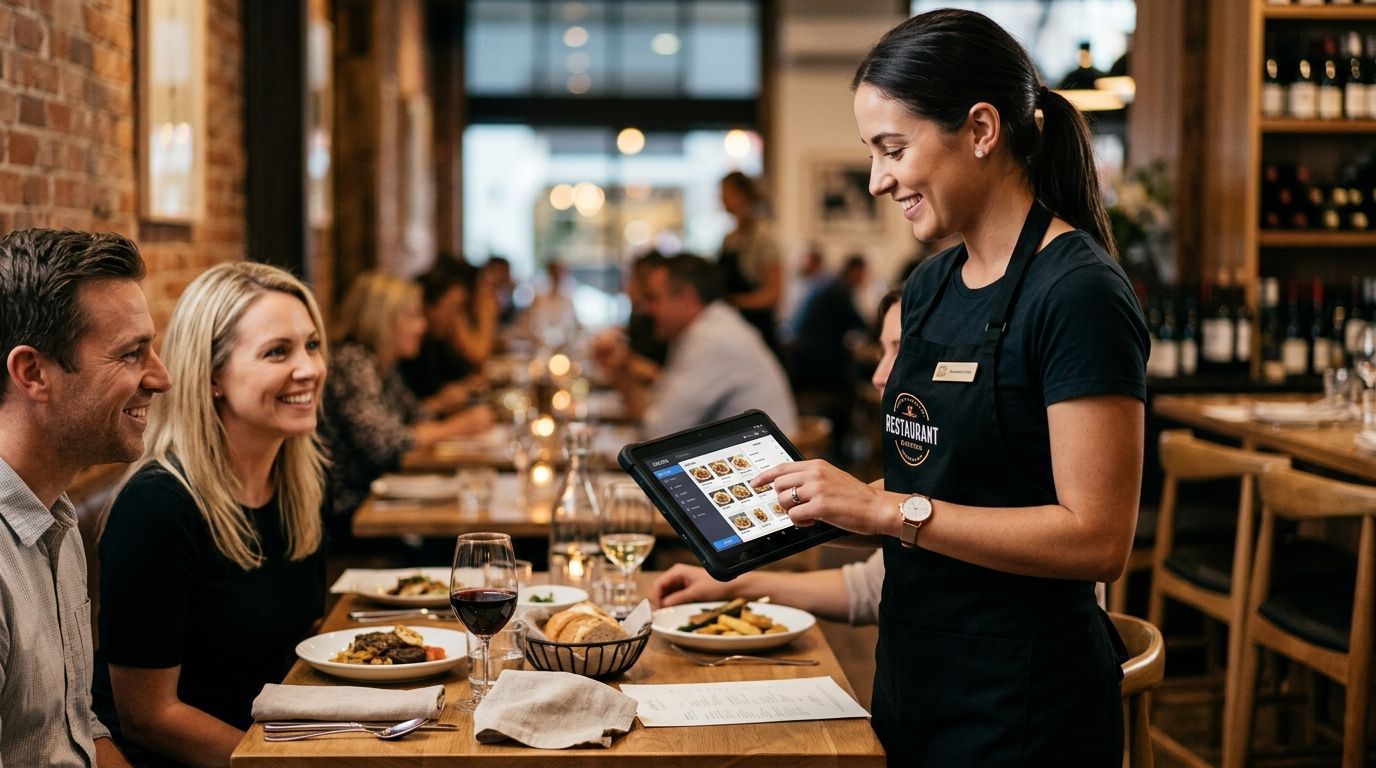
Restaurant tableside ordering tablets are rugged handheld devices that let waitstaff enter orders, split bills, and take payment directly at the table instead of walking back to a fixed POS terminal. The hardware for this segment has to survive a packed Friday dinner service, a splash of red wine, and a kitchen printer queue that never stops — a bar that warehouse or field-sales tablets never have to clear. What separates a restaurant tablet from a generic business tablet is the case, the Wi-Fi behavior under load, and how tightly it talks to the POS software running the floor.
- A rugged Android tablet with an IP54-rated case wins for full-service dining rooms in 2026 — consumer tablets crack within months.
- Tableside ordering only pays off when the tablet talks to your POS software and kitchen printers in real time.
- Dining-room Wi-Fi capacity, not the tablet spec sheet, is the most common reason tableside ordering projects fail.
- WINTOUCH POS integration turns a tablet from a notepad into a full order-to-kitchen system.
Why business tablets matter for restaurant tableside ordering
A server holding a tablet at the table sends the order to the kitchen the second it's confirmed, instead of walking to a terminal, queuing behind two other servers, and re-keying it. That gap is where tickets get lost, specials get misheard, and tables sit longer than they need to in 2026's tighter labor market where every restaurant runs leaner floor staff than it did a few years back.
The catch: none of that works without stable connectivity across the dining room. A tablet that drops off guest Wi-Fi for hotels and restaurants mid-order sends nothing to the kitchen, and the server has no way to know until the food never shows up. Restaurants evaluating business tablets for restaurant tableside ordering need to size the network before they size the hardware budget.
Matching the tablet to your dining room, not the spec sheet
A tablet built for a warehouse floor or a delivery van is not built for a dining room. The differences that matter here:
- Casing rating — look for IP54 or better; splash and grease exposure near a bar or open kitchen pass is constant.
- Screen size — 8 to 10 inches balances one-handed carry against readable menu grids for split checks.
- Drop tolerance — a tablet that survives a 1-meter drop onto tile saves a replacement mid-service.
- Screen brightness — dining rooms with dimmed evening lighting and bright patio seating both need to be readable without staff cranking brightness to drain the battery faster.
- Weight — under 500g matters when a server carries it through a six-hour shift.
Confirming POS software compatibility before buying hardware
Buying tablets first and figuring out the software later is the single most expensive mistake in this category. Order flow, table maps, split billing, and kitchen routing all live in the POS software, not the tablet.
- Check native tableside support — not every POS package has a tableside module; some bolt it on as an afterthought.
- Confirm real-time kitchen sync — orders should reach the kitchen printer or display within seconds, not on a batch delay.
- Test split-bill and course-firing logic — a restaurant floor lives or dies on how fast a server can fire an appetizer separately from a main.
- Verify offline mode — the tablet needs to queue orders locally if Wi-Fi blips, then sync once reconnected.
- WINTOUCH POS software runs tableside ordering with kitchen sync built in rather than added on, which is the baseline any tablet purchase should be checked against.
Building Wi-Fi coverage that survives a packed dining room
This is where most tableside rollouts actually break, not the tablets themselves. A single access point mounted near the host stand covers the front of the room and leaves the back corner and patio dead.
- Map coverage per zone — bar, main dining, patio, and private rooms each need signal, not just the entrance.
- Plan for concurrent devices — every tablet, kitchen printer, and payment terminal competes for the same access points during peak service.
- Separate guest and staff networks — tableside tablets should never share bandwidth with guest-facing Wi-Fi.
- Test at full capacity — a Tuesday lunch test tells you nothing about a Saturday night with 40 tables turning at once.
Protecting the hardware from drops, spills, and grease
A restaurant tablet gets handled by six different servers across a shift and set down on prep counters, bar tops, and tables covered in condensation rings.
- Rugged case with a hand strap — reduces drops from a carried tablet, the single most common damage cause.
- Screen protectors rated for repeated wipe-downs — sanitizer wipes degrade cheap screen film fast.
- Charging cradles at the host stand and server station — not a single charger tucked in an office.
- Spare units on hand — one dead tablet mid-Saturday-night shouldn't take a section offline.
Connecting tablets to the kitchen so orders route automatically
A tablet that just displays a menu is a expensive notepad. The value shows up when the order fires straight to the right kitchen station without a server relaying it verbally.
- Route by station — appetizers to the cold line, mains to the grill, drinks to the bar, automatically.
- Pair with a kitchen display system for kitchens moving away from paper tickets entirely.
- Print backup tickets — a physical fallback matters when a screen goes down mid-rush.
- Confirm timestamp visibility — kitchens need to see how long a ticket has sat, not just that it exists.
Planning battery and charging for double shifts
A lunch-and-dinner restaurant runs a tablet for 10-12 hours straight, well past most consumer tablet battery life.
- Buy tablets rated for all-day use, not the lightest consumer model with the longest marketing claim.
- Rotate spares at the shift change, not mid-service.
- Use charging docks, not loose cables — loose cables get unplugged by accident during a busy pass.
- Track battery health after the first year; restaurant-grade batteries degrade faster than office tablet batteries under daily full-drain cycles.
Training staff and building a fallback plan
Hardware and software both fail eventually. The restaurants that keep service moving have a plan before it happens, not during.
- Run a paper-ticket fallback every staff member knows without being told.
- Assign one manager per shift as the point person for tablet issues.
- Train new hires on tableside flow in their first shift, not their fifth.
- Log recurring issues — a tablet that drops Wi-Fi in the same corner every night is a network problem, not a hardware one.
Comparison: tablet options for restaurant tableside ordering
| Option | Best for | Key limitation |
|---|---|---|
| Rugged Android tablet (IP54+) | Full-service dining rooms with heavy nightly volume | Higher upfront cost than consumer models |
| Consumer Android tablet | Small cafés testing tableside on a limited budget | Cracks and battery-fades fast under daily bar/kitchen exposure |
| iPad-based POS tablet | Restaurants already standardized on Apple hardware | Fewer rugged case and POS integration options in Portugal |
| Windows tablet | Multi-function counters running POS and back-office tasks together | Bulkier for one-handed tableside carry |
| Handheld POS terminal (SUNMI-class) | Quick-service and counter-plus-table hybrid formats | Smaller screen limits menu browsing at full-service tables |
Verdict: a rugged Android tablet paired with tableside-native POS software is the safest buy for a full-service restaurant in 2026; consumer tablets belong only in low-volume cafés testing the concept before committing budget.
Set up tableside ordering with WINTOUCH
See how WINTOUCH POS handles tableside orders and kitchen routing.
Common mistakes restaurants make with tableside tablets
- Buying consumer tablets to save on upfront cost — the savings disappear the first time one cracks in a bar splash zone within a few months.
- Skipping a real-world Wi-Fi load test — testing during a slow Tuesday lunch tells you nothing about Saturday night at full capacity.
- Treating the tablet as the whole project — the tablet is worthless without POS software that actually routes orders to the kitchen in real time.
- No charging rotation plan — tablets die mid-shift because charging docks sit in a back office instead of at the server station.
- Ignoring staff training on the fallback plan — a system outage during peak service without a paper-ticket backup stalls the whole floor.
FAQ
What's the best business tablet for restaurant tableside ordering in 2026?
A rugged Android tablet with an IP54-rated case and a tableside-native POS integration is the safest choice for full-service restaurants in 2026. Consumer tablets work only for low-volume cafés testing the concept.
Is an iPad better than an Android tablet for tableside ordering?
Android rugged tablets generally offer more case and hardware options built specifically for restaurant use than iPads. iPads suit restaurants already standardized on Apple hardware across their business.
Do tableside tablets need their own Wi-Fi network?
Yes, tableside tablets should run on a network separate from guest Wi-Fi to avoid bandwidth competition during peak service. Coverage needs to reach every dining zone, not just the area near the router.
Can tableside tablets work without internet?
Some POS software includes an offline mode that queues orders locally until Wi-Fi reconnects, but this is a fallback, not a permanent setup. Restaurants should treat stable Wi-Fi as the primary requirement, not the exception.
How long do restaurant tablet batteries last per shift?
Tablets built for all-day restaurant use should cover a 10-12 hour lunch-and-dinner shift on a single charge when new. Battery health degrades faster under daily full-drain cycles, so a charging rotation plan extends usable life.
Do tableside tablets need to integrate with the kitchen?
Yes — the main value of tableside ordering comes from routing orders straight to the correct kitchen station without a server relaying them verbally. Without kitchen integration, the tablet functions as little more than a digital notepad.
How many tablets does a restaurant need?
Most full-service restaurants assign one tablet per section plus at least one spare per shift to cover charging rotation or hardware failure. The exact count depends on floor size and how many servers work a given shift.
One last thing
The tablet is rarely the point of failure — the access point is. A dining room running six tablets, two kitchen printers, and a payment terminal on one undersized router will drop orders long before any tablet battery or case gives out, and restaurants that skip the Wi-Fi audit end up blaming hardware for a network problem.


