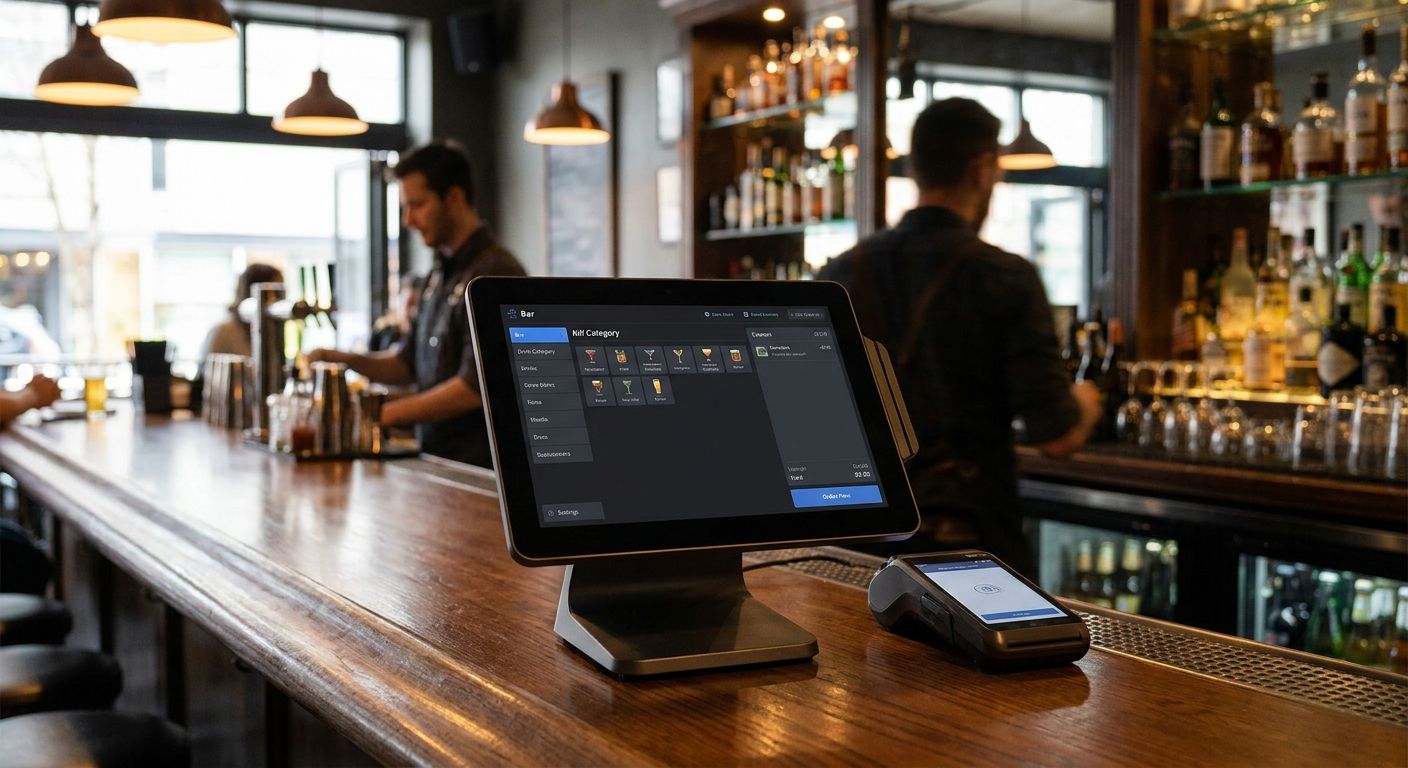
Complete POS terminal for bars is a hardware-and-software bundle built to run fast, high-volume drink orders, split tabs, and card payments without slowing a packed room down on a Friday night. Unlike a retail counter, a bar terminal has to survive spilled drinks, sweat on the screen, and three bartenders hitting the same register during last call — while still closing out tabs correctly at 3am.
- Wintouch POS software runs a complete POS terminal for bars with split-tab and fast checkout support.
- Pair it with a receipt printer and cash drawer rated for nightlife volume, not a retail till.
- A UPS backup keeps the register alive through short power cuts at closing time in 2026.
- Cloud POS beats on-premise setups for bar groups running more than one venue.
Why POS setup matters for bars and nightclubs
A bar register in 2026 handles a different problem than a retail till. Volume spikes hard between 11pm and 2am, most of it on card, and a single stalled transaction backs up the whole line at the counter. Tabs stay open for hours, split three or four ways at close-out, and staff turnover means the system has to be simple enough for a new bartender to run on night one.
Most bars try to patch this together with a retail POS or a generic tablet app and hit the same wall: no offline mode when Wi-Fi drops mid-rush, no per-staff override logging when a drink gets comped, no reporting broken down by hour. Wintouch POS software is built around this exact use case — split tabs, high transaction throughput, and staff-level tracking in one system — which is why it anchors most complete POS terminal for bars setups reviewed here.
Map your bar's order flow before buying hardware
Do this before pricing out any terminal. A setup sized for a wine bar with 40 covers a night looks nothing like one for a 300-capacity nightclub.
- Count peak-hour transaction volume at your busiest register, not your daily average
- Decide if you need fixed terminals at the bar, handheld units for table and VIP service, or both
- List every payment method you accept — card, contactless, cash, vouchers, prepaid tabs
- Confirm whether you need split-bill and open-tab functionality, not just single-item checkout
- Check what your accounting system needs from nightly sales exports
Choose POS software built for nightlife volume
Generic retail POS software chokes on split tabs and rapid-fire drink orders. Look for these specifically before signing anything.
- Split-tab and pre-authorization support for group tabs
- Per-staff logging on every void, discount, and comp
- Hourly sales reporting, not just daily totals
- Offline mode that keeps checkout running if Wi-Fi drops mid-service
- Product mapping that handles cocktails, bottle service, and combo pricing in one screen
Wintouch POS software covers all five out of the box, which is the baseline for any bar doing more than a handful of transactions an hour.
Add checkout hardware rated for bar conditions
A retail receipt printer or cash drawer bought for a boutique store will not hold up behind a bar counter running six nights a week.
- Thermal receipt printer with a fast print speed for peak-hour throughput
- Cash drawer with a heavy-duty lock, not a retail-grade latch
- Barcode scanner if you sell packaged drinks, merchandise, or bottle service add-ons
- Card reader positioned for one-handed use by a bartender mid-pour
- Spare cabling and a mounting bracket so the terminal survives a busy counter
Secure payment acceptance for split and group tabs
Card-heavy nightlife venues need payment acceptance that keeps pace with split checks and tips added at close-out.
- Confirm the terminal supports contactless and chip in the same transaction flow as tabs
- Check tip-adjustment happens at close-out, not only at initial swipe
- Test how the system handles a tab split four ways with two different cards
- Verify chargeback and refund handling doesn't require a manager override for every case
Protect uptime with backup power
A short power blip at 1am can wipe an open tab or freeze a register mid-transaction. Bars run later hours on older wiring than most retail spaces, so this step matters more here than in daytime retail.
- Size the UPS to the number of terminals plus printers running off it
- Confirm runtime covers a graceful shutdown, not just a few seconds of buffer
- Test the UPS under load once a month, not just at install
- Keep one spare battery-backed unit for your busiest terminal
A UPS backup for POS systems buys the seconds needed to close an open tab properly instead of losing it to a blackout screen.
Plan security and surveillance around the register
Cash-heavy nightlife venues are a common target for both external theft and internal shrinkage. The POS terminal should sit inside a wider security setup, not stand alone.
- Position cameras to cover the register and the cash drawer, not just the entrance
- Log every drawer opening against a transaction ID
- Reconcile the nightly cash count against the POS report before the safe drop
- Restrict manager-level overrides to a named PIN, not a shared code
Connect the POS to your accounting or ERP
Manual reconciliation of nightly sales is where most bar owners lose hours every week. A direct feed into accounting software removes that step.
- Export nightly sales totals automatically instead of re-keying them
- Match tax categories in the POS to your accounting chart of accounts
- Sync inventory draw-down for bottles and kegs against sales in real time
- Confirm multi-venue groups get consolidated reporting, not separate exports per bar
Comparing POS options for bars and nightclubs
| Option | Best for | Key limitation |
|---|---|---|
| Cloud POS (Wintouch Cloud) | Multi-venue bar groups needing centralized reporting | Full feature set needs stable internet; offline mode is a fallback, not the primary state |
| Standalone touchscreen terminal | Single-location bars with one main counter | Limited mobility for table or bottle-service runs |
| Handheld/tablet POS | Nightclubs running VIP tables or roaming bottle service | Battery life and screen durability vary by device under bar conditions |
| Legacy on-premise POS | Bars keeping an existing local server | Harder to add remote reporting once you open a second venue |
Verdict: cloud-based Wintouch POS wins for any bar group running more than one venue in 2026 — a single standalone terminal is fine for one counter, but it stops scaling the moment you open a second room or a second location.
Common mistakes bars and nightclubs make
- Buying retail-grade cash drawers that jam on card-heavy, high-volume nights
- Skipping backup power and losing open tabs to a two-second blackout at 2am
- No staff-level override logging, making comped or discounted drinks impossible to trace
- Choosing POS software with no offline mode, so checkout stalls the moment Wi-Fi drops mid-rush
- Ignoring accounting integration and reconciling nightly cash-outs by hand every single week
Get a complete POS terminal quote
Request pricing for Wintouch POS, hardware, and setup for your bar.
FAQ
What's the best complete POS terminal for bars in 2026?
A cloud-based setup running Wintouch POS software with a heavy-duty cash drawer, a fast thermal receipt printer, and UPS backup power is the best fit for most bars in 2026. Single-venue operators can run a standalone terminal; multi-venue groups need the cloud version for consolidated reporting.
Is a tablet POS or a standalone terminal better for a nightclub?
Standalone terminals handle the main bar counter better because they're built for continuous high-volume checkout. Handheld or tablet units work best as an addition for VIP table service or roaming bottle-service staff, not as the only register.
Can a bar POS system work without internet?
Yes, if the software includes offline mode, which keeps checkout running and syncs sales once the connection returns. Confirm this before buying — not every POS platform supports it.
Do I need a UPS backup for a bar POS terminal?
Yes, especially for late-night operations where a short power blip can freeze an open tab mid-transaction. A UPS gives the register enough runtime to close out tabs before shutting down safely.
Can Wintouch POS integrate with accounting or ERP software?
Wintouch POS is built to feed nightly sales and inventory data into accounting and ERP systems, removing manual reconciliation. This matters most for bar groups running more than one venue.
What payment terminals work with a bar POS system?
Card readers that support contactless, chip, and split-tab tip adjustment at close-out are the standard for nightlife venues. Confirm the terminal handles tip adjustment after the initial swipe, not only before it.
How many POS terminals does a nightclub need?
That depends on peak-hour transaction volume at each counter, not total floor size. Count how many transactions your busiest register handles per hour during a full weekend night before deciding.
How much does a complete POS terminal for bars cost?
Cost depends on the number of terminals, printers, and cash drawers in the setup plus the software licensing. Request a quote with your venue's terminal count and payment method mix for an accurate total.
One last thing
The detail most bar owners skip until it costs them a night: backup power isn't optional once you're running past 1am on older building wiring — a blackout that lasts two seconds can lock an open tab and turn a five-minute close-out into a twenty-minute argument with a customer. Size the UPS before you size the terminal count.


